A payment receipt is a written record that confirms money has already changed hands for goods or services, and it lists the merchant, the payment date, each item paid for, any discount and tax applied, the tip, the final total, the amount tendered, and the change returned. To make a receipt for payment in a browser, Receipt Maker lets you enter the merchant name, payment date, receipt number, and display currency, then add each item with a quantity and unit price before entering any flat discount, percentage tax, flat tip, and amount tendered. The preview shows the subtotal, tax, tip, final total, and any change, and you then print the result through the browser dialog or download a standalone HTML file that contains the validated values. Everything runs in the current browser, so merchant details, line items, prices, notes, and payment figures never leave the device, and money math uses integer minor units to avoid the floating-point rounding problem that turns 0.10 plus 0.20 into 0.30000000000000004.
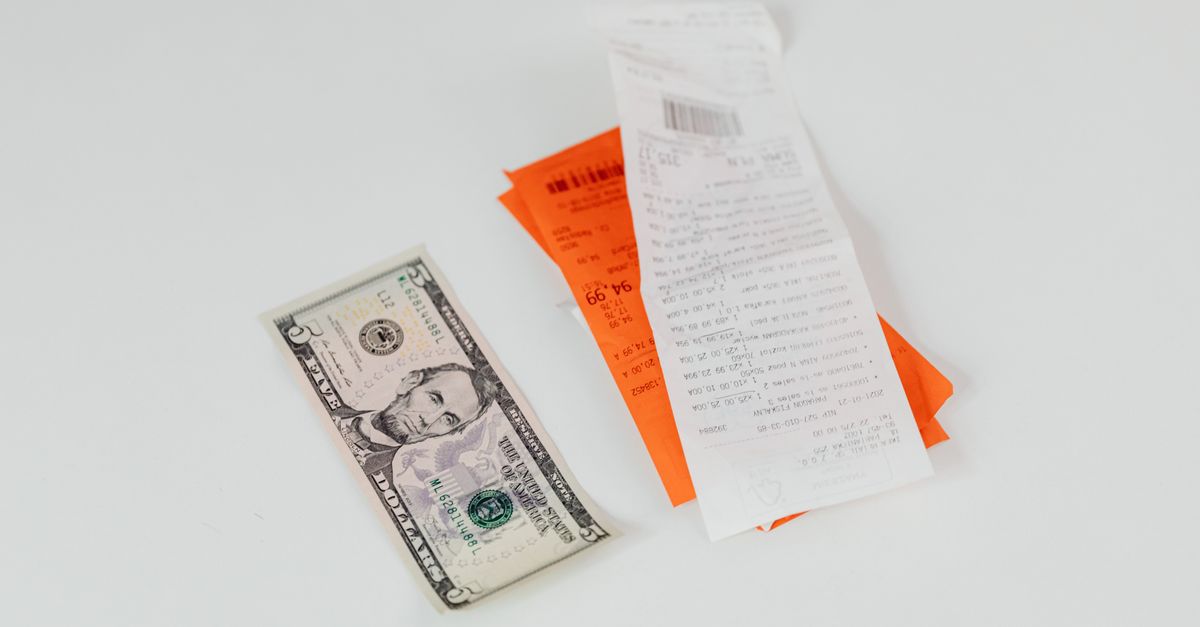
What a Payment Receipt Must Contain
A clear receipt answers four questions in plain language: who was paid, what was paid for, when did the payment happen, and how much was exchanged. The fields below cover the typical elements you would expect on a receipt for a completed retail or service transaction, and they map directly to the inputs in Receipt Maker.
| Field | Why it matters |
|---|---|
| Merchant name | Identifies who received the money and is the first thing a reader checks. |
| Payment date | Places the transaction on a timeline for bookkeeping and warranty claims. |
| Receipt number | Gives a unique reference so the document can be cited later without ambiguity. |
| Display currency | Sets the unit and symbol used for every monetary field on the page. |
| Line items, quantity, unit price | Shows exactly what was purchased and at what agreed rate per unit. |
| Flat discount | Reduces the subtotal by a fixed amount when a promotion is applied at the till. |
| Percentage tax | Adds a jurisdiction-specific rate on top of the discounted subtotal. |
| Flat tip | Records a gratuity that is added after tax. |
| Amount tendered | Confirms how much money was handed over by the customer. |
| Change due | Shows the difference returned when the tendered amount exceeds the total. |
Receipt Maker also validates every input before a receipt is produced. Blank, negative, non-finite, malformed, or excessive values are rejected rather than silently replaced with zero. Each unit price accepts no more than two decimal places and each quantity accepts up to three, and a single receipt is limited to 100 line items, with totals that exceed the supported amount range flagged in the preview.
Receipt vs Invoice: Two Different Documents
An invoice asks a customer to pay and is normally issued before the money moves. A receipt confirms that the money has already moved and is issued after the transaction. The distinction matters because the same set of numbers can mean very different things depending on which document carries them, and a tool that confuses the two can quietly produce a misleading record.
| Aspect | Invoice | Payment receipt |
|---|---|---|
| Timing | Issued before payment to request it. | Issued after payment to confirm it. |
| Primary job | States an amount due and a due date. | States an amount paid and any change returned. |
| Outstanding balance | Shown when the invoice is unpaid or partial. | Not applicable — generation stops if paid is below total. |
| Best tool for the job | Invoice Generator when you need to request money. | Receipt Maker when the payment is already complete. |
Receipt Maker is intentionally built only for the second case. If you need to record a partial payment against an open invoice, the right place is bookkeeping software that supports payment allocation and an audit trail rather than a receipt tool, because the receipt model here treats any unpaid remainder as a reason to refuse generation.
How Receipt Maker Calculates Totals
The math follows a single explicit order, and the order is the reason the totals come out the way you expect.
- Each validated line amount is the rounded product of an integer unit price and a quantity of up to three decimal places.
- All line amounts are added to form the subtotal.
- A flat discount is subtracted from the subtotal and cannot exceed it.
- The entered percentage tax is applied to the discounted subtotal and rounded to the nearest minor unit.
- A flat tip is added after tax.
- The final total therefore equals the discounted subtotal plus tax plus tip.
Behind the scenes, every two-decimal monetary input is first converted into integer minor units — one major unit becomes one hundred minor units — so 0.10 and 0.20 become 10 and 20 and add to exactly 30 instead of exposing a binary floating-point tail. The integer form is what gets stored, multiplied, divided, and added, and the result is then formatted back into a display value with the chosen currency symbol.
A worked example with the stated order
Suppose a customer buys three items in a session:
- Item A: 2 units at $10.00 each, line amount $20.00.
- Item B: 1 unit at $5.50, line amount $5.50.
- Item C: 3 units at $2.00 each, line amount $6.00.
The subtotal is 20.00 + 5.50 + 6.00 = $31.50. A flat discount of $5.00 is applied, leaving a discounted subtotal of $31.50 − $5.00 = $26.50. An 8 percent tax rate on $26.50 is 0.08 × 26.50 = $2.12, which is already an exact minor-unit value, so no rounding is needed. A flat tip of $3.00 is then added. The final total is therefore $26.50 + $2.12 + $3.00 = $31.62. If the customer hands over $40.00, the change due is $40.00 − $31.62 = $8.38. Every figure above comes from the order just listed, and the same order is what Receipt Maker applies to your own inputs.
Create a Paid Receipt
Open Receipt Maker and work through the inputs in the order the form presents them.
- Enter the merchant name, the payment date, the receipt number, and pick the display currency you want every monetary field to use.
- Add each paid item, giving each row a description, a quantity, and a unit price. Continue until every item from the original sale is listed.
- Enter any flat discount, then the percentage tax rate that applies in your location, then a flat tip if one was given. Use a tax rate appropriate for your situation, because the tool does not contain jurisdiction-specific tax tables or exemptions.
- Enter the amount tendered — the cash handed over, the card total, or the combined payment figure.
- Generate the paid receipt. The preview shows the subtotal, discount, discounted subtotal, tax, tip, total, and any change, and the tool refuses to generate when the tendered amount is below the total.
- Inspect every line and total in the preview, then print or download the result before you change any field, because editing a field clears the last generated output.
If you keep the page open while you work, create a fresh receipt after each edit and compare the new output with the original payment evidence before giving the document to anyone else.
Print or Download Your Completed Receipt
After generation, two output paths are available. The Print receipt control opens the browser print dialog so you can send the page to a physical printer or save a PDF if your operating system offers that option through the dialog; the underlying window.print behavior is what the browser itself provides. The Download HTML control saves a standalone HTML file that contains the validated values from the preview together with a compliance disclaimer, and the file can be reopened in any ordinary browser later and printed again. Both outputs use exactly the values you entered and validated, and both can be edited by anyone who opens the file in a text editor, so neither should be treated as a tamper-evident or fiscal record on its own.
Changing any input field after a receipt has been generated clears the last generated result, which is the reason the tool asks you to create a fresh receipt after each edit rather than reusing the previous output.
What This Tool Does Not Replace
Receipt Maker is a general-purpose convenience tool for one completed payment, not a compliance or accounting system. It does not authenticate the merchant, confirm that a card or cash payment actually occurred, apply official tax rules, generate a fiscal or signed receipt, or archive records. It contains no tax tables, product exemptions, rounding mandates, invoice numbering rules, or jurisdiction-specific compliance logic, and it does not maintain customer accounts, sequential ledgers, inventory, refunds, voids, or payment-processor records.
For a receipt to satisfy legal, tax, warranty, reimbursement, insurance, or regulated recordkeeping requirements, keep the authoritative payment-processor record, cash-register journal, bank entry, signed agreement, or other source document that the transaction requires, and consult a qualified professional or the relevant authority when in doubt. A written receipt is a useful summary, but the source document is what carries legal weight.
For a more specific cash- or card-focused version of the same task, see the cash payment receipt guide, which covers the same Receipt Maker with a tighter focus on notes and denominations for cash transactions.
For a deeper look, see How to Make a Receipt in Excel Without Fragile Formulas.