To draw a Celtic Cross tarot spread, prepare ten unique upright cards across a named modern position layout, reveal each card only when you choose to continue, and keep a short seed so you can reproduce the same ten-card draw on demand. The Celtic Cross Tarot tool runs entirely in your current browser tab: it normalizes a short non-sensitive seed, hashes that seed with native SHA-256 under a versioned namespace combined with each of the 78 card IDs, sorts the resulting digests with a canonical index as a tie-breaker, and selects the first ten unique upright cards. No account, personal question, birth date, or contact information is requested, and nothing is written to localStorage, sessionStorage, cookies, or sent to any server. The interface reveals one card at a time, so the next identity stays out of the visible page, the accessibility tree, and data attributes until you choose to continue. The ten positions — Self, Situation, Challenges or Opportunities, Recent Past, Higher Power, Near Future, Blockers and Inhibitors, Allies, Advice, and Long-Term Potential — follow Tarot.com's published modern explanation, and A. E. Waite's older Ancient Celtic Method is explicitly not treated as the same layout.
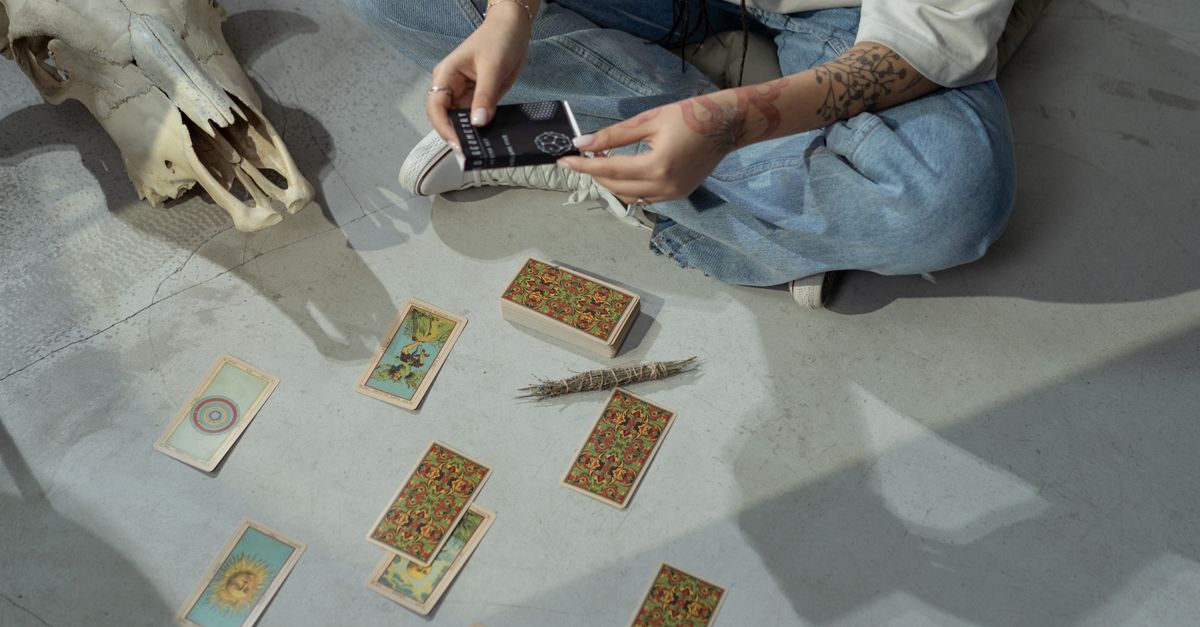
What "Drawing" a Celtic Cross Tarot Spread Means Here
In tarot practice, "drawing" a spread traditionally means shuffling a physical deck and pulling cards into positions by hand. With a digital tool, the same idea translates into a reproducible random selection — picking ten unique cards from a known catalogue under controlled conditions. The Celtic Cross Tarot tool does exactly that: rather than simulating a shuffle, it uses a short seed as the source of randomness and produces the same ten cards whenever that seed is re-entered.
This matters for two reasons. First, reproducibility lets you return to a spread you find meaningful, or share the exact layout with a friend by passing along the seed. Second, the draw itself is independent of your device's clock, browser, or operating system, because the seed is the only input that influences the order. The cards are always upright and always unique, so no position will repeat a card another position already shows. If you are curious how a three-card draw compares to this ten-card layout, the three-card Tarot Card Reading tool uses the same shared 78-card catalogue in a shorter Past, Present, and Future sequence.
The 10 Modern Celtic Cross Positions in Draw Order
This tool draws the cards in a fixed numerical order. Each position has a label and an original reflection prompt drawn from the modern ten-position sequence published by Tarot.com. Knowing the order in advance means you can pace your reveals and decide whether to reflect on each card before moving to the next.
| # | Position | Traditional focus |
|---|---|---|
| 1 | Self | How you currently show up in the situation |
| 2 | Situation | The circumstances surrounding your question |
| 3 | Challenges or Opportunities | What is actively shaping the path ahead |
| 4 | Recent Past | The event or influence still resonating |
| 5 | Higher Power | The underlying guidance or larger context |
| 6 | Near Future | What is approaching in the short term |
| 7 | Blockers and Inhibitors | Internal or external factors slowing movement |
| 8 | Allies | People or influences supporting you |
| 9 | Advice | A suggested approach or attitude |
| 10 | Long-Term Potential | The likely direction if current patterns continue |
These labels and their numbering are the same ones the tool uses, but the prompts the tool shows you are original questions for optional reflection, not forecasts of what will happen.
How to Draw the Celtic Cross Tarot Step by Step
- Open the Celtic Cross Tarot tool in your current browser tab.
- Type a short non-sensitive seed in the seed field, or use the generate option to let the browser create a random 128-bit hexadecimal seed locally.
- Choose Prepare spread. The interface clears any older draw before asynchronous hashing begins.
- Reveal position 1 (Self). The card identity enters the visible page only after the reveal action; until then, only the position label and a generic not-revealed state are shown.
- Reveal position 2 (Situation), then position 3 (Challenges or Opportunities), and continue in numerical order through position 10 (Long-Term Potential).
- Move focus with the keyboard or pointer between reveals. A polite status message announces progress without exposing the next card's identity.
- Keep the seed visible if you want to reproduce the same ten-card spread later. Choose Reset to clear the current seed, the prepared card IDs, the reveal count, status, and any error state.
Each reveal step is its own action; nothing about the next card is committed to the page until you choose to continue. If you want to start over, Reset invalidates pending work and returns the interface to a clean state.
How a Seed Makes the Draw Reproducible
A seed is a short string — letters, digits, or hex characters — that you supply or have the browser generate. The tool normalizes the seed by trimming, collapsing whitespace, applying NFKC normalization, and lowercasing it. Then, for every one of the 78 cards in the shared catalogue, it computes the browser's native SHA-256 over the literal text "celtic-cross-v1", a null separator, the normalized seed, a null separator, and that card's ID.
Because the digests are sorted and only the first ten unique upright cards are kept, the same normalized seed always produces the same spread under this versioned method. Verification locks the exact SHA-256 namespace, the normalized-seed stability, the 78-card input size, and ten-card uniqueness, so two people who type the same seed on the same version of the tool will see the same ten cards in the same order.
The seed stays visible because reproducibility is the point — you can write it down, pass it to a friend, or paste it into a journal entry. If you want to remove it from the screen, Reset clears it from the current tab.
Why Each Card Stays Hidden Until You Reveal It
Hidden cards are handled as a product boundary, not just a CSS trick. Until you reveal a position, the component resolves the card value to null and renders only the position label plus a generic not-revealed state. The card title and themes are created only after the reveal action, so the next identity is not present in the visible page, the accessibility tree, or data attributes.
This keeps the gradual interaction honest for screen-reader users and avoids leaking future identities through markup inspection. Form controls and reveal actions provide at least a 44-pixel target with visible keyboard focus. The ten positions reflow from one column to two and then to five as space permits, with wrapping for long labels and seeds, so the layout adapts whether you are on a phone, tablet, or desktop.
What the Tool Does Not Do
The Celtic Cross Tarot tool is built for entertainment and optional self-reflection, not for decisions. It does not claim that a card predicts facts or events; position prompts such as "Near Future" or "Long-Term Potential" are the sourced position labels, not forecasts. The page explicitly excludes medical, mental-health, legal, financial, relationship, safety, and crisis decisions from its use, and the verification suite confirms the safety wording is present.
Nothing leaves your current tab. There is no reading API call, no model request, no analytics payload from the widget, no localStorage or sessionStorage write, no cookie, and no account requirement. No personal question, name, birthday, location, email address, or contact information is requested, and Reset clears the current seed if you want to remove it from view. The tool does not score your reading or rank the cards — it draws, reveals, and lets you reflect.
Variations and History You Should Know
The phrase "Celtic Cross" does not describe a single universal layout. A. E. Waite's public-domain Pictorial Key to the Tarot describes an older Ancient Celtic Method that includes a significator card and a different set of position meanings and ordering from the modern sequence used here. The Celtic Cross Tarot tool does not claim that its modern sequence is the only correct one; instead, it names Tarot.com's published modern ten-position variant so you know exactly which layout you are using.
If you want to look up the broader 78-card catalogue outside the draw, the Tarot Card Meanings reference lets you filter the same shared deck by name without drawing a card or submitting a question. That makes it easy to compare a card's theme with its position prompt after you have finished revealing the spread.
If you're weighing options, Lucky Card Draw: Same Card Holds All Day covers this in detail.
If you're weighing options, Does Tarot Card Meanings Include All 78 Cards? covers this in detail.