Use a palm line diagram by locating the Heart, Head, Life, and Fate lines on a fixed map, then reading each selected path’s stated position and direction.
The Palm Reading Lines Guide gives you that map in a browser. Its purpose is visual orientation: choose a named line, see where it sits in the simplified drawing, and compare its conventional location and direction. It does not inspect your hand or turn the diagram into a palmistry reading.
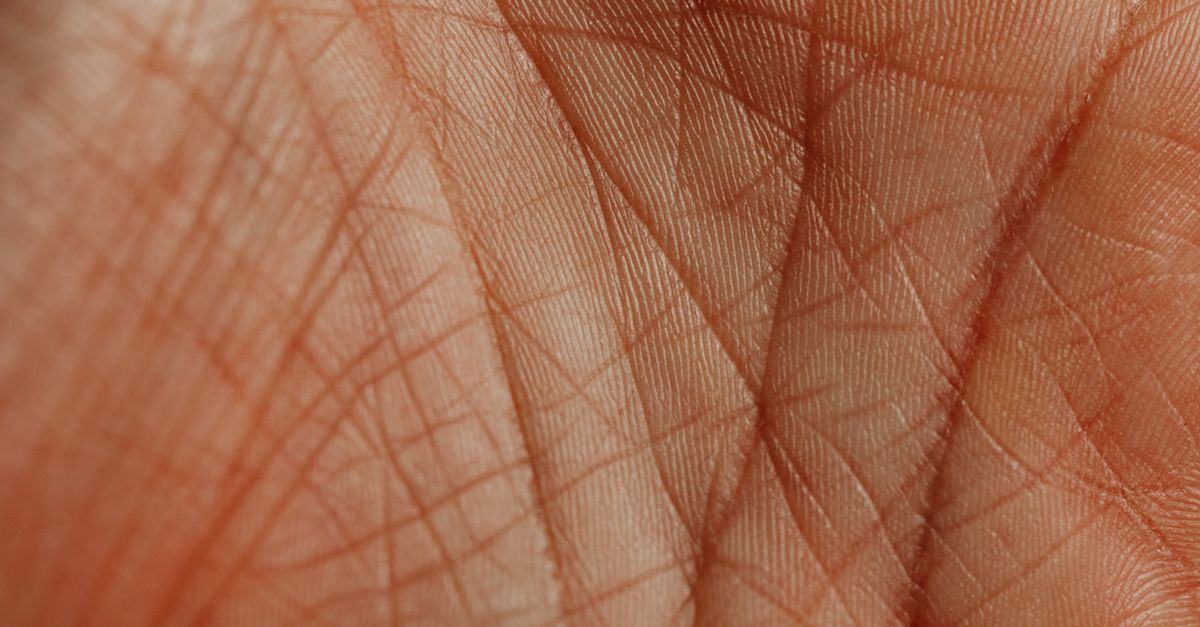
What the diagram gives you
A palm line diagram is most useful as a vocabulary tool. It helps you connect four names used in Western palmistry with recognizable areas on an illustrative hand: an upper horizontal line, a middle horizontal line, a curve around the thumb, and a vertical line through the center. Selecting a name highlights the corresponding path and displays the same information in a result panel.
The guide deliberately separates that topology from interpretation. It does not analyze an uploaded image, assess a person’s hand, score creases, or assign meanings to what a line supposedly reveals. The result is a fixed reference diagram, not evidence about your personality, health, relationships, lifespan, or future. That narrow purpose makes it suitable for learning labels and comparing positions without treating an illustration as a personal assessment.
Locate a line with the guide
Follow this workflow to get the most from the diagram:
- Open the guide and orient yourself. The page displays a simplified, illustrative palm rather than a photograph. On smaller screens, the illustration stacks above the details, while the drawing scales to fit the available width.
- Choose a line. Select Heart, Head, Life, or Fate with one of the four large buttons, or activate the corresponding path in the illustrated palm. Each option points to the same reference entry.
- Watch the selected path change. The chosen line receives a stronger visual highlight. Use it to see its position and general direction on the palm rather than trying to match it to a specific crease on your own hand.
- Read the result panel. The panel repeats the line’s name, relative location, direction, and commonly absent status. This text provides the clearest description, so read it alongside the highlight rather than relying on visual position alone.
- Check the Fate note. The Fate entry points toward the middle finger and is the only line flagged as commonly absent. This means the reference drawing includes it, but the line is not present on every palm.
- Finish with the boundary note. Confirm that the diagram is simplified topology only. It provides no hand analysis, line meanings, health claims, timing, predictions, or advice.
Match each label to its location
For a compact overview of the four conventional palm-line labels, the guide uses the following locations and directions:
| Line | Relative location | General direction | Commonly absent flag |
|---|---|---|---|
| Heart | Upper horizontal line beneath the fingers | Horizontal | Not flagged |
| Head | Middle horizontal line below the Heart line | Horizontal | Not flagged |
| Life | Curved line around the base of the thumb | Curved around the thumb base | Not flagged |
| Fate | Vertical center line running toward the middle finger | Vertical toward the middle finger | Flagged; may be absent |
A practical visual rule is to begin beneath the fingers for the Heart line, move downward for the Head line, follow the curve around the thumb base for the Life line, and then look along the center toward the middle finger for the Fate line. The table describes the simplified reference drawing only; it does not guarantee that a particular mark on a real hand follows the same shape.
The guide’s evidence package uses Cheiro’s public-domain Palmistry for All as a historical plate source and cross-checks the four names and relative locations against modern guides, including Life Palmistry’s beginner guide. Only the shared topology is retained. These sources support the labels and positions, not historical claims about character, illness, relationships, career, lifespan, or future events.
Use pointer or keyboard controls
You do not need to rely on a precise click. The four large buttons provide a direct way to select a line, and each drawn path also supports pointer selection. Activating either control highlights the same path and brings up the same reference details, so use whichever method is more comfortable.
Every path supports Enter and Space activation as well as pointer selection. The guide also uses a 48-unit SVG hit stroke to preserve a touch target near or above 44 pixels, even when the illustration scales down on a narrow screen. This makes the visible line easier to target without requiring you to trace it precisely.
The buttons inherit a minimum height of 44 pixels, while the palm illustration scales through an SVG viewBox rather than remaining fixed to desktop dimensions. On a small screen, the illustration appears above the information cards so the line and its description can be read in the same sequence.
Keep the result in context
The result panel is a location reference, not a conclusion about a person. Its four fields confirm the selected label, its conventional relative position, its general direction, and whether it carries the commonly absent note. That output can tell you what “Life line” means in this particular diagram, but it cannot establish that a crease on your hand is the Life line.
Real hands vary, and their creases can branch, overlap, or differ in length and curvature. The original simplified SVG geometry is explicitly labeled illustrative rather than anatomical. It therefore cannot classify a mark on a specific hand, even when the mark appears near the conventional position shown on the map.
The fixed order of Heart, Head, Life, and Fate is simply the product’s display order. It is not a sourced reading sequence, and selecting one line does not cause the guide to interpret the others. Likewise, the absence flag on Fate is a general reference note, not an observation about your own palm.
The tool assigns no meanings, personality claims, medical significance, years, dates, event timing, predictions, forecasts, or advice. This restriction is not a missing final step: interpretation is outside the product’s scope. The completed task is identifying a conventional label’s mapped location and direction.
Know when the map is not enough
The diagram is useful when you want a clear reference for the names Heart, Head, Life, and Fate, need a visual aid for learning their relative positions, or want to check the Fate line’s commonly absent note. It is not designed for confirming a crease in a photo, diagnosing a hand condition, ranking palm lines, or producing a divination result.
- Need a fixed visual label? Use the highlighted path and result panel.
- Need photo-specific identification? The guide cannot perform that analysis.
- Need a meaning, date, or prediction? The guide does not provide interpretations or forecasts.
- Need to confirm whether a mark appears on your palm? Use a real-hand reference outside this simplified map; the diagram cannot make that determination.
For a focused explanation of this distinction, see why a palm line diagram does not read a photo of your palm. The guide never requests camera access, file uploads, hand measurements, dominant-hand status, age, gender, or other personal data. Interaction stays in the current browser tab, and no hand image or selection is transmitted, stored, or added to a profile.