A free QR code generator with no sign up lets you turn any URL, Wi-Fi login, or contact card into a scannable square the moment you start typing, then download it as a PNG that works forever — no email, no account, no watermark, no expiration, and no upload of your text to a server. The QR Code Generator at Lizely runs entirely as client-side JavaScript, so the moment you paste a web address or a Wi-Fi network string into the box, a code is rendered in the same panel. There is no "Generate" button to press, no queue, and no rate limit, which means you can produce one code or a hundred in a single sitting without filling out a form or agreeing to marketing emails. Because the destination is encoded directly into the black-and-white squares instead of going through a redirect, the code keeps working even if the original site stops existing or the generator itself goes offline. That combination — zero friction at creation, zero lock-in after — is the reason people specifically search for a free no-sign-up QR generator instead of reusing the first site that pops up in ads.
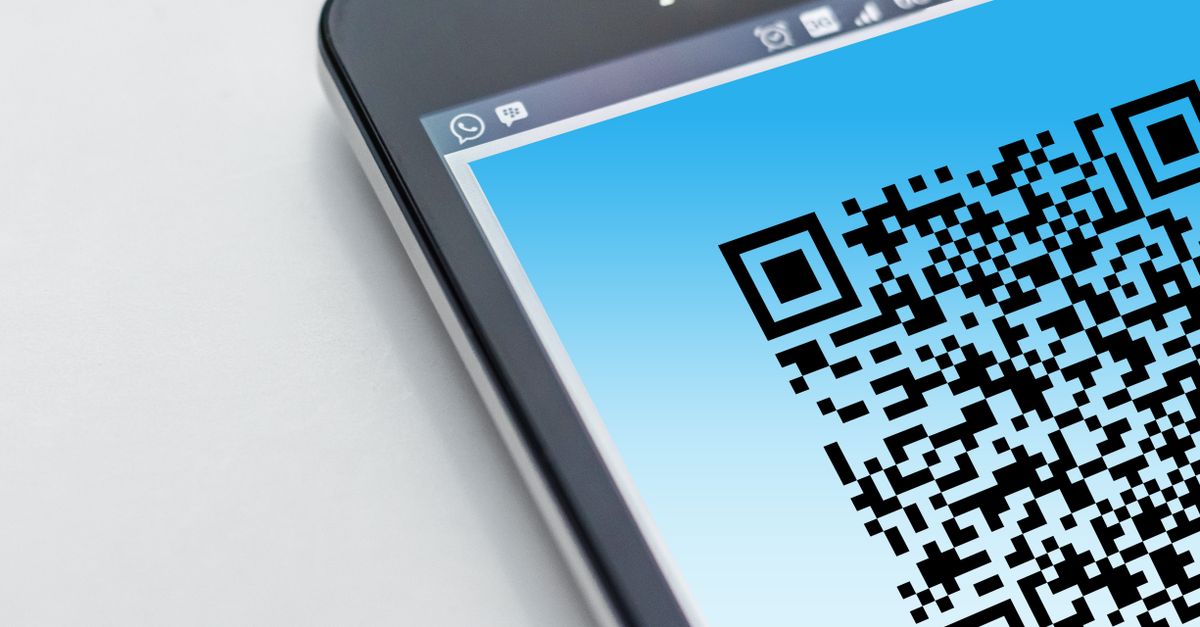
Why Most Free QR Code Sites Still Want Your Email
The phrase "free QR code generator" in a search bar has become shorthand for "free until you try to download." Most of the tools that surface in ads greet you with a clean preview, then insert a modal the moment you click save: create an account, verify your email, choose a plan, or hand over a phone number. The reason is straightforward — running a free web tool costs real money, and an account is the cheapest way to monetize later through emails, upsells, or scan-tracking dashboards.
A second pattern is the dynamic QR code. The site encodes a short redirect URL it controls, then offers analytics on every scan. That model only works if you log in to view the data, which is why registration is unavoidable. The trade-off is hidden inside the code: every scan routes through the generator's server, the destination can be swapped at any time, and if the site folds, every printed QR code stops working.
Neither model is required to put a code on a poster. A QR code is just text rendered as a grid — there is no server needed once the code is drawn.
What This No-Sign-Up QR Code Generator Does
The QR Code Generator at Lizely takes the opposite approach. The entire page is client-side JavaScript: the moment you type or paste a URL, Wi-Fi login string, vCard, or any plain text into the box, a scannable code is rendered in the right-hand panel without a button press, a page reload, or a network request carrying your text. When the code looks right, click Download PNG and the file lands on your device. Nothing has been uploaded, so there is nothing to leak.
Because the code encodes your destination directly — not a redirect through Lizely — the result is permanent. There is no scan counter to lose access to, no subscription that lapses, and no server that can flip the URL underneath you. The same code printed on a coffee shop window today will still open the same menu in five years.
How to Create a QR Code Without Creating an Account
The full workflow fits on one screen and takes about ten seconds per code.
- Open the QR Code Generator page and click into the input box on the left.
- Type or paste your destination — a full URL (https://example.com/page), a Wi-Fi string (WIFI:T:WPA;S:NetworkName;P:Password;;), a vCard, an email address prefixed with mailto:, a phone number prefixed with tel:, or any plain text such as a serial number.
- Watch the QR code appear on the right as you type; you do not need to press Enter or click Generate.
- If you want a logo overlay or a small print size, switch the error-correction level from M (default, about 15% recovery) to H (about 30% recovery). Otherwise leave it on M.
- Click Download PNG to save a crisp square image with a quiet white margin already added for reliable scanning.
- Print the file or drop it into your design. To test, point any phone camera at the code; the encoded action should fire immediately.
That is the entire process. There is no email verification step between step 2 and step 5, and no "you have reached your free quota" wall on step 6.
Error-Correction Levels Explained
Every QR code stores redundant copies of its data so it still scans when part of the grid is dirty, scratched, covered, or obscured by a logo. You choose how much redundancy to spend, and the trade-off is straight: more redundancy means a denser code that needs to be printed larger or scanned closer.
| Level | Recovery | Best for |
|---|---|---|
| L | ~7% | Clean indoor prints, very short URLs |
| M | ~15% | Everyday links, posters, business cards (default) |
| Q | ~25% | Outdoor prints, slightly dirty surfaces |
| H | ~30% | Codes overlaid with a logo or printed very small |
The default of M is what most generators use, and it is the right starting point for a URL on a flyer or business card. Step up to Q or H when the code will live outdoors, sit on a curved surface like a mug, or carry a branded logo stamped across the middle. For a dedicated walk-through of how the levels look on real payloads, the Chrome QR code walkthrough covers the same settings from a desktop browser without installing an extension.
What You Can Encode in a QR Code
A QR code is just text rendered as squares, so anything you can type can go in. The table below lists the formats the generator handles without any special mode-switching — paste the raw text and the code does the rest.
| Use case | What to paste | What happens on scan |
|---|---|---|
| Website link | https://example.com/page | Opens the URL in the phone browser |
| Wi-Fi login | WIFI:T:WPA;S:SSID;P:Password;; | Phone offers to join the network |
| Contact card | vCard or MECARD block | Phone prompts to save the contact |
| mailto:[email protected] | Opens a new email with the address pre-filled | |
| SMS | sms:+15551234567 | Opens a pre-filled text message |
| Phone call | tel:+15551234567 | Starts a call to the number |
| Plain text | Any string (coupon code, note) | Phone shows the text on screen |
The practical capacity ceiling is generous — at the lowest error-correction level the spec supports roughly 7,089 numeric digits, 4,296 alphanumeric characters, or 2,953 bytes of binary data. Real-world URLs are nowhere near that limit, but the longer the text you encode, the denser the grid becomes. If a long link produces a code that older cameras struggle to read, shorten the URL first or step down to error-correction L.
Printing and Scanning Tips for Reliable Codes
The generator adds a quiet white margin (the "quiet zone") automatically, which is the single most common reason a freshly printed code fails to scan. Beyond that, three habits cover most issues.
- Print high contrast. Dark code on a light background scans fastest. Low-contrast pairs (light gray on white, or pastel on pastel) force the camera to work harder and produce more failed reads.
- Test with multiple phones before a large run. iPhone, Android, and older devices read QR codes slightly differently. A code that opens immediately on a flagship Android can take two seconds on a five-year-old iPhone. Test the file on at least two devices in the lighting conditions where it will live.
- Keep the logo overlay small. If you stamp a logo across the centre, drop to error-correction H so the logo can obscure up to about 30% of the grid and the code will still resolve. Anything larger than roughly a third of the code's width starts to interfere with the finder patterns, no matter the error level.
Related reading: Bulk QR Code Generator in Google Sheets: No Add-On.