An online stopwatch is accurate to hundredths of a second (centiseconds, 0.01 s) for elapsed-time work, and it stays accurate when the browser throttles a background tab. Accuracy for a browser stopwatch has two layers: the resolution of the number on the display — hundredths of a second up to one hour, then hours:minutes:seconds for long sessions — and the reliability of the timing engine that produces that number. A naive stopwatch adds a small increment on every animation frame and shows the running sum, which drifts the moment frames are skipped or coalesced by the browser. An anchored stopwatch behaves differently: it records a high-resolution start reference, and on every refresh it recomputes the displayed time as the accumulated total plus the real wall-clock gap since that reference. Because the reading is always derived from the device's true clock instead of from a sequence of added-up ticks, it cannot fall behind when the tab is backgrounded. Anchored recomputation is why an online stopwatch like this one stays accurate when the browser throttles a background tab, because the reading is always derived from the true clock instead of from a sequence of added-up ticks.
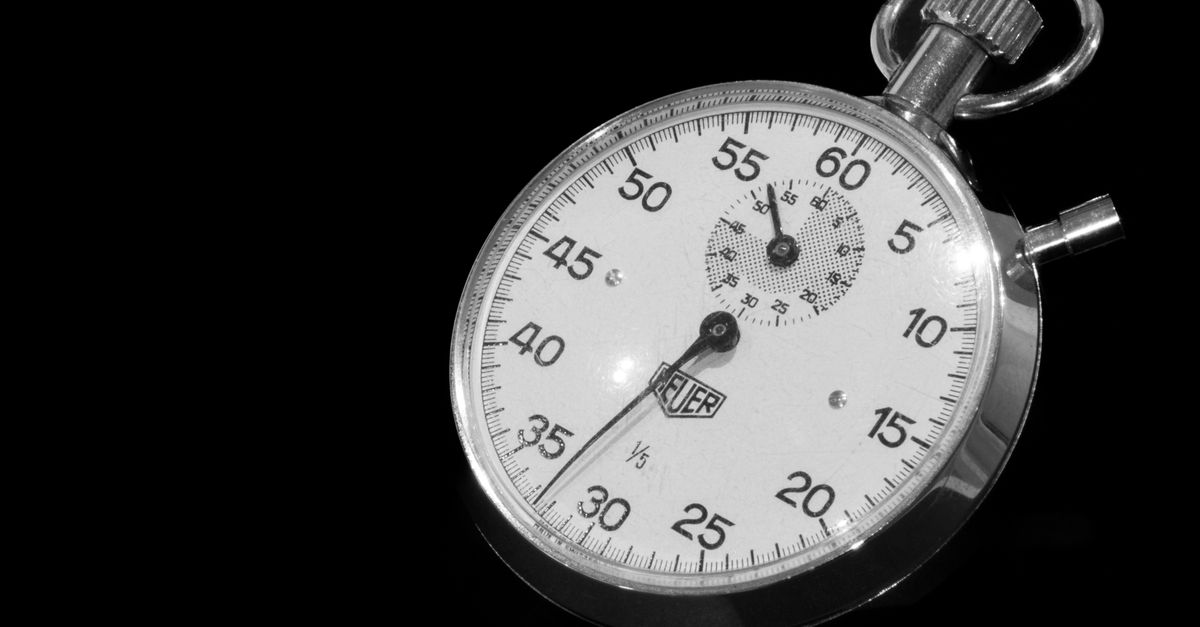
What "Accuracy" Actually Means for a Browser Stopwatch
The word "accuracy" gets used loosely, so it helps to split it into three parts.
Resolution is the smallest step the display can show. The Online Stopwatch shows hundredths of a second — 0.01 s — until the elapsed value passes one hour, at which point the display switches to hours:minutes:seconds for readability. The underlying measurement is finer than what you see; the timing engine works with a high-resolution start reference and recomputes the displayed value from the true clock on every refresh.
Repeatability is whether the same measurement gives the same value on repeat runs. A well-implemented timer should give you a stable, monotonic reading — never going backward — as long as the device's clock is stable.
Real-world error is the gap between the time on screen and the true wall-clock duration. For this stopwatch, the reading is recomputed from a high-resolution start reference on every refresh, so it reflects what the device's clock reports at the moment of display.
How Anchored Timing Works
The reason some browser stopwatches drift and others do not comes down to one design choice: how the elapsed value is computed on each refresh.
A naive stopwatch keeps an "elapsed" counter and adds a delta on every animation frame. If the browser skips frames — which happens routinely to save power, especially on background tabs — those deltas never get added, and the displayed time falls behind the real elapsed time. Returning to the tab does not fix the gap; the lost deltas are gone.
An anchored stopwatch instead stores two things: a high-resolution start reference and the accumulated elapsed total at the moment of the most recent pause. On every refresh, the engine computes:
displayed time = accumulated total + (now − start reference)
If the timer is currently running, "now" is the current high-resolution timestamp; if it is paused, the display holds the accumulated total at its frozen value. The display is always a fresh derivation from the true clock, so any frames that the browser skipped contribute nothing to the answer. When you switch back to a throttled tab, the very first recomputation uses the real elapsed time and the display snaps to the correct value.
Pausing uses the same logic. Pressing Pause freezes the accumulated total at exactly that click. Pressing Resume continues from that exact value, and the next refresh derives the displayed time from the true clock at that moment.
How to Time Something Accurately
The Online Stopwatch runs entirely in your browser, so there is nothing to install and no network round-trip to add delay. The steps are:
- Press Start to begin counting up from zero. The large display shows minutes, seconds, and hundredths of a second from the very first centisecond.
- While it runs, press Lap to record a split without stopping the clock; each lap freezes that moment and shows that segment's time plus the cumulative total since Start, listed newest-first.
- Press Pause to freeze the time at exactly that moment, then Resume to continue from the same value without losing a centisecond.
- Press Reset to clear the elapsed time and every recorded lap back to zero before your next measurement.
Because every frame is recomputed from the real clock, the reading does not drift, and it corrects itself when you return from another tab. There is no account, no sign-in, and no upload — your timing stays on your device, and the page keeps working after the network drops.
What Can Affect the Reading
Four things can move the displayed value away from the true elapsed time, and only one of them is the stopwatch's fault.
Human reaction time. The Start press itself is bounded by how quickly you can see and click.
Browser throttling of background tabs. Browsers deliberately slow down or coalesce timers in tabs that are not visible to save power. A naive stopwatch loses ticks in this case and falls behind; an anchored stopwatch does not, because the elapsed time is recomputed from the true clock on every refresh.
Device sleep. If the laptop lid closes, the phone screen turns off, or the OS suspends the browser process, the device clock itself may pause.
Display rounding versus underlying precision. The display rounds to hundredths of a second, while the timing engine works with finer values. The reading you see is therefore derived from the device's true clock on every refresh, not a running tally of small increments.
Stopwatch, Countdown, or Pomodoro?
These three timers look similar on screen but answer different questions, and the accuracy story is slightly different for each.
| Timer | Counts | Duration | Best when you want to | Accuracy focus |
|---|---|---|---|---|
| Stopwatch | Up from zero | Open-ended | Measure how long something actually takes | Elapsed-time precision; anchored recomputation |
| Countdown | Down to zero | A preset you choose | Be notified when a fixed time elapses | Trigger-time precision at the end of the count |
| Pomodoro | Cycles up and down | Fixed focus and break blocks | Run a repeatable focus/break schedule | Phase-transition timing across many cycles |
For deeper reading on how countdown timers stay precise over a long preset, see the countdown timer accuracy guide. For pure elapsed-time measurement, the stopwatch is the right tool: it does not need a preset, and the accuracy question reduces to "does the display match the device's real clock?", which anchored timing answers with a clean yes.
When Online Stopwatch Accuracy Is Enough
For almost everything you would time on a phone or laptop — a plank hold, a study block, a sprint, a rehearsal run, a focused work session, a steeping tea — hundredths of a second is far finer than you need. Amateur and high-school athletics typically round to tenths; elite sprint times are recorded to thousandths only because of dedicated starting blocks and photo-finish cameras, not because a human pressing a button can hit sub-second targets.
The two cases where browser timing is not the right tool are when you need a synchronized starting signal shared between multiple devices (use a shared countdown or a real referee) and when you need certified, sub-millisecond precision for scientific measurement (use dedicated hardware). Inside those limits, an anchored online stopwatch is the simplest way to get a precise answer for an open-ended duration.
If you're weighing options, Online Stopwatch Explained: How Browser Timing Works covers this in detail.