A browser countdown timer stays precisely aligned with real time when it stores one anchor timestamp at Start and recomputes the remaining time from the actual elapsed wall-clock time on every render, rather than subtracting one unit per tick. Countdown timer accuracy is therefore not about how fast the display updates — it is about whether the number on screen matches the real time you have left, even if you switch tabs, lock your screen, or put the browser under heavy load. Naive timers that subtract one unit per tick drift visibly after a few minutes because browser tick intervals are never perfectly regular, while a well-designed countdown anchors itself to a known reference point and corrects itself on every refresh. For any task with a hard deadline — a five-minute speech, a HIIT round, a timed practice test, a boiling egg — that gap between "the timer says 30 seconds" and "you actually have five seconds" is the whole reason to use a timer in the first place.
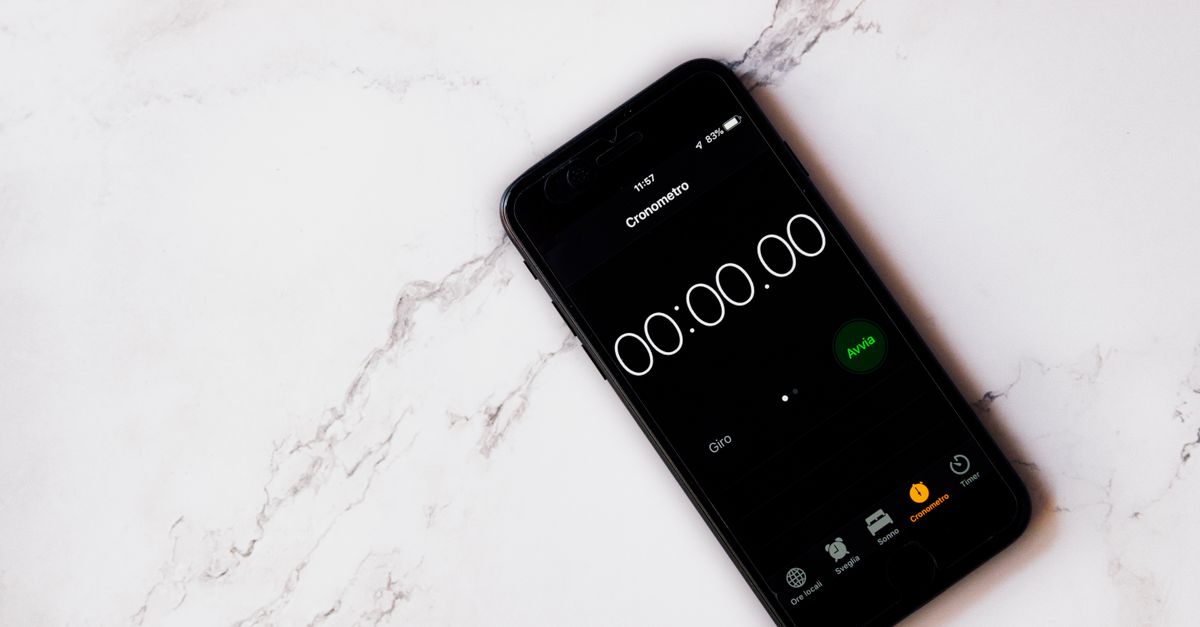
What "countdown timer accuracy" actually means
Countdown timer accuracy is the gap, at any moment, between the number shown on the display and the true time remaining until zero. A timer that reads 05:00 at the start and shows 04:55 exactly five real seconds later is perfectly accurate. A timer that shows 04:58 after five real seconds is drifting by three seconds in the wrong direction. For a ten-second countdown that drift is invisible and does not matter. For a sixty-minute deep-work block the same percentage drift adds up to many seconds of error, which is exactly when you notice the timer "felt slower than the wall clock."
Two design choices decide whether a timer drifts or stays on time. The first is what the timer treats as the source of truth — a counter that decrements, or a real wall-clock timestamp recorded at Start. The second is what the timer does when a tick is delayed or skipped — silently fall behind, or recompute against real elapsed time and self-correct on the next render. Many off-the-shelf countdowns pick the first option in both cases and accept the drift. A precise browser-based countdown takes the second path in both cases.
Why naive browser countdowns drift
The textbook implementation of a countdown uses a setInterval-style loop that subtracts one from a counter every time the callback fires. The flaw is in the word "interval": the browser does not guarantee the callback fires exactly every 1000 ms. The HTML spec only promises a delay of "approximately" the requested interval, and in practice the actual delay is whatever the browser scheduler decides to give you — often slightly more, occasionally much more, occasionally less.
Three things make the drift worse. First, background tabs: most browsers throttle timers in tabs that are not visible, so a one-second interval can fire every few seconds or only when the tab regains focus. Second, busy main threads: if the page is rendering media, running a script, or simply being painted at the same moment, the callback is queued and arrives late. Third, device sleep and screen lock: while the screen is off, ticks pause entirely and resume only when the device wakes.
The cumulative effect is that a naive timer can read 05:10 after five real minutes when it should read 05:00, and the longer the countdown runs the larger the gap becomes. The display is not crashing — it is simply falling behind real time and never catching up, because nothing in the design compares the counter to the wall clock.
How an accurate browser countdown keeps the right time
A precise browser countdown replaces the decrementing counter with two values: the duration you asked for, and the wall-clock timestamp captured the instant you press Start. On every render — whether that render is once a second, every animation frame, or only when the user looks at the tab — the remaining time is recomputed against real elapsed time. Because that real-time value is read from the system clock, it is not affected by tab throttling, screen lock, or render delays.
The practical consequences are noticeable. Switch to another tab for ten seconds and come back, and the next render shows the correct time remaining, not ten seconds further behind. Leave the page in the background for an hour on a long countdown, and the timer is still accurate when you return. Lock the screen, the page stays correct. Run a heavy script on the page, the timer still lands cleanly on 00:00 because the final render uses real elapsed time, not a counter that has been ticking quietly the whole way.
The accuracy improvement costs almost nothing in code: instead of one integer that decrements, the timer stores two numbers and does a subtraction on every render. The output behaves like a stopwatch that counts down instead of up.
Set and run an accurate countdown in three steps
The Online Countdown Timer applies the anchor-timestamp approach so the display stays aligned with real time, and exposes only the controls you need.
- Set the duration. Type the hours, minutes and seconds you need into the three input fields, or tap a quick preset such as 1, 3, 5, 10 or 15 minutes for the common cases. The timer accepts up to 99 hours, so anything from a nine-second sprint to a multi-hour deadline fits.
- Press Start. The large display immediately shows the duration and begins counting down. Because the timer records an anchor timestamp on Start, the display stays accurate even if you switch tabs, lock the screen, or briefly load the browser. Press Pause at any moment to freeze the count, and Resume to continue from where you stopped. The input fields lock while the clock is running, so you cannot nudge the duration by accident.
- Listen for the alert and reset. When the remaining time reaches zero the display stops cleanly at 00:00, shows a clear "Time's up!" message, and plays an optional short beep if your browser permits sound. Press Reset at any point to return to the duration you set and start over.
The whole timer runs locally in your browser with plain JavaScript, which means no sign-up, nothing uploaded, and the page keeps working even on a flaky connection. Open the Online Countdown Timer in any tab to put an accurate deadline one click away.
Countdown vs stopwatch vs Pomodoro: which tool fits
Three related tools get mixed up often, and accuracy matters differently for each. The table below summarises the differences so you can pick the right instrument for the task.
| Tool | Direction | Duration | Best for | Accuracy driver |
|---|---|---|---|---|
| Countdown timer | Counts down to zero from a duration you set | Any combination, from seconds up to 99 hours | Hard deadlines: speeches, HIIT rounds, boiling eggs, screen-time caps, quiz rounds | Anchor timestamp recomputed against real elapsed time |
| Stopwatch | Counts up from zero | Open-ended | Measuring elapsed time: lap times, how long a chore actually took | Same anchor approach, in reverse |
| Pomodoro timer | Counts down through a fixed 25/5-minute cycle | Fixed cycle, repeated | Structured focus sessions with built-in breaks | Same anchor approach, but cycle length is locked |
If your task has a set number of minutes before something must happen, a countdown is the right tool. If you want to know how long something already took, an in-browser stopwatch is the better choice. If you specifically want the 25-minute focus / 5-minute break rhythm of a Pomodoro cycle, a dedicated Pomodoro timer automates the transitions for you; the guide to the Pomodoro technique explains how that rhythm differs from a plain countdown.
Real situations where countdown accuracy actually matters
Most of the time a "close enough" timer is fine. The cases below are where a drifting timer will quietly let you down, and where an accurate countdown pays for itself.
Kitchen work. Soft-boiled eggs need roughly six and a half minutes, hard-boiled around nine minutes, and a badly drifted timer is the difference between a perfect yolk and a grey ring. Steeping black tea for more than four minutes turns it bitter; the last thirty seconds decide the cup.
Workouts. HIIT rounds are typically thirty or forty-five seconds of work and fifteen seconds of rest. A timer that loses two seconds per round is, after ten rounds, twenty seconds behind — long enough to turn the final rest period into a half-rest that throws off the whole workout. The same logic applies to plank holds, rest between sets, and tabata intervals.
Presentations and teaching. A five-minute lightning talk with a timer that drifts by five percent ends fifteen seconds late, which is the difference between holding the room and running over. The same risk applies to timed classroom activities, debates, and quiz rounds where the buzzer moment is the entire game.
Deep work and study. A fifty-minute focus block timed with a drifting timer ends two to three minutes late, which interrupts flow exactly when the timer should be the wall you lean against. Students timing practice tests with a drifting timer get a false sense of how long they actually took.
Screen-time and routines. A parent setting a twenty-minute screen limit for a child does not want the timer to silently give back two minutes because the tab was throttled. A tidy-up race with a drifting timer is unfair to whoever got the short count.
Privacy and reliability side-effects of an accurate local timer
Because an accurate browser countdown only needs a system-clock read and a subtraction, the whole timer runs in plain JavaScript on your device. There is no server round-trip, nothing about the duration you set is uploaded, and no account is required. The same local-only design also means the tool opens instantly on a second load and keeps working on a flaky or absent internet connection, which matters when you are timing something offline like a camping-stove boil or a back-country workout.
Quick fixes if your current timer feels off
If a timer you are using today seems to fall behind, three small checks usually explain it. First, keep the tab in the foreground for tasks where every second matters; background throttling is the single most common cause of drift. Second, prefer a timer that displays HH:MM:SS so you can compare it against a wall clock; timers that round to whole minutes hide small drift. Third, choose a timer that explicitly anchors on Start and recomputes against real time — the Online Countdown Timer does both, and that is why its display stays correct across tab switches.
Related reading: Key Press Counter Accuracy: What It Really Measures.