No—Chess Clock is not an official tournament clock; it is a local practice timer, not certified tournament hardware.
The browser-based Chess Clock can enforce a two-player timing routine with Fischer increment, but tournament organizers—not this browser tool—control clock approval, time controls, flag claims, corrections, scorekeeping, and official results. Timing a practice game is not the same as operating an approved tournament clock.
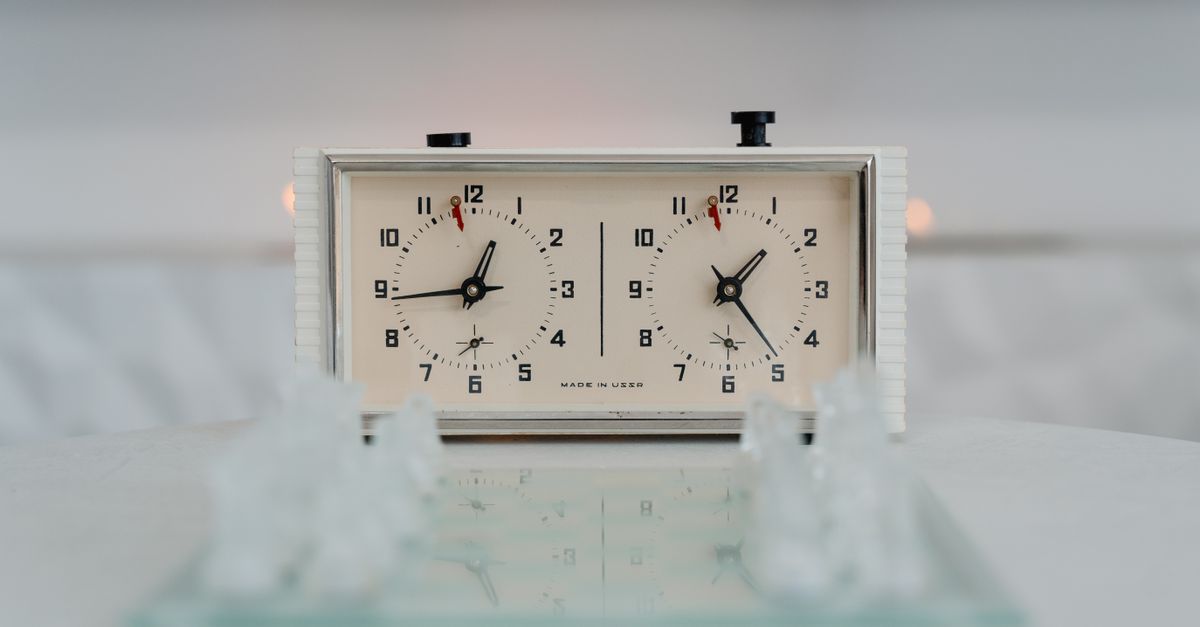
What Makes a Tournament Clock Official?
The word “official” is not part of the generic device name. A product called a chess clock is not automatically approved for tournament play. For a particular event, organizers determine acceptable or certified equipment, prescribe the time control, and control how flags, corrections, scores, and results are handled. FIDE's electronic-clock specifications cover Fischer increment controls and require the increment before move one, while the FIDE Laws of Chess describe the clock press as stopping the player who moved and starting the opponent. Those references establish a timing model; they do not certify this browser implementation.
| Issue | Official event context | Chess Clock |
|---|---|---|
| Equipment status | Event rules determine approval or certification requirements. | Not certified, event-approved, or FIDE-certified tournament hardware. |
| Time control | The organizer or event rules prescribe the applicable control. | Initial time plus optional Fischer increment; delay mode is not included. |
| Clock press | Stops the mover and starts the opponent. | Uses the same basic press-and-switch timing model. |
| Flag decision | The arbiter and event rules govern any claim or decision. | Marks a side as flagged locally but provides no claim process. |
| Corrections | Officials control corrections to the game record. | Undo corrects an accidental local clock press only. |
| Records | The official score and result belong to the event. | Stores daily completed-press totals, not moves or results. |
Matching an official timing rule is therefore not the same as holding official approval. Chess Clock follows the simple add-after model and the increment-before-move-one setup, but it deliberately remains outside tournament administration.
How Chess Clock Applies Fischer Increment
Chess Clock implements Fischer increment only. Choose the initial time and increment before starting because the displayed initial time already includes the increment required before move one. When a player completes a move and presses the clock, that player's elapsed time stops, the opponent's timer begins, and the configured increment is credited to the player who pressed. An increment is not a delay, and delay behavior is not included in this tool.
| Moment | What happens | Practical meaning |
|---|---|---|
| Before the game | The initial time and optional increment are selected. | Finish setup before the first move. |
| Before move one | The initial display includes the required increment. | The pre-move-one amount is already visible. |
| Completed move | The mover's time stops, the opponent starts, and the mover receives the increment. | One press completes the timing transition. |
| Pause | The running elapsed time is materialized and both clocks stop. | Use it when a practice game is interrupted. |
| A side reaches 00:00 | That side is flagged and further move presses are blocked until a new time control is set. | This is a local flag state, not an official flag claim. |
Set Up a Local Practice Game
- Set the time control. Choose the initial time and optional Fischer increment before starting. The initial display includes the increment required before move one, so confirm the values before the first move.
- Choose the starting side. Select White or Black as the first active side and start the clock. Only the active player's timer runs, so the two timers never count down together.
- Press after each completed move. Make the clock press once the move is complete. That press stops the mover's timer, starts the opponent's timer, and credits the configured increment to the player who pressed.
- Continue the same turn-to-turn pattern. Each completed press marks the end of one player's turn and the beginning of the other's. The clock manages timing only; it does not record the moves themselves.
- Pause when the practice game stops. Pause materializes the currently running elapsed time and leaves both clocks stopped. Resume only when the players are ready to continue.
- Correct an accidental tap. Use Undo last press to restore the full prior clock snapshot. The action also removes the associated press from the device-local daily count, which a generic minus button could not reliably do.
- Respond to a flag. If one side reaches 00:00, Chess Clock marks that side as flagged and refuses additional move presses until you set a new time control. This local flag state cannot replace an arbiter's decision in official play.
- Review or export only when needed. The daily history shows completed clock presses. Export a PNG or CSV if you want a private copy for your own records; no export is necessary to run a practice game.
Prepare for an Official Tournament
- Read the event's published rules. Check the prescribed time control and any instructions covering equipment, clock approval, reporting, or disputes.
- Confirm which clock is permitted. Ask the organizer whether a particular model is accepted, supplied, or required to meet certification rules.
- Use the accepted clock for the official game. Do not treat Chess Clock as event-approved equipment merely because it follows a familiar timing model.
- Use the official process for flags and corrections. Raise any flag claim or correction through the arbiter or event process rather than relying on the tool's local flag state or Undo control.
- Keep the score and result in the event's records. A daily completed-press count is not a score sheet, move record, or official result.
Chess Clock can still help players rehearse the event's time control away from the tournament table. The limitation is deliberate: it provides the two-sided timing behavior needed for practice without claiming any part of the event's authority.
History, Privacy, and Recovery
Every completed press adds one count to the device-local calendar-day history. This record shows how many clock presses were completed on a saved day; it does not preserve positions, move numbers, player identities, or the game result. Undo last press removes the associated daily count along with restoring the previous timer state.
Exports are optional. A PNG creates a 1080 by 1350 image showing the private daily total and recent days, without a URL or player identity. A CSV creates one Date and Completed clock presses row for each saved day, suitable for a personal spreadsheet or archive. The export process stays in the browser and creates only the copy you choose to keep.
The current time control and daily press history are stored locally under the tool's browser key. There is no account, upload, cloud synchronization, remote chess server, or scoring API. Another device begins with an empty history rather than copying the record from your first device.
Clearing browser data also removes the saved history. If browser storage is unavailable, the clock can still be used during the current page session, but the interface clearly states that it cannot retain the history. These limits make it suitable for a private practice routine, not an official tournament archive.
When the Practice Clock Is the Right Fit
Use Chess Clock when the useful part is a clear two-sided timer with an explicit Fischer increment. It fits well for:
- A casual over-the-board game between friends or club members.
- A study session in which each side needs a visible time budget.
- A blitz drill focused on making moves within a set limit.
- Club practice when no official scorekeeping or adjudication is required.
- A lesson that needs a shared rhythm without a full online chess service.
Do not rely on it to:
- Judge whether a chess position is legal or determine the result.
- Record move numbers, notation, or the sequence of moves played.
- Replace an arbiter, resolve an official flag claim, or alter a tournament record.
- Provide clock certification, event approval, or an official result service.
- Operate a delay time control, because only Fischer increment is implemented.
The practical answer is therefore no for official tournament status and yes for structured practice. For an official event, use equipment accepted under the organizer's rules and follow the arbiter's process. For a casual game, study session, drill, club practice, or lesson, Chess Clock provides the two mutually exclusive timers, increment-before-move-one setup, reversible presses, and private daily history without requiring an account.
Related reading: Online Alarm Clock Meaning: A Simple Browser Guide.
Related reading: Online Clock Display: Verify Local Time on Your Screen.