The safest way to avoid common mistakes in a memory card game is to compare only two cards at a time, verify both symbols, and turn a mismatch back over before continuing.
That control keeps each decision manageable. In Memory Match, the board contains twelve cards representing six pairs. You reveal two cards, compare them, and deliberately turn back an incorrect pair. The first mismatch is recoverable, but a second ends the run. There is no timer pressure, so you never need to rush through the review or guess what was face down.
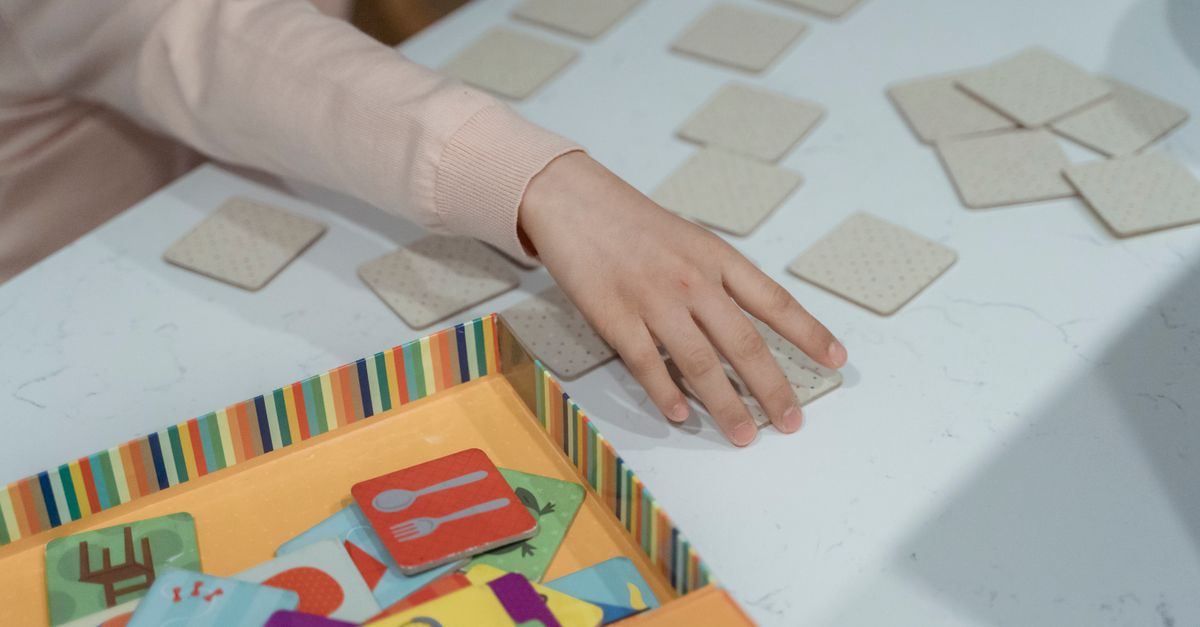
Read the Fixed Board Before Choosing Cards
Memory Match opens on a deterministic arrangement: every card stays in the same opening position from one run to the next. The deck contains two teddy bears, two moons, two leaves, two rockets, two kites, and two shells. Knowing that the order does not randomize changes your strategy. You can build a reliable map of the board instead of expecting a fresh shuffle to erase what you learned.
| Board feature | What it means in Memory Match | Safer response |
|---|---|---|
| Cards and pairs | Twelve cards form six matching pairs | Plan for six successful comparisons |
| Symbols | Teddy bear, moon, leaf, rocket, kite, and shell; each appears exactly twice | Compare the symbol name, not only its artwork |
| Layout | The cards sit in a four-column grid | Use consistent position references |
| Opening order | The same card always occupies the same starting position | Learn the map rather than expecting a shuffle |
The limitation is that a returning player may eventually memorize the complete route. That is expected in this deterministic game, not evidence of a stronger memory ability. Restart is designed to replay the same audited challenge rather than generate a new arrangement.
Keep Every Comparison to Two Cards
The most common mistake is treating a reveal like an unlimited scan. The safe sequence begins with one hidden card and ends with one comparison card. You can use touch, a pointer, or the keyboard: move the cursor with the Arrow keys and reveal the focused card with Space or Enter. The keyboard-only instructions for Memory Match explain the complete control sequence.
After the second card appears, stop and compare the symbols. Matching cards stay visible. If the symbols differ, both cards also remain visible until you deliberately dismiss them with the Turn cards back over control or press F. There is no automatic hiding timer, and no third card can be revealed while the incorrect pair is waiting for review. This explicit pause prevents a fast click, repeated key, slow device, or browser automation from hiding the evidence before you inspect it.
Use the accessible card information rather than relying on picture recognition alone. Each hidden card has a numbered label, while a revealed card announces its symbol and whether it has already been matched. That distinction is useful when two symbols look similar or when several cards remain face up.
Play a Controlled Memory Match Run
Use this sequence to keep every turn deliberate and reversible where the game permits it.
- Open the twelve-card board. Notice the four-column layout and the fixed locations of the six paired symbols. Do not assume that Restart will shuffle the deck.
- Reveal the first card. Select it with touch or a pointer, or move the keyboard cursor to it and press Space or Enter.
- Reveal one comparison card. Choose a second hidden card in the same way. Compare the announced symbol names before taking another action.
- Keep a matching pair visible. A successful match needs no dismissal. Each of the first five matched pairs advances the displayed score by 150 points.
- Review a mismatch deliberately. Look at both face-up symbols, then choose Turn cards back over or press F. The game will not accept a third reveal during this pending review.
- Continue after the first mismatch. One incorrect pair is recoverable. A second incorrect pair ends the run in deadlock, so treat the first mismatch as a signal to slow down and verify each selection.
- Match the sixth pair. Completing all six pairs sets the final score to exactly 1,000 points. A no-mismatch run uses twelve flips, while any run with two mismatches ends before completion.
Make the First Mismatch a Review Checkpoint
A mismatch is useful feedback, but only the first one can be recovered. Before turning the cards back over, identify both symbols and make sure you know which location showed each one. Avoid opening a third card while the pair is pending: the board intentionally blocks that action so you can update your map without adding another unresolved card.
| Common mistake | What happens in Memory Match | Correction |
|---|---|---|
| Opening several cards at once | A third reveal is unavailable during a pending mismatch | Reveal one card and then one comparison card |
| Assuming a wrong pair disappears | The pair stays face up with no asynchronous hiding timer | Use Turn cards back over or press F |
| Treating the first mismatch as a loss | The first mismatch is recoverable | Pause, inspect both symbols, and continue |
| Continuing during the review state | Further card reveals are blocked until the pair is dismissed | Complete the explicit turn-back step first |
| Expecting Restart to shuffle | Restart restores the original twelve-card arrangement | Reset the run and use the same position map |
| Reading the score as an ability test | The score is only a product-defined game result | Interpret it as progress within this casual puzzle |
| Continuing to click after an ending | Completed and deadlocked states ignore later game actions | Choose Restart when you want another run |
The important distinction is between a recoverable mistake and a terminal result. After one mismatch, you still have a clear path to completion. After the second, the game preserves the final incorrect pair face up so the reason for the deadlock remains visible.
Recognize Completion and Deadlock Correctly
A completed board contains all six matched pairs and displays exactly 1,000 points. The intermediate scoring rule is equally clear: each of the first five pairs adds 150 points, while the sixth pair sets the final value to 1,000. The result does not change with animation speed, input speed, screen size, or browser performance.
A deadlocked board is different. It means the run has encountered a second mismatch, not that the controls have failed temporarily. Once either terminal state is reached, card reveals, cursor movement, and turn-back actions are ignored. Restart creates a fresh state by clearing the score, matched pairs, flips, mismatch count, and pending review while restoring the original arrangement. Details about how Restart handles the card order explain why the same positions reappear.
Use a Short Pre-Move Checklist
Before every comparison, run through the same compact checklist:
- Have I selected only one first card and one comparison card?
- Do both announced symbols match?
- If they match, am I leaving the pair visible?
- If they differ, am I using the explicit turn-back control or F key?
- Do I have one mismatch left, or would this choice be the second and final mistake?
- After completion or deadlock, am I using Restart instead of expecting ignored inputs to change the result?
This approach fits the game’s actual limits. It does not claim to train memory, diagnose impairment, estimate age, measure reaction time, or improve mental performance. It is a short, repeatable strategy for a fixed casual matching puzzle: compare two, learn the location, review every mismatch, and restart cleanly when needed.