The moon phase today for watch setting is the geocentric Moon–Sun ecliptic longitude difference reported as a single angle in degrees, with New Moon defined as exactly 0°, First Quarter as exactly 90°, Full Moon as exactly 180°, and Last Quarter as exactly 270°, alongside the percentage of the lunar disk that is illuminated. A mechanical or quartz moon-phase complication on a wristwatch is a small geared display that mimics this astronomical state, so before you push the corrector on the case you need an authoritative reading of today's actual phase angle, not a vague label from memory. The Moon Phase Today widget at /fortune/moon-phase-today/ computes this angle locally in your browser from the pinned Astronomy Engine 2.1.19 library, so it shows the exact figure your watch is trying to represent without asking for your GPS coordinates or contacting a remote astronomy service.
Watch owners who search for this query usually fall into two camps: those setting the watch for the first time after purchase, and those re-synchronising a complication that has drifted after months off the wrist. Both groups need the same thing — a present-tense phase angle, an illuminated fraction they can compare to the moon in the sky, and the surrounding New, First Quarter, Full, and Last Quarter instants so they know whether to set forward or backward.
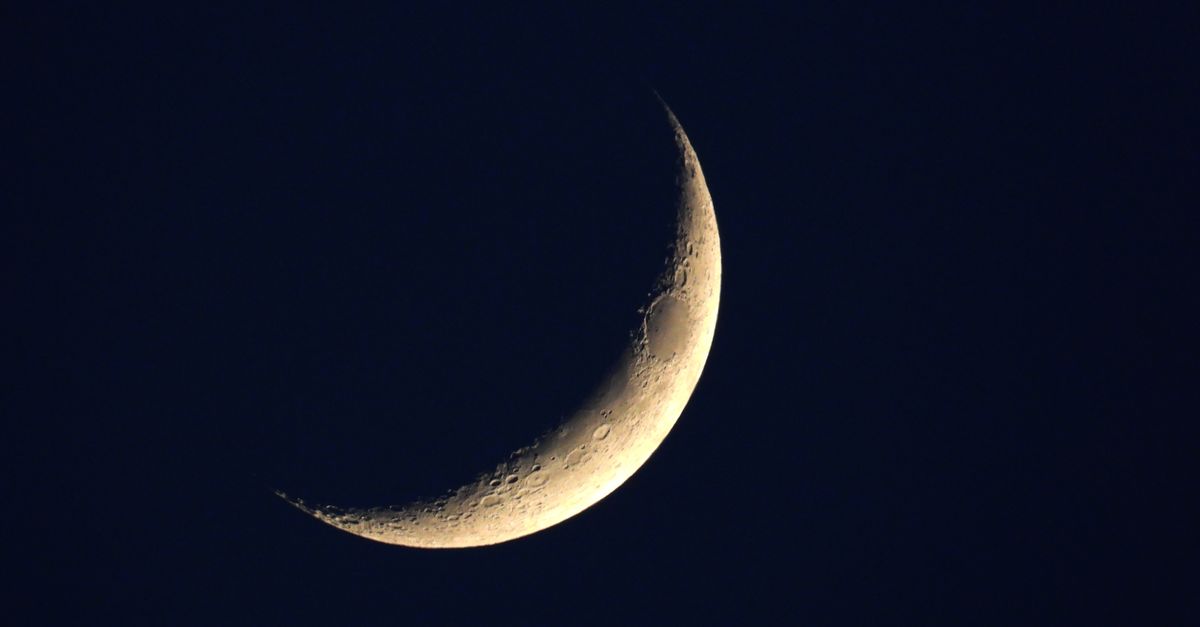
Why a Moon Phase Watch Reads the Geocentric Angle
The gear train inside a moon-phase complication is a mechanical representation of the 29.53-day synodic month. When the watch is running, the small disc on the dial rotates past two moons painted on the aperture, and at any moment you are looking at a number between 0 and 29.53, even though the dial only shows two painted images. The Moon Phase Today widget reports the same information in a form that maps cleanly onto that disc: the angle in degrees between the geocentric ecliptic longitudes of the Moon and the Sun. Multiplying the angle by 29.53 days and dividing by 360 gives the age of the moon in days, which is exactly the position the disc needs to be at.
Because the angle is geocentric, it does not depend on where you stand on Earth. Atmospheric refraction, local horizon, weather, and parallax from your city do not enter the calculation, so two collectors in different cities looking at the same widget at the same instant will see the same number. That is also why the tool does not request a location: the answer is the same in London, Tokyo, and São Paulo, and a coordinate prompt would not change it.
What the Moon Phase Today Tool Displays for Your Watch
Open the widget and three things appear together: the eight-stage display label, the precise phase angle and illuminated fraction, and the next and previous primary phase events. The calculation timestamp is shown alongside, and the time zone resolved from your browser is printed so you can confirm what "now" means in the result.
The eight-stage label is the friendly name — Waxing Crescent, First Quarter, Waning Gibbous, and so on — and is generated from a fully disclosed angle-band table that divides the 360° circle into eight 45° slices at 22.5°, 67.5°, 112.5°, 157.5°, 202.5°, 247.5°, 292.5°, and 337.5°. The precise angle and illuminated fraction are the mathematically exact numbers that drive that label. The four primary-phase events are the moments the angle is exactly 0°, 90°, 180°, or 270°, which is what the watch dial was painted to show.
How to Read Today's Moon Phase for a Watch Setting
- Open the Moon Phase Today widget at /fortune/moon-phase-today/ and wait a moment for the local calculation to complete and the eight-stage label, angle, and illuminated fraction to appear.
- Read the calculation timestamp and the browser time zone printed with the result, then confirm that the timestamp matches the watch-setting moment in your area.
- Note the phase angle in degrees and the illuminated fraction in percent, and compare the illuminated fraction to the actual sky if the moon is up — the two should agree within a few percent.
- Note the next and previous primary-phase events printed beneath the angle; the previous event tells you where the lunar cycle started from the watch's perspective, the next event tells you where it is heading.
- If you are mid-cycle, set the disc to the angle converted into days (angle × 29.53 ÷ 360). If the widget is showing a moment at or very near a primary event, set the disc to that exact event instead.
- Choose Recalculate any time you need a fresh reading; the widget also refreshes itself once per minute while it is mounted, so a long session does not go stale.
The Eight Display Bands vs the Four Primary Events
Many watch owners are confused when a tool calls the current state "Waxing Gibbous" while also reporting a phase angle of 142°. The Waxing Gibbous label is a band that covers angles from 112.5° to 157.5°, and 142° sits comfortably inside it. The exact primary phase on either side is First Quarter at 90° and Full Moon at 180°, neither of which is happening right now. Setting a watch from the band alone is fine for a casual glance at the dial; setting from the nearest primary event is what the mechanical complication was designed to track.
| Display band | Angle range | Primary event nearby |
|---|---|---|
| New Moon | 337.5° – 22.5° (wraps 360°) | New Moon (0°) |
| Waxing Crescent | 22.5° – 67.5° | First Quarter (90°) |
| First Quarter | 67.5° – 112.5° | First Quarter (90°) |
| Waxing Gibbous | 112.5° – 157.5° | Full Moon (180°) |
| Full Moon | 157.5° – 202.5° | Full Moon (180°) |
| Waning Gibbous | 202.5° – 247.5° | Last Quarter (270°) |
| Last Quarter | 247.5° – 292.5° | Last Quarter (270°) |
| Waning Crescent | 292.5° – 337.5° | New Moon (0°) |
The eight labels are a Lizely convention created from the band table above. They are convenient for everyday display but must not be read as an official United States Naval Observatory classification. The four primary events — New Moon, First Quarter, Full Moon, and Last Quarter — are the instants the geocentric angle hits 0°, 90°, 180°, or 270° and are the only categories with exact mathematical meaning in this product.
Setting the Watch Complication to the Closest Primary Event
Mechanical moon-phase discs are usually graduated in days across the full 29.53-day synodic month, with a small marker at day 0 (New Moon) and day 29 (the day before the next New Moon). The most accurate setting is to advance the disc until the painted image matches the illuminated fraction in the sky, then read the day count from the disc and compare it to the angle in the widget: days = angle × 29.53 ÷ 360. If your watch shows a day-of-month scale rather than a pure lunar scale, you can also set it to the previous or next primary event listed by the widget, since most mechanical discs snap into a clean New Moon or Full Moon position at those instants.
For a worked example, take a phase angle of 142° as the widget reads it. The lunar age in days is 142 × 29.53 ÷ 360, which equals 4193.26 ÷ 360, or about 11.65 days. Round to 12 and set the disc to day 12, then check that the painted moon image shows a Waxing Gibbous disk with most of the right side illuminated — the same as the widget's illuminated fraction. The arithmetic is single-pass, not iterative, so the conversion is the kind you can confirm by hand once and then reuse.
Limits to Know Before You Set the Complication
The widget reports educational astronomical estimates and does not claim second-level precision. The pinned Astronomy Engine 2.1.19 package is tested against twelve minute-resolution primary-phase timestamps frozen from the official USNO service between 1700 and 2100, and the engine result must differ from each USNO reference by no more than two minutes (per the USNO Phases of the Moon reference fixtures). That is plenty of headroom for setting a watch disc that itself has only 29 day markers, but it is not a professional ephemeris. Do not use the widget for navigation, photography planning, tide tables, religious observance, or any other time-critical decision.
Local visibility questions are also out of scope. The widget does not tell you when the moon rises or sets, how high it climbs above your horizon, or what the cloud cover will be at moonrise. Those questions require your coordinates and atmospheric data the tool intentionally does not collect. If you need rise and set times, look up a moonrise-and-moonset service that takes a city as input; the Moon Phase Today widget is for the angle and the disc, not the sky over your specific backyard.
When Recalculation and Browser Time Zone Matter
The widget samples the current instant reported by your browser clock and refreshes once a minute while it is mounted. A long, static watch-setting session on the page is fine because the auto-refresh keeps the result current, but if you leave the tab in the background for an hour and then read the value, the angle has moved. Choose Recalculate explicitly when you want to sample a fresh browser instant, especially if you have just stepped out of a meeting or finished adjusting the bracelet and want to double-check.
The browser time zone printed in the result is the zone your operating system tells the browser it is in, not a zone derived from your IP address or a location prompt. If you travel and your laptop clock automatically adjusts, the printed zone updates with it. If you override the system time zone manually, that override is what the widget will show. There is no hidden conversion to UTC happening behind the scenes — the displayed zone is the one the browser reports, and the timestamp underneath it is the browser instant formatted in that zone.
For a deeper look, see First Quarter vs Last Quarter Moon: How to Tell Them Apart Today.
For a deeper look, see Waxing vs Waning Birth Moon: How to Read the Phase.