The Heart line on a conventional palm line diagram is identified as the uppermost horizontal line running directly beneath the base of the fingers, starting from the outer edge of the palm under the pinky finger and extending toward the space between the index and middle fingers. In standard Western palmistry, this line is one of four primary palm-line labels alongside the Head line, Life line, and Fate line. To choose the Heart line on an interactive diagram, you can either click the corresponding uppermost path directly on the illustrative palm SVG or select the dedicated "Heart" button below or beside the hand map. This selection triggers a visual highlight that outlines its conventional relative position and general direction. Unlike automated analysis apps, a standard illustrative diagram does not read a photograph of your hand, score physical creases, or provide interpretations. Instead, it serves as a simplified, static topological reference map to help you identify where this specific label is located relative to other major hand features.
When you interact with the diagram, the selected path receives a stronger visual highlight, while the result panel repeats its name, relative location, direction, and whether it is commonly absent. This approach ensures that you can study the basic layout of palmistry terminology without sharing personal data, uploading images, or receiving unverified predictions. By focusing entirely on clear, accessible geometry, the tool strips away the conflicting claims often found in modern and historical texts, leaving you with a reliable, educational reference for the four major conventional labels.
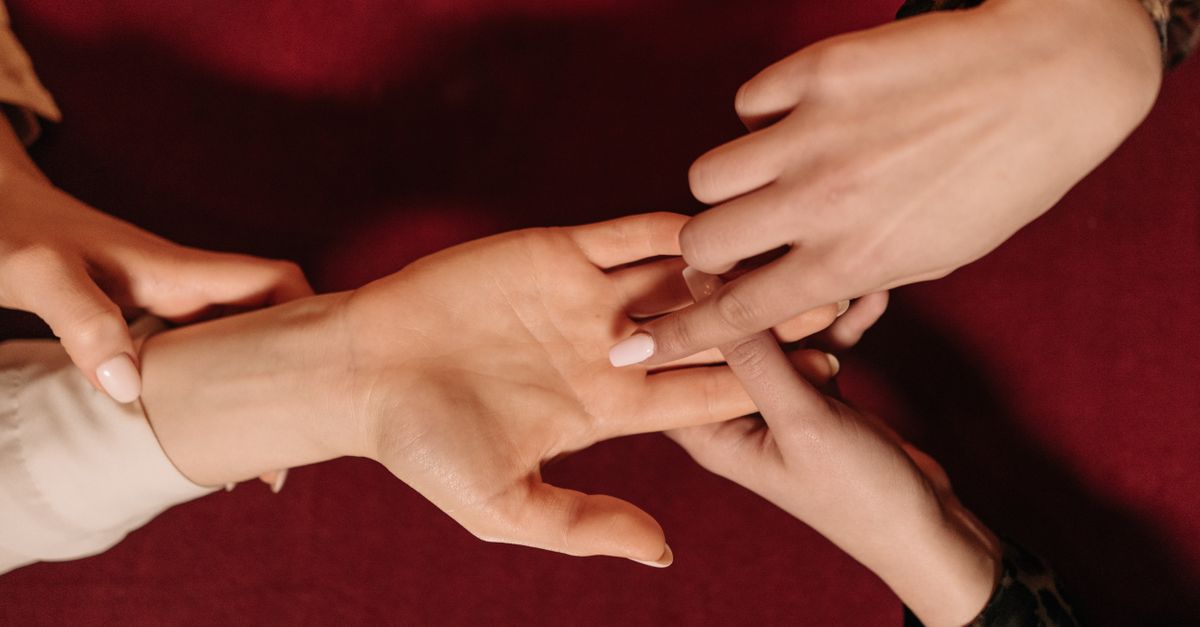
Locating the Heart Line on a Palm Map
When trying to identify the Heart line, observers look at the upper portion of the palm. In standard topological models, the Heart line is depicted as a distinct horizontal path that runs directly beneath the mounts of the fingers. It is positioned higher up on the hand than the Head line, which runs roughly parallel to it but occupies the middle region of the palm. To understand the spatial layout of these labels, it helps to consult historical texts. For instance, Cheiro's public-domain plate reconstructions in Palmistry for All depict the Heart line starting near the percussion (the outer edge of the hand below the little finger) and tracing a path toward the mount of Jupiter or Saturn. While real hands feature complex branching, overlapping creases, and varying depths, a simplified palm diagram strips away this anatomical noise to provide a clean, label-focused map.
Modern reference guides, such as the educational materials provided by PalmLines, also confirm this relative placement. The Heart line acts as the upper boundary of the palm's major horizontal markings. Because real hands vary drastically, a static drawing cannot establish that a specific physical crease on your hand matches this conventional line. Instead, the diagram serves as an illustrative guide to help you understand the terminology. By visualizing this line as a clean, continuous SVG path, users can quickly learn where to look on a standard diagram without getting lost in the unique physical variations of their own hands.
How to Choose the Heart Line Using the Interactive Guide
The interactive Palm Reading Lines Guide is designed to be fully responsive and accessible to all users, regardless of their device or input method. Whether you are using a mouse, a touch screen, or a keyboard, selecting the Heart line is a straightforward process. The tool uses a responsive grid that stacks the hand illustration above the details on small screens, ensuring that the text remains easy to read and the buttons are simple to target.
- Navigate to the interactive diagram on your screen. The tool will display a simplified SVG hand outline containing four primary paths.
- Locate the interaction controls. You can choose to interact with the large buttons labeled Heart, Head, Life, and Fate, or select the corresponding paths directly on the illustrative palm.
- To select the Heart line, click or tap the "Heart" button. Alternatively, you can click the uppermost horizontal path on the hand illustration. If you are using a keyboard, press the Tab key to cycle through the interactive elements and press Enter or Space to activate the Heart line.
- Observe the visual feedback. The selected path will receive a stronger visual highlight, and the result panel will display its name, relative location, and general direction.
- Read the accompanying information card to understand its conventional position relative to the other three lines.
To ensure accessibility on mobile devices, the SVG illustration incorporates a 48-unit hit stroke. This preserves a touch target near or above 44 pixels, even when the diagram scales down on a narrow screen. This design choice prevents accidental selections and makes it easy to tap the precise line you want to inspect. Additionally, because the hand outline and line paths are original simplified SVG geometry, they scale smoothly without losing clarity.
Comparing the Four Major Palm Line Labels
To help you understand how the Heart line relates to the other conventional markings on a palm map, the following table outlines the name, relative location, general direction, and common presence of the four lines included in the tool. This stable product display order is designed for clear comparison and does not represent a chronological reading sequence.
| Line Name | Relative Location on Diagram | General Direction | Commonly Absent? |
|---|---|---|---|
| Heart Line | Upper horizontal line beneath the fingers | Runs horizontally from the pinky side toward the index finger | No |
| Head Line | Middle horizontal line below the Heart line | Runs horizontally across the center of the palm | No |
| Life Line | Curved line around the base of the thumb | Sweeps downward around the thumb mount | No |
| Fate Line | Vertical center line running toward the middle finger | Runs vertically up the center of the palm | Yes |
As shown in the table, the Heart line and Head line run roughly parallel to each other, dividing the upper and middle sections of the palm. The Life line curves around the thumb, while the vertical Fate line runs perpendicular to the horizontal markings. Notably, the Fate line is the only major line marked as commonly absent, meaning it is frequently missing from both simplified diagrams and real hands. Understanding these spatial relationships is key to navigating any palmistry diagram accurately. For more details on these standard classifications, you can read our guide on common palm line labels: Heart, Head, Life, and Fate.
Understanding the Technical Limitations of Palm Diagrams
When using an online tool, it is important to recognize its scope and technical limitations. The guide is strictly a topological map. It does not read a palm, accept a photograph, score a hand, or turn physical creases into claims about a person's life. Many online platforms request camera access or file uploads, but this tool prioritizes user privacy. It never asks for camera access, file uploads, hand measurements, dominant-hand status, age, gender, or other personal data. To learn more about this design choice, you can review our article on how to use a palm line diagram without uploading a photo.
Furthermore, the scope of this tool explicitly excludes palmistry interpretation. Historical and modern sources contain many incompatible reading orders and unsupported claims about character, health, lifespan, relationships, career, or future events. This tool does not reproduce those claims. It does not assign meanings, personality traits, medical significance, years, dates, event timing, predictions, forecasts, or advice. The hand outline and line paths are explicitly labeled as illustrative rather than anatomical, meaning they are intended for educational reference only. Real hands are highly variable, with creases that branch, overlap, and fade, and no simplified drawing can establish that a specific mark on a physical hand corresponds to one of these conventional lines.
All interaction remains entirely within your current browser tab. No hand images or selections are transmitted, stored, or added to a profile. This local processing model ensures that your exploration of conventional palmistry labels remains private, educational, and secure.