A digital metronome is a practice tool that produces a steady train of audible clicks at a tempo you select, measured in beats per minute (BPM), and a digital metronome running in your browser can cover any whole tempo from 30 to 240 BPM with one to twelve beats per measure while highlighting the first beat of each measure with a higher accent. The accent is the part most beginners miss: it is not just a click track but a structured pulse that tells you exactly where each bar begins, which is the foundation of rhythm training, timekeeping, and ensemble playing.
Practicing with a metronome trains your internal clock so that you stop rushing through difficult passages, dragging at the ends of phrases, or losing the groove when the tempo rises. Musicians use it to warm up, to slow a piece down to a learnable speed, to build endurance at performance tempo, and to identify weak spots where timing collapses. The Online Metronome on Lizely gives you all of this in a single browser tab, runs the entire click engine locally so nothing is uploaded, and exposes the two settings that matter most: tempo and beats per measure.
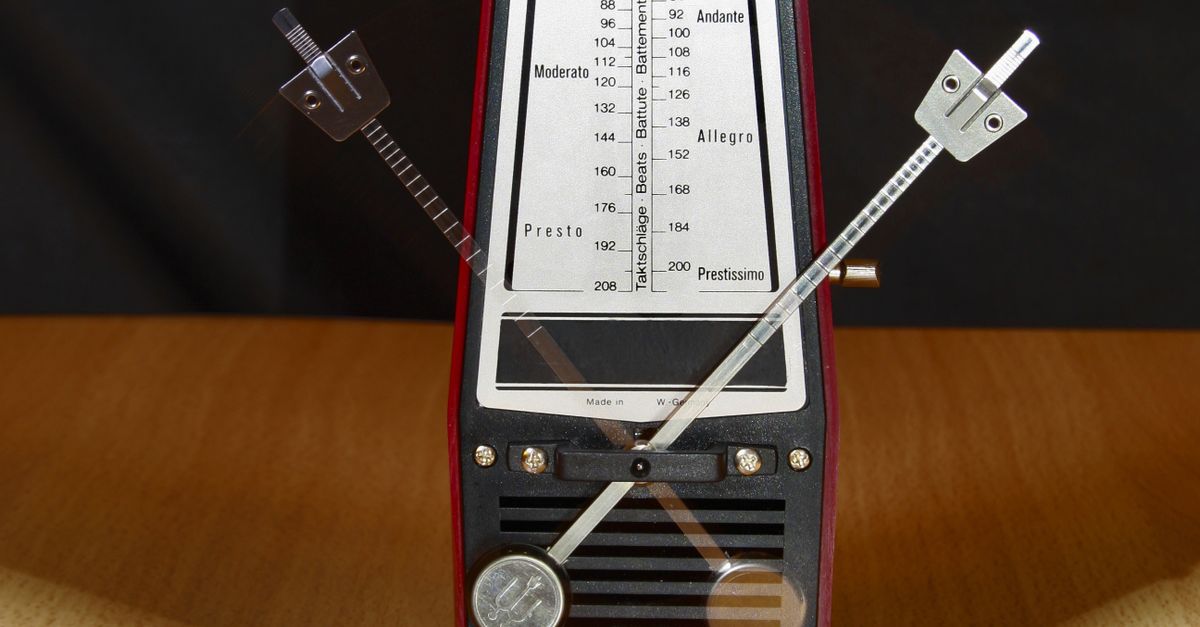
What a Digital Metronome Does
At its core, a digital metronome converts a tempo number into evenly spaced audio clicks. When you set 120 BPM, the tool fires a click exactly twice per second. When you set 60 BPM, the tool fires a click once per second. The math is straightforward: the interval between beats in milliseconds equals 60,000 divided by the BPM. So at 120 BPM the gap is 500 ms; at 90 BPM it stretches to roughly 667 ms; at 200 BPM it shrinks to 300 ms.
Digital metronomes add a second layer on top of the pulse: bar structure. A time signature such as 4/4 or 3/4 is essentially a count of beats per measure. The Online Metronome lets you pick between one and twelve beats per measure, which covers every common meter from a simple one-beat pulse up through twelve-eight compound groupings. The first beat of each measure plays at a higher pitch than the remaining beats, so your ear instantly knows where the downbeat sits even when your eyes are on sheet music or a fretboard.
Choosing a Practice Tempo
Tempo selection is a habit, not a guess. Slow practice is almost always faster in the long run because the brain can encode a pattern accurately only when it has time to notice each note. A widely used approach is to start at a tempo where you can play the passage five times in a row without a mistake, then nudge the metronome up by 2 to 4 BPM once that feels too easy.
The Online Metronome accepts whole-number tempos from 30 to 240 BPM. The lower end covers very slow ballads, breathing exercises, and meditation tempos. The middle of the range, roughly 60 to 120 BPM, maps onto most pop, rock, and folk songs. The upper end covers fast runs, technical etudes, and drum fills. Because the field accepts only whole numbers, you always get a stable, evenly divided click rate.
Setting Beats Per Measure
Beats per measure determine the length of each bar before the accent repeats. In 4/4 time you choose four beats per measure so the higher click lands on every downbeat of a standard bar. In 3/4 you choose three, which fits waltzes and many jazz ballads. In 6/8 you choose six, which gives you the compound pulse of two groups of three.
| Beats Per Measure | Common Use |
|---|---|
| 1 | Single pulse warm-ups, drone-style exercises |
| 2 | Simple duple feel, basic marching patterns |
| 3 | 3/4 waltzes, jazz ballads, many folk tunes |
| 4 | Standard 4/4 pop, rock, funk, and classical |
| 6 | 6/8 compound time, jigs, slow blues shuffles |
| 12 | Compound meters and extended bar groupings |
Pick the setting that matches the piece you are working on. If you do not know the time signature yet, four is a safe default for most modern popular music, and three is the right default for most traditional waltzes.
Using the Online Metronome Step by Step
- Open the tool. Navigate to the Online Metronome page in any modern browser. No login, plug-in, or installation is required because the click engine runs locally.
- Enter the tempo. Type a whole number between 30 and 240 into the BPM field. Beginners often start in the 60 to 90 range; advanced players working on fast passages can go well above 180.
- Choose beats per measure. Pick a value from one to twelve that matches the time signature of the music you are practicing, or use four as a neutral default.
- Press Start. The click begins immediately and continues at the chosen tempo with a higher-pitched accent on beat one of every measure.
- Listen for the accent. The first beat of each bar plays at a noticeably higher pitch. Use that accent as your downbeat reference so phrases line up with the start of each bar.
- Practice with the click. Play along, rest on the silences between takes, or clap the rhythm back to internalize the pulse.
- Press Stop. When you finish a run, hit Stop right away so the page goes silent during breaks or while you talk to a student.
That is the full workflow. The first three inputs are the only decisions you make; the rest is muscle memory.
Practice Techniques That Pair Well With a Metronome
Setting a tempo is only half the work. The other half is choosing a practice method that actually changes your playing. A few reliable approaches work especially well with a steady browser click.
Slow burn. Drop the BPM to a tempo where the passage feels too easy, then play it perfectly ten times in a row before raising the tempo by 2 to 4 BPM. Repeat until you reach your target speed.
Subdivisions. Keep the click on quarter notes while you play eighth notes or sixteenth notes against it. The accent on beat one keeps you anchored while the subdivisions build precision.
Off-the-click. Set the metronome, play a full bar, mute the click for one bar in your head, then bring it back on the next downbeat. This trains your internal clock so you can keep time without the aid of a device.
Stop-and-go. Hit Stop the instant you make a mistake, restart from the previous downbeat, and play that section again. The immediate Stop control on the Online Metronome makes this loop practical.
Pairing the metronome with other practice tools can round out your routine. The Online Drum Machine on Lizely lets you build a backing beat at the same tempo, and the companion guides on how to use a virtual drum kit in your browser as well as how to change audio pitch in any browser cover adjacent topics that often come up once timing is locked in.
Tips for Getting the Most Out of Browser-Based Click Tracks
Browser audio runs through your operating system sound stack, so a few habits help keep the timing tight. Use wired headphones when possible because Bluetooth audio adds a small latency that can push clicks a few milliseconds late. Keep the browser tab in the foreground; backgrounded tabs sometimes throttle timers on resource-constrained devices. Close other audio sources so the click does not fight with background music. Finally, give yourself a moment after pressing Start to feel the first full bar before counting in, because that first accent tells your ear exactly where the meter begins.
If you are practicing for an extended session, vary the tempo every few minutes to keep the brain engaged. Drop down for warm-ups, climb to performance tempo for the actual piece, then push past it for stamina work. Resetting the BPM and beats per measure on the same tool keeps that flow simple because everything is just two clicks away.
Why Run a Metronome in the Browser
A browser-based metronome has practical advantages over a hardware box or a phone app for many users. There is nothing to install, so you can use it on a borrowed laptop, a school computer, or a chromebook. The click engine runs locally, which means the audio is not streamed from a server and your practice sessions are not logged. The page loads quickly, the controls are obvious, and the same tool works on any operating system that runs a modern browser. For students, teachers, and casual players who just need a reliable click at a known tempo, that combination is hard to beat.
If you're weighing options, How to Generate White Noise in Your Browser covers this in detail.
If you're weighing options, How to Use a Metronome Online for Practice covers this in detail.