A free QR code generator lets you turn any link, Wi-Fi login, or contact card into a scannable image in under a minute—no software to install, no data uploaded to servers, and no hidden costs. QR codes are two-dimensional barcodes that store information like website URLs, plain text, or structured data such as vCards or Wi-Fi credentials. When scanned with a smartphone or tablet, they instantly direct users to the encoded content, eliminating manual typing and reducing errors. This makes them ideal for marketing campaigns, event tickets, product packaging, or even personal use like sharing your contact details or home Wi-Fi network. The QR Code Generator tool simplifies the process by creating codes directly in your browser, ensuring your data remains private while delivering a high-quality, downloadable image ready for print or digital sharing.
Whether you're a small business owner, a marketer, or someone who simply wants to share a link quickly, generating a QR code should be straightforward and accessible. Many online tools require sign-ups, uploads, or paid subscriptions to unlock basic features, which can be frustrating when you need a quick solution. The QR Code Generator tool removes these barriers by offering a no-frills, browser-based experience. You paste your content, customize the error correction and size if needed, and download the code instantly. There’s no need to worry about data privacy, as the tool processes everything locally on your device. This approach is especially useful for sensitive information like Wi-Fi passwords or contact details, where security is a priority.
QR codes are versatile and can be used in countless scenarios. For example, businesses use them to direct customers to product pages, menus, or promotional offers. Event organizers embed them in tickets or badges to streamline check-ins. Individuals can create QR codes for their personal websites, social media profiles, or even to share their Wi-Fi network with guests without revealing the password. The ability to generate these codes for free and without technical expertise opens up opportunities for creativity and efficiency in both professional and personal contexts.
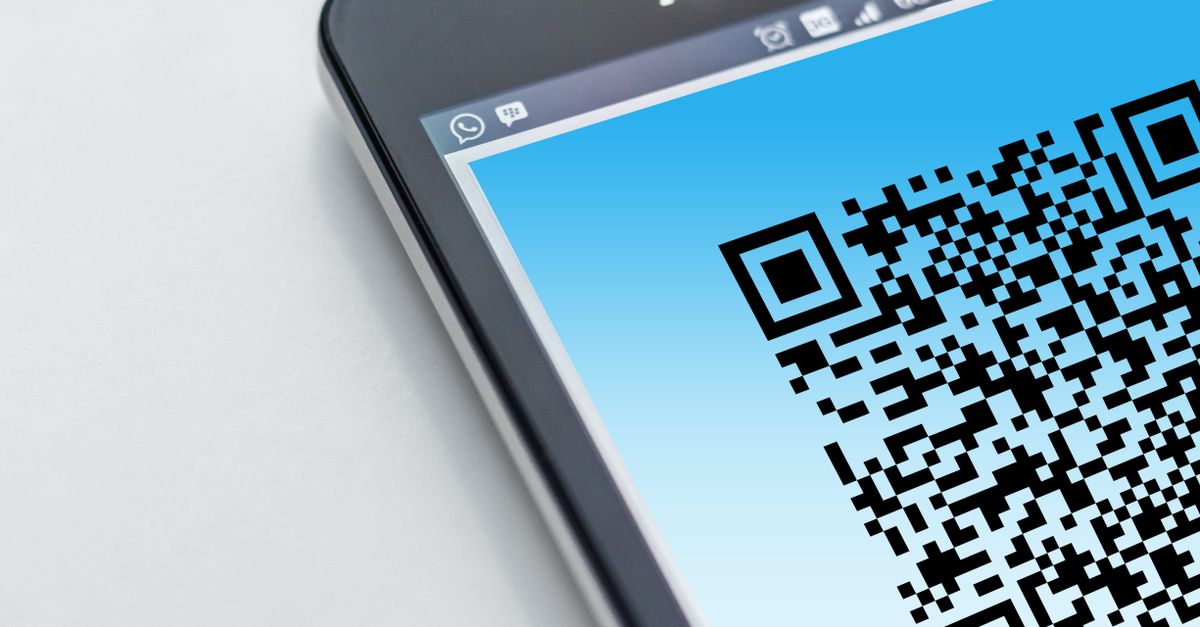
What You Can Encode in a QR Code
QR codes are not limited to website links—they can store a variety of data types, making them useful for different purposes. Here’s what you can encode using the QR Code Generator tool:
| Data Type | Use Case | Example |
|---|---|---|
| URL | Direct users to a website, landing page, or online form. | https://example.com/promo |
| Wi-Fi Login | Share your Wi-Fi network credentials without revealing the password. | WIFI:S:MyNetwork;T:WPA;P:MyPassword;; (auto-formatted by the tool) |
| Contact Card (vCard) | Share your contact details in a scannable format. | BEGIN:VCARD VERSION:3.0 FN:John Doe EMAIL:[email protected] TEL:+1234567890 END:VCARD |
| Plain Text | Encode short messages, instructions, or notes. | Meet at the café at 3 PM. |
| SMS | Pre-fill a text message with a recipient and body. | SMSTO:+1234567890:Join our event! |
Each of these data types serves a unique purpose, and the QR Code Generator tool handles them all seamlessly. For example, encoding a Wi-Fi login is particularly useful for businesses or homeowners who want to provide guests with internet access without sharing the password directly. Similarly, a vCard QR code can be printed on business cards, making it easy for new contacts to save your details to their phone with a single scan. The tool automatically formats the data correctly, so you don’t need to worry about the technical details—just paste your content and let the tool do the rest.
How to Generate a QR Code for Free
Generating a QR code with the QR Code Generator tool is a straightforward process that takes just a few seconds. Follow these steps to create your code:
- Open the QR Code Generator tool in your browser.
- Type or paste your content into the input box. This can be a URL, Wi-Fi login, contact card, or plain text. The QR code will appear instantly as you type—no button to press.
- Optionally, adjust the error correction level. The default setting (M) works for most uses, but choose H if you plan to add a logo or print the code at a small size.
- Select the output size for your QR code. The tool offers a range of sizes, from small (suitable for business cards) to large (ideal for posters or banners).
- Click the Download PNG button to save the QR code to your device. The file is ready to print, share, or embed in digital content.
That’s all there is to it. The tool processes everything locally in your browser, so your data never leaves your device. This ensures privacy and security, especially when encoding sensitive information like Wi-Fi passwords or contact details. Once downloaded, you can use the QR code in any way you like—print it on flyers, add it to a website, or share it via email or social media.
Customizing Your QR Code for Different Uses
While the default settings of the QR Code Generator tool work for most scenarios, customizing your code can enhance its effectiveness for specific use cases. Here’s how to tailor your QR code to fit your needs:
Error Correction Levels
Error correction determines how much damage a QR code can sustain while remaining scannable. The tool offers four levels:
| Level | Recovery Capacity | Best For |
|---|---|---|
| L (Low) | 7% of the code can be damaged. | Simple, low-risk uses like digital sharing. |
| M (Medium) | 15% of the code can be damaged. | General use, including print materials. |
| Q (Quartile) | 25% of the code can be damaged. | High-wear environments like product packaging. |
| H (High) | 30% of the code can be damaged. | Small prints, logos, or outdoor use. |
For most uses, the default M (Medium) setting is sufficient. However, if you plan to print the QR code on a small surface, like a business card, or embed a logo in the center, choose H (High) to ensure it remains scannable even if part of the code is obscured. The trade-off is that higher error correction levels result in denser codes, which may require a larger print size to remain readable.
Output Size
The size of your QR code affects its scannability, especially when printed. The QR Code Generator tool offers a range of sizes, measured in pixels. Here’s a general guideline for choosing the right size:
- Small (100-200px): Ideal for digital use, such as embedding in emails or social media posts.
- Medium (300-500px): Suitable for print materials like business cards, flyers, or product labels.
- Large (600px and above): Best for posters, banners, or large-format prints where the code needs to be scanned from a distance.
If you’re unsure, start with a medium size and test the QR code by scanning it with your phone. If it doesn’t scan easily, increase the size or adjust the error correction level. The tool allows you to experiment with different settings until you find the perfect balance for your needs.
Practical Uses for Free QR Codes
QR codes are incredibly versatile, and their applications extend far beyond marketing. Here are some practical ways to use the codes you generate with the QR Code Generator tool:
Business and Marketing
- Product Packaging: Add a QR code to product packaging to direct customers to instructional videos, user manuals, or customer reviews.
- Event Tickets: Embed QR codes in event tickets for quick and secure check-ins. The code can link to the ticket holder’s registration details, reducing wait times at the entrance.
- Menus: Restaurants and cafés can use QR codes to display digital menus, reducing the need for physical copies and making it easy to update offerings.
- Promotions: Include QR codes in print ads, flyers, or posters to drive traffic to a promotional landing page or discount code.
Personal Use
- Wi-Fi Sharing: Generate a QR code for your home or office Wi-Fi network. Guests can scan the code to connect without needing to ask for the password.
- Contact Sharing: Print a vCard QR code on your business card or add it to your email signature. Recipients can scan the code to save your contact details instantly.
- Social Media: Create QR codes for your social media profiles and include them in presentations, resumes, or networking materials.
- Gift Tags: Add a QR code to gift tags that links to a personalized video message or a playlist for the recipient.
Education and Nonprofits
- Educational Materials: Teachers can use QR codes to link to supplementary resources, such as videos, articles, or interactive quizzes.
- Fundraising: Nonprofits can include QR codes in fundraising materials to direct donors to an online donation page.
- Museum Exhibits: Add QR codes to exhibit descriptions to provide visitors with additional information, audio guides, or translations.
These examples barely scratch the surface of what’s possible with QR codes. The QR Code Generator tool makes it easy to experiment with different ideas and find creative ways to use QR codes in your projects. For more inspiration, check out our guide on how to generate QR codes instantly without uploading data.
Why This Tool Stands Out
With so many QR code generators available online, it’s important to choose one that balances ease of use, privacy, and functionality. The QR Code Generator tool stands out for several reasons:
- No Uploads: Unlike many other tools, this generator processes everything in your browser. Your data never leaves your device, ensuring complete privacy and security.
- Instant Results: The QR code appears as you type, with no need to click a button or wait for processing. This makes the tool incredibly fast and efficient.
- No Sign-Up Required: There’s no need to create an account or provide personal information. You can start generating QR codes immediately, without any barriers.
- Customization Options: While the tool is simple to use, it also offers advanced options like error correction and size adjustment, giving you control over the final output.
- Free and Unlimited: There are no hidden costs or limits on the number of QR codes you can generate. The tool is completely free to use, with no watermarks or restrictions.
These features make the QR Code Generator tool ideal for both casual users and professionals who need a reliable, hassle-free solution. if you're creating a single QR code for personal use or generating multiple codes for a business campaign, this tool delivers consistent results without compromising on privacy or quality. For more tips on using QR codes effectively, explore our complete guide to generating QR codes.
If you’re also working with barcodes, you might find our Barcode Generator tool useful. It allows you to create print-ready 1D barcodes like Code 128, EAN-13, and UPC-A, all within your browser and without any uploads.
Related reading: How to Create a Trackable UTM Link in Your Browser.
Related reading: How to Generate a Barcode on Venmo: A Practical Walkthrough.