An online stopwatch on Android is a browser-based timer that counts up from zero with hundredth-of-a-second precision, so you can measure elapsed time on your phone without installing a native app. Open the tool in Chrome, Samsung Internet, or any mobile browser, press Start, and the display begins ticking from 00:00.00 in real time. While it runs, you can tap Lap to record a split without stopping the clock, pause and resume exactly where you left off, and reset back to zero for a fresh measurement. Because the page runs locally, no account, sign-in, or network request is required, and the tab keeps timing even if you switch apps and return. For runners logging intervals, students timing a study block, cooks tracking a rest, or anyone rehearsing a presentation on their phone, this gives Android users a clean alternative to the built-in Clock app — and one that works on any device that can open a browser tab.
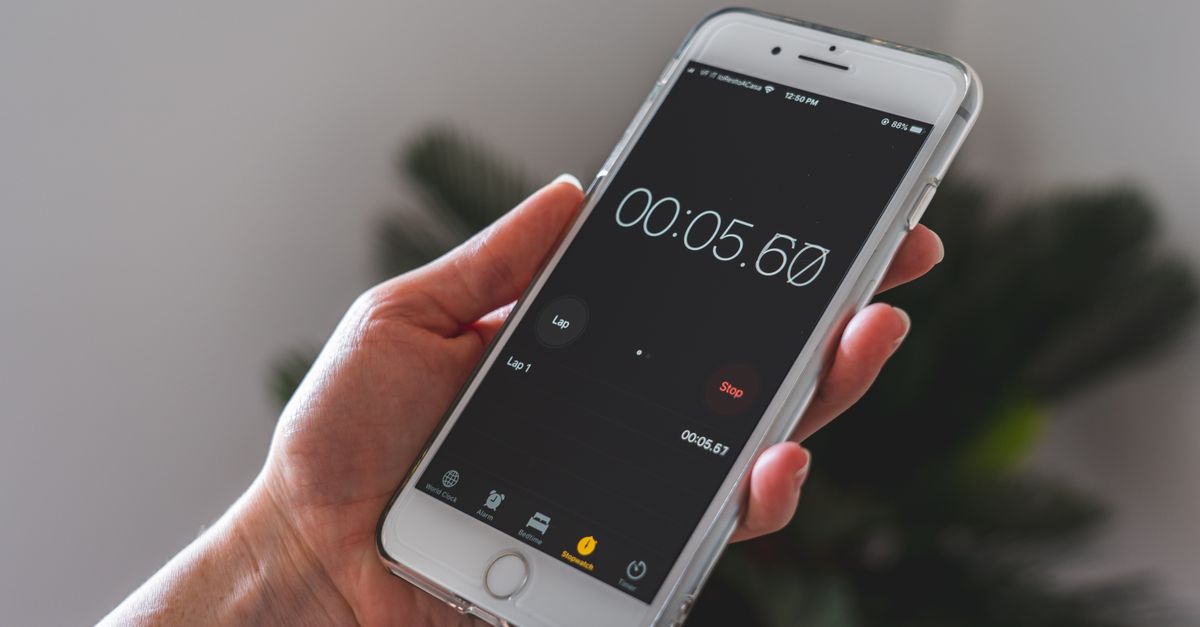
Why reach for a browser stopwatch on Android
Most Android phones ship with a Clock app that already includes a stopwatch, so it is reasonable to ask why you would open a browser instead. A few practical reasons come up often.
Portability is the first. A browser stopwatch is a single URL — bookmark it once in Chrome, Samsung Internet, or any mobile browser, and it works the same on your phone, your tablet, a friend's laptop, or a desktop at work. The same tool, the same lap list, the same control layout, with nothing to install on the new device.
Precision is the second. A native Android stopwatch is fine for most things, but a browser stopwatch built for timing typically uses an anchored start reference and recomputes the elapsed time on every refresh. That keeps the reading from drifting even when the system throttles the tab in the background. If you want a deeper look at how precise a browser stopwatch can be, the accuracy guide walks through the underlying timing approach.
Privacy is the third. A bookmarked browser page runs entirely on the device, so timing and lap data never leave the phone. There is no account, no sign-in, and no analytics upload tied to your measurement.
Shape of tool is the fourth. Counting up from zero with no preset end time, plus lap splits, is a specific job. A countdown timer, a Pomodoro cycle, and a world clock all solve different problems; a stopwatch is the right tool when you do not know in advance how long the activity will take.
Run the Online Stopwatch on Your Android Phone
Getting the Online Stopwatch running on Android takes a few taps. The whole flow happens inside your default mobile browser — no app store, no permissions, no setup screen.
- Open Chrome, Samsung Internet, or any browser on your Android phone and navigate to the Online Stopwatch page. The page loads without a sign-in prompt and does not require an install.
- Press Start to begin counting up from zero. The large display shows minutes, seconds, and hundredths of a second, and it updates in real time as the clock advances.
- Tap Lap at any moment while the timer is running. The current moment is recorded as a new row, showing the segment time (split) and the cumulative total since you pressed Start, with the newest lap at the top of the list.
- Tap Pause to freeze the time when you need a break, then tap Resume to continue from exactly where you stopped. The accumulated total is preserved, so you do not lose the value you already measured.
- Tap Reset to clear the elapsed time and every recorded lap back to zero, ready for a fresh measurement.
Once the page is open you can leave it in a background tab and the timing keeps working. Tap back into the tab and the display catches up to the true elapsed time automatically.
What the Display and Lap List Show
Three numbers matter on the Android screen, and knowing what each one means makes lap comparisons far more useful.
The main readout is the elapsed time — the total since you pressed Start. Below it, or alongside it depending on screen width, sits a list of recorded laps. Each row shows two values:
- Split — the time it took to complete that segment alone.
- Total — the cumulative time from the start of the run to the end of that segment.
Because the lap list is sorted newest-first, the most recent split is always at the top. That layout makes it easy to spot the fastest segment in a sprint set, the slowest phase of a presentation rehearsal, or the longest task in a multi-step workflow — without doing any arithmetic in your head.
When the elapsed time passes one hour, the display automatically switches to an hours:minutes:seconds format, so a long run, an all-day study session, or an open-ended task stays readable. Below the hour mark, hundredths of a second are kept on the screen for short intervals where that resolution is the difference between a useful measurement and a rounded guess.
Stopwatch vs. Countdown vs. Pomodoro on Android
Android users often search for a stopwatch when they actually need a different shape of timer. The three common timer modes are easy to mix up, and picking the right one saves time and avoids the frustration of a countdown ending while you are still in the middle of a task.
| Tool | Direction | Best for |
|---|---|---|
| Online Stopwatch | Counts up from zero, open-ended | Measuring real time: sprints, study blocks, rehearsals, cooking rests, plank holds |
| Online Countdown Timer | Counts down from a duration you set | Boiling eggs, breaks, deadlines with a known length |
| Pomodoro Timer | Cycles fixed focus and break blocks | Sustained focus sessions with built-in rest periods |
The differentiator is whether you know the duration in advance. If you know it, a countdown or Pomodoro is faster because you just enter the length. If you do not know it — and you rarely do, until the activity is over — a stopwatch is the right tool for capturing the real, open-ended elapsed time.
Privacy, Offline Use, and Background Tabs on Android
Three practical details matter when you keep a stopwatch open on an Android phone, and they are the ones most people ask about after the first session.
Background tabs. Mobile browsers throttle tabs you are not looking at to save battery, and a stopwatch that naively counts ticks can fall behind when the tab is in the background. The Online Stopwatch uses anchored timing instead: it records a high-resolution start reference and recomputes the elapsed time on every refresh from the real clock. When you switch back to the tab, the display corrects itself to the genuine elapsed time, so you do not lose seconds to throttling.
Offline use. Once the page has loaded, the stopwatch runs entirely in the browser. There is no account, no sign-in, and no network request involved in the timing itself, so it keeps working on a plane, in a basement gym, or anywhere the connection drops. Bookmark the page so you can open it the same way every time.
What leaves the device. Nothing does. The display, the lap list, and the start reference all live inside the page, and no timing data is sent over the network as part of running the stopwatch. If you want to keep a record of a session, copy the lap list out manually before you tap Reset; the page does not auto-sync your timings anywhere.
Quick Tips for Using a Stopwatch on Android
A few small habits make a browser stopwatch noticeably smoother on a phone screen.
- Add it to your home screen. From the browser menu, choose Add to Home screen. The page then opens with a single tap like a regular app, and the address bar disappears so the display gets the full width of the screen.
- Rotate to landscape for long lap lists. The display and the lap table both reflow, which makes a multi-segment session much easier to scan.
- Use Pause liberally. A stopwatch does not need to run continuously; pausing and resuming is the right way to handle a phone call, a notification, or a quick check of the lap list without losing the accumulated total.
- Tap with a fingertip. The buttons are large enough for thumbs, but a precise tap registers more reliably than a long press.
- Ignore Lap if you only need the total. The Lap button only matters when you need segment-level data. For a single open-ended measurement, just read the main display.
With those habits, an online stopwatch on Android becomes a faster, more flexible alternative to reaching for the Clock app, especially when lap splits, background-tab accuracy, or a single bookmark that works on any device matters to you.
Related reading: Pomodoro Timer on Android: Use It in Your Browser.