An online stopwatch that is free and requires no sign-up is a browser-based timer you can open, press Start, and use immediately — no account, no email, no download, and no network traffic after the page loads. The display counts up from zero with hundredth-of-a-second precision so you can measure sprints, study blocks, cooking rests, or rehearsal runs to the centisecond. Laps are recorded on demand without stopping the clock, and the entire tool runs locally in your browser, meaning your timing data never leaves your device. Because nothing is uploaded and nothing is stored on a server, there is nothing to sign in to protect and no account to lose. The result is the fastest possible path from "I need to time this" to a running stopwatch: open the page, press one button, and the measurement starts. This guide walks through exactly what that experience looks like, why it works that way, and how to get useful measurements from the moment you arrive.
What "Free, No Sign-Up" Actually Gets You
A stopwatch that asks for nothing from you beyond a button press is rare in a web full of email walls, account popups, and captcha gates. The Online Stopwatch is built around the opposite idea: zero friction from arrival to first tick. There is no signup form because there is no account to create. There is no email field because nothing needs to be tied to your identity. There is no payment wall because the timer itself is the product, not a feature hidden behind a subscription. The page loads, the display reads 00:00.00, and the only thing standing between you and a running measurement is one click on Start.
This matters more than it sounds. Most productivity tools ask you to log in before you can do anything, which adds time, friction, and a privacy question — what is this service going to do with my data? A stopwatch does not need to know who you are to tell you that six minutes and forty-two hundredths have passed since you pressed the button. Keeping that measurement local is what makes the no-sign-up promise honest rather than marketing language.
How to Time Something Right Now
This is the shortest possible path from a fresh browser tab to a running measurement.
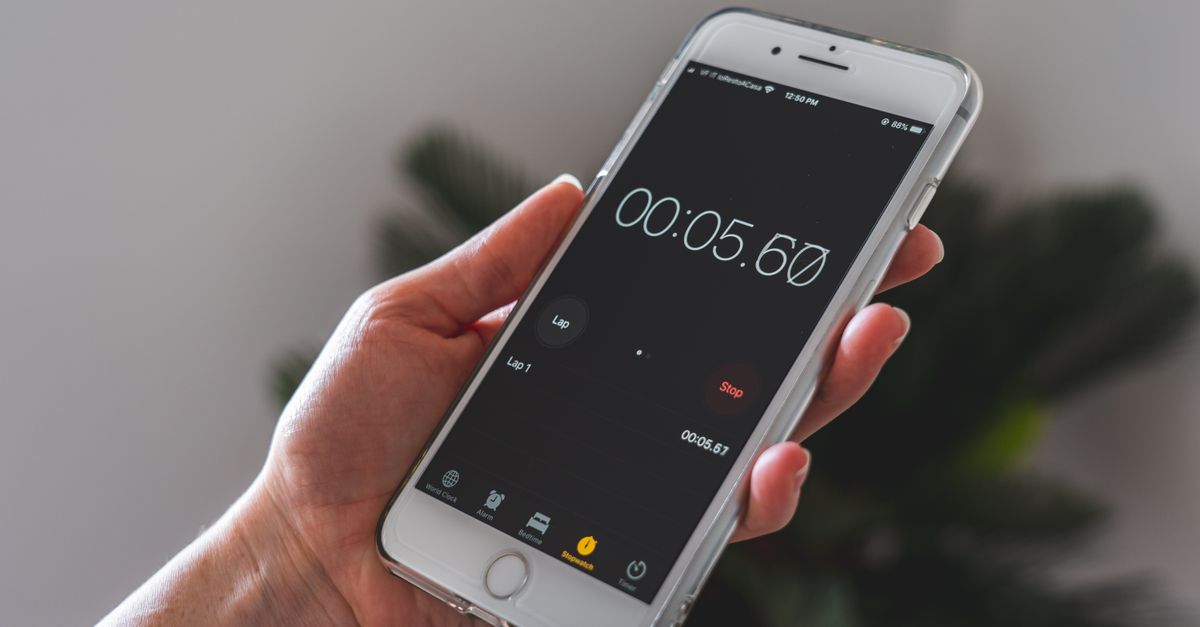
- Press Start to begin counting up from zero. The large display shows minutes, seconds, and hundredths of a second.
- While the timer is running, press Lap whenever you want to record a split. Each lap shows that segment's time and the cumulative total since you started, listed newest at the top.
- Press Pause to freeze the elapsed value when you need to step away or interrupt the activity. Press Resume to continue from that exact value — the count picks up precisely where it stopped, not from zero and not from a rounded guess.
- Press Reset to clear the elapsed time and every recorded lap back to zero when you are ready for a fresh measurement.
That is the full operating surface. There is no menu to learn, no mode to select, and no setup dialog blocking the controls. For a second look at how the lap list behaves in the browser, the practical walkthrough at stop a stopwatch in your browser without apps or downloads covers the same controls in more depth.
Features Available Without an Account
Every interactive element on the stopwatch is available the instant the page loads, with no login gate in front of any of them:
- A large digital display that shows minutes, seconds, and hundredths of a second (centiseconds) for short, high-resolution measurements.
- A Start control to begin counting up from zero, with no preset duration.
- A Lap control that freezes the current moment without stopping the clock and records both the segment time and the cumulative total.
- A Pause control that halts the count exactly where it stands, and a Resume control that continues from that precise value.
- A Reset control that clears the elapsed time and every recorded lap back to zero.
- Automatic format switching — once the elapsed time passes an hour, the display switches to an hours:minutes:seconds layout so longer sessions stay readable.
- Bookmarks and reopens that work the same way every time because no state is stored on a server.
Nothing on that list requires an account, a subscription, or a permission prompt. The same set of controls is available on a fresh device, a borrowed laptop, or a public computer at a library.
Stopwatch, Countdown, or Pomodoro — Which One You Actually Need
The no-sign-up category is wider than just stopwatches. Three related tools cover most timing tasks, and choosing the wrong one wastes setup time. The table below shows what each one does and when it fits.
| Tool | Direction | Has a preset duration | Best when you want to know |
|---|---|---|---|
| Online Stopwatch | Counts up from zero | No | How long an activity actually took |
| Online Countdown Timer | Counts down to zero | Yes — you set it | When a fixed block of time is up |
| Pomodoro Timer | Cycles through fixed focus and break blocks | Yes — typically 25/5/15 | How many structured work intervals you finished |
A stopwatch is the right tool whenever you do not know in advance how long the activity will run. A cooking rest, a plank hold, a speech rehearsal, a focus block where you stop when you finish the task — all of these have unknown durations, and a count-up timer captures the real elapsed time without forcing you to predict an end. A countdown is the right tool when you know the duration (a five-minute egg, a two-minute presentation drill). A Pomodoro is the right tool when you want fixed focus intervals with structured breaks and a running count of completed cycles.
Precision, Privacy, and Offline Use
Three properties matter for a no-sign-up timing tool, and the Online Stopwatch treats all three as defaults rather than premium features.
Precision. The display resolves to hundredths of a second. For sprints, reaction drills, and any measurement under a minute, that extra digit is the difference between a useful number and a rounded guess. Accuracy is maintained by anchored timing: the stopwatch records a high-resolution start reference and recomputes the elapsed time on every refresh as the accumulated total plus the actual gap since that reference. Because each frame is recalculated from the real clock instead of adding up individual ticks, the reading does not drift, and it does not fall behind when your device throttles a background tab. Switch to another tab to answer a message, come back, and the display corrects itself to the genuine elapsed time.
Privacy. Every calculation, every lap split, every pause and resume happens inside your browser. There is no account, no sign-in, and no network request after the page has loaded. Your timing never leaves your device, which is exactly the property that makes the no-sign-up promise honest — there is nothing to sign in to because there is nothing being collected.
Offline. Because the tool runs locally, it keeps working once the page has loaded even if your internet connection drops. The display, the lap splits, and the pause and resume controls all behave normally without a live connection. Bookmark the page so it is one click away whenever an unannounced timing need appears — a talk that is running long, a sprint interval, a steep that needs a minute in the kettle.
Tasks That Fit a Sign-Up-Free Stopwatch
The list of activities where you genuinely do not know the duration in advance is longer than people expect, and every one of them is a fit for a count-up tool that opens instantly.
- Workouts: plank holds, isometric sets, breathing routines, run intervals, sprint repeats, lap swims, cycling intervals. Press Start, hit Lap at the end of each rep, and compare segments directly.
- Cooking and kitchen work: steeping times, dough rests, bread proofs, sauce reductions, pour-over coffee. Set the timer at the start of the rest and read the total at the end.
- Speaking and interviews: rehearsal runs where the goal is a target length, mock interviews, podcast segments, sales calls where you want to watch the clock without staring at it.
- Study and focus blocks: working until a task is done rather than for a fixed window, then reviewing how long the work actually took to plan better next time.
- Games and puzzles: Rubik's cube solves, chess practice sessions, board game rounds, speed runs, reaction drills.
- Lab and field measurements: how long a process step actually consumed, how long a queue was, how long a single phase of a multi-step procedure ran — with Lap splits showing every phase side by side.
For each of these, the value of the tool is the same: open it, press Start, and get a measurement. No signup, no email, no waiting.
Related reading: Double Click Test on a Laptop: Trackpad and Mouse Timing.