A digital tasbih counter is a focused, browser-based way to track a repeated personal count to an exact 33 or 99 round target, with each tap logged against your device's local calendar day and exports kept entirely in your browser. Comparing approaches to use a tasbih counter means weighing manual beads, phone apps, and in-browser counters against three honest questions: how exact is the boundary marking a completed round, where does the daily record live, and what happens to that record when you want to share or archive it. The Tasbih Counter tool answers those three with a single round target, an exact completion state at the chosen boundary, and a local daily history that exports to PNG or CSV without ever leaving the browser. That tight scope is the difference between a counter that helps you count and a counter that quietly becomes another app on your phone.
People arrive at this comparison from different directions. Some keep physical beads but lose track of which round they are on. Others have tried a phone app and disliked how it asks for an account, or noticed that the count resets after a phone restart. A third group just wants a counter that holds a number through a refresh without turning the practice into a project. Each of those readers is asking the same practical question: which approach respects the count itself?
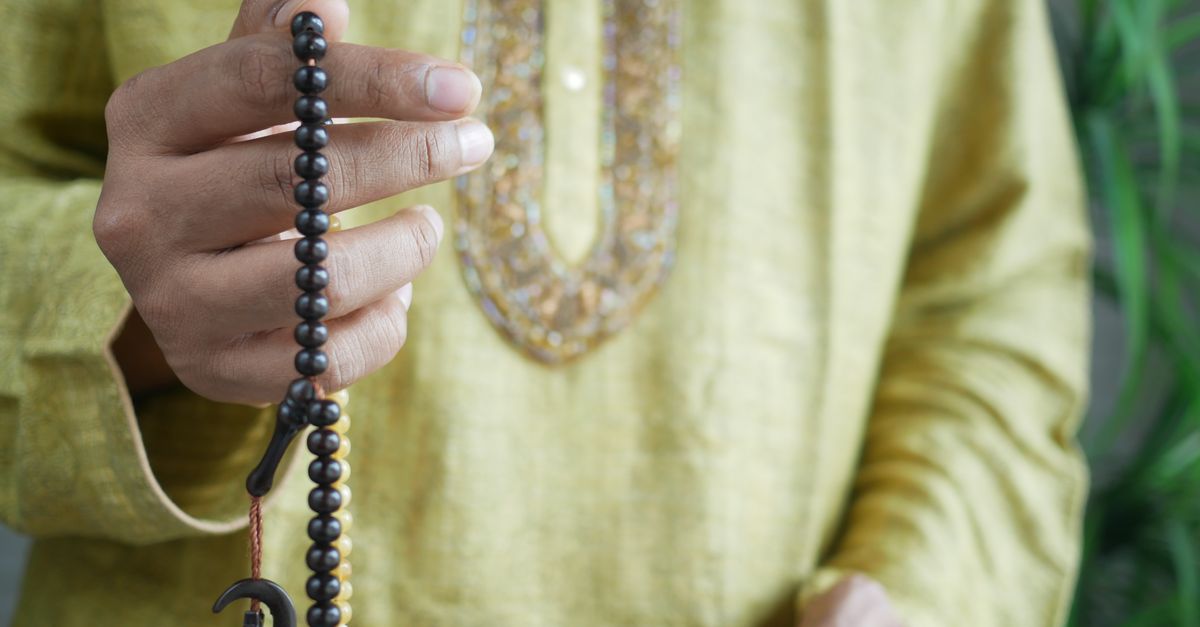
Tasbih Counting Approaches Worth Comparing
The most useful comparison starts with the method, not the brand. Four common approaches cover almost every situation a reader is weighing: traditional beads, a general-purpose phone tally app, a generic in-browser tally counter, and a focused digital tasbih counter. The table below compares them on the points that actually change the experience — round target precision, where the daily record lives, what an export looks like, and whether a sign-in is required.
| Approach | Round target | Daily record | Export | Sign-in |
|---|---|---|---|---|
| Manual beads (string or finger count) | 33 or 99 set by the user, no automatic marker | None by default | None | No |
| Phone tally app | Usually adjustable, sometimes preset | Server account, may require sign-in | App-dependent, often a screenshot | Often yes |
| Generic browser tally counter | Adjustable step and label | Often a single lifetime number | Sometimes PNG or CSV | No |
| Tasbih Counter | Exactly 33 or 99, marked at the boundary | Local calendar day, grouped in reverse date order | PNG 1080×1350 or CSV, both in-browser | No |
The rows above are descriptions of behavior, not computed numbers. The exact values for any specific count only appear once you actually tap through a session, so the table is meant to compare the shape of each approach rather than to predict the output.
How the Tasbih Counter Differs from Generic Counters
The Tasbih Counter tool does a few things on purpose that the other approaches handle less well. It offers exactly two round targets — 33 and 99 — rather than a free step slider, so the completion state at the end of a round is an exact boundary, not an estimate. At a target of 33, a count of 33 reports a completed first round and the next tap begins round two at one of 33. That boundary behavior is consistent across sessions and across browsers that support the page.
Each saved increment is grouped by the device's local calendar date. A count made at 11:50 p.m. stays on that local day instead of being shifted to the next UTC date, and when the next local morning begins the page starts its visible count at zero while keeping earlier nonzero days in the history list. That history is intentionally modest: a date and a count, in reverse date order, without a profile or an inferred label.
The third differentiator is export without upload. PNG is built as a 1080 by 1350 image with a Lizely mark, a total, and recent calendar-day rows; CSV is a plain Date and Count file with one row per saved nonzero day. Both files are generated inside the page with native canvas and Blob APIs, so nothing is sent to a server for processing. If the privacy boundary matters more than feature breadth, that constraint alone can decide the comparison.
How to Set Up and Run a Session in Tasbih Counter
The workflow below covers the three operating steps a reader needs in order to compare this approach against the others. Each step is something the tool actually does, not an inferred shortcut.
- Choose a 33 or 99 round target from the visible selector and, if you want a personal label that stays on the page, rename the local counter label.
- Press Add one for each entry; when the count reaches the chosen target, the tool marks a completed round and the next tap automatically begins the next round.
- Use Undo one to correct the most recent number if you tapped past a phrase, then review the saved local calendar days and export PNG or CSV if you want a file outside the browser.
Two small details often decide whether a session feels correct. First, the round and position are shown alongside the target, so you always know whether the next tap will close the round. Second, on browsers that expose the W3C Vibration API, the tool attempts a short vibration after a tap completes a round; on browsers that do not, including Safari, the visual completion state is the only signal. Both are fine; vibration is an optional enhancement rather than a requirement, and the page is fully usable without it.
Comparing Storage and Privacy Across Approaches
Storage location is where most comparisons quietly tip. A string of beads holds no record at all. A phone app usually keeps the daily count in an account tied to your email, and the export you can produce is often a screenshot rather than a clean data file. A generic browser tally counter may keep a single lifetime number and forget it on refresh, or it may keep a daily list — the comparison hinges on which one you happen to open.
The Tasbih Counter tool keeps state in the browser's localStorage under its own key, as described by the WHATWG HTML Web Storage specification. That means the history is local to the browser and the device, it does not synchronize to a second device, and clearing browser data removes it. If browser storage is disabled or full, the page tells you it cannot retain history and still keeps the current count usable. There is no claim of a backup, and no promise of cross-device continuity.
That privacy boundary is also why the PNG export deliberately omits the optional custom counter label: a shareable image will not reveal a personal note. The CSV, by contrast, is meant for spreadsheets and private archives and contains only the date and the count for each saved nonzero day. If you want a counter that hands you your data back as files you can delete yourself, this is the approach the comparison favors.
Picking the Right Approach for Your Routine
The honest summary is that no single method beats the others on every dimension. Manual beads are tactile and require no power source, but they offer no record and no export. A phone tally app can sync across devices and add features, but it usually wants a sign-in and may store the record on a server. A generic browser tally counter is the closest cousin to the focused tool and is the right choice when an adjustable step and a general repeated-event label matter more than a strict 33 or 99 round.
The Tasbih Counter tool is the right choice when the product you need is a private 33 or 99 round target with a daily local record and a file you can take out of the browser. If you want to see how it sits next to a more general counter, the Online Tally Counter covers the adjustable-step case and exports its own PNG or CSV history. For a fuller walk-through of the boundaries and the daily record, the guide on how to check the result after using a Tasbih Counter goes into the history list in more detail. Pick the approach that matches the question you are actually asking — round precision, daily history, or a clean export — and the rest of the comparison tends to fall into place.
If you're weighing options, How to Choose the Right Tennis Scorekeeper Approach covers this in detail.