A Text to ASCII Art Generator for Discord is a browser tool that turns a JPG, PNG, or WebP image into a block of monospace text characters you can paste straight into a Discord message, channel topic, or code block. The conversion samples one pixel per output cell, calculates relative luminance per the WCAG 2.2 formula, then maps that brightness to a character from a chosen density sequence so darker pixels become visually heavy symbols and brighter pixels become spaces or small punctuation. The whole pipeline runs in the current tab — the image is decoded locally, drawn to a small canvas, read with the standard Canvas getImageData call, and never leaves the browser. That matters on Discord because the only way to display a recognizable image inline in a regular message is through text formatting, so a high-fidelity picture has to be re-encoded as characters first. Discord's message renderer applies a monospace font inside triple-backtick code blocks and preserves repeated spaces, which is why a correctly tuned ASCII block holds its shape when you paste it. The result is light to share, copy-friendly, and works in any server that allows code blocks.
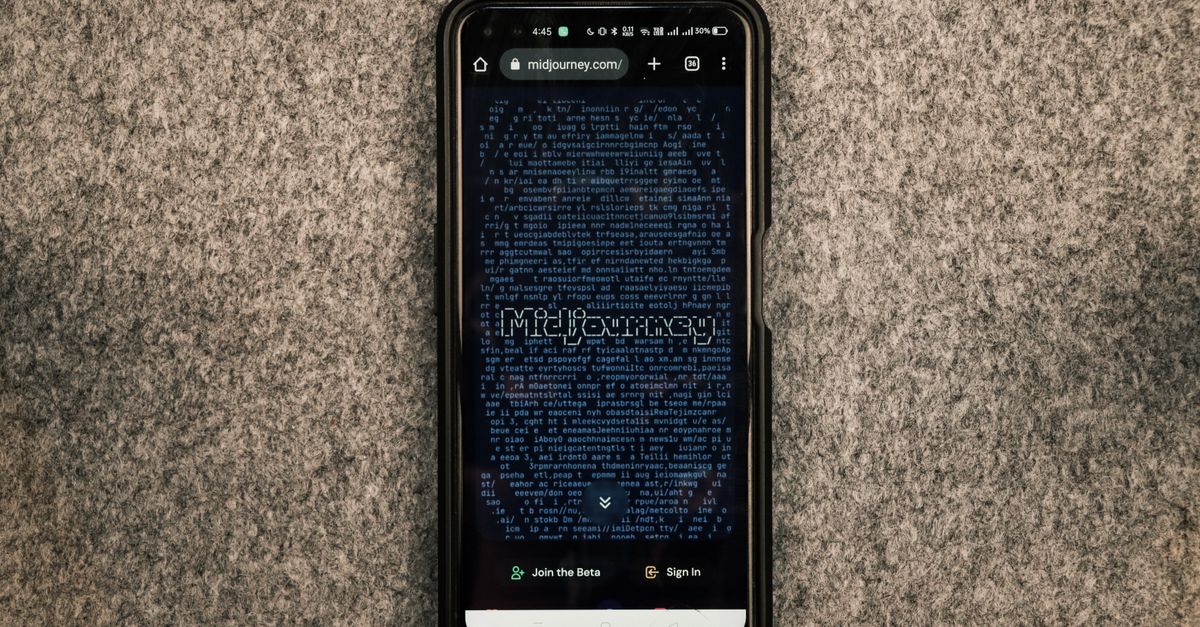
Why Discord Wants Monospace ASCII Text
Discord does not render inline images inside normal chat messages — the platform treats text as text and renders pictures only as attachments or embedded links. To show a recognizable image in a regular channel without uploading anything, you have to re-encode the picture as text characters that the message renderer can display. Discord solves the alignment problem by applying a monospace font and preserving repeated spaces whenever text sits inside a triple-backtick code block, which is exactly what an ASCII art block needs to keep its shape. Outside a code block, Discord collapses multiple spaces into one and switches to a proportional font, so a tuned ASCII layout that looked perfect in the preview can fall apart the moment you paste it into a normal message. That single rule — paste inside a code block for monospace and intact spacing — is the foundation of the Discord-friendly workflow.
What the Generator Does to Your Image
The Text to ASCII Art Generator accepts a JPG, PNG, or WebP file up to 15 MB and reads the dimensions before any conversion work begins. The browser decodes the file locally, draws it to a small sampling canvas sized to the requested character width, and reads each sampled pixel with the standard Canvas getImageData call (per MDN's CanvasRenderingContext2D.getImageData documentation). The decoded pixels are then composited over a white background — a step that prevents transparent areas from leaking dark, invisible color values into the output. Each composited sRGB channel is converted to a linear value and combined into relative luminance using the 0.2126, 0.7152, and 0.0722 coefficients from the WCAG 2.2 relative-luminance formula. That luminance selects a character from the chosen density sequence, with heavy symbols mapped to dark cells and spaces or small punctuation mapped to bright cells. Optional reverse mode flips that mapping so light characters land on dark backgrounds. Nothing is uploaded, and the file-size rule is enforced before the browser attempts to decode, so an oversized or unsupported file is rejected at the picker stage.
How to Make Discord-Ready ASCII Art
The tool follows a fixed workflow that maps cleanly onto the Discord paste step:
- Open the Text to ASCII Art Generator in your browser tab.
- Click the file picker and choose a JPG, PNG, or WebP no larger than 15 MB. The tool will reject anything larger or in an unsupported format before it tries to decode.
- Wait for the image dimensions to appear in the panel — that confirms the file was accepted and the browser has read its size.
- Set the character width (number of columns). Starting near 80 columns is a reasonable default for Discord, which displays code blocks at a fixed character width per line.
- Pick a density set. Standard is balanced, Detailed gives more tonal steps for gradients and faces, and Simple uses fewer symbols for bolder, more readable shapes.
- Toggle Reverse on if your Discord theme is dark and you want light characters on the dark background. Leave it off for light themes.
- Click Generate and inspect the result inside the monospace preview pane, paying close attention to the edges and recognizable features of the subject.
- Click Copy to place the exact characters on the clipboard, or Download TXT to save a UTF-8 text file named after the source image.
- Open Discord, start a new message, type three backticks to open a code block, paste the ASCII text on the first line, then close the code block with three more backticks before sending.
Density Sets and What They Mean
The tool ships three density sequences, and picking the right one matters more for Discord than for any other destination because Discord's code-block font only has so much horizontal resolution per cell.
| Density set | Character variety | Tonal granularity | Recommended Discord subject |
|---|---|---|---|
| Standard | Balanced sequence | Medium | General subjects, logos, simple portraits |
| Detailed | More tonal steps | High | Portraits, gradients, scenes with subtle shading |
| Simple | Fewer symbols | Low | Bold icons, silhouettes, characters that need to read at small sizes |
Start with Standard at 80 columns wide. Generate once, look at the edges and recognizable features of the subject, and decide whether the output needs more tonal resolution (switch to Detailed) or less noise (switch to Simple). For a deeper walk-through of these trade-offs, the settings for cleaner output guide covers the same dial logic in more detail.
Width, Height Correction, and Discord's Code Block
The width number controls how many character columns the output contains — it does not control image pixels. A larger number preserves more small details, but produces longer lines and more total text. A smaller number creates a compact result that fits narrower layouts and pastes without scrolling. Discord renders code blocks at a fixed monospace cell width, so a width above roughly 120 columns will visibly wrap inside a long message on desktop and even more aggressively on mobile. The tool also applies an automatic height correction because monospace characters are usually taller than they are wide. Without that correction, a square source would look vertically stretched after conversion. The tool calculates the row count from the source aspect ratio and only generates up to 800 rows or 100,000 total characters, then asks for a smaller width or a cropped source instead of producing an impractical block of text. If you need a specific aspect ratio before conversion — for example, to fit a Discord server banner or a square avatar slot — the Image Cropper can prepare the source so the output lines up cleanly.
Light and Dark Discord Themes
Discord ships with a light theme and a dark theme, and many users also install third-party themes that change the background color of code blocks. The Reverse option in the generator swaps the luminance mapping so brighter pixels become heavy characters and darker pixels become spaces. On a dark code block with light text, the characters themselves carry the shape and the surrounding block acts as the negative space. On a light code block with dark text, leaving Reverse off keeps the conventional layout where spaces represent bright areas of the original image. If you send ASCII art to a server with a mix of themes, generate two versions — one with Reverse on and one with Reverse off — so you always have the right orientation for the recipient. The local processing path stays the same in both cases; only the character mapping changes.
What ASCII Cannot Preserve
ASCII conversion is an interpretation rather than a lossless image format, and several source-image properties will not survive the trip to a Discord code block:
- Color information is dropped entirely; each pixel becomes a single character chosen by its luminance.
- Fine texture, photographic noise, and exact gradients are smoothed by the per-cell pixel sampling.
- Small text in the source image almost never stays readable because one sampled pixel cannot capture letterforms.
- Transparency is composited over white before the luminance calculation runs, so a transparent PNG with subtle alpha variation loses that variation.
- Anti-aliased edges in the original picture become hard character boundaries, which can shift edges by one cell in either direction.
Because of those limits, the right workflow is to keep the original image, generate several widths, and preview the pasted result on its actual Discord destination before relying on its appearance. A broader walk-through of the local-browser pipeline — including how the absence of a server upload fits a Discord-friendly privacy story — is in the convert without uploading guide.
Common Discord Paste Problems
A clean preview inside the tool can still break after you paste it into Discord. The most common reasons:
- Spaces collapsed. If you paste outside a code block, Discord collapses multiple spaces into one and switches to a proportional font, which destroys column alignment. Wrap the text in triple backticks to force monospace and preserve spaces.
- Line height drift. Discord's monospace line height is fixed but may differ slightly from the preview pane, so tall characters can shift vertical alignment by a pixel. If alignment matters, regenerate at a smaller width so the output uses fewer rows.
- Mobile clipping. Discord on mobile wraps code blocks at a smaller visible width than desktop, so a 100-column output that looks fine on desktop may break a face or logo on a phone. Test the paste on both clients before sharing.
- Character limit. Discord limits each message to 2,000 characters and each code block is part of that budget. If the generator's row count plus your wrapper characters exceeds that, the message will refuse to send. Reduce the width or crop the source to keep the block short.
- Invisible black from transparent PNGs. Already handled by the tool's white compositing, but if you bypass that step in another workflow, transparent regions can produce dark marks that look like noise in the output.
Quick Checklist Before You Send
- Image format is JPG, PNG, or WebP, and the file is 15 MB or smaller.
- Width starts near 80 columns; raise it for detail or lower it for compactness.
- Density set matches the subject — Standard for most, Detailed for gradients, Simple for bold shapes.
- Reverse matches the recipient's Discord theme.
- Output is wrapped in triple backticks in the actual Discord message.
- Pasting was tested on both desktop and mobile, and the message fits inside the 2,000-character limit.