Splitting an image into a grid means dividing one rectangular raster image into rows and columns of separate tiles, with every source pixel assigned to exactly one tile.
That definition matters because an exact split is not always an equal split. When the source dimensions do not divide evenly by the selected row or column count, some tiles can differ by one pixel while still covering the whole image. For a local browser implementation, Image Grid Splitter works from the image's natural pixel dimensions and produces individual PNG tiles.
How the grid model works
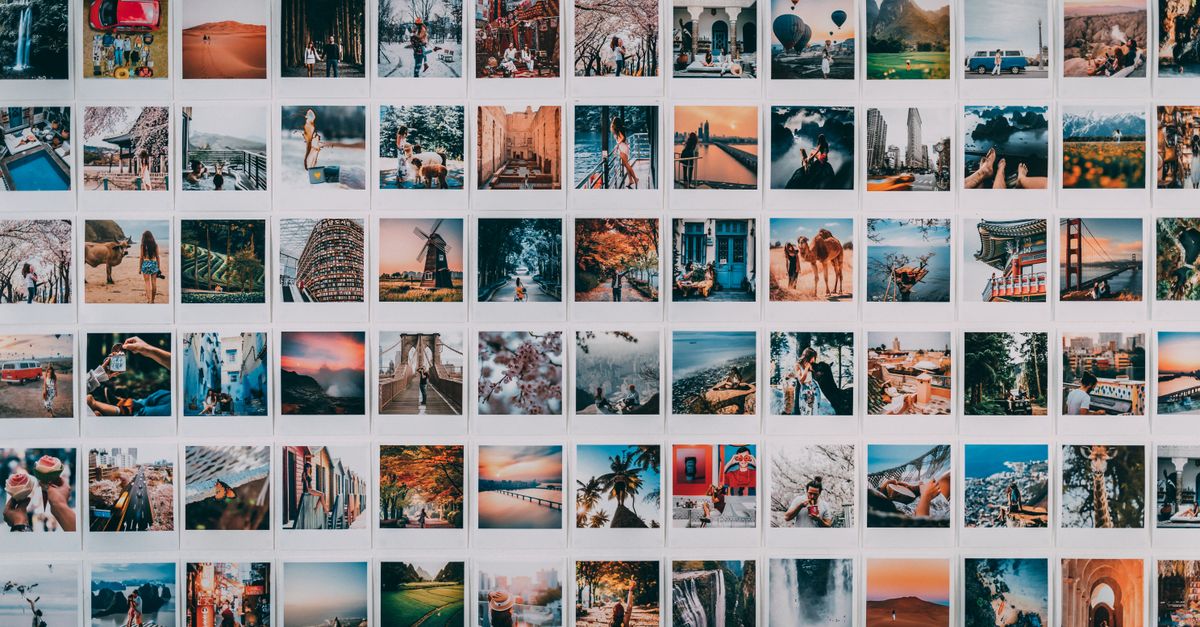
A grid is defined by a row count and a column count. Rows divide the height, columns divide the width, and each row-column intersection becomes one tile.
- Rows split the source into horizontal bands.
- Columns split the source into vertical bands.
- A tile is the rectangular area where one row and one column overlap.
- The output count is the number of rows multiplied by the number of columns.
This is a uniform partition of the full rectangle, not an automatic panel detector. The splitter does not recognize faces, choose irregular cut lines, or create overlapping slices.
Inputs, grid settings, and outputs
The splitter has specific input and output boundaries:
| Input or setting | Supported value | Practical meaning |
|---|---|---|
| Source image | One local JPG, PNG, or WebP | The browser must be able to decode the selected file. |
| Maximum source size | 25 MiB | The selected file must remain within the displayed size limit. |
| Maximum decoded dimensions | No more than 20,000 pixels per side and 40 megapixels total | Both the length and width of the decoded image must stay within their limits. |
| Grid rows | 1 through 10 | Sets the number of horizontal bands. |
| Grid columns | 1 through 10 | Sets the number of vertical bands. |
| Output | One PNG per grid cell, up to 100 files | Each tile is a separate download rather than part of a ZIP archive. |
| Processing location | Current browser tab | Decoding, pixel extraction, PNG encoding, and download creation run locally; the source is never uploaded to Lizely. |
These are the operative limits for a specific file, not merely recommendations. The splitter uses the source's natural dimensions, so the displayed preview size does not reduce the decoded resolution or change where the cut lines fall.
Why uneven splits still cover the image
Exact coverage comes from proportional integer boundary coordinates. For a source dimension D divided into N parts, the boundary at index k is floor(k × D ÷ N), running from the first edge to the last. The span between two consecutive boundaries defines one tile; the same rule is applied independently to width and height.
When the division is uneven, widths across columns or heights across rows differ by at most one pixel. The widths still add up to the source width, and the heights add up to the source height, so adjacent tiles meet exactly and no strip is discarded. A grid that would require a zero-pixel tile is rejected rather than rounded or silently skipped.
Each tile is copied from only its source rectangle onto a natural-size offscreen canvas. The copy does not stretch or interpolate pixels, and it adds no filters, borders, or padding. PNG output keeps the boundaries sharp and can represent source transparency.
Worked example: a 1200 × 900 source
For a 1200 × 900 source divided into 3 rows and 4 columns, each column is 1200 ÷ 4 = 300 pixels wide, each row is 900 ÷ 3 = 300 pixels high, and the result is 12 tiles at 300 × 300 pixels.
Split a local image into exact PNG tiles
- Choose the source. Select one local JPG, PNG, or WebP that stays within the displayed file and decoded-pixel limits.
- Define the grid. Enter 1–10 rows and 1–10 columns, then select Split image.
- Check and download. Review each numbered result and its dimensions, then download the PNG files you need.
The result lists every tile in top-to-bottom, left-to-right reading order, with an individual download link, exact width and height, and an approximate encoded size. Downloads are separate files rather than a ZIP archive.
How tile order and names prevent confusion
Numbering follows reading order: the first row runs across all columns, then the next row begins. Each output name combines the original base name, row, and column—for example, photo-row-2-column-3.png. That naming makes the position unambiguous even when uneven division makes one row or column differ by a pixel.
Download the files before closing the tool. Temporary browser URLs are revoked when results are replaced or the tool closes, and changing the source or either grid value invalidates the previous output.
Choose rows and columns for the intended layout
Choose the grid from the layout you need, not from the preview size. Rows divide the height and columns divide the width, so a 1×N grid creates tiles arranged across, while an N×1 grid creates tiles arranged down. For equal-width and equal-height cells, the corresponding source dimension must divide evenly by the selected count.
When the division is not even, use the reported dimensions rather than assuming every tile is identical. The splitter does not resize tiles to fit a target, crop away excess pixels, or add a gutter. If a downstream layout requires exact fixed dimensions, verify those values before arranging the files.
What is preserved and what changes
There are two different ideas to keep separate: preserving the visible pixel region and preserving the original file byte-for-byte. This splitter preserves the first, not the second.
- Every decoded source pixel is included exactly once, with adjacent tiles meeting at their calculated edges.
- The extracted regions are encoded as PNG, so the output is not put through another lossy JPEG-style compression and transparency can remain visible.
- A JPG or WebP source is decoded and re-encoded, so its metadata and original compression bytes are not retained.
- “Full resolution” refers to a natural-size tile canvas. It does not mean all tiles have identical dimensions when the source divides unevenly.
- The tool does not optimize PNG files, so encoded output size should be checked in the result list rather than assumed.
The source file itself is not modified. What you retain are newly encoded tile files whose visible content follows the decoded source regions.
Limits and jobs that need a different editor
The splitter is designed for one bounded local image and a uniform row-by-column grid. It processes one image at a time; it is not a batch splitter. In addition to the file, pixel, and grid limits in the table, a grid that would create a zero-pixel row or column is refused.
Problems are shown as visible errors rather than partial or falsely successful output. That includes invalid file types, empty files, decode failures, unavailable canvas support, invalid grid values, and failed PNG encoding.
The focused workflow does not detect faces or panels, choose overlapping slices, add bleed, reconstruct a panorama, package downloads as a ZIP, or optimize PNGs. It also does not create custom guides or gutters. A basic uniform grid is supported, but print production, social-network templates, and grids that need manually placed slice positions are better handled in an editor designed for those layouts.
Related reading: Split Image Into Grid for Beginners: Plan and Check.