Making random teams of 2 means taking a list of names and partitioning it into equally sized pairs with one click — no sign-up, no upload, no spreadsheet formulas, and every person assigned exactly once. The fastest way to do it is to paste your roster into a tool that reads each non-empty line or comma-separated entry as one person, lets you pick how many pairs you want, and slices the shuffled list into groups that differ in size by no more than one person. That is exactly what the Random Team Generator does, and it keeps every name inside the browser tab you opened it in. Pairing is the simplest fair split a roster can have, and the same method scales from four players to forty without changing the workflow. There is no separate step for odd rosters, no second pass for late arrivals, and no manual cleanup of leftover names — the only requirement is a positive whole number of teams that does not exceed the number of names you pasted.
A class list of 24 becomes 12 pairs, a workshop roster of 18 becomes 9 pairs, and a game-night guest list of 8 becomes 4 pairs, all in a single draw. Pairs also match what most casual activities already assume — a debate partner, a reading buddy, a doubles court, a lab bench, an interview rotation, or a co-op mission — so a one-click partition is faster than calling names out of a hat or copying formulas across a spreadsheet. The remainder of this guide walks through what the result actually looks like, how to run the tool in your browser, and when random pairing is or is not the right starting point.
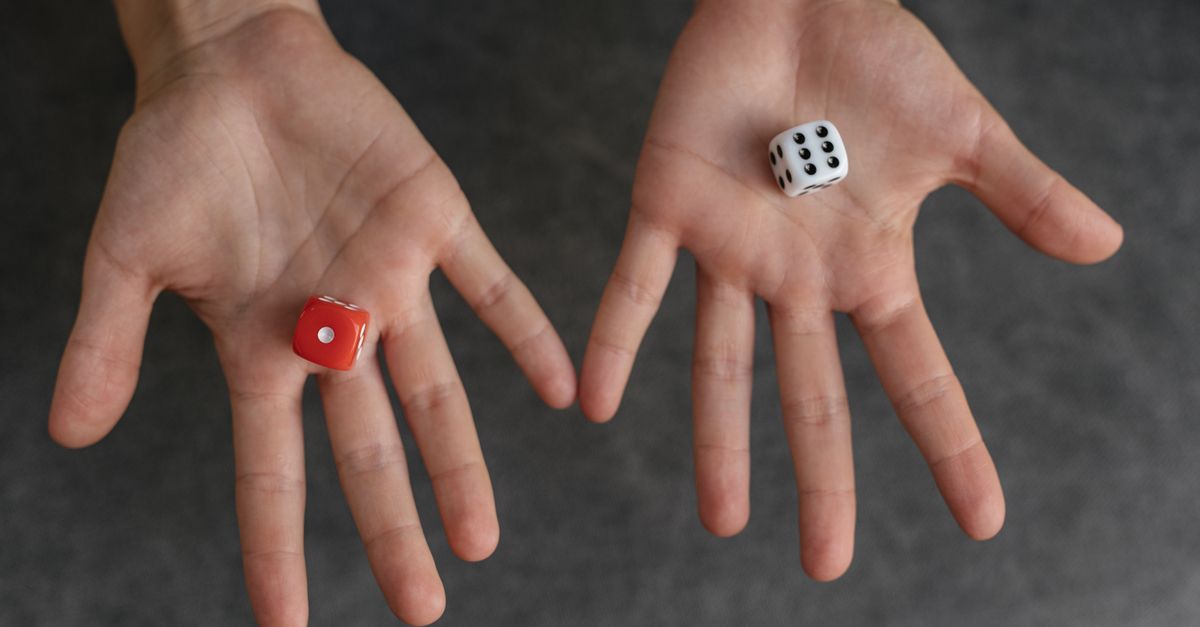
What Random Teams of 2 Means in Practice
When people search for a way to make random teams of 2, they usually want one of three things: a list of pairs with every name used once, a balanced split that does not leave a long leftover, and a result they can read aloud or paste into a chat without reformatting it. The pairing model treats every entry as a single seat. If your roster has 10 names and you ask for 5 teams, you get five pairs and nothing else. If your roster has 11 names and you ask for 5 teams, you get four pairs and one group of three — the closest the math can get to an even split without dropping a name.
This is meaningfully different from a list shuffle, which only reorders one column, and from a random name picker, which surfaces a single winner. A partition assigns every non-empty entry to exactly one group, then keeps each group's headcount within one of every other group's headcount. For a pairing workflow that detail matters: a class of 19 split into pairs needs to know whether they will get nine pairs and one trio, or whether they should reduce the team count to allow a single leftover. The Random Team Generator resolves this by capping the team count at the roster size and balancing the remainder across the largest group only.
How to Make Random Teams of 2 From a List
- Open the Random Team Generator in your browser. No account or download is required.
- Paste your roster into the names field. Put one name per line, or separate names with commas if you are copying from a spreadsheet or an email thread. Blank lines and extra commas are ignored, and leading or trailing spaces around each entry are trimmed automatically.
- Decide how many teams of 2 you need. For an even roster, divide the count by two — a roster of 14 produces 7 pairs. Enter that number in the team-count field. The number must be a positive whole number and must not exceed the number of names you pasted.
- Select Generate teams. The tool reads the non-empty entries, performs an unbiased Fisher-Yates shuffle using the browser's cryptographic random source, and slices the shuffled roster into groups whose sizes differ by at most one.
- Review the displayed pairs, then read them aloud, copy them into a chat, paste them onto a whiteboard, or drop them into a sign-up sheet. If attendance changes, edit the roster and press Generate teams again for a fresh split.
Why Pairing Locally Protects Your Roster
Most rosters that need pairing contain names you do not want to publish: classmates, colleagues, children, clients, club members, or workshop attendees. Uploading that list to a third-party website, even a reputable one, creates a record of who is in the room and where the list was sent. The pairing tool described here avoids that round trip entirely. Every step — reading the pasted text, shuffling the entries, and slicing them into groups — runs inside the active browser tab. Nothing is posted to a server, saved to an account, or sent to an organizer. That is useful whenever a participant has not consented to having their name leave the device that typed it. For a deeper walkthrough of this privacy-first approach, see how to generate random teams from a list without uploading names.
Privacy and fairness are not the same property, but they reinforce each other in this workflow. A local partition cannot leak a roster because the roster never leaves the page, and it cannot quietly reuse an old result because the page does not store previous draws. Pressing Generate teams a second time produces a new grouping derived from a fresh call to Crypto.getRandomValues, the browser's cryptographically secure random source, rather than reusing any cached or stored list. This is the same primitive that browsers expose to secure login flows and key generation, and it is the reason a draw made in one tab is hard to predict from outside that tab.
How the Random Pairing Is Generated
The pairing follows a small, well-known recipe. First, the tool trims leading and trailing whitespace from every entry and filters out empty strings, so a long pasted list stays clean. Then it copies the kept entries into an array and runs an unbiased Fisher-Yates shuffle — an algorithm that visits each position once and swaps it with a uniformly chosen remaining position. The uniform choices come from the browser's Crypto.getRandomValues, which produces values that are unpredictable to any observer outside the page. The general properties of the algorithm are documented on the Wikipedia overview of the Fisher-Yates shuffle, including the proof that every permutation of the roster is equally likely.
After the shuffle, the tool decides which team labels receive any leftover entries. For an even roster split into pairs, no leftover exists and every pair gets exactly two names. For an odd roster, the remainder is placed into groups chosen at random so that the same roster can produce different distributions across repeated draws — a subtle but useful property when the room is watching the screen and waiting to see who ends up together. The tool never chooses a team while the page is still loading, and it never quietly reuses a previous result; every click of Generate teams produces a new shuffle from a new random draw.
| Input format | Example | How the tool treats it |
|---|---|---|
| One name per line | Anna\nBen | One entry per non-empty line |
| Comma-separated | Anna, Ben, Cara | Comma splits entries |
| Mixed whitespace | Anna , Ben | Spaces trimmed around entries |
| Blank lines | (empty line between names) | Ignored |
| Repeated names | Anna, Anna | Two separate seats in the roster |
For a six-person roster the arithmetic is the cleanest: 6 names ÷ 2 per team = 3 pairs, and each pair gets exactly two names. That is the simple case worth remembering — if your roster is even and you can divide by two, you can predict the result before pressing the button, and the tool will give you exactly that.
When Random Teams of 2 Are the Wrong Choice
Random pairing is a fast starting point, but it cannot see the context a real room carries. It will not keep two feuding siblings apart, it will not balance experienced players with newcomers, it will not assign a facilitator to every group, and it will not respect accessibility, language, or scheduling constraints. For casual games, classroom practice, icebreakers, and study sessions, those omissions are usually fine. For evaluations, payroll, graded assessments, safety pairings, or any decision that affects personal wellbeing, a random draw should be the first step rather than the only step.
A practical rule is to treat the output of any pairing tool as a draft. Read the pairs, ask whether any grouping would cause a real-world problem, and swap names manually when the answer is yes. The tool makes the swap easy because the roster is still on the page; you can edit a line, regenerate, and the new draw will incorporate the change without remembering the previous result. That property — repeatable, locally generated pairings — is what makes a small browser tool a usable substitute for a hat, a spreadsheet formula, or a third-party signup form in most situations.
Quick Variations to Try Once You Have the Pairs
Once the basic pairing works, a few adjustments are worth knowing. If you want some participants to have a higher chance of being selected — for a birthday draw, a speaking rotation, or a friendly icebreaker — repeat their name in the list before generating; the tool treats repeated entries as repeated seats and gives them more slots. If you want to remove an accidental duplicate, edit the line out before pressing Generate teams again. If you need three-person groups instead of pairs, change the team count to one third of the roster size for an even split, or to any number up to the roster size for uneven groups.
For larger events, keep the original list in a separate document so you can repeat the draw if a participant arrives late or leaves early. The tool does not remember previous draws, so refreshing the page or pressing Generate teams again starts from a fresh shuffle. If you find yourself running the same pairing weekly — a recurring class, a standing game night, a Monday-morning sprint rotation — save the roster as a text file in advance and paste it in at the start of each session. The pairing itself runs in a single click, and the surrounding preparation is what makes it feel routine rather than rushed.
If you're weighing options, Date List Generator for Beginners: A Plain Walkthrough covers this in detail.