A standard 75-ball bingo card is a five-by-five grid topped with the letters B, I, N, G, and O, with one free square in the center and twenty-four random numbers filling the rest of the board. Picture bingo swaps those numbers for images and is the go-to format when players cannot yet read, are practicing English numerals, or are playing a themed round such as baby shower, birthday, or holiday bingo. The free Bingo Card Generator builds the classic number version, which is the format you find at community halls, school fundraisers, retirement homes, and family game nights across North America. Each column draws from its own fixed number range — B uses 1 to 15, I uses 16 to 30, N uses 31 to 45, G uses 46 to 60, and O uses 61 to 75. The middle square of the N column is always free, so no number ever repeats inside a single card and the caller can announce combinations like B-7 or O-72 knowing every player has a valid matching square on a winning card. The result is a ready-to-play set of cards you can print, download, or project in under a minute, without uploading a name, creating an account, or installing anything on your device.
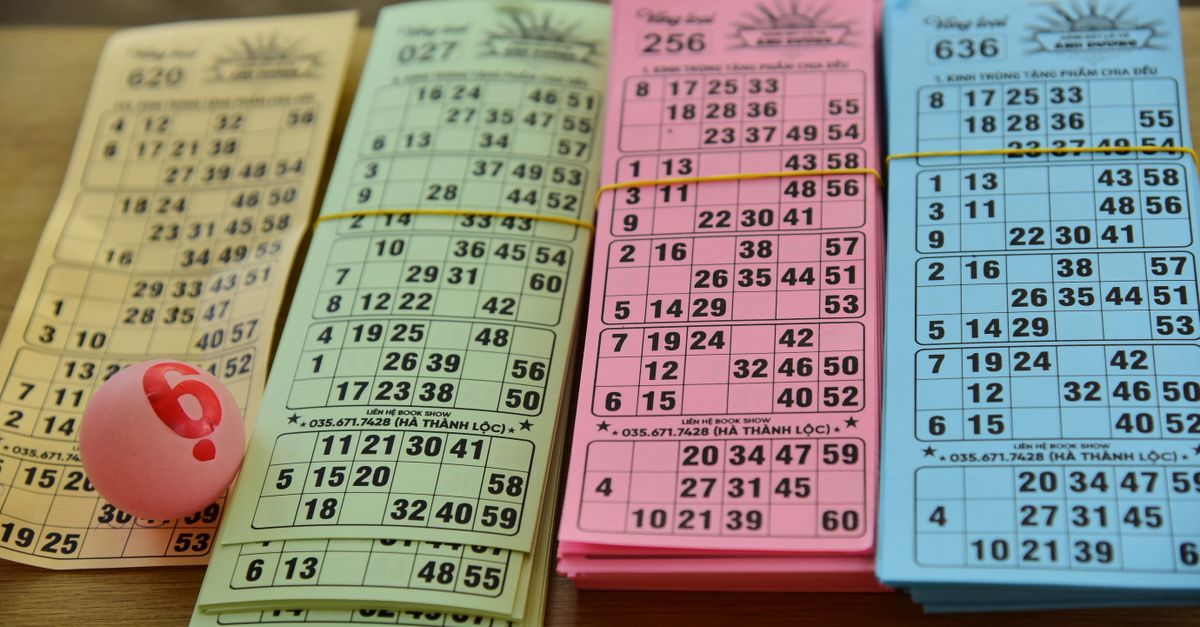
Picture Bingo vs. Classic 75-Ball Number Bingo
When you search for a way to generate bingo cards with pictures, you usually have one of two goals in mind. Either you want a board full of themed images for a special event — pumpkins for a Halloween night, baby items for a shower, or vocabulary cards for an ESL lesson — or you want a printable card you can hand out right now for a regular game night. Both approaches are valid, and the choice between them comes down to who is playing and how much prep time you have.
Picture bingo replaces each number with a small image and works beautifully for non-readers, themed parties, and language drills. The catch is that it needs you to source or design the images, slot them into a template, and make sure they print cleanly at the right size. Number bingo, by contrast, needs nothing except a fair random source for the digits. The Bingo Card Generator handles that step for you, in your browser, with no upload step and no account.
| Format | Best for | Prep needed | How the cards are filled |
|---|---|---|---|
| Number bingo (75-ball) | Traditional play, seniors, math drills, quick parties | None — just press Generate | Random digits inside fixed column ranges |
| Picture bingo | Non-readers, themed parties, ESL lessons, holidays | Sourced images, sized, arranged on a template | Images slotted into a grid by hand or with an image-grid tool |
If your priority is "ready in the next five minutes for a roomful of players," classic 75-ball number bingo is almost always the faster path. Picture bingo wins when the images themselves carry the meaning of the game — vocabulary items, holiday icons, or anything that does not translate cleanly into a number.
Anatomy of a Valid 75-Ball Card
Every printable card this generator produces follows the same strict layout, because the rules of 75-ball bingo depend on it. The grid is five rows tall and five columns wide. The letters B, I, N, G, and O sit across the top, one letter per column. The center square of the N column is always a free space that every player marks from the very start. The other twenty-four squares hold random numbers drawn from a column-specific range.
| Column | Number range | Squares on the card |
|---|---|---|
| B | 1–15 | 5 numbers |
| I | 16–30 | 5 numbers |
| N | 31–45 | 4 numbers (center is free) |
| G | 46–60 | 5 numbers |
| O | 61–75 | 5 numbers |
The caller announces letter-and-number combinations such as B-7, N-42, or O-72 from a draw bag. A valid card must only ever contain a number that could legally appear under its own letter, and the same number cannot appear twice on the same card. Those two rules are why a finished grid shows exactly twenty-four numbers instead of twenty-five, and why the generator never reuses a value within a single board.
Gameplay itself is simple, which is why bingo works for almost any age. A caller announces one ball at a time and players cover the matching squares. The first person to complete the agreed pattern — a full row, a full column, a diagonal, the four corners, or a blackout of the whole grid — calls out Bingo and wins. Because every card is built independently with fresh random numbers, two players are very unlikely to hold identical boards, which keeps the game fair and the finishes genuinely unpredictable.
The privacy model is just as clean as the layout. Every number is created on your own device, nothing is uploaded to a server, and once the page has loaded it keeps working without an internet connection. A dropped Wi-Fi signal at the venue will not stop your game.
Generate a Batch of Cards in Three Steps
Here is the shortest path from a blank page to a stack of printable cards:
- Enter how many cards you need and press Generate. The tool builds a fresh batch of 5×5 cards in one click. You can produce up to 24 cards in a single batch — enough for a classroom table, a small party, or a full retirement-home activity session — and run a new batch whenever you want a different mix.
- Check each card. Confirm the B, I, N, G, and O headers are printed across the top, the center square is free, and every column shows numbers from its correct range. Because the random draws are independent, every card should look unique.
- Print the cards for your event, or download them as a self-contained file you can save and reprint later. The Print button produces a clean, ink-friendly layout that goes straight to your printer. The Download button saves the same batch as a single file that opens in any browser for future games.
If something looks off — a missing letter header, an out-of-range number, or a repeated value — generate a brand-new batch and start fresh. There is no limit on how many times you can run the generator in a session.
Print, Download, or Show on Screen
The generator is built for real events, not just one card. The Print button is the right choice when players want physical daubers, chips, or pen marks on paper. The Download button is better when you want a saved copy that travels with you — back to the same classroom next week, to a different venue for a retirement-home activity, or to a friend's house for a holiday game night.
If you are hosting a smaller group or testing the rules with kids, you can also keep the cards on screen and project them or share them through a video call. Each card is sized to fit a standard sheet of paper, so a printable batch on letter-size stock comes out cleanly without resizing. The same layout works equally well on a phone screen for a quick digital round.
Because every card is built locally in your browser, you do not need a network connection once the page has loaded. A dropped signal at the venue will not stop your game, and you do not need to create an account, share an email address, or upload a single number to a server.
Where These Cards Fit Best
The classic 75-ball format shows up everywhere because the rules are simple, the equipment is minimal, and the rounds move quickly. Teachers use the cards to drill number recognition and listening skills, with the caller reading each ball aloud so students can match what they hear to what they see on the page. ESL instructors turn the same cards into a painless way to practice English numbers in a stress-free game setting, since the only response a player has to make is to cover a square.
Activity coordinators run rounds for seniors because the rules never change and the numbers stay large enough to read at distance. Family hosts spin up quick games for birthdays, holiday parties, baby showers, classroom rewards, and office icebreakers. For groups that prefer themed or picture-based play, swap the number squares for your own images on a separate template — but for a stack of cards that works in any room with no extra prep, the number version is the one that travels.
If you want a deeper walk-through of the layout, the printable workflow, or how to fold bingo into a specific event, the guide on how to create bingo cards the right way covers the next layer of detail.
If you're weighing options, Best Compliments Card Format: Clear Lines That Read as Sincere covers this in detail.