Each moon phase is a single global instant expressed in UTC, so the Moon itself never differs by timezone — only the calendar date printed next to it does. A full moon is one astronomical event at one precise moment; what changes from Tokyo to London to Los Angeles is how that UTC instant is mapped onto a local clock and a local date. That is why one newspaper can list "Full Moon: October 15" while another, twelve hours away, lists "Full Moon: October 16" for what is genuinely the same full moon. The Moon is one object, the orbit is one path, and the phase angle between the Moon and the Sun is one number at any chosen instant. Time zones only enter the picture at the labeling step, when a UTC event is converted into a local date for the reader.
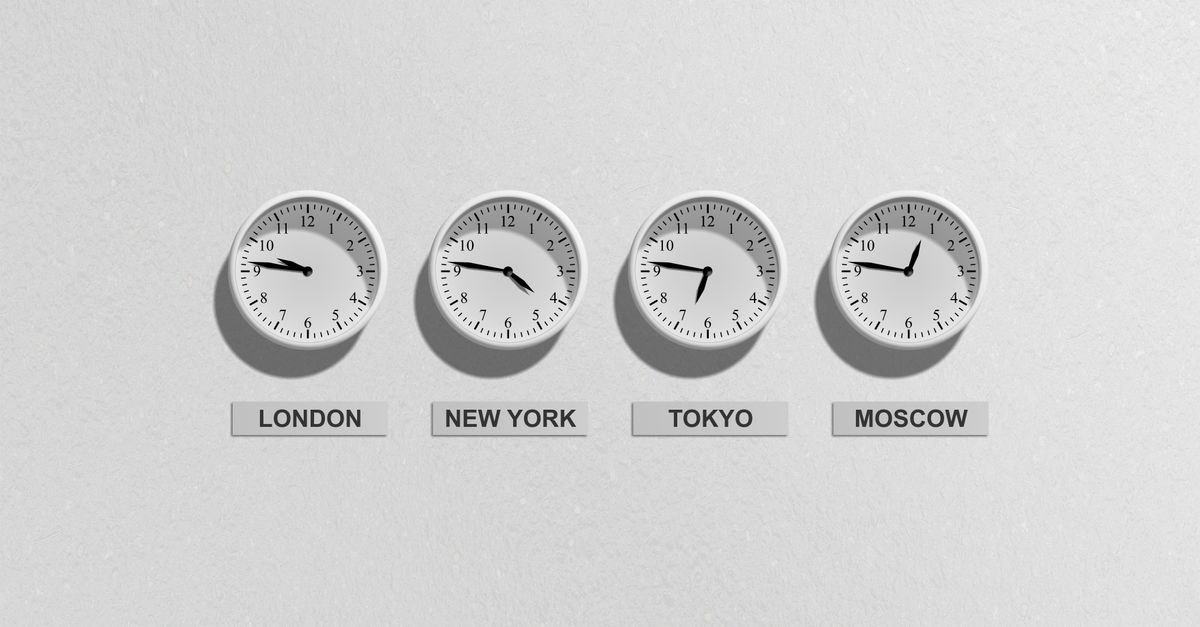
The Moon Has One Phase at One Instant
The Moon's phase is defined by the geocentric ecliptic longitude difference between the Moon and the Sun. That difference is a single number in degrees for any single moment in space. There is no "Tokyo full moon" or "London full moon" — there is one full moon instant, expressed in UTC, that every observer on the planet shares at the same moment.
When an authoritative source like the USNO Astronomical Applications Phases of the Moon service publishes phase tables, every event time is given in UTC for exactly this reason. Ephemerides used by professional astronomers follow the same convention: the geometry of the Sun, the Moon, and the Earth at any chosen instant does not depend on which side of the planet the observer is standing on. The cycle is one cycle. The instant is one instant.
This is also why two people in different cities who look up at the sky at the exact same UTC moment will agree on the percent of the Moon illuminated and the phase angle between the Moon and the Sun. If you compare notes with someone in another timezone at the same clock instant, your moon-phase description will match. The phase angle is a single global number; the local clock and the local date are the only things that change.
Why the Calendar Date Shifts Across Time Zones
The phase itself does not change with timezone. The date label does, because dates are a calendar convention tied to local midnight, not to the geometry of the Sun and Moon.
Consider a full moon that occurs at 02:30 UTC on October 16. In London, which sits on UTC+0 in winter, the local clock reads 02:30 on October 16, so the local paper lists full moon on October 16. In Los Angeles, eight hours behind, the local clock still reads 18:30 on October 15 when the full moon actually happens. The same astronomical event is labeled October 15 in California and October 16 in London, even though it is one event.
The shift is not always a full calendar day; it depends on where the UTC event lands relative to local midnight. A 06:00 UTC full moon will be in the morning in Europe, the previous late evening in the Americas, and the next afternoon in East Asia. Many traditional lunar almanacs state a reference timezone (often UTC+0) so the reader can do the conversion themselves rather than guess. The astronomy is consistent across the planet; the labels are not.
How a Local Geocentric Tool Removes the Label
The fastest way to skip the timezone date-label confusion is to compute the phase from your own browser instant rather than rely on a UTC table you have to convert by hand. Moon Phase Today does exactly this. It runs a pinned local copy of Astronomy Engine 2.1.19 inside the page, calculates the geocentric Moon–Sun ecliptic longitude difference and illuminated fraction for the instant your browser reports, and shows the result next to the calculation timestamp and your resolved browser timezone. No location permission, no remote astronomy service, no CDN at runtime, no account.
Because the angle is computed for your instant in time, the question "what is the moon phase right now where I am" has the same answer as the question "what is the moon phase at this exact UTC moment". The tool discloses your resolved timezone precisely so you can see which UTC offset your browser is using, and the disclosed angle bands let you see how close the moment is to an exact primary event. The geocentric calculation is independent of your city, which is why no location data is requested and why the result is identical to what a friend in a different timezone would see at the same UTC moment.
For readers who want to convert between the geocentric instant and a named primary event, the tool also searches locally for the surrounding 0°, 90°, 180°, and 270° events and displays them next to the current phase. That makes it easy to see how far you are from the next full moon without doing the timezone math yourself. A practical walk-through of the local-time reading appears in the local-time reading guide.
Read the Current Phase in Three Steps
Follow these steps to read the current phase without falling into the timezone date trap.
- Open Moon Phase Today and wait for the local calculation to display the eight-stage label, the phase angle in degrees, the illuminated percentage, and the nearby primary-phase events. Everything runs inside the page, so no network call leaves your device.
- Read the calculation timestamp and the resolved browser timezone shown next to the result. Use Recalculate whenever you want a fresh sample of the current browser instant; the widget also refreshes once per minute while mounted.
- Cross-check the angle against the disclosed band table in the next section to tell whether you are looking at a convenient eight-stage label or sitting right on top of an exact 0°, 90°, 180°, or 270° primary event.
Eight-Stage Label vs Exact Primary Events
The eight-stage label is for everyday display. It divides the 0–360° circle at the half-way points between the four primary angles, and the bands are disclosed in the tool rather than hidden. New Moon, First Quarter, Full Moon, and Last Quarter are exact primary events that occur at 0°, 90°, 180°, and 270° respectively; the other four labels are convenience bands that bracket the in-between angles.
| Display label | Angle range (degrees) |
|---|---|
| New Moon | 337.5 – 360 and 0 – 22.5 |
| Waxing Crescent | 22.5 – 67.5 |
| First Quarter | 67.5 – 112.5 |
| Waxing Gibbous | 112.5 – 157.5 |
| Full Moon | 157.5 – 202.5 |
| Waning Gibbous | 202.5 – 247.5 |
| Last Quarter | 247.5 – 292.5 |
| Waning Crescent | 292.5 – 337.5 |
Lower bounds are included and upper bounds are excluded, except that the band wraps cleanly at 360°. The label is a Lizely convention; it is not an official USNO classification. The four primary events, in contrast, do have exact mathematical event meanings in this product, and the tool searches locally for the surrounding 0°, 90°, 180°, and 270° instants so the reader can see exactly when each one falls relative to the current moment.
What Time Zones Do and Don't Affect
Time zones do not affect the geocentric phase angle. The geocentric Moon–Sun difference at a given UTC instant is the same in every timezone on Earth; only the local clock and the local date label change.
Time zones do affect three things the tool intentionally does not compute: moonrise and moonset times, the apparent altitude of the Moon above the local horizon, and whether the Moon is currently above the horizon at all. Those questions are location-specific and require latitude and longitude the tool does not ask for. Atmospheric visibility, local horizon, weather, and moonrise or moonset are different questions and need location-specific data.
The disclosed accuracy bounds reflect that distinction. Results are educational astronomical estimates and do not claim second-level precision, observational-apparent timing for a particular site, professional ephemeris status, or suitability for navigation, photography safety, tides, religious observance, or other time-critical decisions. The published input and output boundary is 1700 through 2100, which is the range covered by the USNO Astronomical Applications API used for the independent test fixtures. The current-time interface normally sits well inside that boundary.
Twelve literal primary-phase timestamps were frozen from the official USNO minute-resolution API and used as test fixtures; the tool requires every result to differ from the matching USNO minute-resolution timestamp by no more than two minutes. USNO is used only for research and tests, never at runtime. The result remains fully available offline after the page assets have loaded, and an automatic refresh occurs once per minute while the widget is mounted. No external CDN, USNO runtime request, analytics-dependent computation, file upload, camera, GPS, cookie, or browser storage is needed for the calculation.
If you're weighing options, How to Check Retrograde Planets for a Past Date covers this in detail.