Yes, you can generate a fortune cookie message directly in any modern desktop or mobile browser, with no download, account, or server round-trip required. The Fortune Cookie Generator draws a short playful line from a fixed library of thirty-six original English micro-messages, then displays the chosen category and full text inside a result panel. Everything happens in your current tab: the random integer is sourced from the browser's Web Crypto API, the message is rendered locally, and the optional copy button uses the standard Clipboard API only after you press it. State lives nowhere else, so refreshing the page returns the tool to a clean idle state with no leftover text. The generator is intentionally limited to entertainment microcopy. There are no lucky numbers, no forecasts, no name or birthday prompts, and no health, financial, or relationship claims attached to the line you receive. No prompt is required, no question is analyzed, and no decision is implied.
If you want a fortune-cookie-style line as a quick writing prompt, a small novelty for a group chat, or a placeholder line for a card mockup, an in-browser tool fits the brief without ever leaving your device. Below is a walkthrough of what the generator covers, how the random selection is kept honest, and exactly what stays private on your machine.
What an In-Browser Fortune Cookie Generator Actually Does
The Fortune Cookie Generator is a single-page tool that lives entirely in your current tab. It exposes a small form built around a category picker and two action buttons. There is no account form, no upload area, and no text box asking for your name, birthday, or question. The output is always a single line drawn from a closed library of thirty-six original messages.
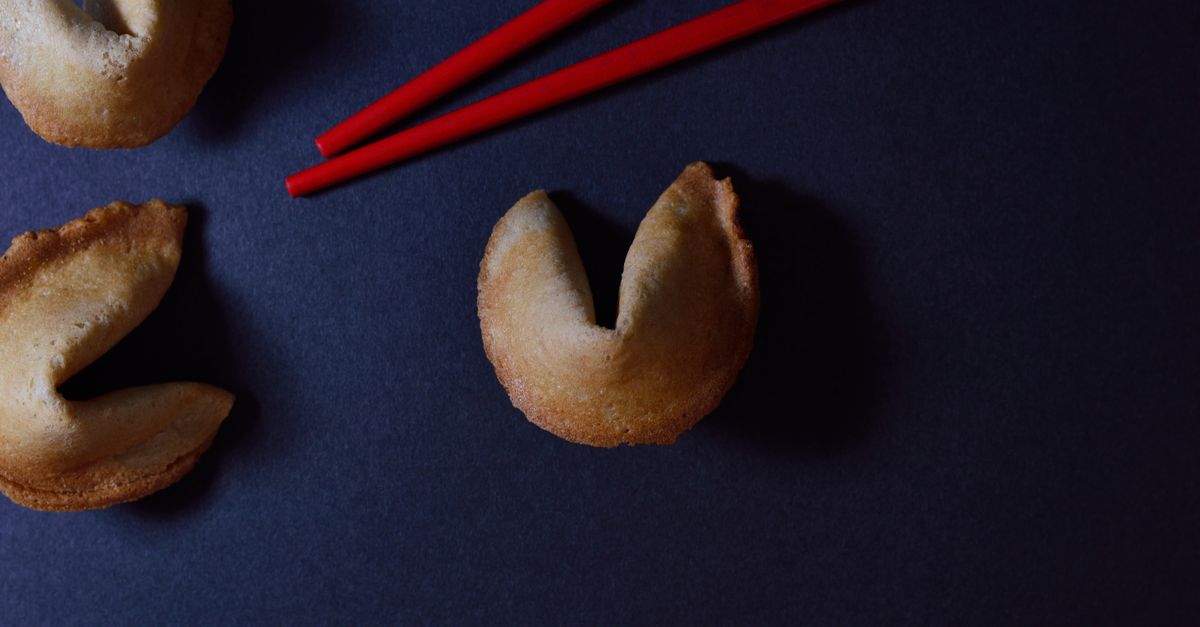
The word "fortune" in the title describes the familiar folded-paper format. The tool does not forecast events, generate lucky numbers, offer health, financial, relationship, legal, or medical guidance, or analyze anything you typed. Each line is a self-contained piece of playful microcopy, written specifically for this generator rather than copied from a quotation, proverb, commercial fortune database, or public figure. If a friend asks whether the line came from a real restaurant cookie, the honest answer is no: it came from a deliberately small, deliberately original library served on the client side.
You can read more about that originality commitment in the related guide Are These Real Quotations or Copied Fortune Cookies? The short version is that every line is internally authored, internally categorized, and internally tested for safe wording before it ever appears in the result panel.
Generate a Fortune Cookie Message in Three Clicks
The full flow from a blank page to a copied message is intentionally short. Follow these steps in order:
- Open the Fortune Cookie Generator in your usual desktop or mobile browser. The page loads with the category picker on the default All categories setting and an empty result panel.
- Decide whether to keep the full pool or narrow it. Use the category select to choose All categories, Focus, Curiosity, Creativity, or Everyday. Choosing the pool before the first draw makes sure the new line cannot accidentally belong to a previous group.
- Select Generate message. The tool asks the browser for a secure unsigned 32-bit value, runs rejection sampling against the chosen pool, and renders the result with both the category label and the full text.
- If you want to keep the line, select Copy message. The browser's Clipboard API moves the text to your clipboard. If permission is denied, the result stays on screen and a manual-copy fallback message appears so nothing is lost.
- To clear the screen and return the picker to All categories, select Reset. The result panel goes back to its idle state and the pool resets, ready for a fresh draw.
You can repeat the Generate and Copy actions as often as you like. Each click requests a fresh random value, so back-to-back draws do not depend on each other or on the time of day. Changing the category select after a draw has already appeared intentionally clears that result, so a line drawn under Curiosity cannot quietly stay on screen after you switch the picker to Focus and look like it belongs there.
Choosing the Category Pool Before You Click Generate
Every message in the library sits in exactly one of four named pools, and each pool holds nine lines, for thirty-six in total, evenly divided. The category select on the form changes which entries are eligible for the next draw, not the structure of any individual line.
| Category | Theme | Pool size |
|---|---|---|
| Focus | Gentle observations about small tasks and clear starts | 9 lines |
| Curiosity | Questions, unusual angles, and playful connections | 9 lines |
| Creativity | Notes about drafts, constraints, remixes, and unfinished ideas | 9 lines |
| Everyday | Light scenes involving pages, pens, walks, music, snacks, fresh air, browser tabs, and chairs | 9 lines |
| All categories | Combined pool across all four named categories | 36 lines |
Switching pools does not affect the messages inside other categories, and changing the pool after a result has appeared intentionally clears that result. If you only need a fragment of an idea to jump-start a writing session, Curiosity and Creativity are usually the most useful filters. For icebreaker prompts or small group novelties, Everyday and Focus tend to land cleanly.
For a more detailed look at how the library is organized and why the four categories are split evenly, the guide Fortune Cookie Generator: 36 Original Messages in 4 Categories walks through the design choices behind the four groups.
How the Random Selection Stays Unbiased
A common shortcut in any browser draw is to ask for a random number and take its remainder mod the pool length. That shortcut has a subtle flaw: a 32-bit space is not evenly divisible by most pool lengths, so taking the modulo directly would slightly favor early entries. The generator does not use that shortcut.
Instead, the selection function computes the largest complete multiple of the pool length that fits inside the 2^32 unsigned range. Any 32-bit value that falls into the leftover tail is rejected, and the tool asks for a fresh value. The retry path has a 128-attempt safety boundary in case the injected source is broken or missing. Accepted values then map evenly to a valid index in the pool, so each line is exactly as likely as every other line in the chosen pool.
Because the random source is injected into the selection function, the same algorithm can be tested deterministically without swapping in a different number generator. In the live browser, the source is the global Web Crypto API: the function calls crypto.getRandomValues directly and never uses Math.random, Date.now, a render-time random draw, or any server endpoint. The result is a draw that is fair across the pool you chose and does not lean on anything you typed, your time zone, or the time you clicked.
A practical consequence: when you set the picker to a single category with nine entries, every one of those nine lines has a one-in-nine chance on each click, not a one-in-thirty-six chance of being filtered down afterwards. That makes the per-category filters genuinely different draws, not just reskins of the full-pool draw.
What Stays in Your Browser Tab and What Doesn't
Everything the tool does happens in the current tab. The generator does not write to localStorage, sessionStorage, IndexedDB, or any user account. The generator does not send your prompt, result, or click timing to a server, and it does not depend on cookies or a backend round-trip. The only network request is the page itself loading.
The Clipboard API is used only when you press the Copy button. The browser may refuse clipboard permission, in which case the result stays visible on the screen and the tool surfaces a plain manual-copy fallback. Nothing about the refusal is hidden, and nothing about the line you generated is altered or redrawn.
The result panel is also intentionally empty on first render. A draw is not produced during React render, because doing so would cause server/client hydration differences and would let a result change without a user action. Idle stability means a fresh load on a desktop, on a phone, on a tablet, or in a private window behaves the same way: blank panel, default All categories picker, and the Generate button ready.
If crypto.getRandomValues is somehow unavailable in the running tab, the result panel clears and an explicit browser-support message replaces it. You are never shown a silently failed draw or a line picked by a weaker random source.
Why the Library Is Built for Play, Not Prediction
The thirty-six lines were written to feel like microcopy: short, open-ended, and easy to react to. They work well as a writing prompt, a group chat novelty, a placeholder line inside a card mockup, or a small reset between tasks. They were not written to claim anything about your day, your relationships, your health, or your finances, and the generator does not produce lucky numbers on the side.
That separation matters because predictions, lucky numbers, and personalized advice are easy to invent and hard to verify. By holding the library to a small, fixed size and marking every line as entertainment microcopy, the tool gives you something you can quote, screenshot, or paste without implying that the line tells you what to do next.
If you want a broader category such as birthstones, numerology, tarot, runes, or zodiac lookup, those live in separate tools with their own evidence base. The fortune cookie generator stays narrow on purpose: a single, original line, picked fairly, copied at your discretion, and held in your browser only.