A standard RGB to CMYK chart is a reference table that maps common screen colors to their equivalent cyan, magenta, yellow, and black ink percentages, so designers can quickly pick print-ready values for projects like flyers, business cards, and packaging. The chart pairs each entry with an RGB triplet (each channel from 0 to 255), a six-digit HEX code, and the four CMYK plate values shown as percentages from 0 to 100. RGB describes light on monitors, phones, and cameras; CMYK describes ink on paper. Because the two models cover different color spaces, the conversion is an approximation rather than an exact match. That is why a chart works best as a starting reference, and why the values for any color not on the list should be confirmed with a calculator or by your printer's proof. The RGB to CMYK Converter produces these exact percentages in either direction: type an RGB value to get CMYK, or type CMYK percentages to get the matching RGB, so it works as both a chart and a custom converter in one place.
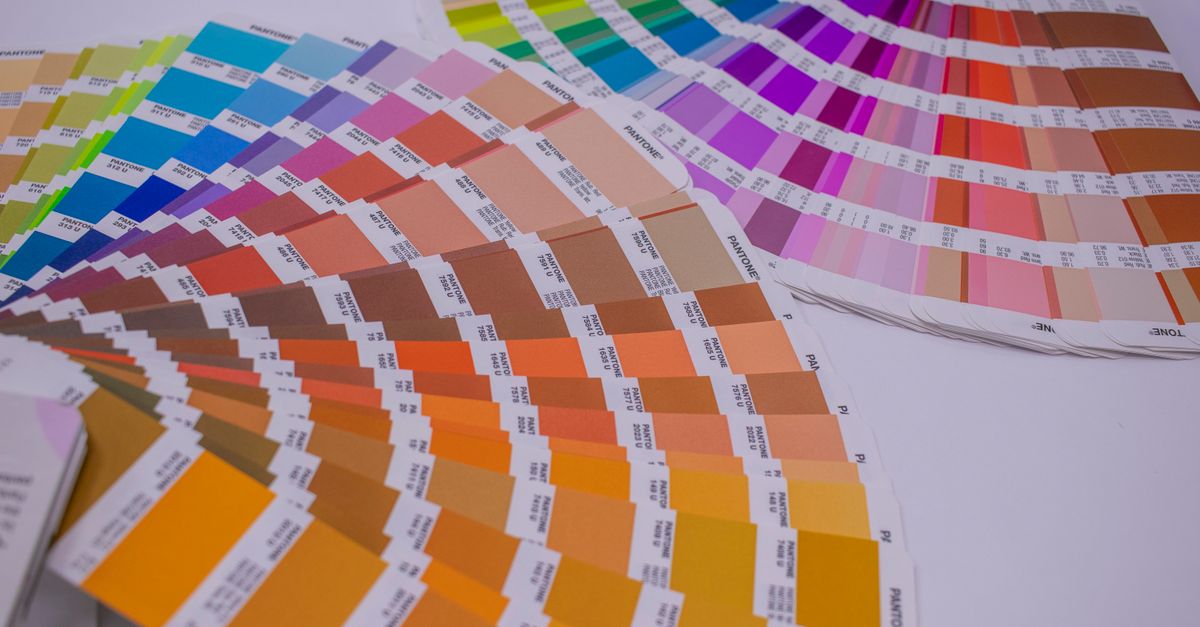
What an RGB to CMYK Chart Actually Shows
Most published RGB to CMYK charts list around ten to thirty commonly used colors rather than the millions a screen can display. The list typically covers the eight corners of the RGB cube (black, white, red, green, blue, cyan, magenta, yellow), a handful of brand and web standards like process blue and Reflex Blue, and a few neutrals such as 50% gray and warm gray. Each row gives you the RGB triplet, the HEX code that designers paste into CSS, and the four CMYK percentages that you would type into a print layout. The percentages can total up to about 200% for the brightest primaries like red, green, and blue because two ink plates overlap on the paper, and they drop toward 100% or less as the color moves toward black.
The reason charts stay short is that real brand colors do not always have a single agreed-upon CMYK value. A "true red" can be anywhere from 0/100/100/0 (the pure math result for RGB 255/0/0) up to 0/100/85/10 on a coated paper stock or even 10/95/85/0 on a newsprint profile. The naive math that the converter uses gives you a sensible starting point, and a chart locks in that starting point for a handful of well-known colors so you do not have to retype them.
How to Read and Use the Conversion Table
To read the table below, match a color by its HEX code or its RGB triplet, then read across to the CMYK column. The four percentages tell your printer how much cyan, magenta, yellow, and black ink to lay down. Higher K means more black plate, which keeps text crisp and saves ink on dark areas. Lower K with high C, M, and Y means the color relies on mixing three colored inks, which can look muddy and uses more ink overall.
| Color | HEX | RGB | CMYK |
|---|---|---|---|
| Black | #000000 | 0, 0, 0 | 0%, 0%, 0%, 100% |
| White | #FFFFFF | 255, 255, 255 | 0%, 0%, 0%, 0% |
| Red | #FF0000 | 255, 0, 0 | 0%, 100%, 100%, 0% |
| Green | #00FF00 | 0, 255, 0 | 100%, 0%, 100%, 0% |
| Blue | #0000FF | 0, 0, 255 | 100%, 100%, 0%, 0% |
| Yellow | #FFFF00 | 255, 255, 0 | 0%, 0%, 100%, 0% |
| Cyan | #00FFFF | 0, 255, 255 | 100%, 0%, 0%, 0% |
| Magenta | #FF00FF | 255, 0, 255 | 0%, 100%, 0%, 0% |
For anything beyond the primary and secondary set, open the converter and type your specific RGB or HEX. The CMYK column on a chart is useful as a sanity check, but for production you should treat the converter output as a starting CMYK, then confirm with your printer's proof before sending the file.
How to Convert Any RGB Color to CMYK
- Open the RGB to CMYK Converter in your browser. Nothing needs to be installed or uploaded.
- Enter your color in the field that matches your source. Type three numbers between 0 and 255 for RGB, or four numbers between 0 and 100 for CMYK.
- Read the live color swatch and the converted values. The swatch updates as you type, which makes it easy to confirm that you have the right starting color before sending the print file.
- Click Copy next to the format you need. You can grab CMYK percentages for your print layout, RGB for screen work, or HEX for CSS.
- Repeat for any additional swatches in your brand palette so the whole set is converted in one pass.
The math is the standard naive formula. As a worked example for RGB 255, 0, 0 (pure red), each channel is first scaled to a 0–1 range, giving R' = 1.0, G' = 0.0, and B' = 0.0. K is then set to 1 minus the largest channel, which here gives K = 1 − 1.0 = 0.0, expressed as 0%. Because K is not 1, the colored plates are calculated from the leftover light: C = (1 − R' − K) ÷ (1 − K) = 0 ÷ 1 = 0%, M = (1 − G' − K) ÷ (1 − K) = 1 ÷ 1 = 100%, and Y = (1 − B' − K) ÷ (1 − K) = 1 ÷ 1 = 100%. The final result is CMYK 0%, 100%, 100%, 0%, which matches the table above. If you want to see the same math spelled out for arbitrary inputs and the edge cases it handles, the exact formula and limits guide walks through every step.
Why RGB and CMYK Numbers Never Match Exactly
RGB is an additive model. Red, green, and blue light start dark and add toward white as each channel increases. Full intensity of all three is white, which is why a backlit screen can produce colors brighter than any paper. CMYK is subtractive. Cyan, magenta, yellow, and black inks start on white paper and absorb light, so layering them moves toward black rather than white. Because ink can only subtract light and cannot create brightness, the gamut of CMYK is smaller than RGB. Bright neons, electric blues, and saturated oranges simply have no CMYK equivalent; the converter picks the closest printable color, and that color always looks duller than the original screen value. This is a property of the two color spaces, not a bug in the math.
The K channel exists because mixing cyan, magenta, and yellow to make black wastes ink, oversaturates the paper, and rarely looks truly black. A dedicated black plate produces sharper text, lower ink cost, and faster drying, which is why printers always pull black out as its own channel. The converter handles pure black as a special case where K = 100% and all other plates are 0%, regardless of how the other three numbers were entered.
When to Trust the Chart and When to Trust Your Printer
An RGB to CMYK chart is trustworthy for the few colors it lists. The primary and secondary conversions are mathematical facts, and any printer will produce very close results to the chart values because there is no clever profile work that can change pure red by more than a few percentage points. The chart is also trustworthy as a teaching reference, since it shows clearly that the same HEX code maps to four ink percentages rather than a single number.
For anything else, the chart is only a starting point. Real print shops convert through a specific CMYK profile (US Web Coated SWOP, FOGRA39, Japan Color, GRACoL, and others) that accounts for the actual inks, paper, and dot gain of the press. Those numbers will differ from the naive formula result, sometimes by enough that two swatches that look identical on screen print noticeably different on paper. Use the chart and the converter for quick estimates and for understanding how the two models relate, then trust your printer's ICC profile and a printed proof for the final production file. Every conversion runs locally in your browser, so no color values are uploaded and the tool still works once you go offline.
For a deeper look, see RGB to HEX for Beginners: A Plain-English Walkthrough.