A browser-based RGB CMYK converter translates color values from the additive RGB model — used by every screen — into the subtractive CMYK model — used by every press — using a single math formula, and it does the reverse in the same pass. Specifically, it accepts integer red, green and blue values from 0 to 255 and returns cyan, magenta, yellow and black as percentages from 0 to 100, and it accepts CMYK percentages back to produce the matching RGB triple along with a HEX code. Because the conversion runs entirely in the browser, no color value is sent to a server, no account is required, and the page continues to work after the first load even if the network drops. The result is a fast, private way to bridge two color worlds that have never quite matched: vivid neon greens on a monitor look flatter on paper because RGB describes emitted light and CMYK describes absorbed light, and no mathematical shortcut can fully paper over that gap. Understanding how the formula works, and where it stops being trustworthy, is the difference between a quick estimate and a print-ready file.
The whole reason a converter exists at all is that designers usually work on screen but deliver to printers. Screens build color by adding red, green and blue light together, so they reach white at full intensity. Presses build color by laying cyan, magenta, yellow and black ink on paper, so they reach black when all four are layered. Same logical job — making a color visible — but with opposite physics.
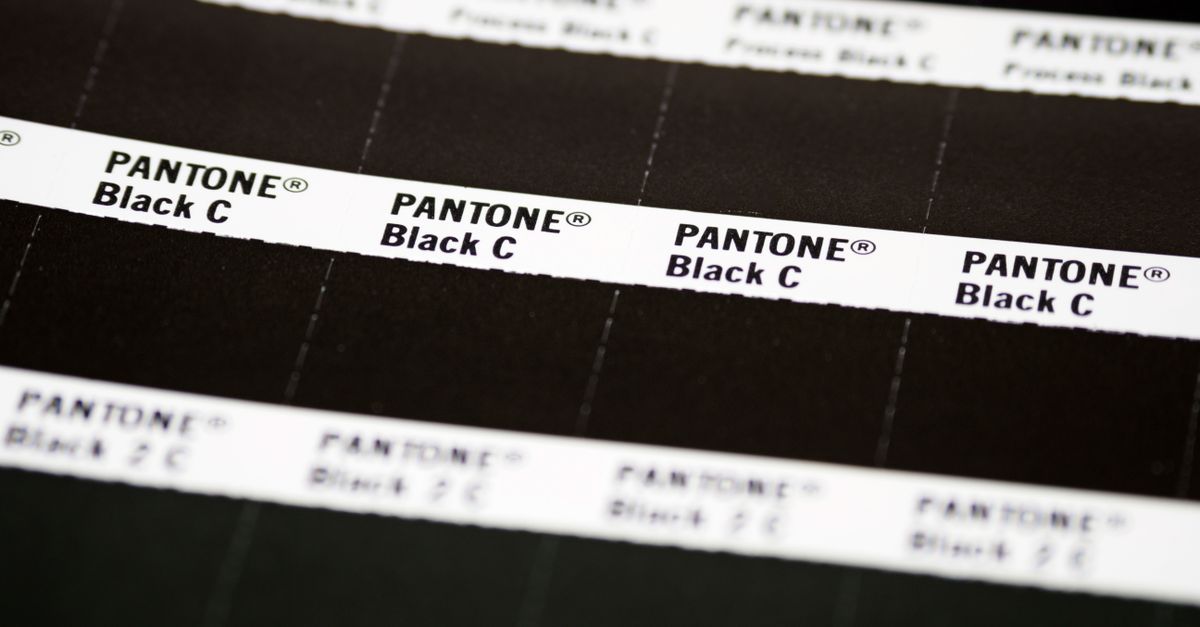
Why RGB and CMYK Are Different Color Models
RGB is an additive color model built from light. Each channel — red, green and blue — runs from 0 (off) to 255 (full brightness), and the three together can produce around 16.7 million combinations. Monitors, phones, cameras and televisions speak RGB natively because their pixels are tiny light sources. When all three channels are at 255, the result is white. When all three are at 0, the result is black.
CMYK is a subtractive color model built from ink. Cyan, magenta and yellow are the printing primaries, and K — short for "key" — is a separate black plate. Each channel runs as a percentage from 0 (no ink) to 100 (full coverage). When all four channels are at 100, the result is a rich black. When all four are at 0, the result is the white of the paper showing through.
The two models cover different color ranges. RGB includes highly saturated, luminous colors that ink simply cannot mix: vivid neon greens, electric blues and intense oranges. CMYK trades that brilliance for the muted, denser range that ink and paper can actually hold. That gap is called the gamut, and it is the reason a hex value pulled from a website almost never looks identical when it comes off a press.
When You Actually Need to Convert RGB to CMYK
You reach for a converter any time a screen design has to leave the screen. Common situations include:
- Converting a brand color from a website palette into CMYK before sending a flyer, brochure, business card, poster or packaging file to a printer.
- Sanity-checking a logo color so it does not shift wildly when reproduced at large size or on uncoated stock.
- Sketching out a magazine spread or book layout where the press needs CMYK values up front.
- Learning the relationship between the two models so you can predict which screen colors will print muted and which will hold up.
- Translating a CMYK print spec into RGB so you can preview it roughly on a display while mocking up a presentation or web mock.
None of these jobs require a full design suite. A small browser tool covers each one without launching Photoshop, opening InDesign or paying for a print preflight pass.
How to Convert RGB to CMYK in Your Browser
- Open the RGB to CMYK Converter in your browser. The page works on desktop and mobile and does not require an account.
- Type each channel value (0 to 255) into the R, G and B inputs. The tool accepts integer values and clamps anything outside the range so the result is always valid.
- Read the CMYK row to see the equivalent cyan, magenta, yellow and key percentages, each shown from 0 to 100.
- Check the live color swatch and the HEX value to confirm the converter is showing the color you actually intended — a quick visual guard against typos in the input fields.
- Click Copy next to the CMYK value, the RGB value, or the HEX value to grab whichever format your design or print file needs.
The same page works the other way too, which is useful when a printer hands you percentages and you need an approximate screen preview.
How to Convert CMYK Back to RGB
- Stay on the same converter page and find the CMYK inputs.
- Type each percentage (0 to 100) into the C, M, Y and K fields.
- Read the RGB row for the matching red, green and blue channels (each 0 to 255) and the HEX row for the six-digit code.
- Look at the swatch to see roughly how the value will appear on a monitor.
- Copy the RGB or HEX value for use in CSS, design software, presentations or email signatures.
This reverse direction is not perfect — the source is CMYK, so any color already outside the RGB gamut is by definition an approximation. Treat the RGB result as a useful preview, not as a faithful reproduction of how the press will lay ink.
What the Math Actually Does
The naive conversion has three short steps. First, each RGB channel is divided by 255 so the values fall in the 0–1 range. Second, K is set to 1 minus the largest of those three scaled channels — how much of the color is essentially black once the strongest component is removed. Third, C, M and Y are computed as the brightness remaining after K is subtracted, divided by the remaining brightness budget. Pure black, where R, G and B are all 0, is a special case: K is set to 100% and C, M and Y to 0%, because mixing black from colored ink is wasteful and rarely looks truly black.
A concrete walk-through with RGB (200, 100, 50) — a warm burnt orange — shows the formula in action. Scaled to 0–1, the channels become R' ≈ 0.784, G' ≈ 0.392 and B' ≈ 0.196. The largest is 0.784, so K = 1 − 0.784 = 0.216, which rounds to about 22%. With K removed, C = (1 − 0.784 − 0.216) / (1 − 0.216) = 0 / 0.784 = 0, M = (1 − 0.392 − 0.216) / 0.784 = 0.392 / 0.784 = 0.5, and Y = (1 − 0.196 − 0.216) / 0.784 = 0.588 / 0.784 = 0.75. Rounded to whole percentages, the result is CMYK (0%, 50%, 75%, 22%). Plug those percentages back into the inverse formula — R = 255·(1 − C/100)·(1 − K/100), and the same for G and B — and you recover RGB (199, 99, 50), matching the starting triple to within rounding noise. That round-trip agreement is the clearest evidence the formula is internally consistent, even though it is not what a profiled press would actually print.
Why a Browser Converter Cannot Replace ICC Profiles
Two honest limits matter once a job goes to production. First, the formula treats RGB as plain sRGB-style numbers with no source or destination profile, so it does not know which ink set, paper or press will be used. Real print shops convert through a specific CMYK profile — US Web Coated SWOP, FOGRA39, GRACoL, Japan Color and others — that accounts for the actual inks, paper whiteness and dot gain of the press. Those numbers will differ from the naive result here, sometimes by several percentage points, especially in saturated colors. Second, the converter cannot invent ink that does not exist. Neon green, electric blue and bright orange live outside the CMYK gamut, so the tool approximates and the printed color will look duller than the screen preview.
The practical takeaway: use the RGB to CMYK Converter for quick estimates, for understanding the relationship between the two models, and for landing on a sensible starting CMYK value when sketching a layout. For the final production file, trust your printer's profile and a printed proof. If you want to confirm the privacy side, the conversion runs locally in your browser and no color is uploaded — see the online converter safety guide.
RGB vs CMYK at a Glance
The table below summarizes how the two models differ on the properties a designer usually cares about.
| Property | RGB | CMYK |
|---|---|---|
| Physical basis | Additive (emitted light) | Subtractive (absorbed ink on paper) |
| Channels | Red, Green, Blue | Cyan, Magenta, Yellow, Key (black) |
| Channel range | 0–255 per channel (integers) | 0–100% per channel (percentages) |
| Typical devices | Monitors, phones, cameras, TVs | Offset, digital and inkjet presses |
| White point | R = G = B = 255 | C = M = Y = K = 0 (paper showing through) |
| Black point | R = G = B = 0 | C = M = Y = 0, K = 100 |
| Gamut | Wide and luminous; includes neon-like colors | Narrower and muted; cannot reach many saturated screen colors |
| Conversion accuracy | Exact (numerical input) | Approximate unless matched with a specific ICC output profile |
Once those differences are clear, the choice between the models is usually dictated by the output medium: screen means RGB, paper means CMYK. The browser converter is the fast lane between them.
For a deeper look, see RGB to HEX Examples: Common Conversions and the Pattern.