An RGB to CMYK converter using the naive formula is faithful to that formula but only approximate as a prediction of printed color, because it does not apply ICC profiles or model paper, inks, and press behavior.
Accuracy therefore has three separate meanings here. The converter can calculate the stated CMYK percentages correctly while those percentages still produce a different appearance from a shop’s profile-based output. There is no universal accuracy percentage for RGB to CMYK conversion because the final result depends on the color, the destination profile, and the printing conditions.
For a quick working value, the RGB to CMYK Converter runs entirely in your browser. It calculates values locally, does not upload colors, and can continue working offline once the page has loaded.
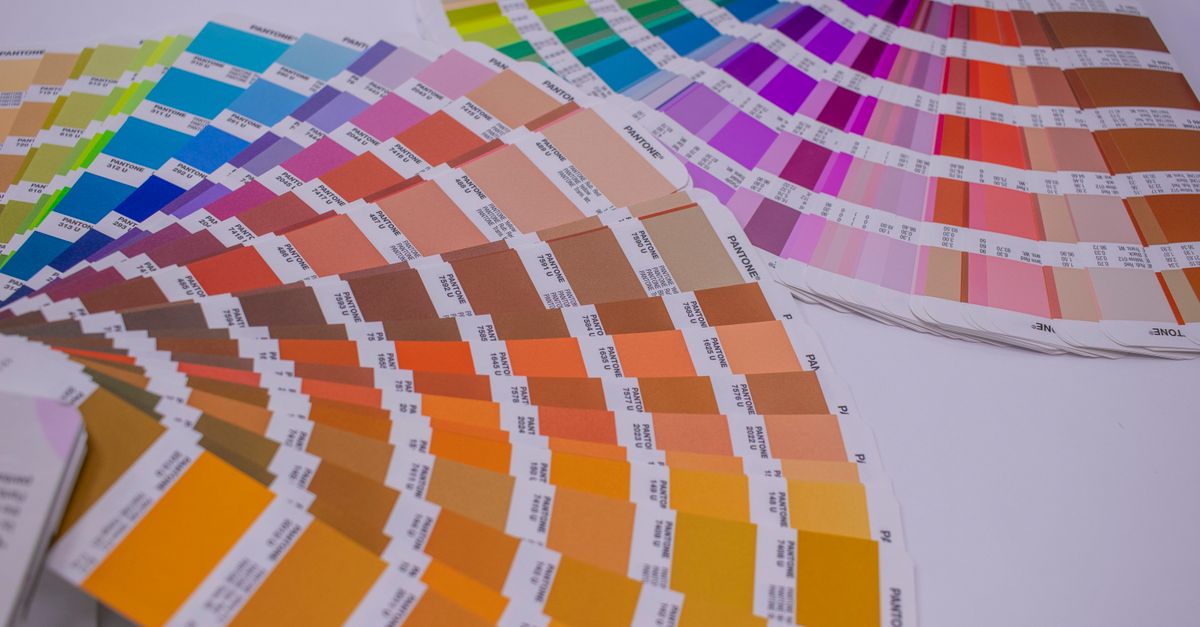
Three tests for conversion accuracy
Before trusting a result, decide which question matters: Are the numbers mathematically correct for the chosen model, or will the printed color match the appearance you need?
- Numerical accuracy asks whether the converter correctly applies the RGB-to-CMYK formula to the supplied channels. A result can be numerically correct and still differ from a printer’s percentages.
- Print accuracy asks whether the color will look right on the actual paper under the chosen ink set and press conditions. A browser converter cannot predict those variables by itself.
- Gamut accuracy asks whether CMYK inks can reproduce the original RGB color at all. Highly saturated screen colors may require an approximation because they exist outside the printable gamut.
This distinction explains why two converters can return different percentages without either calculation being broken. They may use the same basic color model but different assumptions about profiles, inks, paper, or acceptable output.
The formula and its boundaries
This converter treats RGB as plain sRGB-style values without an embedded source or destination profile. Each RGB channel is divided by 255, and the tool calculates K from the largest normalized channel. It then removes that black component when deriving cyan, magenta, and yellow.
From RGB: R′ = R ÷ 255, G′ = G ÷ 255, and B′ = B ÷ 255. Next, K = 1 − max(R′, G′, B′). When K is not 1, C = (1 − R′ − K) ÷ (1 − K), M = (1 − G′ − K) ÷ (1 − K), and Y = (1 − B′ − K) ÷ (1 − K). The results are displayed as percentages.
From CMYK: R = 255 × (1 − C ÷ 100) × (1 − K ÷ 100), G = 255 × (1 − M ÷ 100) × (1 − K ÷ 100), and B = 255 × (1 − Y ÷ 100) × (1 − K ÷ 100). Pure black is handled as a special case so that K can reach 100% without the colored-ink formula dividing by zero.
| Input | Supported range | Conversion behavior |
|---|---|---|
| RGB | 0–255 for each channel | Channels are scaled to 0–1 and converted to CMYK percentages. |
| CMYK | 0–100% for each channel | Percentages are converted back to RGB using the inverse formula. |
| Out-of-range values | Clamped to supported limits | The calculation continues with valid boundary values rather than returning a broken result. |
For a technical reference, see the exact RGB-to-CMYK formula and its limits. The important limitation is not the arithmetic but what the arithmetic omits: no embedded profile, paper simulation, press simulation, or perceptual gamut mapping.
Convert and inspect a color
The browser workflow provides a quick way to move from screen values to a sensible print starting point and then verify every available format.
- Enter the source color. Type an RGB value with a channel range of 0–255 to receive C, M, Y, and K percentages. If you are starting with a print specification, enter CMYK percentages from 0–100 to calculate the corresponding RGB instead.
- Review every output. Read the CMYK, RGB, and HEX values, then inspect the live color swatch. The swatch confirms that the entered values represent the color you intended before you copy anything into a design file.
- Copy the format you need. Use the Copy control beside the relevant result to place the CMYK, RGB, or HEX value into your design or print workflow.
Worked example: For RGB (255, 0, 0), the normalized channels are 1, 0, and 0. K = 1 − max(1, 0, 0) = 0. C = (1 − 1 − 0) ÷ (1 − 0) = 0, M = (1 − 0 − 0) ÷ (1 − 0) = 1, and Y = (1 − 0 − 0) ÷ (1 − 0) = 1. The converter therefore returns C 0%, M 100%, Y 100%, and K 0%.
That is the correct result under the stated formula. It does not guarantee that a profile-based print workflow will request the same percentages or reproduce the exact screen appearance.
Why print-shop values can differ
A print shop may convert through a named CMYK profile such as US Web Coated SWOP, FOGRA39, Japan Color, or another profile selected for the job. Those profiles account for characteristics that plain RGB-to-CMYK math does not model.
| Aspect | Browser conversion | Production conversion |
|---|---|---|
| Color space | Uses plain RGB-style values with no source or destination profile. | Uses the profile specified for the print process. |
| Ink and paper | Does not simulate particular inks, paper, or press conditions. | Accounts for the actual ink set, paper, and dot gain. |
| Out-of-gamut color | Provides a mathematical approximation that may look duller. | Produces values intended for the selected production profile. |
| Proper use | Quick estimate, learning aid, and sensible starting value. | Production target followed by professional review and a proof. |
The difference between the two sets of percentages may be small, but it can become noticeable in a large area of ink, in fine text, or across multiple colors. The browser result has no way to know which press, paper, profile, or job requirements will be used.
How the gamut gap affects appearance
RGB is an additive model based on light, while CMYK is a subtractive model based on inks. RGB can represent very bright, saturated colors that CMYK cannot reproduce on paper. Neon greens, electric blues, and bright oranges are common examples of colors that may become visibly flatter in print.
This is a gamut limitation rather than a converter defect. The tool can calculate a valid set of ink percentages, but it cannot manufacture an exact physical match to a color outside what the destination inks can produce. The muted result is often the first visible sign that the original color was beyond the printable range.
The separate K channel has a practical purpose as well. Mixing cyan, magenta, and yellow to make black can waste ink, over-saturate the paper, and produce a muddy appearance. A dedicated black plate provides cleaner blacks, sharper text, faster drying, and lower ink use, which is why black remains separate from the colored channels.
When to rely on the browser result
The naive conversion is useful when you need speed, education, or an early reference rather than a production specification.
- Estimate CMYK percentages for a website brand color before preparing a flyer, business card, poster, or packaging file.
- Check whether a logo or key color is likely to look substantially different on paper.
- Learn how the RGB and CMYK channels relate to one another.
- Preview a CMYK print specification roughly on a display by converting it back to RGB.
Do not treat those percentages as a guarantee of the final print result or as a substitute for color management.
- Do not use the browser output as the final production color without applying the printer’s required profile.
- Do not assume a successful conversion means an exact match for a vivid out-of-gamut color.
- Do not rely on the screen swatch as a calibrated print simulation.
- Do not skip proof review for a brand-sensitive, high-coverage, or detailed job.
A safer handoff to a print provider
A practical workflow separates quick reference values from the colors used to produce the final file.
- Ask which output profile and paper are required. The printer’s profile defines the intended production conditions more accurately than a generic converter can.
- Use the browser percentage as a reference. Label it as an unprofiled estimate rather than a final production instruction.
- Generate the final CMYK values with the required profile. If the supplied percentages differ from the profile-based values, treat the profile-based result as the production target.
- Review a proof before approval. Compare the critical colors with the intended result and resolve visible differences with the print provider.
This approach preserves the convenience of the browser converter without confusing mathematical conversion with final print color management.
Checks to make before using the percentages
- Confirm that the original RGB values are the ones you intended to print.
- Check the RGB, HEX, and swatch outputs for an obvious entry error.
- Remember that pure black follows the tool’s special-case handling rather than the general colored-ink calculation.
- Compare the converter result with the printer’s profile-based conversion when exact brand matching matters.
- Expect a duller result for highly saturated colors and judge them against a proof rather than the monitor swatch alone.
The converter is accurate as a transparent implementation of naive RGB-to-CMYK math, but it is intentionally a quick estimate rather than a complete print workflow. Use its values to understand the conversion, catch obvious problems, and establish a starting point; use the destination profile and a proof to decide the final printed color.
For a deeper look, see How to Check the Result After RGB to HEX Conversion.