The CMYK chart you use on an iPhone works differently than a printed fan deck because iOS displays color in the sRGB color space and ships no native CMYK swatch library. A practical workaround is to anchor your CMYK chart in the 148 opaque CSS named-color keywords standardized in CSS Color 4, each with an exact six-digit lowercase hex code and a matching rgb(r, g, b) integer triple. Run in Safari, the HTML Color Names Chart shows every keyword alongside a live swatch, lets you filter by name fragment, exact hex, or full rgb(...) string, and lets you tap a hex value to copy it to the clipboard. From there you treat each hex value as a fixed sRGB anchor and convert to CMYK using a dedicated converter. This approach gives you a portable, no-app, no-sign-up CMYK reference on iPhone that you can read in landscape or portrait, in Safari Reader mode, and on any iPhone model from the SE to the latest Pro. It also avoids the biggest pitfall of relying on a printed CMYK chart: the printed patches describe a particular paper, ink, and profile, not the standardized sRGB coordinates your iPhone actually shows.
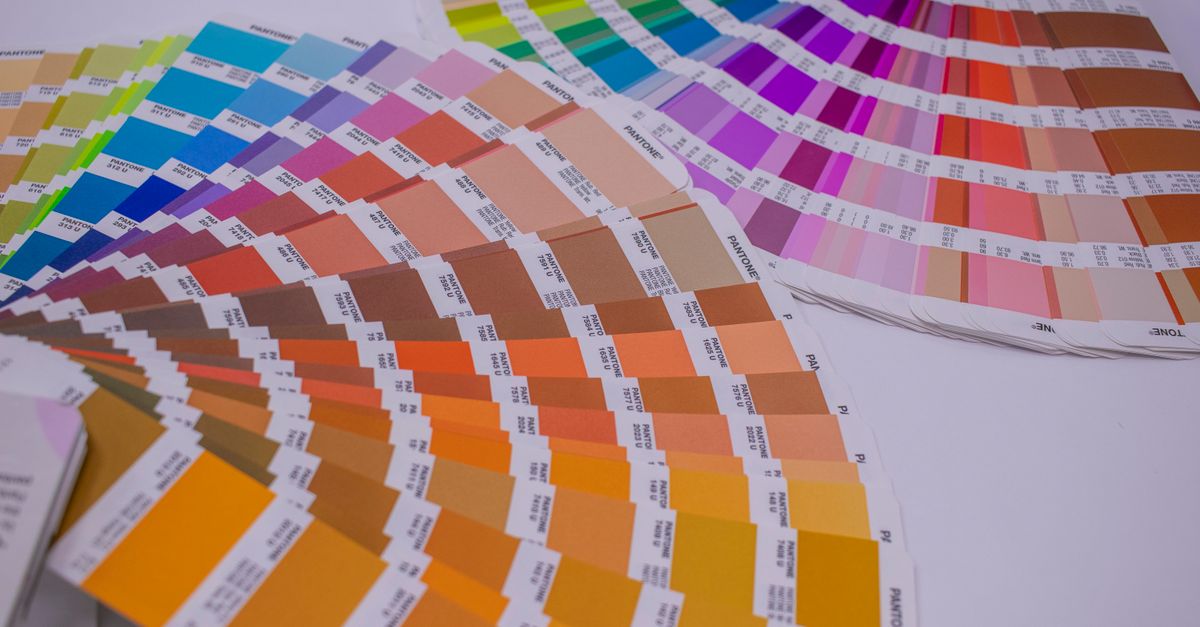
Why iPhone Needs a Different CMYK Chart Approach
iOS renders everything in sRGB, which means a "CMYK chart on iPhone" can only ever show you a screen preview, not an ink-on-paper mix. Apple does not bundle a CMYK swatch library in Pages, Numbers, Keynote, or Safari, and the Files app does not open a printable CMYK fan deck natively. When designers, students, and print-shop clients ask about a CMYK chart on iPhone, they are usually trying to do one of three things: pick a color that will translate predictably to print, audit an existing brand color, or translate an HTML or CSS stylesheet into a print-ready CMYK value. Each of those tasks needs a fixed reference point, a value that does not depend on screen brightness, True Tone, or Night Shift. The 148 opaque CSS named colors standardized in CSS Color 4 provide exactly that anchor. Each name resolves to a specific sRGB triple, and that triple is the bridge between your iPhone preview and a downstream CMYK conversion. The HTML Color Names Chart is the fastest way to read those triples on a phone without installing anything.
The 148 HTML Named Colors as a Fixed Reference
The HTML Color Names Chart embeds the 148 opaque CSS Color 4 keywords with their exact mappings, preserved as a single locked dataset. Every row has the same shape: one keyword, one lowercase six-digit hex value, one decimal rgb(r, g, b) triple, and one rendered swatch. That shape matters on iPhone because the screen is narrow, and predictable columns keep the table scannable in portrait, while the swatch column gives you a quick visual check that the hex you tapped matches the color you intended. The dataset also preserves standardized aliases as separate rows rather than merging them. Aqua and cyan both map to #00ffff; fuchsia and magenta both map to #ff00ff. American and British gray spellings coexist for several names. Each spelling is a valid CSS identifier, so keeping them visible protects anyone reading or maintaining an older stylesheet. Transparent and currentColor are intentionally excluded from the 148-row count: transparent is an alpha keyword, and currentColor depends on a computed color property, so neither has a fixed standalone hex value to anchor a print chart.
| CSS keyword | Hex (lowercase) | rgb(r, g, b) | Why it appears twice |
|---|---|---|---|
| aqua | #00ffff | rgb(0, 255, 255) | Standard alias kept as its own valid identifier |
| cyan | #00ffff | rgb(0, 255, 255) | Maps to the same sRGB value as aqua |
| fuchsia | #ff00ff | rgb(255, 0, 255) | Standard alias kept as its own valid identifier |
| magenta | #ff00ff | rgb(255, 0, 255) | Maps to the same sRGB value as fuchsia |
The table above shows the standardized alias pairs from CSS Color 4. Both spellings in each pair resolve to one sRGB triple, so whichever name you copy from the chart, the CMYK output downstream will be identical.
How to Look Up a Color on iPhone in Safari
This is the concrete iPhone-specific workflow for using the HTML Color Names Chart as your CMYK reference. Every step runs in Safari without installing an app, signing up, or sending data to a server.
- Open Safari on your iPhone and navigate to the HTML Color Names Chart. The page is responsive and adapts to the iPhone viewport in both portrait and landscape.
- Type a fragment of a CSS color name into the filter field at the top of the table. Search is case-insensitive and matches name fragments, so typing "rebecc" surfaces rebeccapurple, and typing "MEDI" surfaces mediumspringgreen as easily as mediumvioletred.
- To filter by an exact hex value, type a leading hash and the full six-digit code, for example #ff6b35. The chart uses exact hex matching for any search beginning with #, so a partial hex will not accidentally match a similar shade.
- To filter by an exact rgb(...) string, paste the full expression like rgb(255, 107, 53). The chart treats this as exact matching, so a short numeric fragment cannot match an unrelated channel value by accident.
- Review the matching row and confirm the keyword, the swatch, the lowercase hex value, and the rgb triple line up with the color you intended.
- Tap the hex value once to copy it. The chart requests a clipboard write and reports success only after Safari resolves that request. If clipboard permission is denied, you can still select the visible hex text manually with a long press.
- Clear the filter field to restore the full 148 rows. Search results preserve specification order, so clearing never reorders or merges entries.
- Hand the copied hex to a dedicated RGB to CMYK converter for the print percentages. The HTML Color Names Chart is a reference, not a conversion tool, so use it for the anchor value and then convert.
Reading HEX, RGB, and Alias Rows Correctly
A common source of confusion on iPhone is mistaking two alias rows for a duplicate entry bug. The HTML Color Names Chart shows aqua and cyan as separate rows that both resolve to #00ffff, and fuchsia and magenta as separate rows that both resolve to #ff00ff. That is intentional: each spelling is a valid CSS identifier, and the chart preserves them so that legacy stylesheets stay auditable. When you are auditing a brand stylesheet on iPhone and see two rows with identical hex values, treat that as confirmation that the spelling is intentional, not as a data error. The same logic applies to the American and British gray spellings. If you want to map both spellings to a single print job, pick one spelling, copy its hex, and convert to CMYK; the result will be identical regardless of which spelling you chose. Also note that all listed colors resolve in the sRGB color space. The names are historical identifiers, not a perceptually even palette, so neighboring keywords can look surprisingly similar, and some names do not describe relative lightness consistently. Treat the table as a stable identifier list, not a curated aesthetic palette. If you want a curated palette to start a print project from, see the CMYK Color Chart Explained Using HTML Named Colors guide for a worked walk-through.
From HTML Name to a CMYK Print Value
Once you have copied the hex from the HTML Color Names Chart, the CMYK conversion step is mechanical but it should never be done in your head. On iPhone, the cleanest path is to switch to a dedicated RGB to CMYK converter that runs in Safari. Paste the hex into that tool, read the resulting CMYK percentages, and note them alongside the keyword and hex for your print file. This two-step workflow, anchoring in a standardized sRGB name and then converting in a focused tool, has one clear benefit: the anchor value is auditable. Anyone who later asks "where did this CMYK value come from?" can be pointed back to the named-color row, the W3C CSS Color 4 specification, or the MDN named-color reference, rather than to a screenshot of a screen with True Tone enabled. If you are doing batch work, copy several hex values first, then move them through the converter together. The HTML Color Names Chart never sends searches or copied values to a server, so the values stay on your device until you paste them somewhere else. For a no-sign-up walk-through of the full pipeline, the CMYK Color Chart Free, No Sign Up guide pairs well with this chart.
When the Named Colors Chart Is Not the Right Tool
The HTML Color Names Chart is a reference for 148 standardized identifiers, so it is not a contrast checker, a palette generator, a gradient builder, or an image sampler. For accessibility decisions, a color name alone is insufficient, since contrast depends on the foreground-background pair, text size, weight, and applicable guidance, so use a dedicated contrast checker for that task. For gradients, palette generation, image sampling, or the historical 216-color web-safe cube, use the corresponding focused tools rather than treating this reference chart as a generator. And for the CMYK conversion itself, do not eyeball percentages from the swatch, because the screen is sRGB and will not show you ink-on-paper behavior. Use the named-color chart to nail down the exact hex, then run that hex through a proper RGB to CMYK converter for the print job.