A CMYK color chart is a visual reference grid that pairs each color swatch with its exact cyan, magenta, yellow, and key (black) ink percentages used in four-color process printing. Printers, designers, and developers use these charts to translate colors that look right on a screen into reproducible ink mixes on paper. Because CMYK is a subtractive model (working from white paper minus absorbed ink) and RGB is an additive model (mixing emitted light on a backlit display), no exact one-to-one mapping exists between them, and a chart gives readers a shared starting point for that conversion. Many searchers also expect a CMYK color chart to include the matching screen-side values, named CSS keywords, and HEX codes, which is why the standardized HTML Color Names Chart works as a useful companion reference for the lookup step that happens before any CMYK conversion. Designers who already picked tomato or cornflowerblue in a stylesheet can read those keywords' exact sRGB values, hand those HEX values to a converter or their design tool, and walk into a print conversation with a reproducible color token rather than a guess.
What a CMYK Color Chart Actually Shows
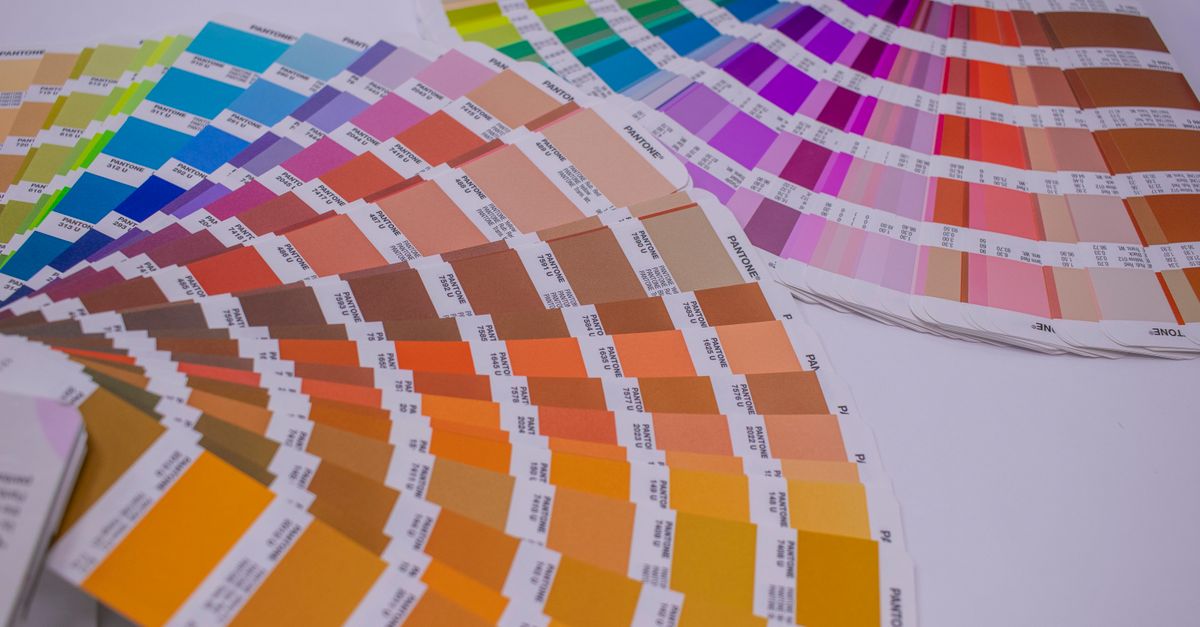
A traditional CMYK chart is a printed grid where every swatch is labeled with four numbers between 0 and 100, one for cyan, magenta, yellow, and key (black). Those values describe the percentage of each ink the press lays down for that color; 0/0/0/0 means no ink (white paper) and 100/100/100/100 means maximum ink of every channel (the darkest near-black the process can produce). Different manufacturers publish their own charts because ink chemistry, paper stock, and press calibration shift the final on-paper appearance.
For digital designers, a CMYK chart usually pairs the print percentages with the equivalent screen color so you can pick something in your software and know what will come back from the printer. That screen-side value is almost always written as an RGB triplet or a six-digit HEX. A useful CMYK color chart, then, is really a multi-format reference — print percentages, RGB, and HEX — laid out so the same color can be read three ways at once.
Why HTML Named Colors Belong in That Conversation
Web design has its own well-known color identification system: CSS named colors. The W3C CSS Color specification lists 148 opaque named-color keywords, each one tied to an exact sRGB value. Designers have been writing color: tomato in stylesheets for years, and every one of those keywords resolves to a precise six-digit HEX. That precision matters when the same color has to survive the trip from screen to print, because a print shop cannot reproduce "the blue in the mockup" without a numeric anchor.
The HTML Color Names Chart lists all 148 opaque CSS named-color keywords with their standardized lowercase HEX values and decimal RGB triples. It runs entirely in the browser, never sends a query to a server, and lets you search by keyword fragment, exact HEX, or complete rgb() string. Because every row is a stable, specification-defined mapping (verified against the W3C CSS Color 4 named-colors list), it works as a reliable bridge between a web designer's source file and a printer's CMYK chart. You find the keyword you used, read its HEX, hand that HEX to a converter or your design software, and the print percentages that come out the other side are reproducible across every person on the project.
That role is different from what a CMYK chart does. A CMYK chart answers "what ink mix produces this color?" while a named-color chart answers "what exact sRGB value sits behind this CSS keyword?" Treating the named-color chart as the lookup step that feeds the CMYK conversion keeps the two tools in their proper lanes.
| Task | Best starting point |
|---|---|
| Pick a recognizable keyword for a prototype | CSS named keyword |
| Copy a stable color token into CSS | Six-digit HEX |
| Pass an exact color to a print converter | HEX or decimal RGB |
| Build a press-ready CMYK file | CMYK percentages |
| Match colors across two design files | HEX or RGB |
How to Look Up a Named Color
The lookup is straightforward when you treat the chart as a search tool rather than a static table.
- Open the HTML Color Names Chart in your browser.
- Type part of a CSS color name (for example, "rebecca"), an exact #RRGGBB value (for example, #ff8800), or a complete rgb(...) string (for example, rgb(255, 136, 0)) in the filter.
- Review the matching row — it shows the keyword, a live swatch, the lowercase HEX, and the decimal RGB triple.
- Click the HEX value to copy it to your clipboard; the chart reports success only after the browser confirms the clipboard write.
- Clear the filter to restore all 148 opaque named colors. A no-match search shows an explicit empty result rather than substituting a nearby color.
A search beginning with # uses exact HEX matching, while a complete rgb(...) string uses exact matching too, so a short numeric fragment can never accidentally match an unrelated channel value. Keyword search is case-insensitive and matches name fragments, so typing "pur" returns purple, mediumpurple, rebeccapurple, and any other keyword containing those letters in the specification order.
Aliases and Edge Cases in the CSS Named-Color List
Several rows in the 148-color list are aliases that map to the same sRGB value. Aqua and cyan both resolve to #00ffff; fuchsia and magenta both resolve to #ff00ff. American and British gray spellings (gray, grey; darkgray, darkgrey; lightgray, lightgrey) appear as separate valid identifiers. The chart preserves each spelling as a distinct row because every spelling is a valid CSS identifier that may already exist in a stylesheet someone needs to read or maintain — the MDN named-color reference treats them the same way.
Two CSS keywords are intentionally left out of the 148: transparent and currentColor. Transparent is a special alpha-bearing keyword that represents fully see-through black rather than an opaque named swatch, and currentColor takes whatever the computed color property of an element is, so it has no fixed standalone HEX. Including either one in a numeric mapping would mislead readers, which is why the chart keeps them outside the opaque count.
From RGB on the Chart to CMYK in Print
Once you have the exact HEX or RGB triple from the HTML Color Names Chart, the conversion to CMYK happens in your design software or with a dedicated converter. Browsers cannot reproduce CMYK directly — CMYK exists only when ink hits paper — so the named-color chart stays in sRGB and hands off the value at the moment a designer or developer needs the print breakdown. The standard subtractive math that drives CMYK percentages is the same no matter which tool applies it, so the HEX you copy from the chart produces the same print numbers everywhere downstream.
The same workflow applies to DTF (direct-to-film) garment printing, where a printer-friendly CMYK chart built from named HTML colors can be matched against the swatches a DTF shop approves. Because every named color is a stable sRGB value, two people reading the same HEX get the same RGB, and any CMYK conversion that follows is reproducible. If you prefer working inside Adobe products, the guide on converting RGB to CMYK in Photoshop covers the same handoff in the application itself; for readers weighing the print decision itself, the explainer on choosing CMYK versus RGB for print projects lays out the practical trade-offs.
Limits of the Named-Color List as a Palette
The 148 named colors are not a perceptually even palette, a scientific taxonomy, or an accessibility rating. Some neighboring names look surprisingly similar (lightseagreen and mediumseagreen sit very close together), and some names do not describe relative lightness consistently. The names are historical identifiers chosen when the original web browsers added basic color support, and the modern CSS Color 4 list refines the set without turning it into a designed gradient.
For that reason, use the named-color chart for what it is built to do: translating a legacy stylesheet, picking a readable keyword for a prototype, checking the exact value behind a name, finding aliases, or copying a stable color token into CSS. For gradients, palette generation, image sampling, brand-palette design, or historical web-safe colors, switch to the corresponding focused tool. The Color Palette Generator pulls harmonious palettes from one base color; the Color Gradient Generator builds CSS gradients with multiple stops; the Image Average Color Finder pulls a real HEX from a photograph. Each of those tasks lives outside the lookup role this chart is designed for.
For accessibility decisions, a color name alone is never enough. Contrast depends on the foreground-background pair, the text size, the weight, and the applicable guidance — for example, WCAG 2.2 AA contrast thresholds. A dedicated Color Contrast Checker handles that evaluation against current accessibility rules, separate from any color-name lookup. Treating the named-color chart as a precision reference rather than a design tool keeps the answer to "what is this color's exact value?" cleanly separated from the answer to "does this combination read well?".
Related reading: Skip Photoshop: Convert RGB to CMYK in Your Browser.
Related reading: RGB to HEX Chart: Reference Values and How to Convert.