The web's standardized color reference is the set of 148 opaque CSS named-color keywords, each tied to a fixed sRGB value, which is why a CMYK color chart for web design almost always points you to the wrong numbers. Screens emit red, green, and blue light to produce color, so the standardized web reference is the list of 148 opaque named-color keywords defined by CSS Color 4, each tied to a fixed six-digit HEX value and a decimal RGB triple in the sRGB color space. CMYK exists for ink on paper, where subtractive color mixing governs what a printer can reproduce, and its percentages do not map cleanly to the additive channels a browser renders. Designers and developers who search for a CMYK chart while building for the screen usually want one of three things: a quick lookup table of named colors with exact HEX values, a way to confirm an existing stylesheet identifier, or a stable reference token to paste into CSS. The HTML Color Names Chart is built for exactly those three jobs, and it never touches CMYK math, so the numbers it shows are the ones a browser will actually render.
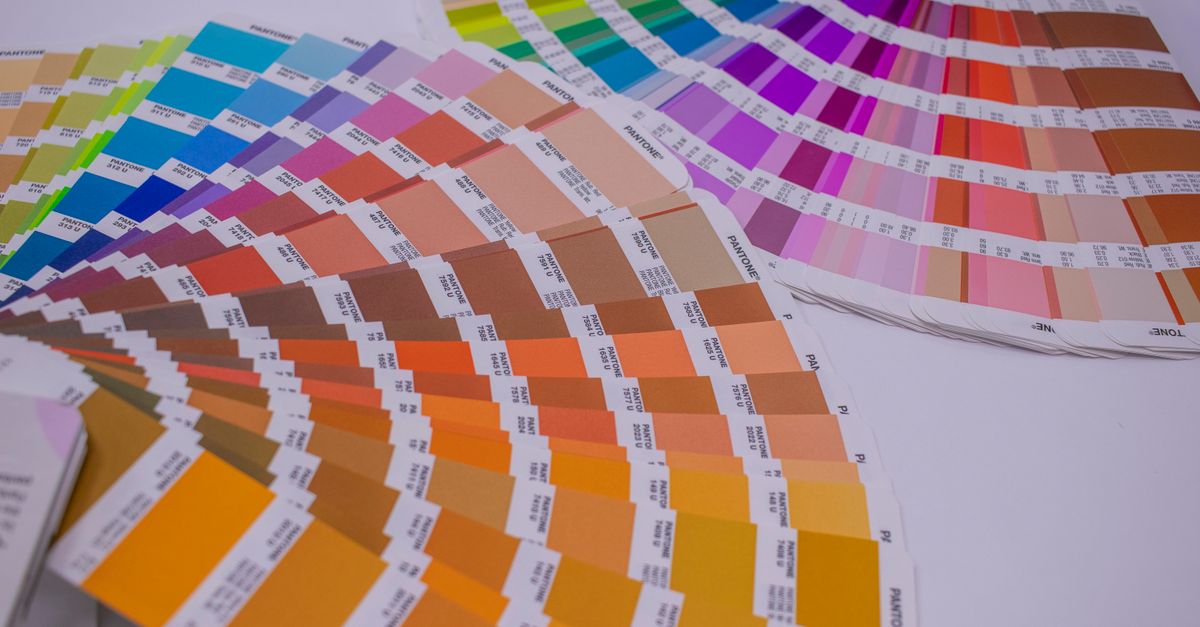
Why CMYK Is the Wrong Reference for a Screen Project
CMYK is a four-channel subtractive model (cyan, magenta, yellow, black) used in offset printing, digital printing, and other ink-based reproduction. It describes how much of each ink a printer lays down on a physical substrate, so its percentage values govern how light is absorbed rather than how brightly a pixel should glow.
Browsers, on the other hand, use additive color: each pixel mixes red, green, and blue light at different intensities. CSS formalizes that with the sRGB color space, which is the default for every CSS color value that does not explicitly opt into another space. A named-color keyword such as tomato or rebeccapurple is just a friendly alias for a fixed sRGB triple defined by the W3C CSS Color 4 specification.
That difference is the entire reason a CMYK chart misleads web designers. Two problems show up immediately:
- CMYK percentages cannot be losslessly converted to a HEX value. The same ink mix can look different on coated versus uncoated paper, and the source profile matters. Any "CMYK to RGB" tool produces an approximate screen preview, not a canonical mapping.
- CMYK has no concept of standardized "named colors." There is no universal dictionary of CMYK swatches the way CSS Color 4 defines named colors, which means any CMYK chart you find on the web is someone's custom reference, not a specification.
When you search for a CMYK color chart for web design, the result you actually want is a reference that speaks the browser's language: sRGB, HEX, RGB triples, and CSS keywords. For a closer look at how a CMYK preview actually ends up on screen, the CMYK to RGB screen preview guide walks through the conversion limits in detail.
What the HTML Color Names Chart Actually Contains
The HTML Color Names Chart is a single-page reference table built around the 148 opaque named-color keywords standardized by CSS Color 4. Each row in the table shows four things:
- The CSS keyword, such as tomato or steelblue.
- The lowercase six-digit HEX value, like #ff6347.
- The decimal RGB triple, such as rgb(255, 99, 71).
- A rendered swatch so you can preview the color at a glance.
Every mapping comes straight from the W3C specification. There is no rounding, no color-space conversion, and no "perceptual adjustment" between the name and the value you see. If the specification says tomato is #ff6347, the chart shows tomato is #ff6347.
A few details are worth knowing up front:
- Standardized aliases appear as separate rows. Aqua and cyan are both listed, and they both point to #00ffff. Fuchsia and magenta are both listed, and they both point to #ff00ff. American and British gray spellings (gray and grey, dimgray and dimgrey, and several more) coexist as valid identifiers.
- Transparent and currentColor are deliberately excluded from the 148-row count. Transparent is an alpha-bearing keyword, not an opaque named swatch, and currentColor resolves to whatever the element's computed color property already is. Neither has a fixed standalone HEX value that would belong in an opaque reference.
- All 148 values resolve in the sRGB color space. The names are historical identifiers and not a perceptually even palette, a scientific taxonomy, an accessibility rating, or a guarantee that any given display reproduces a physical pigment. Some neighboring names look surprisingly similar, and some names do not describe relative lightness consistently.
The chart runs entirely in the browser. Searches and copied values never leave your device, and the table does not call a server for results.
| Aspect | CMYK chart | HTML Color Names Chart |
|---|---|---|
| Color model | Subtractive, ink on paper | Additive, sRGB light on screen |
| Channels | Four (C, M, Y, K) percentages | Three (R, G, B) in 0-255 plus a six-digit HEX value |
| Standardization | Profile-dependent, no universal named list | 148 keywords locked by CSS Color 4 |
| Conversion to HEX | Approximate, profile-sensitive | Lossless within the specification |
| Where it applies | Print production, packaging, large-format output | HTML, CSS, SVG, canvas, and any web rendering |
Look Up Any CSS Color Name in Three Steps
The chart has exactly three controls, and the workflow is quick once you know what each one does.
- Type part of a CSS color name, an exact #RRGGBB value, or a complete rgb(...) string into the filter input at the top of the table. Keyword searches are case-insensitive and match name fragments, so typing rebe surfaces rebeccapurple, typing lime surfaces lime and limegreen among a few neighbors, and typing #663399 surfaces rebeccapurple by exact HEX match. A search that begins with "#" is treated as an exact HEX lookup, and a complete rgb(...) string is also matched exactly so a short numeric fragment cannot accidentally match an unrelated channel value.
- Review the matching rows. Each surviving row shows the standardized keyword, the rendered swatch, the lowercase #RRGGBB value, and the decimal rgb(r, g, b) value. If you typed a partial keyword and several rows match, scroll through them and pick the one you intended; the chart does not merge aliases or invent fuzzy synonyms, and it does not show a substitute when nothing matches.
- Click the HEX value in the row you want, and the browser will write that exact #RRGGBB string to your clipboard. The visible keyword, HEX, and RGB text remain selectable if clipboard permission is denied, so you can also select and copy manually. No hidden format, no extra CSS declaration, and no capitalization change is added around the value.
When you want the full table back, clear the filter input. All 148 rows reappear in their ASCII alphabetical order. A no-match message is shown rather than substituting a nearby color, so an empty result really means no match.
Aliases and Excluded Keywords Explained
The way the chart handles aliases is unusual compared with most color pickers, and it is worth understanding before you assume something is duplicated.
| CSS keyword | Standardized HEX | Why both appear |
|---|---|---|
| aqua | #00ffff | Valid CSS identifier |
| cyan | #00ffff | Valid CSS identifier, alternate spelling |
| fuchsia | #ff00ff | Valid CSS identifier |
| magenta | #ff00ff | Valid CSS identifier, alternate spelling |
These pairs are not accidental duplicates. Each spelling is a valid CSS identifier in its own right, and code in the wild uses both. Treating them as separate rows lets you search for the exact spelling you saw in a legacy stylesheet, confirm the shared HEX value, and pick the form that fits your own naming convention.
The same applies to American and British gray spellings: dimgray and dimgrey, darkgray and darkgrey, gray and grey, lightgray and lightgrey, slategrey and slategray are all separate valid identifiers and all appear in the chart. None of them merges into the other, and the mapping for each is fixed by the specification.
The 148 count excludes two keywords that beginners sometimes expect to find:
- transparent. This is an alpha-bearing keyword, not an opaque named swatch. It represents transparent black, and including it in an opaque reference would imply it has a fixed HEX value, which it does not.
- currentColor. This keyword always resolves to whatever the element's computed color property already is. It cannot be assigned a standalone HEX value because it depends on context.
Keeping both outside the opaque table prevents misleading numeric mappings and keeps the 148-row invariant honest.
When This Chart Solves a Real Web Design Problem
The chart is most useful in five concrete situations that come up in day-to-day web work.
- Translating a legacy stylesheet. If you inherit a stylesheet full of named colors like mediumseagreen, papayawhip, or moccasin, the chart confirms the exact sRGB value behind each name before you decide whether to keep it or replace it with a HEX token.
- Choosing a readable keyword for a prototype. Designers who want to keep code human-friendly can pick a named color, copy the HEX from the chart, and use the keyword in CSS for clarity while documenting the matching HEX for tooling.
- Checking the exact value behind a name. Some names look like they describe a different lightness or hue than they actually do. The chart lets you verify the exact mapping before committing to a color choice.
- Finding aliases. When you want to know whether aqua and cyan really are the same color, whether dimgrey and dimgray are interchangeable, or whether rebeccapurple has a unique value, the chart shows the answer in one row.
- Copying a stable color token into CSS. Because each row's HEX value is locked by the specification, you can use the chart to drop a stable, copyable token into your stylesheet without worrying about drift.
If you are actually preparing artwork for print, the chart will not give you CMYK percentages. For that, use a focused conversion tool such as the RGB to CMYK Converter and verify the result against a printer profile.
What the Chart Will Not Do for You
A reference table is only honest if it also lists what it does not cover. The HTML Color Names Chart is deliberately narrow, and several adjacent tasks deserve a separate tool.
- Contrast. Accessibility depends on the foreground-background pair, the text size, the text weight, and the applicable WCAG guidance. A color name alone is not enough. For that decision, use a dedicated Color Contrast Checker that compares two specific colors against WCAG AA and AAA rules.
- Palette generation. The chart will not give you complementary, analogous, triadic, or split-complementary relationships for a base color. Use a palette-focused tool for palette work.
- Gradients. The chart lists opaque named colors only and does not produce CSS linear-gradient or radial-gradient declarations. A gradient-specific tool is the right place for that output.
- Image sampling. The chart is a fixed reference of 148 historical identifiers. It cannot average the pixels of a photo, pick a brand color from a screenshot, or find the nearest name to an arbitrary HEX.
- Web-safe snapping. It does not snap colors to the historical 216-color web-safe cube. If you need that behavior, a web-safe chart tool is the correct choice.
- CMYK conversion for print. CMYK percentages are out of scope; for approximate screen previews of print colors, use a focused CMYK preview tool instead.
Each of those tasks shares the topic of color but answers a different question. Treating the reference chart as a one-stop generator will lead to the wrong output, and the chart is intentionally not built to be one.
For a deeper look, see RGB CMYK Converter: The Exact Formula and Limits.