The CSS named-color specification defines exactly 148 opaque color keywords, and a CMYK color chart example built from that list pairs each keyword with its exact print ink percentages, a screen preview, and the standardized identifier designers use in stylesheets and print software. Because the W3C publishes these mappings once and never alters them, every example you assemble from named colors stays stable across browsers, design tools, and prepress pipelines. The HTML Color Names Chart carries the full 148-row dataset in ASCII alphabetical order, so two designers reading the same example on different machines always see the same keyword in the same row. The chart stores sRGB values directly; converting those hex codes to CMYK print percentages requires a separate conversion step, which is why a CMYK color chart example is really a two-stage lookup: chart row to hex, then hex to CMYK percentage. With that two-stage structure in place, every color you publish is traceable to a public standard rather than a vendor preference.
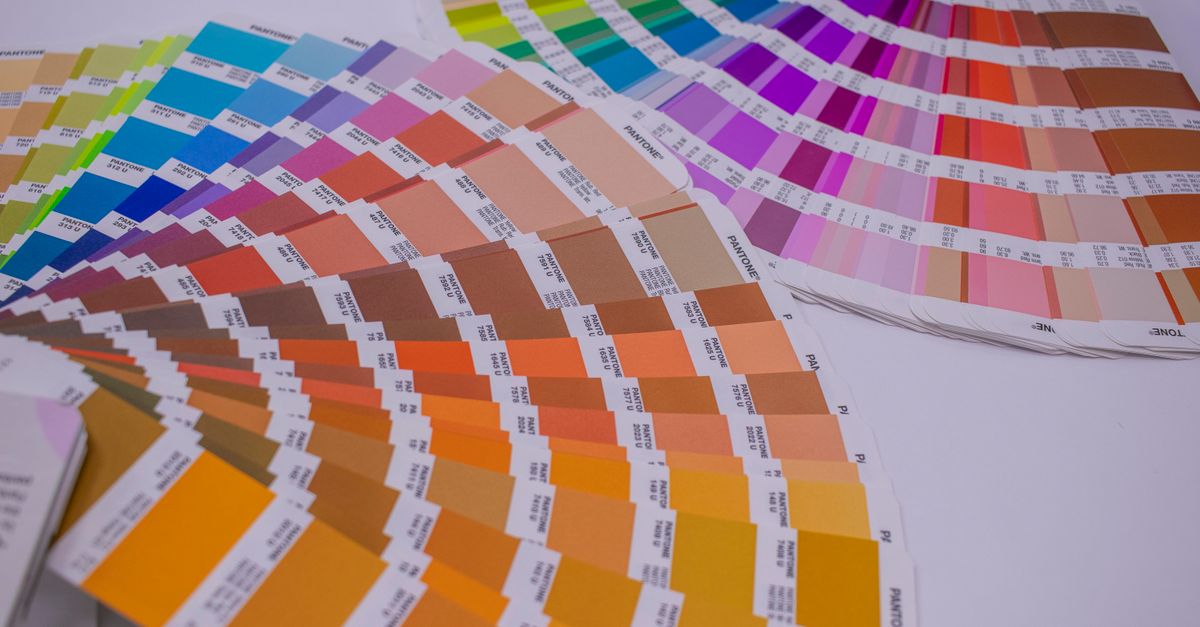
What a CMYK color chart example contains
A useful CMYK color chart example has four readable fields per row: a human-readable keyword, a screen-space numeric value, a rendered swatch, and the print equivalent that downstream software can consume. The chart provides the first three columns natively — keyword, lowercase #RRGGBB, decimal rgb(r, g, b), and a live swatch — and feeds the CMYK conversion in your next step. Because the dataset is locked at 148 rows, every example you cite from the chart corresponds to one verifiable identifier. The table is sorted in ASCII alphabetical order by keyword, so two designers reading the same example on different machines always see the same row at the same position.
The hex column is always six lowercase digits with no shorthand, no alpha channel, and no surrounding CSS declarations. The rgb column uses integer channel values from 0 to 255. When you copy a hex value and paste it into a CMYK converter, the converter reads those same six digits, so any visible mismatch between chart and print output is a conversion artefact, not a chart error. The chart does not store CMYK directly; it stores the precise starting value that every downstream tool can read without ambiguity.
Reading example rows from the chart
Below are five standardized named colors taken directly from the CSS Color 4 specification. Every value shown is the exact mapping the chart renders in its row; none of the numbers below are recomputed or approximated by hand.
| Keyword | HEX | RGB | Visual category |
|---|---|---|---|
| aliceblue | #f0f8ff | rgb(240, 248, 255) | Pale near-white blue |
| tomato | #ff6347 | rgb(255, 99, 71) | Saturated warm red-orange |
| mediumseagreen | #3cb371 | rgb(60, 179, 113) | Mid-tone green |
| rebeccapurple | #663399 | rgb(102, 51, 153) | Deep violet (added in CSS Color 4) |
| lightslategray | #778899 | rgb(119, 136, 153) | Cool neutral gray with blue cast |
Each row is one example you can copy and convert to CMYK independently. Designers often start a palette from a single keyword like rebeccapurple because it has no perceptual surprise — the spec value is the value every browser renders. When you build a CMYK color chart example around named colors, you inherit that stability: every collaborator reading the chart sees the same starting hex, so the print conversion step has only one variable (the conversion formula) instead of two. The chart's role in your workflow is to publish the exact starting value; the converter's role is to publish the exact percentages.
How to copy an exact HEX from the chart
The chart runs entirely in the browser, so copying an exact mapping takes only a few clicks. The workflow below is the same regardless of which row you need.
- Type part of a CSS color name, an exact #RRGGBB value, or a complete rgb(...) string in the filter at the top of the chart.
- Review the matching rows for the standardized keyword, rendered swatch, lowercase hex, and decimal RGB mapping.
- Click the hex value you want to copy; the chart requests a clipboard write and reports success only after the browser resolves that request.
- If clipboard permission is denied, select the visible hex text manually with your cursor and copy it the standard way.
- Clear the filter to restore all 148 opaque named colors in ASCII alphabetical order.
The filter accepts three input styles. A keyword search is case-insensitive and matches any name fragment, so typing "slate" surfaces darkslateblue, darkslategray, lightslategray, slateblue, slategray, and any other keyword that contains those letters. A search beginning with # uses exact hex matching against the six lowercase digits. A complete rgb(...) search also uses exact matching, which means a short numeric fragment cannot accidentally match an unrelated channel value. If nothing matches, the chart shows a no-match message rather than substituting a nearby color, so a wrong hex never silently rounds to a sibling row.
Why standardized aliases appear as separate rows
A CMYK color chart example drawn from named colors sometimes lists the same hex twice under different keywords. That is intentional: the CSS specification preserves historical aliases as separate valid identifiers. Aqua and cyan both map to #00ffff; fuchsia and magenta both map to #ff00ff. The chart keeps these as distinct rows because each spelling is a legal CSS keyword and may already exist in legacy stylesheets. Merging them would silently rewrite code that an older author chose on purpose, and the chart's job is to expose the spec, not to clean it up.
American and British gray spellings also coexist. Gray and grey both appear in the chart, as do lightslategray and lightslategrey. From a print perspective, the two spellings point to the same ink mix; from a stylesheet perspective, the two spellings are different tokens. The chart's job is to expose that distinction so a designer who reads "darkgrey" in a hand-off file knows exactly which hex to convert for CMYK output. Treat each spelling as a pointer to the same row, not as two independent colors.
From named colors to CMYK print values
The chart stores sRGB values directly; it does not store CMYK percentages. To turn a chart row into a CMYK color chart example, copy the hex, then run it through a conversion tool such as the RGB to CMYK page or its reverse, the CMYK to RGB page. The conversion formula is deterministic for any given hex, but the result depends on the color profile and the rendering intent, so two converters can disagree on the third decimal place. Treat the chart as the source of truth for the hex and the converter as the source of truth for the percentages.
The 148-row dataset also excludes two special keywords that often confuse newcomers. Transparent is not listed because it is an alpha-bearing keyword representing transparent black rather than an opaque named swatch. CurrentColor is not listed because its value depends on the computed color property of the element where it appears, so it has no fixed standalone hex mapping. Keeping these values outside the opaque table prevents a misleading numeric mapping in your CMYK color chart examples and keeps the row count stable at 148 across browsers and maintenance updates.
Limits of the named-color reference for print
Named colors are historical identifiers, not a perceptually even palette, scientific taxonomy, or accessibility rating. Some neighboring keywords look surprisingly similar on screen, and the lightness ordering does not always match what the names suggest. The chart is a stable reference, not a generator. For palette construction, use the Color Palette Generator; for gradients, use the Color Gradient Generator; for image sampling, use the Image Average Color Finder. Mixing the chart into those workflows turns it into a generator, which is exactly the role its locked 148-row dataset is built to resist.
For accessibility decisions, a color name alone is insufficient. Contrast depends on the foreground-background pair, the text size and weight, and the applicable guidance such as WCAG 2.2 AA or AAA. Move from the named-color chart to the Color Contrast Checker as soon as you have a candidate foreground and background pair. For measuring the perceptual gap between two print candidates, the Color Difference Calculator gives a CIEDE2000 value that is more reliable than eyeballing the chart. The chart answers "what is the exact hex for this keyword?"; the contrast and difference tools answer "is this pair usable?".
A few invariants keep the dataset trustworthy over time. The chart embeds 148 opaque CSS Color 4 keywords with exact sRGB mappings, preserves aliases as distinct valid identifiers, excludes transparent and currentColor from the opaque count, and validates row count, key uniqueness, format, and eight external mappings. External checks cover endpoints, aliases, mixed channels, rebeccapurple, and the first and last alphabetical entries — aliceblue and yellowgreen — so a missing row, a misspelled identifier, or a transposed channel surfaces during maintenance rather than during a print run. Because the chart runs entirely in the browser and does not send searches or copied values to a server, you can rely on it for offline work the same way you rely on it online.
External references confirm the underlying numbers: the W3C CSS Color 4 named colors specification publishes the canonical list, and the MDN named-color reference documents browser support. Any CMYK color chart example you assemble from this dataset is therefore anchored to a public standard, not a vendor's preference. When you copy a hex from the chart and convert it, you are simply chaining two deterministic lookups: chart row to hex, hex to CMYK percentage. The hex stage is spec-locked; the CMYK stage is profile-dependent — and knowing which stage owns which number is the entire reason the chart splits the workflow in two.
Related reading: CMYK to RGB for Beginners: A Plain-English Walkthrough.
Related reading: Color Palette Generator Examples: 6 Schemes From One Base.