To convert military time, use a 24-hour clock where hours run from 00:00 (midnight) to 23:59 (11:59 PM). Unlike the 12-hour AM/PM system, military time eliminates ambiguity by assigning a unique number to every hour of the day. For example, 3:00 PM in standard time becomes 15:00 in military time, and 12:00 AM becomes 00:00. This system is widely used in aviation, healthcare, the military, and global logistics to prevent scheduling errors. If you’ve ever struggled to read a flight itinerary, a hospital chart, or a shift schedule, you’ve likely encountered military time. Manually converting between the two systems can be tricky—especially for times after noon or midnight—because it requires remembering whether to add or subtract 12 hours and how to handle edge cases like 12:00 AM or 12:00 PM. That’s where a dedicated Military Time Converter comes in. It removes the guesswork and delivers instant, accurate results with just a few clicks.
Why Military Time Matters
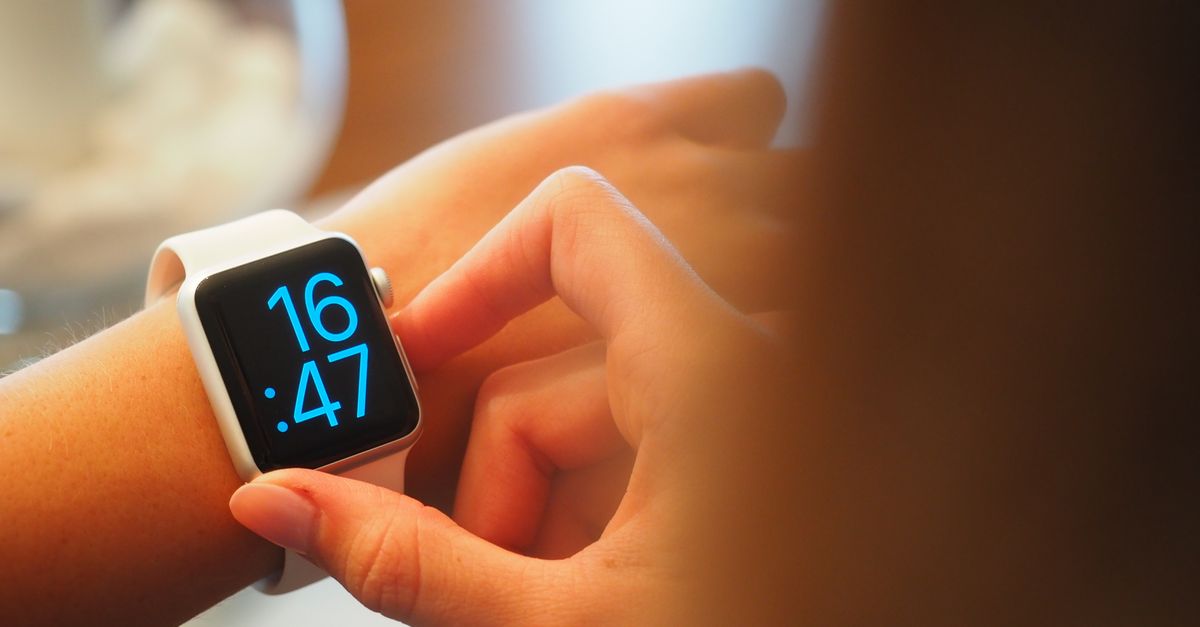
Military time isn’t just for soldiers. Hospitals use it to avoid medication errors, airlines rely on it for flight schedules, and emergency services coordinate responses with it. Even everyday apps like fitness trackers or smartwatches often display time in 24-hour format. The key advantage is clarity: 14:30 is unambiguously 2:30 PM, while 2:30 could be mistaken for 2:30 AM. This precision reduces mistakes in time-sensitive environments. For example, a nurse reading "15:00" knows it’s 3:00 PM, not 3:00 AM, which could mean the difference between giving a medication on time or 12 hours late. Similarly, a pilot logging "23:45" doesn’t have to wonder if it’s 11:45 PM or 11:45 AM. If you work in a field that uses military time—or just want to read a train schedule or a fitness app accurately—knowing how to convert it quickly is essential.
How to Convert Military Time Manually
If you prefer to convert military time without a tool, you can do it with simple arithmetic. Here’s how:
- For times from 00:00 to 11:59 (midnight to 11:59 AM), the conversion is straightforward: just drop the leading zero and add "AM." For example, 08:00 becomes 8:00 AM, and 00:00 becomes 12:00 AM.
- For times from 12:00 to 12:59 (noon to 12:59 PM), the time stays the same, but you replace "00" with "12" and add "PM." So, 12:00 remains 12:00 PM, and 12:45 becomes 12:45 PM.
- For times from 13:00 to 23:59 (1:00 PM to 11:59 PM), subtract 12 hours and add "PM." For example, 15:00 becomes 3:00 PM (15 - 12 = 3), and 23:30 becomes 11:30 PM (23 - 12 = 11).
To convert standard time to military time:
- For 12:00 AM to 12:59 AM, replace "12" with "00." For example, 12:15 AM becomes 00:15.
- For 1:00 AM to 11:59 AM, keep the hour as-is and add a leading zero if needed. For example, 9:30 AM becomes 09:30.
- For 12:00 PM to 11:59 PM, the hour stays the same (no change for noon). For example, 12:00 PM remains 12:00, and 7:45 PM becomes 19:45.
While these rules work, they can be error-prone—especially when dealing with times like 12:00 AM or 12:00 PM. A single mistake can lead to confusion, which is why many people prefer using a tool like the Military Time Converter for speed and accuracy.
Convert Military Time in Seconds with the Online Tool
The Military Time Converter is designed to make conversions effortless. Here’s how to use it:
- Choose a direction: Select whether you’re converting from 12-hour to 24-hour time or from 24-hour to 12-hour time.
- Enter the time: Type the hour, minute, and AM/PM (for 12-hour time) or the 24-hour time (e.g., 1800 for 6:00 PM).
- Read the result: The converted time appears instantly below, along with its spoken military form (e.g., "eighteen hundred hours" for 1800).
For example, if you enter "3:45 PM," the tool will show "15:45" and "fifteen forty-five hours." If you enter "09:30," it will show "9:30 AM." The tool handles all edge cases, including midnight (00:00 or 12:00 AM) and noon (12:00 or 12:00 PM), so you don’t have to remember the rules. It’s ideal for quick conversions during travel, work, or study.
Military Time vs. Standard Time: A Quick Comparison
The table below highlights the key differences between military time and standard time:
| Feature | Military Time (24-hour) | Standard Time (12-hour) |
|---|---|---|
| Format | 00:00 to 23:59 | 12:00 AM to 11:59 PM |
| Midnight | 00:00 | 12:00 AM |
| Noon | 12:00 | 12:00 PM |
| 3:00 PM | 15:00 | 3:00 PM |
| Spoken Form | "Zero nine hundred hours" (0900) | "Nine o'clock AM" |
| Common Uses | Aviation, healthcare, military, logistics | Everyday life, casual settings |
Military time eliminates the need for AM/PM designations, which reduces ambiguity. For example, "0900" is always 9:00 AM, while "9:00" could be 9:00 AM or 9:00 PM. This clarity is why industries that rely on precise scheduling prefer the 24-hour format.
When You Might Need to Convert Military Time
You don’t have to be in the military to encounter military time. Here are some common scenarios where you might need to convert it:
- Travel: Flight itineraries, train schedules, and international hotel bookings often use 24-hour time. For example, a flight listed as "14:30" departs at 2:30 PM.
- Healthcare: Hospital charts, medication schedules, and shift handovers use military time to avoid confusion. A nurse might see "08:00" on a chart and know it’s 8:00 AM.
- Work schedules: Many workplaces, especially in manufacturing or logistics, use 24-hour time for shift planning. A shift ending at "22:00" is 10:00 PM.
- Fitness apps: Some smartwatches and fitness trackers display time in 24-hour format. If your watch shows "16:45," it’s 4:45 PM.
- Programming: Developers often work with 24-hour time in databases or code. For example, converting a timestamp like "19:30" to standard time might be necessary for a user interface.
- Military or emergency services: If you’re coordinating with someone in these fields, you’ll need to understand military time to avoid miscommunication.
In all these cases, the Military Time Converter can save you time and prevent mistakes. Instead of pausing to calculate, you can get the answer instantly and move on with your task.
How to Convert Military Time in Excel
If you work with spreadsheets, you might need to convert military time in Excel. Here’s how to do it:
- Convert 24-hour time to 12-hour time:
- Enter the military time in a cell (e.g., "15:30" in cell A1).
- In another cell, use the formula:
=TEXT(A1, "hh:mm AM/PM"). - The result will show "03:30 PM."
- Convert 12-hour time to 24-hour time:
- Enter the standard time in a cell (e.g., "3:30 PM" in cell A1).
- In another cell, use the formula:
=TEXT(A1, "[hh]:mm"). - The result will show "15:30."
Excel’s TEXT function is powerful, but it requires precise formatting. If you’re not comfortable with formulas, the Military Time Converter is a faster and simpler alternative. It handles all conversions without any setup, so you can focus on your data instead of syntax.
Pitfalls to Watch For
Even with a tool, it’s helpful to know where mistakes often happen:
- Confusing midnight: 00:00 is 12:00 AM, not 12:00 PM. Similarly, 24:00 is not a valid military time—it’s always 00:00 for the next day.
- Forgetting leading zeros: Military time always uses two digits for hours (e.g., 09:00, not 9:00).
- Misplacing AM/PM: 12:00 PM is noon, not midnight. Adding or subtracting 12 hours incorrectly can lead to errors.
- Ignoring spoken forms: In military contexts, "1800" is spoken as "eighteen hundred hours," not "eighteen o’clock." The Military Time Converter includes this spoken form for clarity.
- Assuming all industries use military time: While it’s common in aviation and healthcare, many everyday settings still use 12-hour time. Always check the context.
Using a tool like the Military Time Converter helps avoid these mistakes by automating the process. It’s especially useful for times like 00:00 or 12:00, where manual conversions are most error-prone.
Military Time in Everyday Life
Even if you don’t work in a field that uses military time, it can still be useful in everyday situations. For example:
- Planning a trip: If you’re booking a flight or train ticket, knowing military time helps you read schedules accurately. A departure time of "17:45" is 5:45 PM, not 7:45 PM.
- Setting alarms: Some alarm clocks or smart home devices use 24-hour time. If your alarm is set to "06:30," it’s 6:30 AM.
- Cooking or baking: Some recipes, especially those from international sources, use military time. A recipe calling for "14:00" means 2:00 PM.
- Watching international events: Sports schedules, live streams, or broadcasts from other countries often use 24-hour time. Knowing how to convert it helps you tune in at the right time.
If you’re new to military time, it might feel unfamiliar at first. But with practice—and tools like the Military Time Converter—it becomes second nature. You might even find it more logical than the 12-hour system, especially for planning or scheduling.
How the Military Time Converter Fits Into Your Workflow
The Military Time Converter is designed to be fast, accurate, and easy to use. if you're a nurse checking a medication schedule, a traveler reading a flight itinerary, or a student learning about time systems, the tool simplifies the process. It’s also a great resource for developers who need to convert timestamps in code or for anyone who wants to avoid manual calculations. Since it works entirely in your browser, there’s no need to download an app or sign up for an account. Just open the tool, enter the time, and get the result instantly.
For more time-related calculations, you might also find the Time Zone Converter or the Date Difference Calculator helpful. These tools complement the Military Time Converter by addressing other common time-related tasks, like coordinating across time zones or counting days between dates.
More on this topic: How to Convert Degrees to Radians in Seconds – Free Online Tool.
Related reading: How to Change a Number to Base 10 in Seconds.