The triangle area equals one-half of the base multiplied by the perpendicular height, written as A = ½ × b × h, and when you multiply that area by the slab's thickness you get the concrete volume in cubic units. For any concrete quantity that comes from a triangular footprint — a triangular patio slab, a ramp foundation, a wedge-shaped footing, a triangular planter wall, or a tapered driveway apron — the chain of calculations starts here. Measure a base anywhere on the triangle, measure the perpendicular distance from that base line to the opposite vertex, plug both into A = ½ × b × h, and you have the area in square meters, square feet, square centimeters, square inches, or square millimeters. Once the area is locked in, multiplying by the slab thickness in the same linear unit system yields the volume of concrete required. The Triangle Area Calculator performs the ½ × b × h step in your browser, displays the numbers you typed substituted into the formula, and labels the squared unit so you can pipe the result into a concrete volume calculation without manual arithmetic.
OpenStax's Prealgebra 2e derives the same result by drawing a diagonal through a rectangle, as referenced in OpenStax Prealgebra 2e — Triangle Area. The diagonal splits the rectangle into two congruent triangles, so each triangle contains exactly half the rectangle's area. Wolfram MathWorld independently lists the equivalent base-altitude relationship. The Triangle Area Calculator follows that textbook derivation: it accepts one base and one perpendicular height, multiplies them, divides by two, and rounds only the displayed answer to twelve significant digits. Implementation takes place entirely in the browser, so no account is needed and nothing is uploaded.
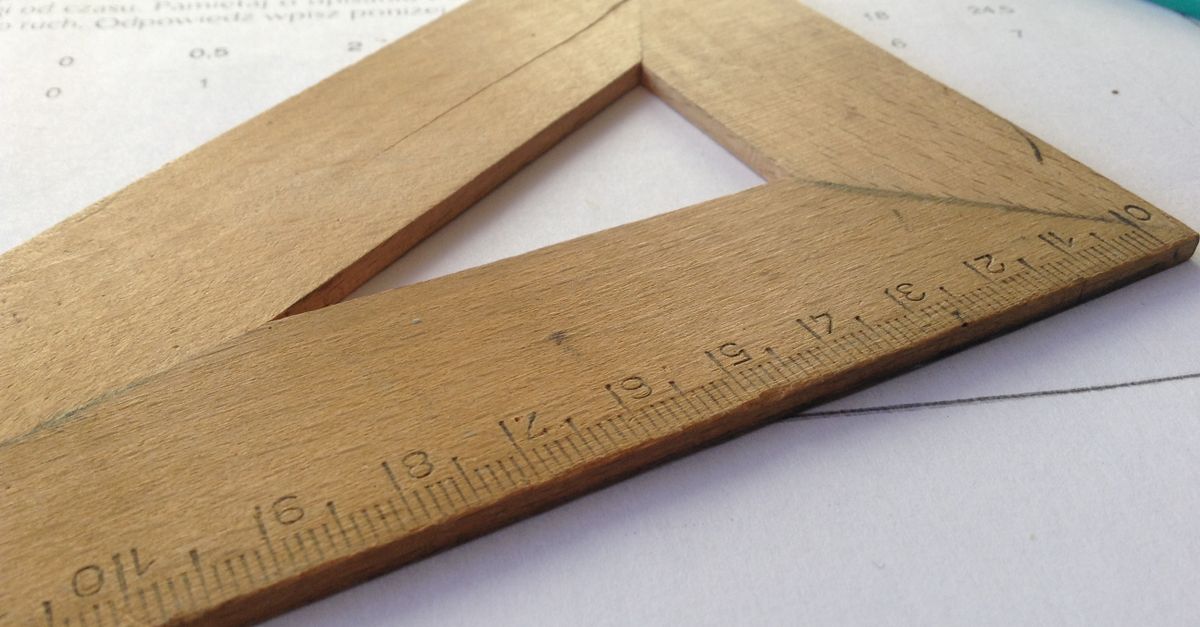
The Triangle Area Formula Behind Every Concrete Estimate
The formula A = ½ × b × h is short, but every variable carries weight. The letter b is the length of any one side you choose to call the base. The letter h is the perpendicular distance from the line containing that base to the opposite vertex. The factor ½ is not an approximation — it is exact for every planar triangle, including right, acute, obtuse, equilateral, isosceles, and scalene shapes, as long as the height is measured at 90 degrees to the chosen base.
Why exactly half? Picture a rectangle with the same base and the same height. The rectangle encloses b × h square units. A triangle with the same base and height occupies exactly half of that rectangle. Geometry textbooks prove this by reflecting the triangle across the base to form a parallelogram, then across the height to form the full rectangle. The triangle's area is therefore unconditionally b × h ÷ 2, regardless of which vertex or which side you designated as the base. For an equilateral triangle with side length s, the height is s√3/2, so substitution gives the special result A = √3s²/4. The Triangle Area Calculator does not infer that special-case height automatically; it asks for the actual perpendicular height so it can also handle non-equilateral shapes.
How to Calculate Triangle Area Step by Step
Follow the steps below to convert two measurements into a squared-unit result with the Triangle Area Calculator.
- Pick one side of the triangle and call it the base. Measure its length in a single unit such as meters, centimeters, millimeters, inches, or feet.
- Measure the perpendicular height from the line containing the base to the opposite vertex. Use a spirit level, plumb bob, or laser to confirm the meeting is at 90 degrees.
- Open the Triangle Area Calculator and enter the base length in the first field.
- Enter the perpendicular height in the second field and pick the same unit for shared length so both inputs use millimeters, centimeters, meters, inches, or feet.
- Select Calculate area. The result panel shows the substituted formula (½ × base × height written with your numbers), the squared-unit area, and a copy control.
- Copy the squared-unit result. If you need concrete volume, multiply the area by the slab thickness in the matching linear unit. The guide at How to Convert Area to Cubic Feet: Add Depth walks through that depth step in detail.
Triangle Area in Concrete Quantity Estimation
Concrete is ordered by volume, but volume starts with area. For a triangular slab, footing, or ramp, the workflow is always the same: compute the triangular footprint area first, then multiply by the cast thickness to get cubic meters, cubic yards, or cubic feet. The Triangle Area Calculator handles the area step; thickness is just a second multiplication you can do by hand or with a volume converter.
Worked example. A contractor is pouring a triangular concrete patio slab with a base of 6 meters and a perpendicular height of 4 meters. The slab will be 0.15 meters thick.
- Triangle area: A = ½ × 6 × 4 = 12 m².
- Concrete volume: 12 m² × 0.15 m = 1.8 m³.
- With a 10 percent waste allowance for spillage, uneven subgrade, and over-excavation: 1.8 m³ × 1.10 = 1.98 m³ of concrete to order.
The same algebra works in imperial units. A base of 20 feet and a perpendicular height of 13 feet gives A = 130 ft², then 130 × 0.5 ft = 65 ft³ of concrete before any waste allowance. Cubic feet converts to cubic yards by dividing by 27, which here is roughly 2.41 yd³. Real projects should always pad for seams, overlap, cutting loss, uneven boundaries, thickness variation, and measurement uncertainty; an idealized two-number estimate is a starting point, not a final order.
Choosing the Right Perpendicular Height
The single most common error in this calculation is feeding a slanted side into the height field. An isosceles triangle can have two long sloping edges, and a scalene triangle can have three of them, but none of those edges is automatically perpendicular to the base. A sloping edge is just a side length; the formula requires the shortest perpendicular distance from the base line to the opposite vertex.
| Triangle Type | Where the Perpendicular Height Falls | Behavior of A = ½bh |
|---|---|---|
| Acute | Inside the visible triangle, between the two base endpoints. | Standard application; both base and height sit inside the shape. |
| Right | On one of the two legs of the right angle; the height equals that leg. | Standard application; the triangle is exactly half of a rectangle. |
| Obtuse | Outside the visible triangle, on an extension of the base line. | Still applies; the altitude drops beyond one base endpoint. |
| Equilateral | From any vertex to the midpoint of the opposite side, length s√3/2. | Still applies; substitute h = s√3/2 to get the √3s²/4 formula. |
For an obtuse triangle, the perpendicular altitude may meet an extension of the base outside the visible triangle. The formula A = ½ × b × h still applies as long as the perpendicular distance is used. The calculator does not need to know which triangle type you have; it only needs the perpendicular height. As OpenStax notes, the triangle is always half of its enclosing rectangle, and the half is exact in every case.
Pitfalls in Triangle-Based Concrete Estimates
Four errors account for most of the wrong concrete orders on triangular slabs.
- Mixed units. A base of 11 centimeters and a height of 8 centimeters produces 44 square centimeters. If you enter a base in centimeters and a height in inches while selecting a single unit, the calculator has no way to reconcile the two. Convert one measurement first.
- Slanted sides treated as height. A sloping edge is often mistaken for height. Measure the perpendicular distance from the base line to the opposite vertex, not a side length.
- Ignoring thickness. The Triangle Area Calculator returns an area in squared units. Concrete is measured in cubic units. Multiply by the slab thickness to convert.
- Zero or negative inputs. A zero base or zero height describes a degenerate shape with no enclosed triangular area. The calculator rejects those values rather than presenting them as a valid triangle.
Real projects also require padding for seams, overlap, cutting loss, uneven boundaries, thickness variation, and measurement uncertainty. For surveying, structural design, or regulated work, rely on verified measurements and the applicable professional method rather than an idealized two-number estimate.
What the Triangle Area Calculator Returns
The output panel is deliberately transparent. It shows the squared unit (mm², cm², m², in², or ft²), the exact numbers substituted into ½ × b × h, and a copy control so the answer can be pasted straight into a concrete take-off sheet. The implementation multiplies your entered base by your entered height, divides by two, and rounds only the displayed answer to twelve significant digits. Intermediate values are kept at full precision, so a base of 3,141.59265 mm and a height of 1.6180339887 mm produces the same area as those same numbers rounded to a few decimals.
Inputs are validated as finite positive numbers no larger than 1×10¹⁵⁰. Scientific notation may be accepted by the browser input, and the formatter uses readable ordinary or exponential notation according to the resulting magnitude. The calculation happens in the browser and does not require an account. For concrete quantity work, the squared-unit result is the only piece you need to carry forward: multiply by the slab thickness to get cubic volume, add a waste allowance, and convert to the unit your supplier uses. The Triangle Area Calculator removes the arithmetic error in the first step so the rest of the take-off can be done with confidence.
Related reading: Calculate Circle Area in AutoCAD Using a Free Online Tool.