Treadmill pace is calculated by dividing the workout’s elapsed time by the distance covered, then expressing the result in minutes and seconds per kilometer or per mile.
A treadmill provides the two figures needed for this calculation: distance and time. Enter them in the Pace Calculator to see pace in both common units, speed in mph and km/h, and estimated finish times for standard race distances.
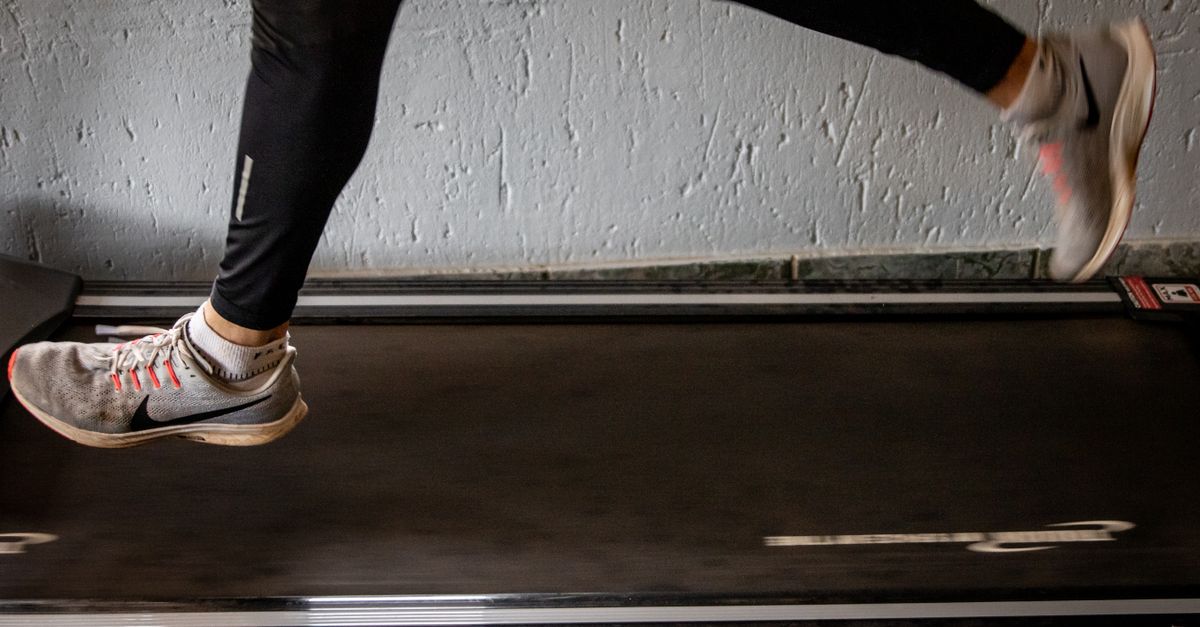
Read treadmill pace as time per distance
Pace measures how long it takes to cover one unit of distance. It is the inverse of speed: speed tells you how far you travel in an hour, while pace tells you how long each kilometer or mile takes. That means a lower pace number represents faster running, while a higher speed number also represents faster running.
Choose the unit that matches the distance shown by the treadmill. If it displays kilometers, use min/km; if it displays miles, use min/mile. Keeping the units consistent prevents a distance from being interpreted on the wrong scale.
| Measure | What it represents | Common notation |
|---|---|---|
| Pace | Time required to cover one distance unit | min/km or min/mile |
| Speed | Distance covered during one hour | km/h or mph |
| Elapsed time | Length of the treadmill workout | Hours, minutes, and seconds |
| Distance | Total distance completed on the treadmill | Kilometers or miles |
Calculate treadmill pace from the console
First decide whether your goal is to include planned pauses in the workout time. Use total elapsed time for an overall workout average, or use moving time when you want to exclude walk breaks. The calculator accepts one finish time, so you must make that choice before entering the value.
- Read the treadmill’s final elapsed time. Use the hours, minutes, and seconds shown at the end of the session. If the workout included deliberate pauses that you do not want in the average, use the moving time instead.
- Read the distance and confirm its unit. Note whether the console reports kilometers or miles. If distance is missing but speed and elapsed time are available, use the conversion method in the next section.
- Open the calculator and select the matching unit. Choose kilometers or miles before entering the workout distance.
- Enter the distance and finish time. Type the distance in the selected unit, then enter the finish time as hours, minutes, and seconds.
- Read the results below the inputs. The pace appears in both min/km and min/mile, alongside speed in km/h and mph. There is no button to press because the results update as you type.
- Perform a quick consistency check. Multiply the average pace by the total distance, converting pace to total seconds first. The result should match the workout time you entered.
The calculation happens locally in your browser, and nothing is uploaded. This makes the tool suitable for a quick post-workout check while keeping the entered distance and time on your device.
One 10 km treadmill calculation
Suppose a treadmill session covers 10 kilometers and finishes in 50 minutes. First convert the time to total seconds: 50 × 60 = 3,000 seconds. Next divide by the distance: 3,000 ÷ 10 = 300 seconds per kilometer. Convert 300 seconds back into minutes and seconds to get a pace of 5:00 min/km.
This is the average pace across the entire session. It does not show how fast you were running during individual kilometers, so a workout with big changes in speed can have the same average pace as a steadier session. The calculator also returns the equivalent min/mile pace, speed, and race estimates from the same distance and finish time.
Handle a treadmill that shows speed instead of distance
If you know the treadmill speed and elapsed time, derive the distance before opening the calculator. For speed in km/h, multiply the speed by the elapsed hours to obtain kilometers. For speed in mph, multiply the speed by elapsed hours to obtain miles. The same formulas can be written as speed × (minutes ÷ 60).
| Treadmill information | Best workflow | Data entered in the calculator |
|---|---|---|
| Distance and elapsed time | Enter both readings directly | Distance and finish time |
| Speed and elapsed time | Derive distance from speed first | Derived distance and finish time |
| Changing speed or interval session | Use the total distance displayed by the console | Total distance and total time |
| Goal race distance and target time | Enter both as the workout values | Goal distance and goal time |
You can also convert a speed directly to pace with the formulas 60 ÷ mph = min/mile and 60 ÷ km/h = min/km. These formulas are accurate only when the speed represents the period being measured. A current belt-speed display is not automatically your average workout speed; it can be used for the whole workout only when you stayed at that setting. For intervals, use the console’s total distance and elapsed time instead of treating one current speed as the session average.
Choose kilometers or miles without mixing scales
The calculator removes the need to convert between pace units by displaying min/km and min/mile together. The exact distance relationship is one mile = 1.609344 kilometers. To convert min/km to min/mile manually, convert the pace to total seconds, multiply by 1.609344, and then convert the result back into minutes and seconds.
Runners in the United States and United Kingdom often use min/mile, while runners in most other countries use min/km. When entering a treadmill workout, select the unit shown by the console rather than converting the distance first. If you want a goal pace, enter the race distance in its usual unit and the target finish time; the tool returns both pace formats.
Check the pace, speed, and race estimates
After you enter a valid distance and time, the results provide average pace in min/km and min/mile, average speed in km/h and mph, and predicted finish times for a 5K, 10K, half marathon, and marathon. These outputs all come from the same workout values, so they are connected rather than separate calculations.
The race predictions assume you maintain the entered pace for the entire predicted distance. That makes them a useful comparison for shorter races, but the estimates tend to be optimistic for the half marathon and especially the marathon because fatigue commonly causes runners to slow later in the race. Treat the predictions as same-effort comparisons rather than guaranteed outcomes.
The calculator works from the distance and time you provide. It does not adjust the result for treadmill incline, changing belt speed, outdoor conditions, or fatigue. For a workout with substantial pace changes, use the average result as a summary and consult the treadmill’s split data when available.
Use the pace to plan treadmill training
To find the pace required for a goal finish time, enter the race distance and target time, then read the pace from the results. To convert an existing pace to the other unit, enter one kilometer or one mile as the distance and enter the existing pace as the time.
The speed output can also help you set the treadmill. Use the km/h result for a console operating in metric units or the mph result for an imperial display, provided the selected treadmill speed matches the target. When your console accepts only fixed speed increments, the final pace will reflect the setting you can actually select.
For interval work, multiply your target pace by each split distance to estimate the time for that segment. For example, a pace multiplied by five gives the expected time for a five-unit split after converting the pace to total seconds. This lets you compare planned splits with the treadmill’s recorded times without converting every segment by hand.
Pace is also useful when comparing easy runs, tempo efforts, intervals, and long runs with their intended target bands. A race prediction gives a same-effort benchmark, while the actual treadmill pace helps show whether you held the planned effort. Recheck after each session because fitness, fatigue, pacing, and workout conditions can change over time.