To convert seconds to HH:MM:SS format, divide the total by 3,600 to get hours, divide the remainder by 60 to get minutes, and keep what is left as the seconds field. The result is the SI definition of an elapsed duration written in two-digit hour, minute, and second columns — but with one important difference from a clock: hours are allowed to grow past 23 so a multi-day interval keeps every complete hour it contains. For example, 98,765 seconds becomes 27:26:05, not 03:26:05. The conversion is purely arithmetic and involves no time zone, calendar date, or daylight-saving offset, because it describes how many SI seconds have elapsed rather than a wall-clock time of day. Every whole second within the input range is preserved exactly by integer division, so the output string is deterministic and can be inverted without loss. This format is the most common way humans read raw machine durations such as video runtimes, server logs, exercise timers, and media file lengths, and it makes a long count of seconds scannable at a glance.
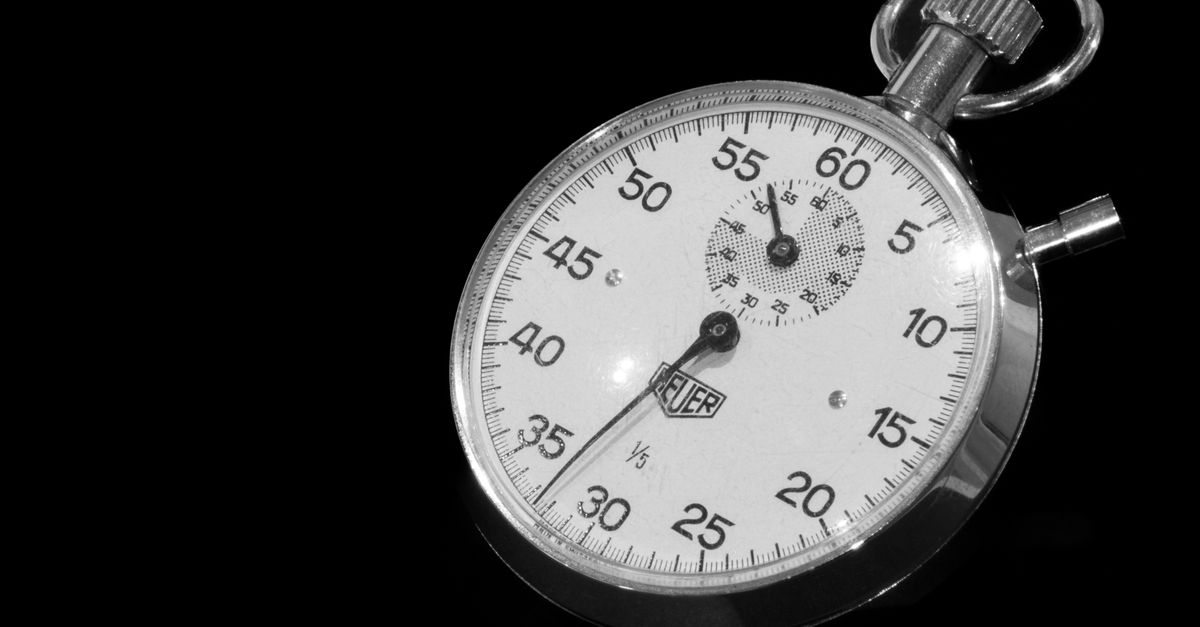
What HH:MM:SS Actually Represents
HH:MM:SS is shorthand for "hours, minutes, seconds," usually rendered with two digits per field and a colon between each pair — for instance 02:17:54. The BIPM SI Brochure defines one minute as exactly 60 seconds and one hour as exactly 3,600 seconds, so the format is just a way of writing a count of elapsed SI seconds in those three nested units. In this guide HMS means the same thing: hours, minutes, seconds. A value like 01:00:00 is read as "one hour, zero minutes, zero seconds," and not as 1:00 AM on a clock.
The key thing about an elapsed duration is that it does not wrap. A wall-clock time resets at 24 hours every day, so 25:00:00 is not a valid clock reading. An elapsed duration, by contrast, is just a total count of hours that can keep growing, which is why the converter formats 27 hours of elapsed time as 27:26:05 instead of discarding the first day.
The Math Behind Splitting Seconds
The conversion is three integer operations in a fixed order. First, total hours are obtained by floor(total seconds ÷ 3,600). Second, the remaining seconds after removing those whole hours are floor-divided by 60 to give minutes. Third, whatever is left is the seconds field. Because each step uses the integer remainder of the previous step, the values always fit inside their conventional ranges: minutes and seconds run from 00 to 59, while hours run from 0 upward with no upper cap.
In practice this means 7,500 seconds decomposes as 7,500 ÷ 3,600 = 2 hours with 300 seconds left over, then 300 ÷ 60 = 5 minutes, leaving 0 seconds — so the format is 02:05:00. The formula is straightforward enough to do by hand for small inputs, but it is easy to slip on the boundary cases (just under 3,600 seconds, exactly 60 seconds, exactly an hour) and on multi-day totals, which is where a dedicated page earns its keep.
How to Convert Seconds to HH:MM:SS Format
The fastest way to produce a clean, copy-ready HH:MM:SS string from a raw count of seconds is to use the Seconds to HMS Converter:
- Enter a nonnegative whole number of elapsed seconds in the input field.
- Select Convert to HH:MM:SS and review the total-hour, minute, and second fields on the result card.
- Copy the formatted value with the copy button, remembering that the hours column stays above 23 for any multi-day duration.
The same arithmetic is built into spreadsheets (INT and MOD in Excel, FLOOR and MOD in Google Sheets, the // and % operators in Python and JavaScript), but the converter saves you from re-deriving the floor-division pattern each time and from accidentally rounding with floating-point division, which can drift by one second on large totals.
Worked Example: 98,765 Seconds Step by Step
A single end-to-end walkthrough makes the formula concrete. Take 98,765 seconds, which is just over 27 hours and is the example the converter's design is anchored to.
Hours: floor(98,765 ÷ 3,600) = floor(27.4347…) = 27. Remainder after hours: 98,765 − (27 × 3,600) = 98,765 − 97,200 = 1,565 seconds. Minutes: floor(1,565 ÷ 60) = floor(26.0833…) = 26. Remainder after minutes: 1,565 − (26 × 60) = 1,565 − 1,560 = 5 seconds. Seconds: 5.
So 98,765 seconds formats as 27:26:05. To reverse it: 27 × 3,600 + 26 × 60 + 5 = 97,200 + 1,560 + 5 = 98,765. The output is fully reversible, which is exactly why the converter preserves the full hour count rather than wrapping it.
Boundary Inputs the Converter Tests
The page is verified against a small set of inputs that each exercise a different rollover, and these are the thresholds worth knowing:
| Input (seconds) | What it tests |
|---|---|
| 0 | Zero baseline — formats as 00:00:00. |
| 59 | Last second before a minute rolls over. |
| 60 | Exact one-minute boundary. |
| 3,599 | Last second before an hour rolls over. |
| 3,600 | Exact one-hour boundary. |
| 98,765 | Mixed fields with the hour column past 23. |
These cases are useful as mental checks: if your hand calculation disagrees with the converter on one of these inputs, the bug is almost always a missing MOD step or a rounding mistake from using regular division instead of integer division.
Inputs the Converter Will Reject
The page only accepts whole, nonnegative integers. Three input shapes are explicitly blocked.
Decimal seconds like 1.5 are rejected because representing fractional seconds requires an additional precision and separator convention (milliseconds, microseconds, or a fixed-decimal sub-second column), which is outside the page's scope. If you need milliseconds, use a time-unit converter that handles them.
Negative values are also rejected. A signed offset like −3,600 does not describe an elapsed duration; it describes a position relative to a reference point, which is a different concept. Stick to nonnegative counts.
Very large numbers above JavaScript's largest safe integer, 9,007,199,254,740,991, are also refused. Above that limit, adjacent integers can collapse to the same floating-point value, which would silently corrupt the seconds field. The explicit cap favors an auditable error over a plausible but wrong timestamp.
Why Hours Run Past 23 in a Duration
A time-of-day clock wraps at 24 because it represents a position on a 24-hour day. An elapsed duration is just a count of completed hours, and wrapping at 24 would discard information — namely every full day beyond the first. That discarded day is why many spreadsheet tricks that mask a duration with a time format produce a wrong-looking result: 98,765 seconds printed through a 24-hour time mask comes out as 03:26:05, which silently drops an entire day.
The Seconds to HMS Converter is built for the elapsed case, so the hour field is intentionally unbounded. Padding ordinary hour values to two digits (01, 02, …, 09) keeps scanning easy and matches the visual rhythm of conventional HH:MM:SS notation, but the column itself can grow to three, four, or more digits without truncation. A 125-hour runtime shows as 125:00:00, not as 05:00:00.
Common Uses for an Elapsed HH:MM:SS String
HH:MM:SS is the default human-readable format for raw machine durations in many places. The table below summarizes where it shows up:
| Context | Why HH:MM:SS helps |
|---|---|
| Video and audio runtimes | Players report total seconds, but humans read duration in HH:MM:SS. |
| Exercise and stopwatch logs | Lap splits and total times are easier to scan in two-digit fields. |
| Server logs and job runtimes | Background jobs often finish after midnight, so the hour column routinely exceeds 23. |
| Test output and benchmarks | Reports list elapsed wall-clock seconds; HH:MM:SS makes them readable at a glance. |
| Timesheet entry | Payroll tools often accept HH:MM:SS totals, and a timesheet calculator that adds a week of clock-ins and clock-outs can match the same format. |
If a destination needs a days component plus a 00–23 clock field (for example "1 day, 03:26:05"), divide the total hours by 24 separately or use a duration formatter with a days field. If a destination expects ISO 8601 duration syntax such as PT27H26M5S, do not relabel the colon string — emit the format that system requires.
Going Beyond This Tool
Two related tools cover the cases this converter deliberately does not. For decimal seconds, milliseconds, or microseconds, use a broader time-unit converter that handles the smaller precision tiers and the separator convention that goes with them. For durations placed on a civil timeline — say, the gap between two wall-clock timestamps — a dedicated duration calculator that knows about dates, time zones, and daylight saving time is the right tool, because an elapsed count of SI seconds is not the same concept as the wall-clock interval between two named moments.
For everything else — a clean integer count of seconds that needs to be readable as hours, minutes, and seconds with hours allowed to grow past 23 — the Seconds to HMS Converter is the most direct path from a raw integer to a copy-ready HH:MM:SS string.
For a deeper look, see 24 Game Solver Cool Math Games: Find Every Answer.
For a deeper look, see Convert Seconds to HH:MM:SS Formula: Variables and Limits.