To convert temperature to Celsius, subtract 32 and multiply by 5/9 for Fahrenheit, subtract 273.15 from Kelvin, or use (°R ÷ 1.8) − 273.15 for Rankine. If the source reading is already in Celsius, its Celsius value stays the same. The essential first step is to identify the source scale and distinguish an absolute reading from a temperature change.
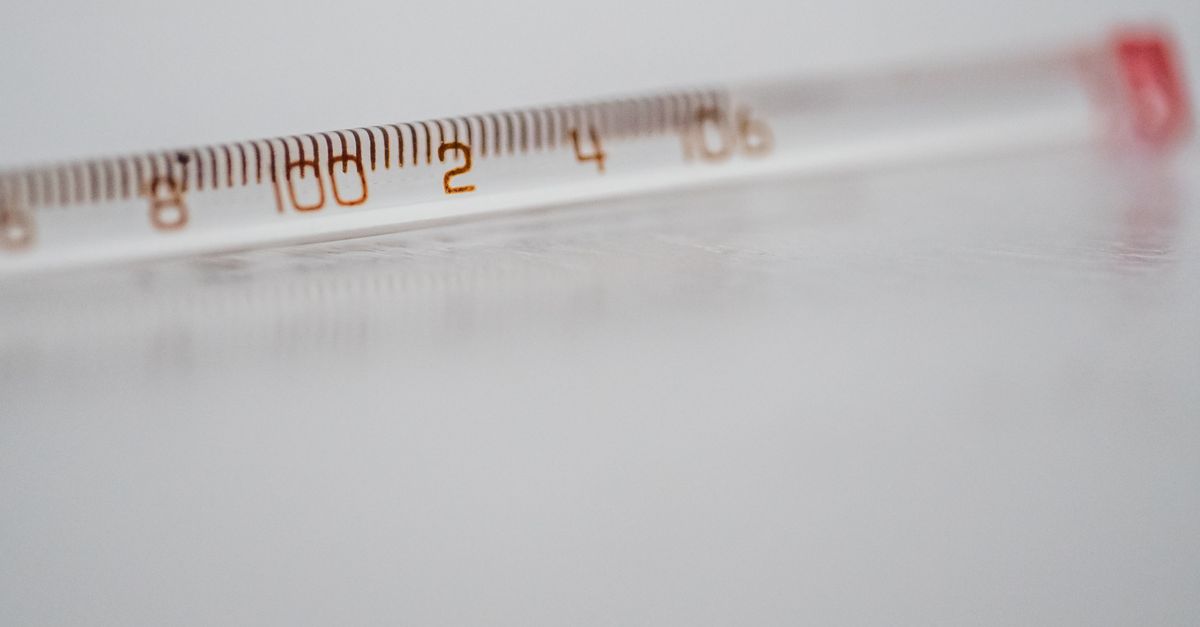
Identify the source scale before calculating
A temperature number is incomplete until its scale is known. For example, the same numeral can represent different absolute temperatures on the Celsius, Fahrenheit, Kelvin, or Rankine scales. Decide which scale your thermometer or instrument uses, then set Celsius as the destination. If the reading is already in Celsius, no numerical adjustment is required.
The direct relationships for converting an absolute reading to Celsius are:
| Source scale | Symbol | Direct Celsius equation | Scale type |
|---|---|---|---|
| Celsius | °C | No numerical change | Offset scale |
| Fahrenheit | °F | (°F − 32) × 5/9 | Offset scale |
| Kelvin | K | K − 273.15 | Absolute scale |
| Rankine | °R | (°R ÷ 1.8) − 273.15 | Absolute scale |
Celsius and Fahrenheit use different zero points, so their conversions require an offset. Kelvin and Rankine begin at absolute zero, but their interval sizes differ from one another. A Celsius interval has the same magnitude as a kelvin interval, while a Fahrenheit interval has the same magnitude as a Rankine interval. These distinctions explain why an absolute reading and a temperature change cannot be converted with the same arithmetic.
Absolute zero corresponds to 0 K, 0 °R, −273.15 °C, and −459.67 °F. Negative Celsius and Fahrenheit readings are therefore not automatically invalid. They remain valid as long as the corresponding absolute temperature does not fall below 0 K.
Convert a reading to Celsius step by step
Use the following workflow to select the correct equation and verify the result without leaving a stale value on screen.
- Confirm the measurement type. Decide whether the number is an absolute temperature reading, such as the current temperature of an object or environment, or a temperature difference. The workflow and equations in this section apply to absolute readings.
- Set the source and destination scales. Open the Temperature Converter, choose the scale in which the number was measured, and select Celsius as the destination. Use Celsius for both selections when checking a reading that is already Celsius.
- Enter the temperature. Type a finite value using ordinary decimal notation or scientific notation. The value must be no greater than 1e100 in magnitude. Empty text, non-decimal text, Infinity, and non-finite scientific notation produce explicit error messages rather than a result.
- Read and copy the labeled equation. The result updates immediately and the equation preserves the original entered value while formatting both sides consistently. Use the copy action if the equation is needed in notes, worksheets, technical documentation, or calculations. The swap control reverses the selected source and destination scales.
- Check validation and copy status. If the converted value would fall below absolute zero, the converter displays a specific absolute-zero error and does not retain the previous result. Editing the input or changing scales also clears an earlier copy confirmation, so the interface never implies that an outdated equation remains on the clipboard.
The calculation takes place in the browser with no upload, account, server calculation, or hidden rounding workflow. This makes the converter suitable for quick reference calculations while leaving the scale equation visible for checking.
See why kelvin is the common reference
The converter routes every valid absolute reading through kelvin. Celsius becomes kelvin by adding 273.15, Fahrenheit becomes kelvin by adding 459.67 and dividing by 1.8, and Rankine becomes kelvin by dividing by 1.8. Once the common kelvin value is known, the inverse equation produces the selected output. For a Celsius destination, the final step is subtracting 273.15 from kelvin. This one-path method applies the numerical-value relationships published in NIST Special Publication 811.
Absolute readings and temperature intervals require different treatment. Absolute conversions depend on the scale pair. Celsius or kelvin to Fahrenheit uses both an offset and the interval factor. Celsius to Rankine uses +273.15 followed by ÷1.8, while kelvin to Rankine uses only ÷1.8. In reverse, Fahrenheit to Celsius or kelvin uses an offset and factor, Rankine to Celsius uses ÷1.8 followed by −273.15, and Rankine to kelvin uses only ÷1.8. For a temperature difference alone, however, do not apply the zero-point offsets. Multiply Celsius or kelvin intervals by 1.8 to obtain Fahrenheit or Rankine intervals, and divide Fahrenheit or Rankine intervals by 1.8 to obtain Celsius or kelvin intervals.
Pay attention to the symbols as well. Celsius, Fahrenheit, and Rankine use the degree sign: °C, °F, and °R. Kelvin is written as K without a degree sign because K is the SI unit symbol rather than a degree-based unit. The converter spells out each scale in its selectors to reduce this source of confusion.
Work through one Fahrenheit-to-Celsius conversion
Consider an absolute reading of 68°F. The required calculation is:
- Subtract the Fahrenheit offset: 68 − 32 = 36.
- Apply the Celsius-to-Fahrenheit interval factor in reverse: 36 × 5/9 = 20.
- Label the result: 68°F = 20°C.
The result is an absolute reading of 20°C. It should not be described as a 20-degree temperature increase, because the original value was a reading rather than a measured change.
Check the answer without overstating accuracy
Familiar Celsius water reference points can provide a rough sanity check under ordinary conditions. Actual freezing and boiling behavior can vary with pressure, composition, purity, and measurement convention, so a converter should not be treated as a phase-change or environmental prediction tool.
The displayed result uses up to twelve significant digits, removes unnecessary trailing zeros, and normalizes negative zero to a plain 0. Very large or very small nonzero results use scientific notation so long runs of zeros do not obscure useful digits. These are formatting choices rather than a guarantee of measurement accuracy. The calculator uses IEEE 754 double-precision numbers, so inputs with many significant digits may be rounded at roughly fifteen to sixteen decimal digits even though the defining offsets and ratios are applied directly.
Carry the uncertainty and significant figures of the original measurement alongside the converted value. Changing scales cannot make a thermometer more accurate or remove calibration uncertainty. For calibrated laboratory work, regulatory reporting, or safety-critical engineering, retain the instrument calibration, reference conditions, and required precision. For formal metrology wording, consult the BIPM SI Brochure and NIST SI Units: Temperature.
Understand the validation and numeric guard
The converter accepts ordinary decimal and scientific-notation strings only when they represent a finite number with a magnitude of at most 1e100. The 1e100 boundary is a software guard against meaningless floating-point extremes; it is not presented as the highest temperature permitted by physics. Inputs above that limit, empty fields, invalid text, Infinity, and non-finite scientific notation are rejected explicitly.
The absolute-zero check is separate from the numeric-size guard. A syntactically valid number can still be physically outside the accepted temperature range, so any input that would convert to less than 0 K produces an absolute-zero error. This prevents a value below the scale’s valid starting point from appearing as a legitimate result.
Keep the conversion within its intended scope
The tool converts absolute temperature values among Celsius, Fahrenheit, Kelvin, and Rankine. It does not convert temperature intervals, predict phase changes, account for measurement uncertainty, or perform arbitrary-precision decimal arithmetic. Those distinctions matter when the converted number will be used in a calculation: an absolute reading and a temperature change may share the same unit but require different formulas.
For a straightforward Celsius conversion, select the correct source scale, enter the measured value, and read the labeled result. For a formal record, copy the complete equation, preserve the measurement’s original precision, and document any relevant calibration or reference conditions.
If you're weighing options, Formula to Calculate Timesheet in Excel: A Reusable Guide covers this in detail.
If you're weighing options, How to Find Trapezium Area: Formula and Steps covers this in detail.