An audio equalizer shapes the tonal balance of a sound by boosting or cutting energy around specific frequency bands, and a beginner should know three things before touching any control: the three fixed centers the tool targets, the dB range of each slider, and the rule against stacking multiple large boosts. The Audio Equalizer on Lizely applies three peaking filters centered at 100 Hz (Bass), 1,000 Hz (Mid), and 10,000 Hz (Treble), each with a fixed Q value of 1 and integer gains from -12 to +12 dB. Because each band affects a broad region around its center rather than a single frequency, beginners should treat the controls as tone shapers rather than surgical scalpel-like adjusters. Before processing, the file is decoded entirely in the browser tab; nothing is uploaded, the output is always a new uncompressed PCM16 WAV, and a uniform safety scale prevents PCM clipping whenever combined boosts push the output peak above 0.99. Knowing those rules lets a beginner avoid distortion, runaway loudness, and the most common EQ mistake of stacking boosts on every band and wondering why the result sounds harsh.
The three centers were chosen because they map onto familiar listening terms. Bass sits in the low-frequency region where kick drums, bass guitars, and rumble usually live. Mid sits in the lower-middle range where vocals, snare, and many instruments carry their fundamental energy. Treble sits in the upper region where cymbals, sibilance, "air," and high-frequency noise usually live. A peaking filter is the right tool when you want to nudge a region rather than sharply filter above or below it, which matches how most listening adjustments feel in practice.
| Control | Center frequency | Q value | Gain range |
|---|---|---|---|
| Bass | 100 Hz | 1 | -12 to +12 dB, integer steps |
| Mid | 1,000 Hz | 1 | -12 to +12 dB, integer steps |
| Treble | 10,000 Hz (or 45% of decoded rate at low rates) | 1 | -12 to +12 dB, integer steps |
One nuance beginners often miss: at very low decoded sample rates the Treble center shifts down to 45 percent of that sample rate. That safeguard exists so a digital filter is never asked to operate above the Nyquist limit, the highest frequency a sampled signal can represent. As a beginner you usually do not need to think about this; you only need to know that the reported Treble center can fall well below 10,000 Hz on a narrow, low-rate file, since at the minimum 8,000 Hz decoded rate it drops to about 3,600 Hz.
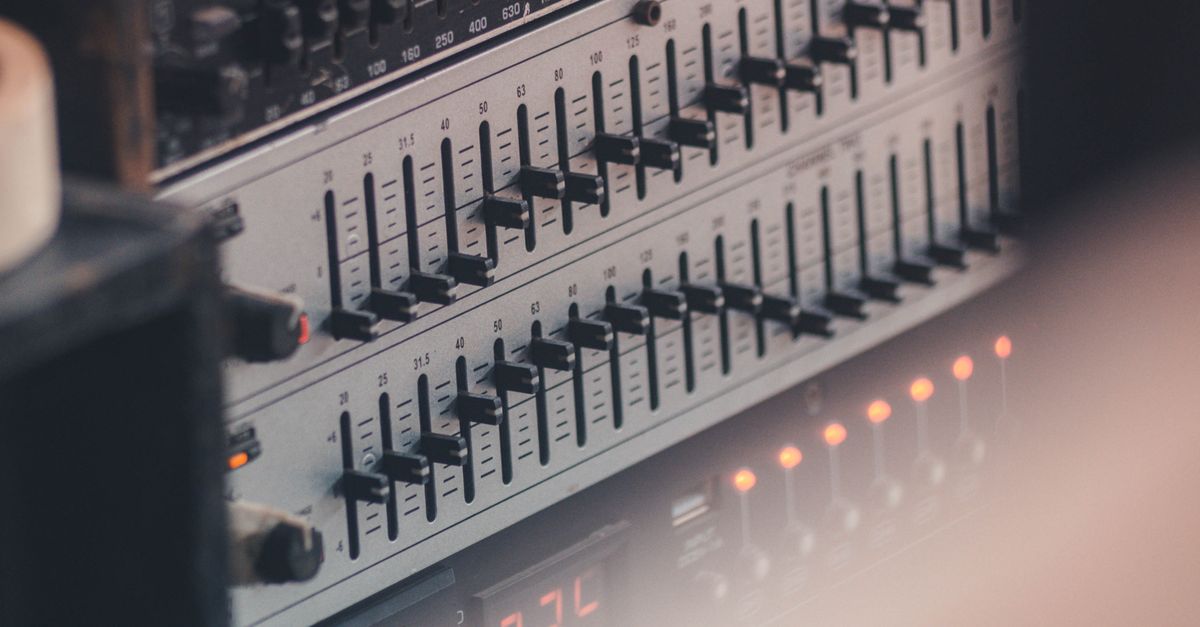
Gain Range, Q Value, and What Flat Really Means
Each slider accepts whole decibels from -12 dB to +12 dB. A positive value boosts energy around the center; a negative value cuts it. Q is the width of the curve, and a Q of 1 is a disclosed broad adjustment: the effect spreads to neighboring frequencies rather than locking onto a single tone. The Q value is fixed at 1 for every band and cannot be changed on this tool, which is by design for a compact three-band equalizer rather than a missing control.
A single worked number helps make the dB scale less abstract. The amplitude factor for a decibel setting follows amplitude = 10^(dB/20). For +6 dB the calculation is 10^(6/20) = 10^0.3, which equals roughly 1.9953, or about 2.0x in plain terms. For -6 dB the calculation is 10^(-6/20) = 10^(-0.3), which equals approximately 0.5012, or about half the amplitude. If three +6 dB boosts happened at the same frequency their amplitudes would multiply roughly as 2.0 x 2.0 x 2.0 = 8.0x, but the three filter centers sit far apart, so the gains only overlap partly and the actual combined effect depends on the source material. Stacked large boosts can still drive the output past full scale and trigger the safeguard.
Flat really matters here too. Setting Bass, Mid, and Treble all to 0 dB is a genuine flat path: the tool copies the decoded channel samples without running a nonzero filter section. If you only want to verify what the tool does, comparing a flat run against the decoded source is the cleanest test; the decoded channel samples pass through unchanged, though the new PCM16 re-encode and any decoder resampling still apply, so the original source file may differ from the downloaded WAV in codec, sample rate, and bit depth.
Why Cascaded Boosts Trigger a Safety Scale
Three peaking filters in series can push samples above digital full scale even when the input did not clip. Before writing the WAV, the tool measures the absolute peak across every processed sample in every channel. If that raw peak exceeds 0.99, one uniform scale factor is applied to the entire processed result so the largest magnitude becomes exactly 0.99. The interface reports the raw peak, the output peak after scaling, and the exact scale factor used. This prevents the PCM encoder from independently chopping individual peaks, but it can reduce the overall level.
It is important not to confuse the safety scale with loudness normalization. It is not LUFS targeting, it is not RMS matching, it is not replay gain, and it does not aim at any streaming-platform specification. The safeguard exists purely to keep the resulting PCM16 WAV from clipping. If you compare two files and notice a quieter output, the safety scale is likely the reason; the EQ settings themselves did not change.
File Limits, Decoded Formats, and Local Processing
The boundary rules are part of what beginners should know, because failing to respect them is one of the most common sources of confusion. Input is capped at 50 MiB. Decoded audio must be five minutes or shorter, contain one through eight channels, use a sample rate from 8,000 through 192,000 Hz, and stay at or under 30 million channel samples. The tool rejects over-limit files before any filtering happens and never silently truncates the end.
The accepted containers are whatever the current browser and operating system can decode through Web Audio, typically MP3, WAV, M4A, AAC, Ogg, WebM, and FLAC. A familiar extension is not a guarantee; containers can hold codecs a particular browser cannot read, and a decode failure produces an error rather than a stale download. Processing remains in the current tab; Lizely does not receive the audio bytes, decoded samples, EQ settings, filename, or the result.
The download is a new uncompressed PCM16 WAV. Float samples are converted to signed 16-bit little-endian PCM and interleaved by frame. The WAV header records the actual channel count, sample rate, byte rate, block alignment, bit depth, and complete data length. The original compression mode, bitrate, artwork, tags, chapters, loop markers, and other container-specific metadata are not preserved. Web Audio may resample during decode, so the output sample rate is whatever the decoder produced rather than whatever the source container claimed.
Pre-Apply Checklist for First-Time Users
Listening habits shape whether an EQ change actually helps. A beginner checklist before clicking apply looks like this:
- Listen to the original at a comfortable level first, then match that perceived level when auditioning the processed result. Louder almost always sounds "better" in the moment, which masks problems.
- Start with cuts before boosts. Cutting a problematic region is usually safer than stacking three boosts and discovering the result is harsh.
- Change one band at a time so the cause and effect stay obvious. A/B each band against the unprocessed file at matched loudness.
- Watch for emphasized noise, sibilance, rumble, or pre-existing distortion. Strong boosts bring unwanted material up with the wanted material.
- Treat the preview and the reported peak numbers as a sanity check, not as proof of a desirable mix. Verify on the speakers or headphones that matter to you.
Three-band EQ is a compact tone shaper, not a mastering processor, not a linear-phase tool, not an automatic room correction system, and not a guarantee that one setting improves every recording. When you eventually need precise center frequencies, adjustable Q, spectrum analysis, automation, loudness metering, dithering controls, codec selection, or metadata preservation, a full audio editor is the right next step.
How to Apply the Equalizer Step by Step
- Choose one browser-decodable audio file within the 50 MiB and five-minute decoded limits.
- Set Bass, Mid, and Treble to whole values from -12 through +12 dB, then apply the equalizer locally. The three peaking filters cascade in Bass, then Mid, then Treble order, and a zero on all three is a flat pass-through.
- Check the raw peak, output peak, safety scale, sample rate, and frame count that the tool reports. Preview the result, and if the safety scale dropped noticeably below 1.0, consider smaller boosts or a cut on another band before downloading.
- Download the new PCM16 WAV. The header reflects the actual decoded channel count, sample rate, byte rate, block alignment, bit depth, and complete data length; original codec, bitrate, tags, artwork, chapters, and loop markers are not preserved.
A useful companion read is the practical three-band walkthrough in the Bass, Mid, Treble explainer, which goes deeper on what each control usually affects in common source material. As a beginner, treat that explainer as a sounding board rather than a prescription, since every recording has its own balance and a fixed "always boost the highs" rule rarely survives contact with real audio.