An online metronome with subdivisions plays a primary beat and the smaller note values that fit inside it — at 120 BPM each beat lasts 60 ÷ 120 = 0.5 seconds, so an eighth note click would fall 0.25 seconds after the downbeat. The math behind a subdivided click is the same as a plain click: one beat lasts 60 ÷ BPM seconds, then any subdivision divides that beat further — by 2 for eighth notes, by 3 for triplets, and by 4 for sixteenth notes. A subdivided click track is the standard way most players lock in even eighths, triplets, or sixteenths without losing the downbeat, and the underlying formula is exactly the one the browser uses to schedule its own audible pulse. The Online Metronome tool in this article is a browser click track that runs from 30 to 240 BPM, supports one through twelve beats per measure, and uses a higher 1320 Hz pitch on beat one against 880 Hz on the remaining beats so the measure boundary is audible. It does not synthesize separate eighth, triplet, or sixteenth clicks between beats; it is a single repeating accented pulse produced with the Web Audio API. This guide explains the math of subdivisions, what the browser click does and does not deliver, and how to use the built-in accent to support rhythm work that involves subdivisions.
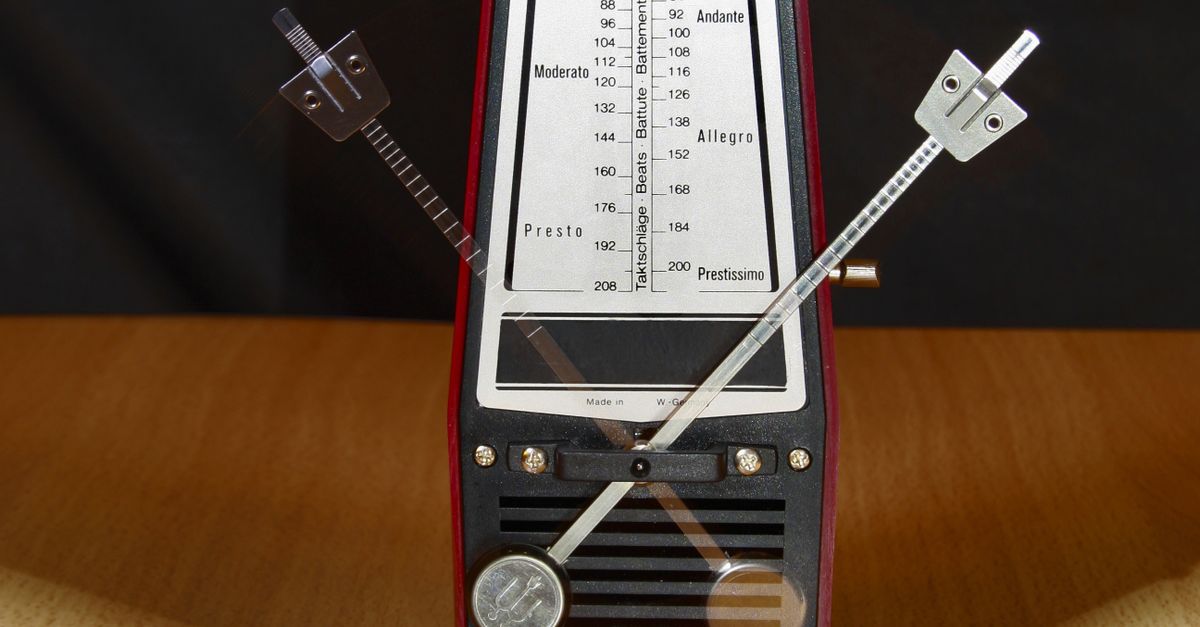
The Math Behind a Subdivided Beat
The beat interval in any beat-based metronome is set by one simple formula:
beat length = 60 ÷ BPM seconds
This formula comes from the definition of beats per minute as the number of beats in 60 seconds, so the inverse gives the seconds per beat. At 60 BPM the interval is exactly 1 second, at 120 BPM it is 0.5 seconds, and at 240 BPM it is 0.25 seconds. Subdivisions layer on top of that base beat:
- Eighth notes: half of one beat, so the eighth-note interval is 60 ÷ BPM ÷ 2.
- Triplet eighths: a third of one beat, so 60 ÷ BPM ÷ 3.
- Sixteenth notes: a quarter of one beat, so 60 ÷ BPM ÷ 4.
- Quintuplet or sextuplet subdivisions: one fifth or one sixth of one beat, so 60 ÷ BPM ÷ 5 or 60 ÷ BPM ÷ 6.
Working one example through end to end, at 120 BPM a single beat is 60 ÷ 120 = 0.5 seconds. An eighth note subdivision within that beat is 0.5 ÷ 2 = 0.25 seconds. A triplet subdivision is 0.5 ÷ 3 ≈ 0.1667 seconds, and a sixteenth note subdivision is 0.5 ÷ 4 = 0.125 seconds. The same calculation at 90 BPM gives a beat of 60 ÷ 90 ≈ 0.6667 seconds, an eighth of about 0.3333 seconds, and a sixteenth of about 0.1667 seconds. Once a player can hear and count the base beat, the same math places every subdivision directly between beats. The Online Metronome plays only the base beat, so understanding the math is what lets a player place the smaller note values mentally between the audible clicks.
What the Browser Metronome Actually Plays
The Online Metronome generates a single repeating click locally in the browser tab. It uses the Web Audio API standard, which means every click is a short oscillator tone created on demand and played through your device's audio output. There is no microphone access, no audio upload, no account, and no server audio stream involved; nothing about your practice session leaves the tab.
The two inputs the tool accepts are:
- Tempo: a whole number from 30 through 240 beats per minute.
- Beats per measure: a whole number from 1 through 12.
Both values are validated as untrimmed whole decimal numbers. Signs, spaces, decimals, exponent notation, units, blank values, tempos below 30 or above 240, and measure lengths outside 1 through 12 fail rather than being rounded or capped, which keeps what you see on screen equal to what is actually playing. Editing either value stops playback before the new value can take effect, so the displayed tempo and the active timer cannot drift apart.
The audible result is a simple repeating click with one extra cue: beat one uses a 1320 Hz tone while every later beat in the measure uses an 880 Hz tone. The two pitches contrast sharply enough that the downbeat and every measure boundary are easy to follow by ear. Gain starts at a conservative 0.2 and decays exponentially to 0.001 over 50 milliseconds, and the oscillator stops after 60 milliseconds, so old audio nodes do not accumulate in memory even during long practice sessions. Device volume, speakers, headphones, browser gain, and the listening environment determine the actual loudness you hear, so begin with the device volume low.
Run the Click Track in Three Steps
- Enter a whole-number tempo in the BPM field using any integer from 30 through 240 — for example, 120 for one beat every 0.5 seconds, 60 for one beat per second, or 240 for one beat every 0.25 seconds.
- Choose a whole-number beats-per-measure value between 1 and 12 that matches the time signature you are practicing — 4 for common time, 3 for a waltz feel, 6 for compound duple — then select Start.
- Listen for the higher pitch on beat one, keep your part aligned to that accent, and select Stop before closing or navigating away from the page so the audio context is closed cleanly.
Editing either the tempo or the beats-per-measure value while the click is running automatically stops playback before applying the new value. Start closes any older audio context before creating a new one, and a synchronous playing guard prevents duplicate starts, so two presses of Start in quick succession will not stack a second audio context. Stop clears the pending timeout, closes the audio context, resets the visual beat counter, and returns the tool to a stopped state, and the same cleanup runs when the component leaves the page.
How the Accent Helps Subdivision Work
Even without synthesized subdivision clicks between beats, the higher first-beat tone does meaningful work for anyone practicing subdivisions. The 1320 Hz tone on beat one sits a perfect fifth above the 880 Hz tone used on every later beat, so the ear locks onto the measure boundary quickly. Once the downbeat is anchored, the player can place any subdivision between the audible clicks using the math described above: count "1-e-and-a, 2-e-and-a" for sixteenth notes, "1-trip-let, 2-trip-let" for triplets, or "1-and-a, 2-and-a" for eighth-note triplets.
This is the same trick many traditional teachers use with a plain mechanical metronome. The downbeat gives the ear a fixed reference point, and the player is expected to subdivide internally rather than rely on extra clicks. The Online Metronome's two-pitch design supports that habit, and the visible beat counter on screen walks through the chosen measure with a wrap-safe integer counter, so you always know whether the next audible click will be the accented downbeat or a regular off-beat.
Players who work mostly in common time will benefit from practicing over a 4-beat measure, then placing their subdivisions between those four clicks. For compound meters like 6/8, the Online Metronome 6/8 guide shows how a six-beat setting behaves — the accented beat one and the contrast at click four give you the two big pulses of 6/8 with the triplet groupings implied between them. For a straight 4/4 feel, the Online Metronome 4/4 guide walks through how the same 4-beat setting anchors common time work and where each subdivision falls between the audible clicks.
Verified BPM to Click Interval
The table below lists the click interval for tempos that the Online Metronome accepts, computed directly from the 60 ÷ BPM formula. Each value is the single calculation the metronome performs, not a derived total, and is the exact interval between consecutive audible clicks at that tempo.
| Tempo (BPM) | Click interval | What it sounds like |
|---|---|---|
| 30 | 2.000 s | Very slow, useful for slow ballad work |
| 40 | 1.500 s | Slow, good for new phrases |
| 60 | 1.000 s | One click per second, easy to count aloud |
| 80 | 0.750 s | Moderately slow |
| 90 | 0.6667 s | Standard moderate tempo |
| 100 | 0.600 s | Moderate |
| 120 | 0.500 s | Two clicks per second, common practice tempo |
| 140 | 0.4286 s | Brisk |
| 160 | 0.375 s | Fast |
| 180 | 0.3333 s | Very fast |
| 200 | 0.300 s | Aggressive |
| 240 | 0.250 s | Upper limit, four clicks per second |
Each row above is a direct application of 60 ÷ BPM. Eighth-note subdivisions in the same tempo range would arrive at half the listed interval, triplets at one third, and sixteenths at one quarter, so a 120 BPM eighth lands at 0.25 s, a triplet at roughly 0.1667 s, and a sixteenth at 0.125 s.
What This Metronome Does Not Include
Honesty about limits matters as much as the list of features. The Online Metronome does not synthesize separate subdivision clicks, so a player will not hear eighths, triplets, or sixteenths between beats. There is also no swing, no polyrhythm, no tap-tempo input, no sample-accurate scheduling, no DAW synchronization, no MIDI clock, no latency calibration, and no recording alignment. None of those capabilities are claimed, and the tool's product contract explicitly excludes subdivision patterns from its scope.
Timing is not sample accurate either. The browser schedules the next JavaScript callback from the calculated interval, which is suitable for ordinary practice and tempo reference but is not the same precision a studio clock delivers. Background tabs, power-saving modes, busy main threads, Bluetooth latency, browser policies, and operating-system scheduling can all delay audible clicks. If a player needs sample-accurate subdivision playback, a DAW, hardware metronome, or specialized practice app will serve them better than this browser click.
The tool is also not a hearing protection device, a calibrated sound-pressure source, or a medical device. Begin with device volume low, especially with headphones, and adjust until the click is comfortable but not loud. If Web Audio is unavailable or startup is rejected, an error is shown and no stale playing state remains, so the tool does not silently leave a running timer behind.
Using a Plain Click for Subdivision Practice
The simplest way to get subdivision practice out of a single-pitch accented click is to count the missing subdivisions aloud while the metronome marks the beats. Set the tool to 60 BPM so the interval is exactly 1 second, choose 4 beats per measure for common time, then count "1-e-and-a, 2-e-and-a, 3-e-and-a, 4-e-and-a" so each sixteenth note lands on a fixed fraction of a second. Move up to 90 BPM and continue counting; the math stays the same because the formula 60 ÷ BPM is recomputed only when the input changes.
For triplets, stay at 4 beats per measure and count "1-trip-let, 2-trip-let, 3-trip-let, 4-trip-let" inside every beat. The accented 1320 Hz tone gives the downbeat every measure, so it is easy to keep your place when the count drifts. If a passage falls apart, stop the click, return to 60 BPM, and slow the exercise down until every subdivision lands where it should, then rebuild tempo in small steps.
The click is a reference pulse, not a tempo guarantee. Use it for scales, sight reading, rhythm exercises, or rough tempo checks, and treat any displayed BPM as a target the browser is trying to meet rather than a sample-accurate lock. For work that depends on locked subdivisions — DAW sessions, video sync, or practice with backing tracks — pair this metronome with a more precise timing source.