A 4/4 online metronome is a browser-based click track that plays four evenly spaced beats per measure at a whole-number tempo you choose between 30 and 240 BPM. Each bar of common time begins with a higher-pitched click so you can hear where beat one lands, then three lower clicks follow at the same steady interval. The click itself is built inside your browser tab from short oscillator nodes created through the Web Audio API, which means no audio is uploaded, no account is required, and no microphone permission is requested. The whole experience runs in the current page: you enter a tempo, pick four beats per measure, and select Start to start a steady pulse for scales, rhythm exercises, sight reading, or any rehearsal where common time matters. Because every click is generated on demand rather than played from a recorded file, the timing of each click stays under your browser's control rather than a remote server's.
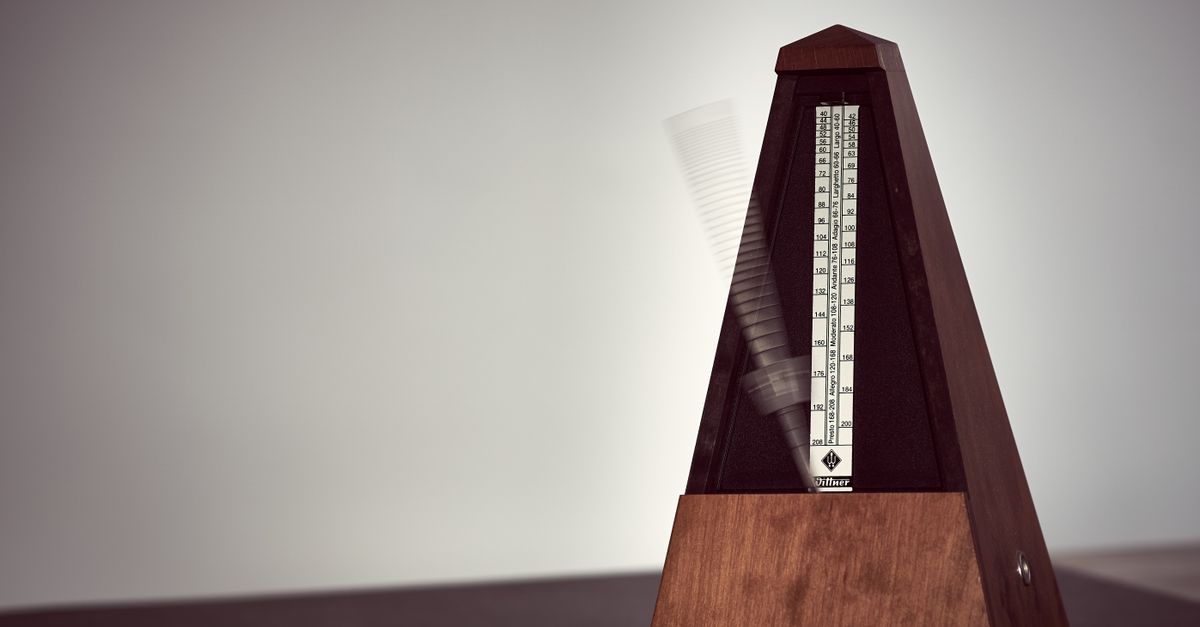
How a 4/4 Online Metronome Works
Common time, written as 4/4, means four beats per measure and a quarter note gets one beat. A 4/4 online metronome does not need to "know" the time signature in any symbolic sense. It simply counts clicks in groups of four and makes the first click in each group higher so the downbeat is unmistakable. Inside the browser tab, every click is generated on the fly by an oscillator node tied to a short gain envelope, which is why playback stays local and no audio file is ever streamed or uploaded.
Two numbers drive everything. The tempo you enter in beats per minute sets the spacing between clicks using the standard formula interval = 60 divided by BPM seconds. The beats-per-measure value tells the visual counter how many clicks belong to one bar before wrapping back to beat one. Set both numbers, click Start, and the metronome schedules the first click immediately and each subsequent click from the computed interval. Editing either number after Start has been pressed automatically stops playback before the new value takes effect, which prevents the visible counter and the audible timer from drifting apart.
Start a 4/4 Click Track in Your Browser
- Open the Online Metronome in any current desktop or mobile browser that supports Web Audio.
- Enter a whole number tempo between 30 and 240 BPM in the tempo field. Whole numbers are required, so 90 works but 90.5 does not.
- Choose 4 as the beats-per-measure value so each measure contains four clicks with the downbeat accented.
- Select Start. The browser creates a fresh audio context if one does not already exist and plays the first click immediately.
- Listen for the higher first beat, then continue counting or playing as the lower beats land on beats two, three, and four.
- Raise device volume gradually until the click sits clearly above your instrument or backing track without clipping.
- Select Stop when you finish so the audio context closes cleanly and no stray click is scheduled into the next page.
If you want to keep the tool on a single screen for longer practice blocks, pin the browser tab so it is not lost behind other windows. The metronome keeps running until you press Stop or close the page; switching to another tab does not stop playback, although background tabs can delay audible clicks. The same cleanup that runs on Stop also runs when the page unmounts.
Why the First Beat Plays Higher
In 4/4, beat one is the downbeat and is musically the most important position in the bar. A click track that treats all four beats identically makes it hard to feel where one measure ends and the next begins, especially when the click is mixed underneath a real instrument. The Online Metronome solves this by using two different frequencies. Beat one plays at 1320 Hz while beats two, three, and four play at 880 Hz.
Those two numbers are product cues rather than a claim about a standardized concert pitch, a specific note name, or a tuning system. They are simply picked so the difference between the downbeat and the remaining beats is unambiguous in laptop speakers, practice amps, and in-ear headphones alike. Each click is also shaped with a short gain envelope that decays exponentially from 0.2 down to 0.001 over 50 milliseconds, which keeps the click percussive and short rather than buzzy.
Common 4/4 Tempos and Their Intervals
Most practice and rehearsal work in 4/4 falls inside a handful of well-known tempo ranges. The table below lists a few landmarks you can dial in straight away. Intervals come from the same formula the metronome uses in your browser, 60 divided by BPM seconds.
| BPM | Interval between clicks | Typical feel |
|---|---|---|
| 60 | 1.000 s | Largo, very slow studies and breathing exercises |
| 80 | 0.750 s | Adagio, slow ballads and rubato pieces |
| 100 | 0.600 s | Andante, walking pace and warmups |
| 120 | 0.500 s | Moderato, default pop and rock tempo |
| 140 | 0.429 s | Allegro, driving rock and most dance music |
| 180 | 0.333 s | Presto, fast runs and tempo drills |
For a quick worked example, take 120 BPM: the formula gives interval = 60 / 120 = 0.5 seconds, which is exactly two clicks every second. Doubling the tempo halves the interval, so 240 BPM yields a click every 0.25 seconds. Halving the tempo doubles the interval, so 60 BPM yields one click every second. The relationship between BPM and interval is the only piece of arithmetic the tool performs.
Practical Uses for a 4/4 Click
Four clicks per measure is the default for pop, rock, hip hop, funk, country, gospel, most jazz standards, and the bulk of contemporary repertoire. A 4/4 click is therefore the right starting point for almost any rhythm exercise built around eighth notes or sixteenth notes, because the math lines up cleanly across the bar.
- Scales and arpeggios. One note per click builds evenness; two notes per click builds subdividing accuracy.
- Riff and chord progression practice. Land chord changes on beats one and three to feel strong-weak contrast.
- Time-stretching a tricky passage. Drop the BPM until the passage is comfortable, then nudge it up five BPM at a time.
- Drum pad and hand-clap routines. Use the downbeat to anchor kick or low tom patterns and beats two and four for snare or clap.
- Sight reading and rhythm dictation. Tap the rhythm on beats one and three while you read, then add the offbeats as the passage gets easier.
For longer practice blocks, pair the metronome with a short written plan so you are not just listening to clicks. A simple plan is two minutes per tempo, four tempos per exercise, rotating scales, repertoire, and rhythm drills. If you want a template you can keep alongside the tool, the walkthrough at how to use a metronome online for practice covers building one without losing the steady pulse.
Honest Limits of a Browser Metronome
The Online Metronome is built for ordinary practice and tempo reference, not for studio clock synchronization. The next click is scheduled from a JavaScript timer, so background tabs, power-saving modes, a busy main thread, Bluetooth latency, browser policies, and operating-system scheduling can each delay audible clicks by a few milliseconds. On a normal foreground tab with headphones or speakers, the timing feels steady enough to lock onto, but it is not sample accurate and should not be treated as a digital audio workstation replacement.
Other limits are deliberate. The tool accepts only whole-number BPM in the 30 to 240 range and only whole beats-per-measure from 1 to 12. Fractional tempos, sign-prefixed values, decimals, exponent notation, units, blank fields, and out-of-range values are rejected rather than rounded. There is no tap-tempo analysis, no swing or polyrhythm, no subdivision pattern, and no MIDI clock output. The click is a short oscillator blip, not a sampled drum sound, and loudness is governed by your device volume, speakers, headphones, and listening environment rather than by any internal calibration. Use it as a lightweight pulse, not as hearing protection or a medical timing device.
To get the cleanest 4/4 click, keep the tab in the foreground, close other heavy tabs, and start at a low device volume, especially with headphones. The downbeat is marked by the pitch difference between the first beat and the rest of the bar.
If you're weighing options, Online Metronome 6/8: Practice Compound Meter covers this in detail.