An online drum machine comparison comes down to four practical questions: where the sounds come from, what tempo and grid rules apply, which controls actually shape the beat, and whether files leave your device. Each question maps to a real decision a drummer, producer, or hobbyist has to make before clicking the first cell on a step grid. Most browser-based drum tools fall into one of three buckets — sample-pack players that fetch pre-recorded WAV or MP3 files, DAW-style sequencers that emulate a full production environment, and lightweight synthesized sequencers that build every hit from scratch with Web Audio. A fourth category, AI-assisted generators, has appeared in recent years and adds another axis to the comparison. Knowing which bucket a tool sits in tells you almost everything you need about its workflow, its licensing footprint, its offline behavior, and its limits. The rest of this article walks through the comparisons side by side, then shows exactly how to use the Online Drum Machine to build, loop, and tweak a 16-step beat in your browser without uploading anything, installing software, or creating an account.
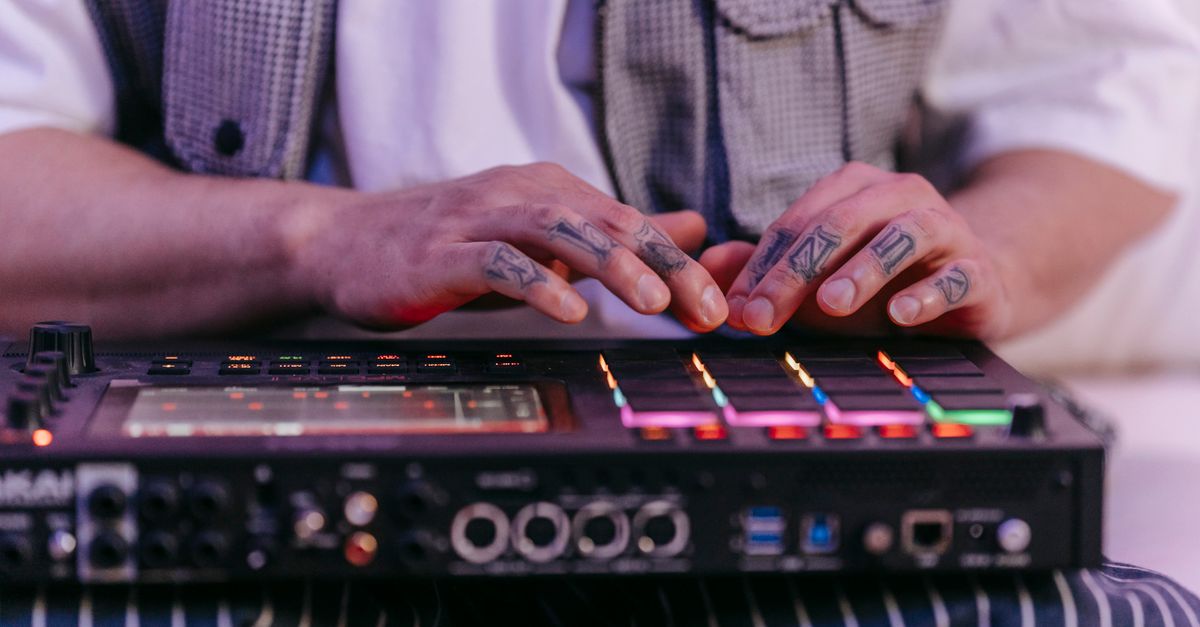
Approaches to Using an Online Drum Machine
Online drum machines have converged on a shared idea — a step grid you click to compose rhythms — but they differ sharply on how the sound is produced, what tempo range is supported, and which controls are exposed. Comparing these approaches before you start saves you from discovering a limitation halfway through a pattern. The four common approaches each carry a different set of trade-offs.
- Sample-pack players load pre-recorded kick, snare, and cymbal files from a host server. They sound realistic but require network access, depend on third-party licenses, and cannot run offline.
- DAW-style web sequencers mimic a full digital audio workstation with multi-track routing, effects, and pattern chaining. They are powerful but heavy, often require sign-ups, and are overkill for sketching a single bar.
- Pure synthesized sequencers build each hit from oscillator and noise nodes inside the browser. They start instantly, run entirely offline, and never contact a sample host, which sidesteps licensing concerns entirely.
- AI-assisted generators prompt a model with a genre or mood and receive a generated pattern. They speed up ideation but offer little transparency about how the timing was derived or whether the loop is deterministic.
The right choice depends on whether you care most about realistic drum tone, transparent timing math, or quick ideation. A practical workflow often moves between two or three of these buckets — one for sketching, one for polishing, one for performing.
How a Browser Sequencer Differs From DAWs and Sample Players
A full DAW plugin usually offers velocity layers, swing, triplets, per-track volume, MIDI sync, and audio routing. Online equivalents inherit many of those features but with a heavier page footprint. A sample-pack drum machine focuses on realism by playing back recorded hits — every snare has the same room mic character, every kick carries the same low-end shape. The trade-off is that you cannot modify the timbre at runtime; you can only choose which sample plays.
A pure synthesized sequencer takes the opposite route. Each hit is constructed the moment it needs to play. The Online Drum Machine is built this way: the kick is a short sine oscillator whose frequency drops while its gain decays, the snare is a freshly generated noise buffer shaped through a high-pass filter and envelope, and the hi-hat uses a shorter, quieter noise burst with a higher cutoff. Because no file is downloaded, starting the tool never contacts a sample host and you cannot inherit a third-party sample license.
Practical consequences follow from those design choices. The tool needs no account, no upload, no network step, and no sample library. It runs the moment the page loads. Its tone varies slightly with browser audio implementation, output hardware, sample rate, and the random noise generated for each hit, but the timing math is fully shared between pattern construction and playback, so the rhythm you see is the rhythm you hear.
BPM, Grid, and the Math Behind the Pattern
Tempo handling is where many browser drum tools quietly disagree. Some treat BPM as an abstract slider that loosely maps to playback speed. Others treat it as a precise value with a defined unit. In the Online Drum Machine, BPM is treated as quarter notes per minute, matching the tempo meaning documented by the MusicXML sound element. The grid divides each quarter note into four sixteenth-note steps, so one step lasts 60 divided by BPM divided by 4 seconds.
Worked example at the default tempo: with BPM set to 120, the formula gives 60 / 120 / 4 = 0.125 seconds per step, and the full 16-step bar lasts 16 × 0.125 = 2 seconds. At the lower 40 BPM boundary, each step lasts 60 / 40 / 4 = 0.375 seconds and the bar lasts 6 seconds. At the upper 240 BPM boundary, each step lasts 60 / 240 / 4 = 0.0625 seconds and the bar lasts 1 second. The 40 to 240 BPM range is a usability and scheduling guard, not a claim about musical extremes; you cannot enter decimal fractions, exponent notation, or unit text, and values outside the range show a recoverable error.
Under the hood, the scheduler checks every 25 milliseconds and places the next batch of events up to 100 milliseconds ahead on the AudioContext timeline, drawing on the Web Audio API 1.1 for precise event placement. Because event timing is derived from the same pure functions used to build the pattern, the loop is deterministic and testable across the entire tempo range. The same shared functions build deterministic step numbers, timestamps, and active-track snapshots during testing, so the production playback cannot drift away from the verified behavior.
| Approach | Sound source | BPM math | Network needed | Account or upload |
|---|---|---|---|---|
| Sample-pack player | Pre-recorded files on a host | Approximate slider | Yes (download on load) | Often required |
| DAW-style web sequencer | Mixed samples plus synthesis | Sample-accurate with options | Partial | Often required |
| Pure synthesized sequencer | Local Web Audio nodes | Quarter notes per minute (MusicXML) | No | None |
| AI-assisted generator | Sample bank plus model output | Often opaque | Yes | Usually required |
Build a 16-Step Beat in the Online Drum Machine
The interface is a fixed 16-cell grid per track, with kick, snare, and hi-hat arranged as three parallel rows. A moving step outline shows where playback currently sits in the bar, and the initial pattern is a four-on-the-floor example you can replace one cell at a time.
- Open the Online Drum Machine in your browser.
- Enter a whole-number tempo between 40 and 240 in the BPM field. Leave it at 120 if you want a clean reference pulse; type 90 for a relaxed groove or 160 for an upbeat feel.
- Click the cells in the kick, snare, and hi-hat rows to turn each sixteenth-note step on or off. Steps 1, 5, 9, and 13 are quarter-note positions, and steps 1–4 cover beat one, steps 5–8 cover beat two, steps 9–12 cover beat three, and steps 13–16 cover beat four.
- Press Play to start the loop. The step outline begins at position one and advances one cell per step until it wraps back to the start.
- Toggle more cells while it loops to hear changes take effect on the next pass. Editing the pattern does not interrupt playback.
- Press Stop to release playback resources and silence the audio. The pattern remains on the grid so you can resume with one click.
- Press Clear pattern to turn all 48 cells off and start from silence when you want a clean canvas.
- To change the tempo, type a new whole number between 40 and 240. Playback stops automatically so old events at the previous tempo do not overlap the new schedule; press Play again to start cleanly at step one.
The AudioContext is only created after you press Play, which respects browsers that require a user gesture before audio starts. Stop, a new start attempt, a playback error, and leaving the page all clear the scheduling timer, stop and disconnect the tracked Web Audio sources, empty the source set, and close the current AudioContext, so no audio keeps running after you leave. An asynchronous resume is generation-checked so a late completion cannot restart audio after Stop or unmount, and any audio initialization or scheduling failure reports a recoverable message that allows another Play attempt instead of retaining a false playing state.
What the Online Drum Machine Does Not Do
Comparing features honestly means listing the limits too. This focused version of a browser drum machine does not support swing, triplets, velocity layers, accents, per-track volume, effects chains, recording, export to WAV or MIDI, MIDI synchronization, arbitrary time signatures, or guaranteed playback in a backgrounded tab. The grid stays fixed at four quarter-note beats divided into sixteen equal sixteenth-note steps, so time signatures other than 4/4 are out of scope by design.
It also does not promise sample-identical rendering across devices. Heavy browser throttling, suspended tabs, output hardware changes, high system load, and operating-system audio latency can still affect what you hear. Tone can also vary slightly because snare and hi-hat hits use random noise generated on demand, and the look-ahead scheduler reduces ordinary main-thread jitter but is not an AudioWorklet engine. Keep your device volume moderate before pressing Play, especially with headphones, because synthesized transients can sound louder on some output systems.
When to Use the Online Drum Machine vs. a Full Production App
The Online Drum Machine fits three jobs well: sketching a straight sixteenth-note idea, learning how step sequencing maps to timing, and testing whether a basic pulse feels right before committing to a larger project. The grid is always four quarter-note beats divided into sixteen equal sixteenth-note steps, which gives a predictable mental model for any musician who already counts in 4/4. The step indicator uses only color and an outline, and color transitions are disabled when reduced motion is requested, so the moving highlight stays usable for sensitive viewers.
For production arrangement, exact inter-device synchronization, rendered audio stems, or latency calibration, move the pattern to a dedicated music application. The shared pure functions that drive this tool mean the timing of your cells translates directly once you rebuild the pattern in another sequencer; you will not lose the groove by switching tools, only gain the surrounding features the browser version intentionally leaves out. Each grid button exposes a descriptive accessible label and a pressed state, and horizontal scrolling keeps all sixteen steps usable on narrow screens without shrinking touch targets into unreadable marks — useful details when you compare an in-browser sequencer to a touch-first mobile DAW.
For readers who want a deeper look at the practical BPM math behind this tool, the guide on beat maker online accuracy and BPM scheduling walks through the same formulas with extra examples. Beginners who want extra pacing can also open the Online Metronome alongside the drum machine to lock in the click first, then drop the grid cells on top.
If you're weighing options, Compare Online Metronome Approaches Side by Side covers this in detail.