A beat maker online on Mac is a browser-based 16-step drum sequencer that plays synthesized kick, snare, and hi-hat at tempos from 40 to 240 BPM using AudioContext timing from the W3C Web Audio API, so it runs in Safari, Chrome, or Firefox with no installation, no account, and no audio uploads. On macOS, every modern browser ships with Web Audio enabled by default, which means the synthesis nodes, scheduling, and gain envelopes used for each voice — a sine oscillator whose frequency drops while its gain decays for the kick, a freshly generated noise buffer shaped by a high-pass filter and gain envelope for the snare, and a shorter quieter noise burst with a higher high-pass cutoff for the hi-hat — execute directly on your machine's audio output path. There is no DAW project, no plugin host, no sample library to license, and no background service to keep running while you sketch a pattern. The grid you see on screen maps exactly to the AudioContext events scheduled on the timeline, so what you click is what plays back at the next sixteenth-note step. This makes a browser-based beat maker one of the quickest ways to test a pulse, teach step sequencing, or warm up an idea on a Mac without committing to a heavier production tool.
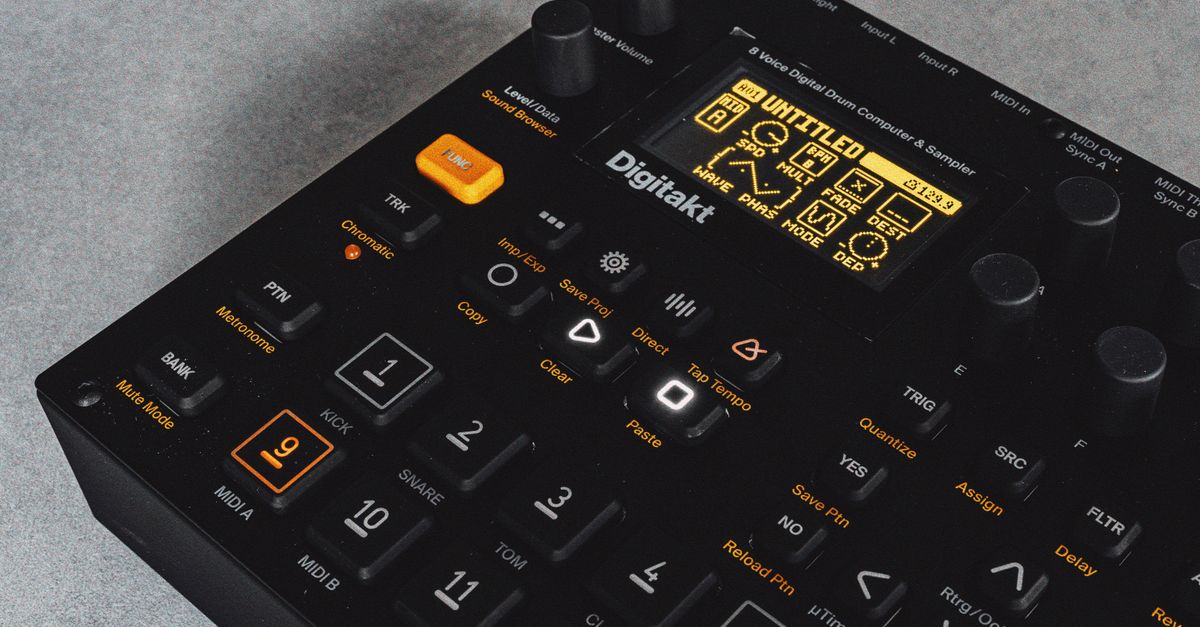
Why Mac users reach for a browser-based beat maker
macOS is one of the friendlier platforms for native music software, but the native path carries costs that don't fit every session. A full digital audio workstation asks for a license, a project folder, an audio interface configuration, and enough system resources to stay resident in the background. A native beat maker plugin usually wants a DAW host. Both paths involve installation steps and disk space, and both produce a project file you have to remember to open the next time you sit down.
A browser-based sequencer skips the install entirely. The page loads, the grid appears, and the only permission involved is the browser's automatic handling of Web Audio. macOS supports Web Audio across Safari, Chrome, Firefox, Edge, Arc, Brave, and other Chromium-based browsers, so a MacBook Air, a MacBook Pro on Apple Silicon, an Intel iMac, and a Mac Studio all reach the same tool without driver overhead or Apple ID binding. Nothing about the tool binds itself to a specific machine profile, which means you can sketch a pattern on a Mac at home and reopen the same URL on a different computer tomorrow without losing the workflow.
There is also a privacy angle that matters when you only want to test an idea. Because the kick, snare, and hi-hat are synthesized at playback time using oscillator and noise nodes, the tool does not contact a sample host, does not upload audio, and does not transmit the pattern off the device. That makes a browser-based beat maker a low-stakes place to work out a rhythm without leaving a trail of in-progress loops on a shared workstation.
What the Online Drum Machine gives you on macOS
The Online Drum Machine is a focused 16-step rhythm sequencer that runs entirely in the browser tab. It exposes three tracks — kick, snare, and hi-hat — Each track has sixteen cells, one for each sixteenth-note step inside a single bar of four quarter notes. Click a cell to turn that instrument on for that step; click it again to turn it off. The grid does not scroll inside the tool itself, but horizontal scrolling on the page keeps all sixteen steps usable on narrow windows without shrinking touch targets into unreadable marks.
Above the grid sits a tempo input that accepts whole numbers from 40 to 240. The number represents quarter notes per minute, the same tempo meaning documented in the W3C MusicXML sound element. To the right of the tempo field are three controls: Play, Stop, and Clear pattern. Play creates the AudioContext at the moment of the click, which respects browsers that require a user gesture before audio starts, then begins scheduling audio events on the timeline. Stop releases playback resources, clears the scheduling timer, stops and disconnects the tracked source nodes, and closes the current audio context. Clear pattern turns every one of the 48 cells off so you start the next idea from silence.
The grid ships with a small four-on-the-floor example: kick on quarter notes, snare on beats two and four, and closed hi-hat on the eighth-note positions. That starting pattern is a teaching aid rather than a finished beat, and you can replace it one cell at a time while playback is running, because pattern edits stay available during playback and are read by the upcoming scheduling window.
Build your first 16-step beat on Mac
- Open the Online Drum Machine page in Safari, Chrome, or Firefox on your Mac.
- Leave the tempo at the default 120 BPM for a steady walking pace, or type a whole number between 40 and 240 to match the song you are sketching against.
- Look at the grid: it contains three tracks of sixteen cells each, covering one bar of four quarter notes divided into sixteenth-note steps.
- Click any cell to switch that instrument on for that step. Click again to switch it off. The pressed state is shown directly on the button, and each cell exposes a descriptive accessible label.
- Repeat clicking cells until the pattern matches the rhythm you have in mind. A common starting point is kick on steps 1, 5, 9, and 13; snare on steps 5 and 13; and hi-hat on every odd step for a steady eighth-note pulse.
- Press Play. The audio context is created at this moment, the scheduler polls every 25 milliseconds and places events up to 100 milliseconds ahead on the AudioContext timeline, and the loop begins at step 1.
- Watch the moving step outline to confirm which step is currently playing and to verify the pattern visually. The outline uses only color and a border so it still reads for users who request reduced motion.
- Press Stop when you want to release the audio resources, or press Clear pattern to wipe all 48 cells back to silence and start a fresh idea from an empty grid.
Safari, Chrome, and Firefox on a Mac: how the experience differs
The synthesis path is the same in every browser — Web Audio nodes scheduled on the AudioContext timeline — but small differences in audio output paths and tab behavior still affect what you hear on macOS. Safari uses the system Core Audio path, Chrome and other Chromium browsers route through the same path but with their own audio service, and Firefox uses a third variant. On a clean Mac with default settings the difference is usually subtle, but on a machine with an aggregate audio device, a Bluetooth headset, or an external interface, the chosen output can shift the perceived brightness of the snare and hi-hat noise bursts.
Tab behavior also matters when you want to keep the beat going. macOS suspends background tabs aggressively when the browser is not frontmost, which can pause the look-ahead scheduler and stretch timing if you switch away to take notes. If you want the loop to stay rock-solid while you work in another app, keep the browser tab focused or use a second display. Heavy system load, high Bluetooth latency, and a depleted battery on a MacBook can also nudge the audible tempo away from the scheduled BPM.
Keep your Mac volume moderate before pressing Play, particularly with headphones, because synthesized transients on the kick and snare can sound louder on some output systems than the corresponding volume slider would suggest.
The timing math behind every step on Mac
The grid is always four quarter-note beats divided into sixteen equal sixteenth-note steps. In this tool, BPM means quarter notes per minute, matching the tempo definition documented by MusicXML. A quarter note therefore lasts 60 divided by BPM seconds, and each sixteenth-note step lasts one quarter of that duration, giving the formula:
Step duration (seconds) = 60 / BPM / 4
Worked example at 120 BPM, the default tempo: a quarter note lasts 60 / 120 = 0.5 seconds, so a sixteenth-note step lasts 0.5 / 4 = 0.125 seconds. A full 16-step bar covers 16 steps times 0.125 seconds = 2 seconds. That matches the values produced by the shared pure scheduling functions inside the tool, which build deterministic step numbers, timestamps, and active-track snapshots before any audio node fires, in line with the look-ahead approach defined by the W3C Web Audio API. The same approach is documented at greater length in the beat maker BPM math and scheduling guide.
| BPM (boundary) | Step duration | Full 16-step bar |
|---|---|---|
| 40 (low) | 0.375 s | 6.0 s |
| 120 (default) | 0.125 s | 2.0 s |
| 240 (high) | 0.0625 s | 1.0 s |
These are the tempo anchors the contract documents explicitly. Anything outside 40 to 240 is rejected as a recoverable input error; the same goes for empty values, decimals, signs, exponent notation, or unit text. Editing the tempo during playback stops the current run before applying the new value, so two tempos never overlap on the scheduler and you always restart cleanly at step one.
What the tool does not cover, and where to take the pattern next
The Online Drum Machine is intentionally narrow. It is a straight sixteenth-note loop with three synthesized voices, one tempo control, and Play, Stop, and Clear. It does not support swing, triplets, velocity layers, per-track volume, effects, recording, export, MIDI sync, or time signatures other than four-four. The AudioContext engine is shared across tabs but is not a digital audio workstation, not an AudioWorklet engine, and not a promise of sample-identical rendering across devices.
| Capability | Online Drum Machine | Notes |
|---|---|---|
| Pattern grid | 16 steps × 3 tracks | Kick, snare, and hi-hat only |
| Tempo range | 40–240 BPM | Whole numbers only, quarter notes per minute |
| Audio engine | Web Audio synthesis | No external samples loaded |
| Export, MIDI, swing, velocity | Not supported | Out of scope for this tool |
| Account, upload, network sample fetch | Not required | Pattern and audio stay local |
If your idea outgrows those limits — you need swing on the hi-hat, a fill on bar 9, a velocity ramp on the snare, or stems you can hand to a mixing engineer — bring the pattern concept into a dedicated macOS application such as Logic Pro, Ableton Live, GarageBand, or a third-party beat maker. The browser step is a fast sketchpad for the rhythm, not a substitute for full production, and the MusicXML tempo definition remains the formal anchor if you need to explain the bar math to a collaborator.
If you're weighing options, Beat Maker Online: Tips and Common Mistakes to Avoid covers this in detail.