The Audio Equalizer for YouTube™ is a local browser tool that applies a three-band peaking equalizer — Bass at 100 Hz, Mid at 1 kHz, and Treble at 10 kHz — to a downloaded audio file, prevents PCM clipping with a single uniform safety scale, and produces a downloadable PCM16 WAV. It uses the W3C Audio EQ Cookbook peaking biquad equations with Q=1, runs the three sections in Bass, Mid, then Treble order, and reports the raw peak, output peak, safety scale, decoded sample rate, and frame count so the result can be audited. Audio is decoded in the current browser tab using Web Audio, never uploaded to a server, and the downloaded WAV is a brand-new uncompressed file with the actual decoded channel count and rate recorded in its RIFF header. The same numeric contract that powers the page — coefficient identity at 0 dB, an unchanged flat channel, uniform 0.99 peak safety, mismatched-channel rejection, and safe filenames — is the contract the final WAV is built against.
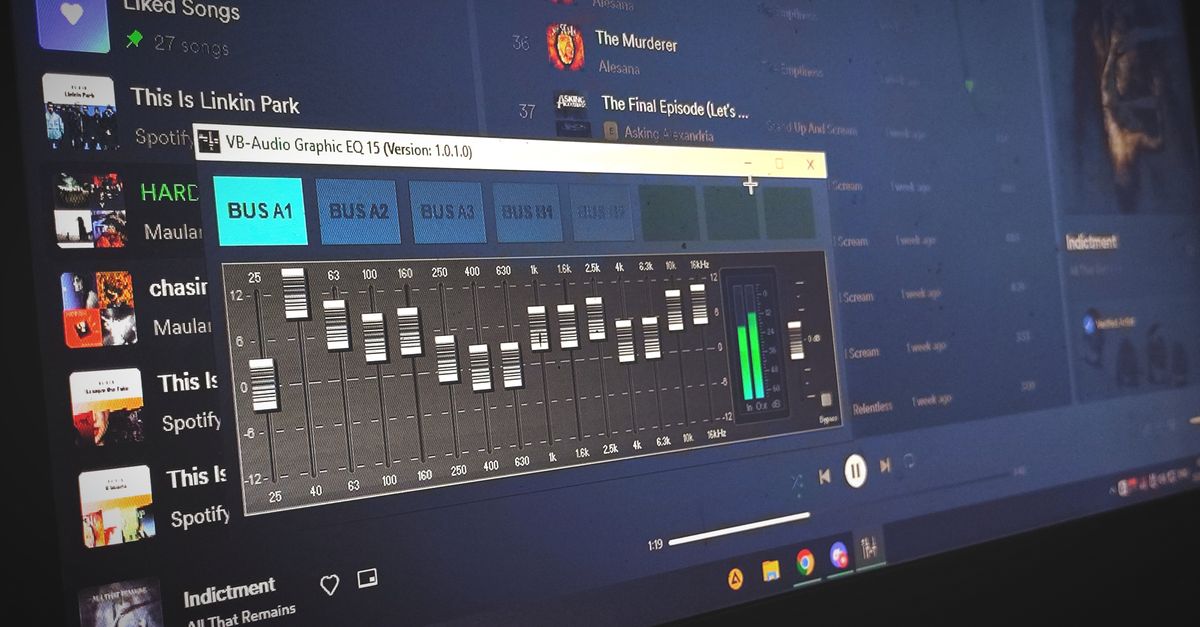
Why a YouTube-style equalizer asks for a local file
The Equalizer for YouTube™ browser extension category adjusts sound during playback in the browser tab. That real-time approach works for watching videos, but it disappears the moment you close the tab — there is no saved version, no edited clip, no portable file. The Audio Equalizer takes a different angle: it processes a local audio file you already have and gives you a downloadable WAV you can reuse. Useful scenarios include cleaning up a voiceover captured from a YouTube tutorial, tone-shaping a music clip for a remix, saving a podcast excerpt with boosted mids for speaking clarity, or rendering a custom mix for offline listening on devices that don't support browser extensions.
The local-file approach also makes the workflow verifiable. The page reports the raw peak, output peak, exact safety scale, decoded sample rate, and frame count, so you can see exactly what changed. No data leaves the browser, so a source you choose to edit stays on your machine.
How to EQ a YouTube audio file locally
- Save the audio you want to adjust as a local file you already have rights to edit — for example, an audio-only render from your own video, a screen recording of audio playback, or a downloaded track you own. The tool supports MP3, WAV, M4A, AAC, Ogg, WebM, or FLAC when the codec is supported by your browser.
- Open the Audio Equalizer and load the file. The tool reads it with Web Audio in the current tab and rejects anything over 50 MiB or longer than five minutes of decoded audio before filtering starts.
- Set Bass, Mid, and Treble to whole dB values between -12 and +12. Default zero on all three is a flat path that copies the channel samples without running a nonzero filter section.
- Apply the equalizer. The page reports the raw peak, output peak, the safety scale that was applied, the decoded sample rate, and the frame count.
- Preview the result in the page, then download the complete PCM16 WAV.
Apply the three-band equalizer to a downloaded clip
- Choose one browser-decodable audio file within the 50 MiB and five-minute decoded limits. The page accepts MP3, WAV, M4A, AAC, Ogg, WebM, or FLAC; a familiar extension is not a guarantee when the container holds a codec the browser cannot read.
- Set Bass, Mid, and Treble to whole values from -12 through +12 dB, then apply the equalizer locally. Each band uses a Q value of 1 and the peaking-EQ biquad equations from the W3C Audio EQ Cookbook.
- Check the raw peak, output peak, safety scale, sample rate, and frame count; preview and download the PCM16 WAV.
The download is a new uncompressed file. It does not retain the original codec, bitrate, compression mode, artwork, tags, chapters, or loop markers. Float samples are converted to signed 16-bit little-endian PCM and interleaved by frame, and the WAV header records the actual channel count, sample rate, byte rate, block alignment, bit depth, and complete data length.
How the three-band peaking filter is built
The Audio Equalizer centers its three bands at 100 Hz, 1,000 Hz, and 10,000 Hz when the decoded sample rate permits it. At a low sample rate, the treble center is reduced to 45% of the sample rate so it stays below the Nyquist limit instead of asking an invalid digital filter to operate outside the available spectrum. Each band uses a Q value of 1, a disclosed product choice that gives a broad adjustment; it is not inferred from the source file and cannot be changed on the page. The page converts the selected decibel gain into the coefficient parameter defined by the W3C Audio EQ Cookbook, normalizes every coefficient by a0, and runs the resulting second-order recursive filter over each decoded channel. The three sections are cascaded in Bass, Mid, then Treble order.
| Band | Center frequency | Gain range | Filter type | Q |
|---|---|---|---|---|
| Bass | 100 Hz | -12 to +12 dB | Peaking biquad | 1 |
| Mid | 1,000 Hz | -12 to +12 dB | Peaking biquad | 1 |
| Treble | 10,000 Hz, or 45% of sample rate at low rates | -12 to +12 dB | Peaking biquad | 1 |
Positive values boost energy around a band center, and negative values cut it. A peaking filter affects a region around its center rather than every frequency below or above a hard boundary, so Q=1 shapes a broader region than a narrow notch. Zero on all three controls is a genuine flat path, and the tool copies the decoded channel samples without running a nonzero filter section.
Reading the reported numbers: peaks, scale, frames
Cascaded boosts can create samples above digital full scale even when the input did not clip. Before WAV encoding, the tool measures the absolute peak across every processed sample and every channel. If that raw peak exceeds 0.99, one uniform scale factor reduces the entire processed result so the largest magnitude becomes 0.99. The interface reports the raw peak, output peak, and the exact safety scale that was used.
Worked example: if the raw peak across all processed channels is 1.05 and the threshold is 0.99, the tool applies a uniform scale of 0.99 ÷ 1.05 = 0.9429 to every sample. The reported output peak then becomes 0.99, and the safety scale field shows 0.9429. This prevents the PCM encoder from independently chopping individual peaks, but it can reduce the overall level. It is not loudness normalization and does not target LUFS, RMS, replay gain, or any streaming-platform specification.
| Reported field | What it tells you |
|---|---|
| Raw peak | Largest absolute sample value before the safety scale |
| Output peak | Largest absolute sample value after the safety scale |
| Safety scale | Uniform multiplier applied to every processed sample (≤ 1.0) |
| Sample rate | Decoded rate written into the WAV header |
| Frame count | Total frames per channel in the output |
The tool also enforces hard limits before filtering starts. Input is capped at 50 MiB, decoded audio must be five minutes or shorter, must have one through eight channels, must use a sample rate from 8,000 through 192,000 Hz, and must contain no more than 30 million channel samples. The tool rejects an over-limit file before filtering and never silently truncates the end. Each accepted channel keeps the same number of sample frames, and all channels are filtered independently with identical settings. Web Audio may resample while decoding, so the result reports and writes the decoded sample rate rather than claiming the source container rate survived unchanged.
When a three-band EQ is not enough
A compact three-band equalizer is a fast, transparent way to nudge a recording in a useful direction. It is not a graphic 10-band system, a linear-phase mastering processor, or an automatic room-correction system, and it cannot promise that one setting improves every recording. Strong boosts may emphasize noise, sibilance, rumble, or existing distortion; a cut is often safer than stacking several boosts. Reach for a full audio editor when precise center frequencies, adjustable Q, spectrum analysis, automation, linear-phase processing, loudness metering, dithering controls, codec selection, or metadata preservation are required.
Use the preview and reported numbers as checks, not as proof of a desirable mix. Listen on the speakers or headphones that matter, compare against the original at a similar perceived level, and avoid judging only from louder output. The verification contract is numeric: tests cover eight decibel-to-amplitude values from -12 through +12 dB, coefficient identity at 0 dB, an unchanged flat channel, a boosted impulse, uniform 0.99 peak safety, invalid gains, mismatched channels, and safe filenames, and production calls those same coefficient, filtering, peak, and filename functions. The final WAV is written by the shared tested PCM16 encoder, and browser tests read its RIFF fields and sample data rather than accepting a visible success message alone.
Related reading: How to Do Audio Swap on DistroKid: Reverse Audio Locally.
Related reading: How to Equalize Audio: A Practical Three-Band Walkthrough.