A frame extraction repeats the same result when the same source file and the same requested time produce the same decoded frame at the same native dimensions, and that is exactly what the Video Frame Extractor does in your browser. The tool seeks the local video to the time you typed, draws the decoded frame onto a same-size canvas, and saves that canvas as a PNG in the current tab. Nothing is uploaded, the video is not re-encoded, and no resizing or filtering is applied, so the file you get on the first run is the file you will get on the tenth run, as long as the two inputs you control stay the same. Repeatability in this workflow therefore reduces to two questions: which file did you load, and what time did you ask for?
People search for this when they extracted a frame once that looked right, then came back later and noticed the screenshot looked subtly different, or when they need a still they can hand off to a colleague with instructions to regenerate it. In both cases the underlying problem is not luck; it is that frame extraction has more than one variable in motion. Below is what each variable does, where the bounds sit, and the exact steps that let you reproduce a PNG on demand.
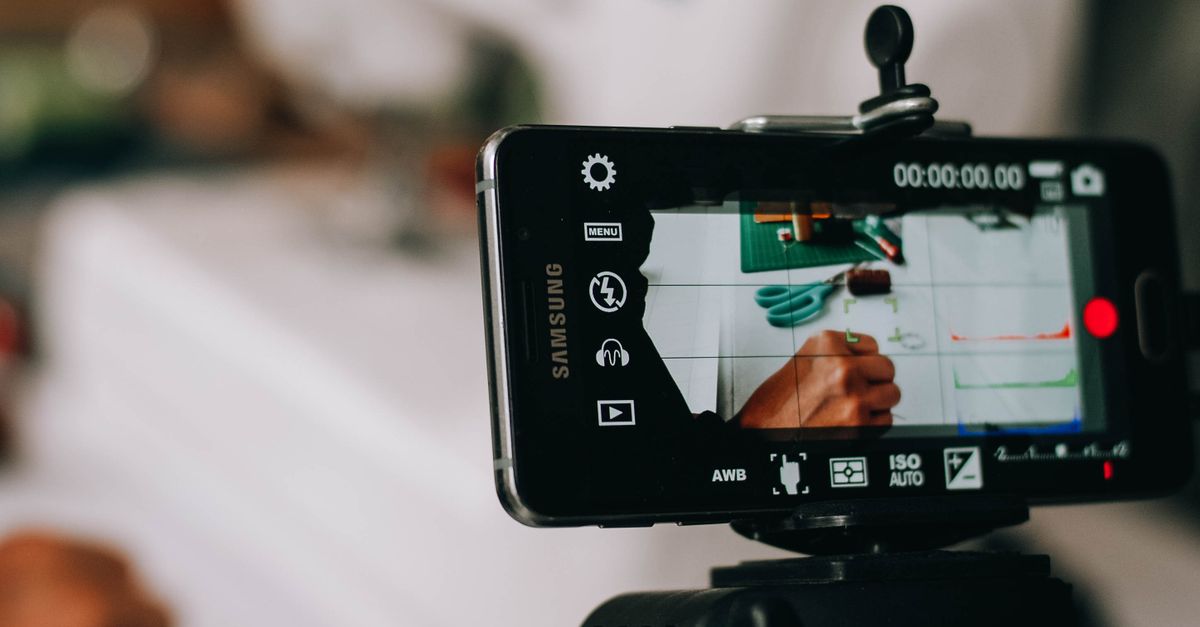
What makes a video frame extraction repeatable
Repeatable extraction rests on a small chain of operations. The browser opens your local video through an HTML media element, you set a position on its timeline using currentTime, the media element decodes the nearest available frame to that position, a canvas at the decoded frame's native size receives that frame through drawImage, and the canvas is encoded as a PNG that the page offers as a local download. According to MDN's reference for the canvas drawImage method, the image is drawn into the canvas at its source dimensions when no explicit width and height are supplied, which is why the PNG keeps the video's own pixel grid.
Two inputs sit at the front of this chain: the bytes of the video file, and the number you type into the time field. Nothing else in the tool changes between runs unless you change it. There is no random seed, no AI upscaling, no auto-crop, and no color grading step. That is why, given the same file and the same time, the PNG you download is the PNG you would have downloaded a minute, an hour, or a week later, provided the browser can still decode the same codec.
The output filename is part of the repeatability story too. The PNG you save carries the requested time inside its name, so the filename itself becomes the receipt for how that PNG was made. If you keep the source video and that filename, anyone with the same browser and the same file can regenerate the same still.
The inputs that control the result
Because there are only two inputs, the table below is the whole variable surface for repeatability. Everything in the output is a deterministic function of these two values, subject to the limits covered further down.
| Input | What it controls | What stays fixed regardless of this input |
|---|---|---|
| Selected local video file | The source pixels, the codec path, the duration, and the maximum dimensions available. | The PNG format, the native-dimension drawing rule, and the local-only processing path. |
| Requested time (seconds) | The decoded frame the browser seeks to and the substring inside the PNG filename. | The decoded-frame transparency behavior and the lack of resize, crop, sharpen, or filter passes. |
The time field accepts fractional seconds from zero through the video's reported duration. Whole seconds target ordinary moments; decimals with one or two places target millisecond offsets; values written in frame-rate-style decimals (for example 0.033, 0.067, or 0.5 on a 30 fps clip) place the seek at that position on the media timeline. The display confirms the value you typed, so the only record you need to keep to repeat the run is that exact string.
How to extract the same video frame every time
- Open the Video Frame Extractor in the browser tab where you want the PNG to download.
- Choose one supported local video (MP4, WebM, MOV, M4V, or Ogg) and wait for its duration and preview to load before touching any other control.
- Write down the duration the tool reports; this is the upper bound you will type against later.
- Enter a frame time between zero and that reported duration, including a decimal when you need sub-second precision, and note the exact string you typed.
- Select Extract PNG frame and wait for the preview of the still to appear in the tool.
- Verify that the previewed still is the frame you expected; if it is not, adjust the time string and extract again.
- Click the download action and save the PNG locally; the filename embeds the time you requested, which is the receipt you need to repeat the result.
- Store the source video and the saved PNG together (or at least note the file name and the time string) so a future run can reproduce the still exactly.
If you do need to translate a frame number into a time string, a single arithmetic step is enough on a fixed-rate clip. For a 30 fps video, frame 15 sits at 15 divided by 30, which is 0.5 seconds; frame 90 sits at 90 divided by 30, which is 3 seconds. Recording the time string and the frame number side by side keeps humans honest about the source frame you had in mind, since the tool itself does not identify an exact numbered source frame. For deeper coverage of how time and frame rate interact on this tool, the guide How to Get a Video Frame: Frame Rate and Time walks through the same relationship with more worked numbers.
Limits that can shift the result between runs
The chain above is deterministic in theory, but three browser-side realities can make two runs of the same file and the same time differ slightly, and they are worth knowing so you do not mistake a normal quirk for a bug.
- Keyframe spacing. Video codecs store full frames only at keyframe intervals. A requested time that falls between two keyframes is decoded by playing forward to the nearest available frame, so very small time deltas can land on the same decoded frame.
- Variable frame rate and edit lists. Some files carry timestamps that do not match wall-clock seconds, and some carry edit lists that shift the displayed time relative to the stored frames. Both are inside the file, so they affect every run equally; they just make the time string point at a different source frame than a naive reading suggests.
- Codec availability. The five supported containers only open if the browser can decode the codec inside them. If a future browser drops a codec, a file that opened today might not open tomorrow, and that is a tool limit, not a repeatability limit inside one session.
The shared safety policy sets the practical ceiling: files up to 500 MiB and five minutes, no more than 4096 pixels per side, and no greater than 3840 × 2160 pixels in area. Stay inside those bounds and the shared safety policy will not reject the file on size or dimensions, which removes one source of variation between runs.
When a browser extractor is not the right tool for repeatability
The Video Frame Extractor is built around single, bounded, local frames. There are jobs where repeatability means something stricter than "same file, same time, same PNG," and the product contract is clear that those jobs belong in a dedicated desktop tool. HDR or color-managed output is one of them, because the tool draws whatever the browser decoder hands back and does not re-tag color spaces. Exact source-frame numbering is another, because the time field is a media timeline position, not a guarantee that frame N was decoded. Batch extraction over a long clip, frame-accurate editorial cuts, and formats the browser cannot decode are all in the same category.
If any of those describe the work, the right move is to keep this tool for the quick still and switch to a desktop workflow for the precise run. For everything inside the bounds and the use cases described above (thumbnails, references, presentations, quick stills from media you own or may process) the two inputs you control are the entire variable surface, and repeating the same result is a matter of holding those inputs steady and trusting the filename to record the time string you used.
If you're weighing options, How to Troubleshoot a Video Frame Extraction Problem covers this in detail.