Mirror text is text that appears horizontally reflected, while reversed text changes the order of characters without flipping the shape of each character. These are related but different outputs, so “mirror text” is not always a precise name for a text-reversal operation.
Use Text Reverser when you need a copyable string in the opposite order—for example, a backward label, a reversed sample, or text for a controlled visual effect. It provides character, word, and line modes and works locally in your browser. It does not replace each letter with a mirrored shape, so its output should be called reversed text rather than a true visual mirror.
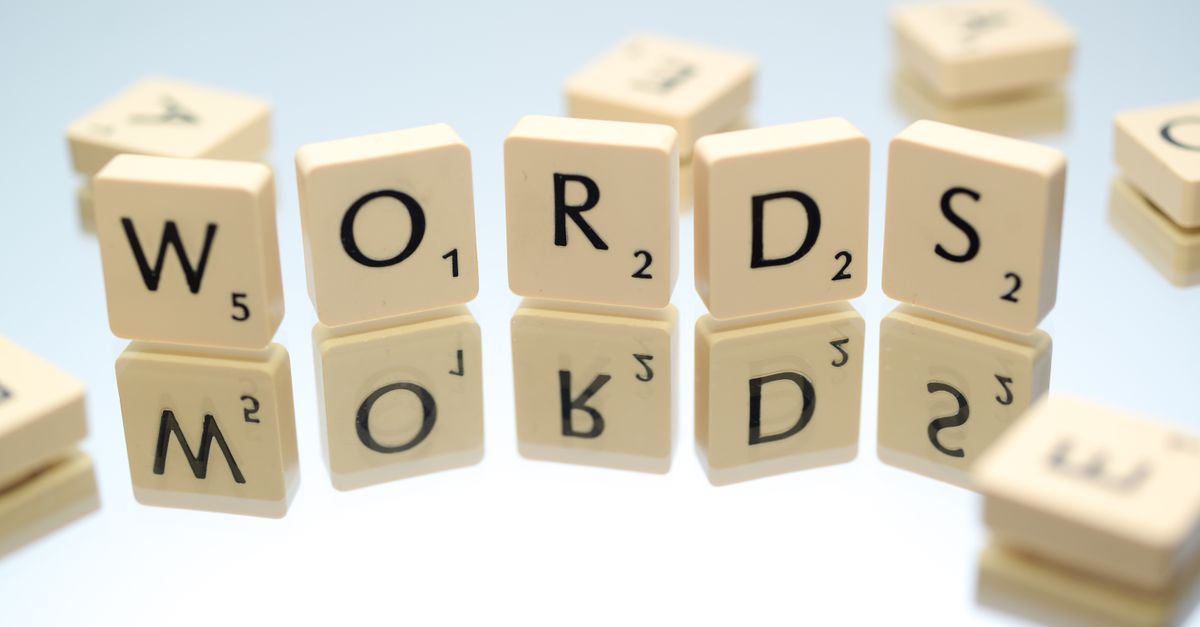
Mirror text and reversed text are different
A true mirror changes how the glyphs appear: letters look reflected from left to right, while a reversed string only changes sequence. Copying reversed text into a normal text box gives normal-looking characters in a different order. Copying a horizontally flipped graphic gives reflected-looking characters as part of the image or design object.
| Output | What changes | Important limitation |
|---|---|---|
| True mirrored appearance | Glyphs are visually reflected as a design or image. | Requires a visual transformation; Text Reverser does not create mirrored glyph shapes. |
| Character mode | The order of Unicode grapheme clusters is reversed. | Individual symbols remain normally shaped. |
| Word mode | The characters in each non-whitespace run are reversed. | Whitespace separators remain in their original slots. |
| Line mode | The logical order of lines is reversed. | Characters within each line are not reversed. |
This distinction matters when deciding what to paste into a form, document, message, or design. Reversed order is text data. A visual reflection is presentation.
Reverse mirror-style text in four steps
Use this workflow when the goal is a copyable backward sequence rather than a horizontally reflected font.
- Open the Text Reverser and type or paste your source text. The stated maximum is 100,000 characters, measured by the implementation as 100,000 UTF-16 code units.
- Choose Characters to reverse user-visible Unicode grapheme clusters, Words to reverse non-whitespace runs, or Lines to reverse logical line order.
- Select Reverse text. The generated result becomes available for inspection.
- Compare the generated order with the source, then copy it if needed. Clipboard access depends on browser permission; a denied copy is reported rather than presented as successful.
Editing the source or changing the mode clears the earlier output and copy message. That reset prevents an old result from being mistaken for output generated from the new input. Empty input and input above the accepted limit produce explicit errors, and oversized text is never silently shortened.
Choose the right reversal mode
Each mode answers a different ordering question. The mode name describes what gets reversed, not a claim that the tool understands language or mirrors letter shapes.
| Mode | Reversing rule | Preserved detail | Typical use |
|---|---|---|---|
| Characters | Reverses Unicode grapheme clusters in sequence. | Each user-visible cluster stays together. | Creating a backward string containing spaces, letters, and emoji. |
| Words | Reverses the characters in each consecutive non-whitespace run. | Whitespace separator slots and attached punctuation. | Reversing tokens while retaining the spacing layout. |
| Lines | Reverses logical line order. | CRLF, LF, or CR separator forms, blank lines, and a final line ending. | Reordering a checklist, log excerpt, identifier list, or record block. |
Words mode uses a deliberately narrow definition: a word is any consecutive run of non-whitespace characters. It does not apply language-specific tokenization, dictionary rules, punctuation removal, stemming, bidirectional-script reshaping, or grammar correction. Punctuation attached to a token therefore stays attached to the reversed run.
Line mode does not reverse the characters inside each line. It reverses logical line order while retaining the input's CRLF, LF, or CR separator forms. A final line ending stays at the end, blank lines remain represented, and mixed newline styles remain at their separator positions rather than being normalized without permission.
If whitespace positions must remain fixed, Words mode is the relevant choice. If you need the whole visible sequence backward, choose Characters. For reversing a block of records or checklist lines, choose Lines.
Keep Unicode symbols and line endings together
Ordinary letters are not the only challenge. One visible emoji or accented character can be represented by several Unicode code points. A family emoji, for example, may combine people with zero-width joiners; an accented letter may use a base letter plus a combining mark; and skin-tone modifiers, variation selectors, and flag pairs also form multi-part sequences.
Character mode first asks the browser's Intl.Segmenter for grapheme boundaries and then reverses the resulting user-visible clusters. This avoids the corruption that can occur when a UTF-16 surrogate pair or an emoji sequence is split. The boundaries used for grapheme segmentation are defined in Unicode Standard Annex #29.
When Intl.Segmenter is unavailable, a conservative local fallback iterates complete Unicode code points and preserves common combining marks, variation selectors, emoji modifiers, zero-width-joiner emoji sequences, regional-indicator flag pairs, emoji tag sequences, and CRLF together. This is safer than reversing UTF-16 code units blindly, but it is not a complete substitute for every boundary rule in the evolving Unicode Standard. Rare scripts or newly assigned characters can require a standards-complete segmenter.
For specialized Unicode where exact boundaries matter, use a current browser with Intl.Segmenter support and inspect the result. The tool does not normalize composed and decomposed Unicode forms or remove invisible characters, so preserving the source's existing representation is not the same as canonicalizing it.
Make a true visual mirror
For an actual reflected appearance, use a visual transformation. In a design or editing application that supports horizontal flipping, place the original text in a text or vector object and apply the whole object's horizontal flip. If the application cannot flip text directly, render the text as an image and flip that image. These methods change the appearance without rewriting the stored text sequence.
By contrast, Character mode produces backward order with normally shaped characters. Do not assume that its output will look like writing in a mirror. If the goal is a copyable string for a social post, document, or form field, reversed order is usually the relevant result; if the goal is a logo-like reflection in a design, use the design object's flip or an image effect.
Check limits and privacy before copying
Reversal happens entirely in the current browser. Nothing is uploaded to Lizely or another service. The source remains in the input field until you edit or clear it, and the generated text exists only in the current page state.
Malformed UTF-16 surrogate sequences are rejected before transformation. The browser fallback is designed for common multi-code-point sequences, not every possible Unicode edge case. Compare the source and output before using the result in code, identifiers, passwords, encoded data, or right-to-left text.
Reversal is a presentation transformation, not encryption, translation, transliteration, or secure obfuscation. Bidirectional control characters can affect how the resulting sequence is displayed, and the tool does not strip those invisible controls.
- Use Character mode when emoji, flags, skin tones, or combining marks must remain intact.
- Use Words mode when whitespace slots must stay fixed.
- Use Lines mode for block order and newline fidelity.
- Inspect the output before copying; a successful transformation does not guarantee that the result is suitable for a sensitive or code-specific purpose.