A word scrambler rearranges the letters inside every word of a passage while leaving every space, punctuation mark, number, and line break in its original slot — and that in-place behaviour is what makes the result useful as a puzzle rather than random gibberish. To set up a scramble word game, the host pastes a list of source words into the tool, picks a shuffle mode, reads off the jumbled lines that appear underneath, and copies them into a worksheet, slide, or chat. The tool runs the Fisher–Yates algorithm — the same unbiased randomisation used in card games and music shuffle modes — so every one of a word's letter orderings is exactly equally likely, with no subtle patterns for sharp-eyed players to exploit. Three shuffle modes (full shuffle, keep first and last for the typoglycemia effect, and keep first only) give the host a difficulty dial rather than a single fixed jumble. Because everything happens in the browser through client-side JavaScript, no text is uploaded, stored, or logged, which makes the tool safe for personal word lists and quick enough that the host usually spends more time curating the source words than scrambling them.
What a Word Scramble Game Actually Is
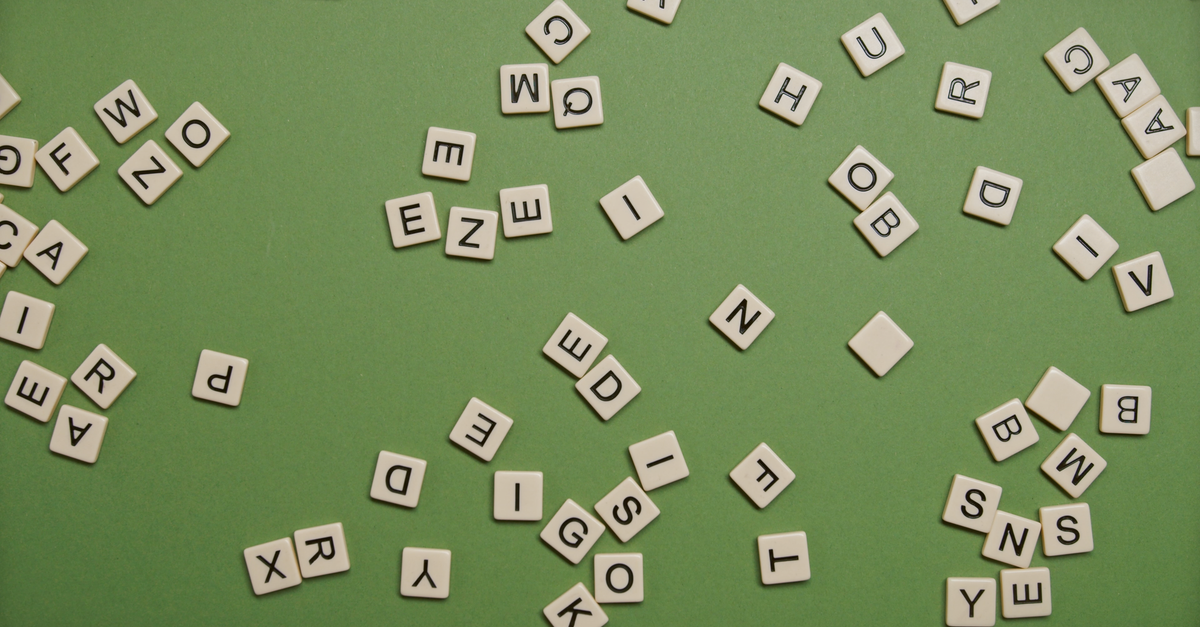
A word scramble game presents the player with a familiar word whose internal letters have been jumbled, then challenges them to rebuild the original. The classic format is simple: take a real word, mix the letters around, hand the puzzle to the player, and time how long they take to put the word back. Because the goal is just one word per round, the barrier to entry is tiny — children as young as five can play, and adults can race through dozens of words in a single sitting.
Word scramble works because English contains more redundancy than most people realise. Remove every second letter of "scramble" and you still get a string that reads roughly like a word to a fluent speaker. That redundancy is what makes the game feel fair — even when the letters are out of place, the player can usually guess the answer from the first consonant sound and the word length alone. The same property is what makes a scramble word game so useful as a teaching tool: it forces players to look at a familiar word from a new angle and pay attention to letter order.
You will find the format everywhere — as a daily puzzle on newspaper sites, as a vocabulary drill in primary classrooms, as a warm-up before Scrabble night, and as a quick round on phone apps. Every version, from the simplest pencil-and-paper round to the most polished app, follows the same recipe: supply a jumble, demand an unscramble, reward speed.
Why a Dedicated Scrambler Beats Pen and Paper
The mechanical part of running a scramble word game is generating the jumbled letters. Done by hand, this means writing a word on paper, crossing out and rewriting each letter until you are happy with the order. Done in a spreadsheet, it means writing a formula to randomise each position. Both approaches work, but each has an annoying side effect. The paper version is slow; the spreadsheet version is fiddly, and naïve formulas produce scrambles that subtly favour some letter orderings over others.
A purpose-built word scrambler runs the randomisation for you, instantly, for any word or block of text you throw at it. Because the tool shuffles letters in place — keeping every space, punctuation mark, and line break in its original slot — the scrambled output lines up character-for-character with your source. That alignment is what makes the result useful: it does not look like random gibberish; it looks like a list of jumbled words that a player can read and tackle one at a time.
The tool also lets you pick from three shuffle modes, which matters because not every game wants the same difficulty. A first-grader's warm-up needs different jumbling than a competitive round among adults, and switching modes is one click rather than a new formula.
How to Run a Scramble Word Game With the Tool
Hosting a round takes six short steps from blank page to playable puzzle. Most of those steps take seconds; the rest is just choosing good source words.
- Open the Word Scrambler in your browser. Nothing installs and no account is needed.
- Type or paste the list of words or passages you want to scramble into the text box. One word per line works well for a single round.
- Choose a mode — Full shuffle for a hard scramble, Keep ends (typoglycemia) for the readable jumble, or Keep first letter for a middle difficulty.
- Read the scrambled result in the output area. Each word has been rearranged in place; spaces, punctuation, and line breaks stay where they were.
- Press "Scramble again" as many times as you like. Each press produces an independent random ordering, so you can pick the puzzle you like best or print several variants at once.
- Click Copy and paste the result into your worksheet, slideshow, chat thread, or game handout.
The Three Shuffle Modes Side by Side
| Mode | What it does | Best for |
|---|---|---|
| Full shuffle | Reorders every letter of every word with no anchors. | The hardest jumble — competitive rounds, Scrabble warm-ups, and puzzle-book worksheets. |
| Keep ends (typoglycemia) | Locks the first and last letter of each word and shuffles only the middle. | Surprisingly readable text — classroom warm-ups, party games, demonstrating the typoglycemia effect. |
| Keep first | Holds the leading letter and scrambles the rest. | A middle ground — quick vocabulary drills where players still have an anchor letter to work from. |
A small note on the keep-ends mode: words of three letters or fewer are left untouched, simply because there is no middle to shuffle. This is a feature rather than a limitation — short function words like "the", "of", or "to" would be unrecognisable if their middle letters were mixed, and leaving them readable keeps the surrounding sentence coherent.
What Makes a Shuffle Truly Random
Under the hood, the scrambler uses the Fisher–Yates algorithm — also called the Knuth shuffle — which is the standard unbiased way to randomise a sequence. The algorithm walks the word once from the last position to the first, swapping each letter with a uniformly random earlier or equal position. The result is that every one of the n! possible orderings has the exact same probability of coming out, so no letter ends up over-represented in any slot.
This matters because naïve alternatives do not give you this guarantee. A common shortcut is to assign each letter a random number and then sort by that number, but this method quietly biases the output — certain shuffles come up more often than others, which over a long session means the player starts to see patterns. The Fisher–Yates shuffle, described in detail on the Wikipedia entry for the Fisher–Yates shuffle, is the algorithm that statisticians, card-game apps, and music-player shuffle modes rely on for exactly that reason: it is provably uniform.
For the host, the practical consequence is simple. Each press of "Scramble again" draws a fresh ordering that has nothing to do with the last press — there is no cycle, no seed, and no pattern to memorise. Just reroll until you have a puzzle you like.
Choosing the Right Mode for Your Round
The mode you pick shapes the difficulty curve of the game. Full shuffle is the right default for a competitive round, because every letter is in play and players cannot lean on any anchor. Keep ends is best when you want a brainteaser that still reads like English — useful for ESL classes, where the point is decoding rather than raw letter recognition, and for party games where adults want a short mental palate cleanser. Keep first sits between the two and is good as a warm-up: the first letter gives a strong starting consonant or vowel, which lets a player eliminate a lot of candidates quickly and keeps the round moving.
For a classroom spelling drill, the typoglycemia mode is a particularly clever choice. Students decode the scrambled word by predicting the original, then check their answer against the unscrambled list you keep on hand. The exercise trains pattern recognition without feeling like rote memorisation, and the moment a student unscrambles "typoglycemia" itself feels like a small victory. If you want to push past single words and scramble a whole sentence for added difficulty — say, for an escape-room clue — the same mode lets the player still pick the shape of the message even when most letters are out of place.
Quick Hosting Tips for a Smooth Game
A few small habits make any scramble round feel polished. Decide on a word pool before the game starts so every player faces the same set of jumbles; pasting a curated list into the scrambler keeps the round fair. Keep the word length in a narrow band — say, six to nine letters — so easier and harder words are evenly mixed and no one is stranded on a fifteen-letter monster. Print a key with the answers hidden at the bottom of the page if the round is unproctored, or keep it on a separate card for a live host.
For printable worksheets and classroom handouts, pair the scrambled list with a written-out answer key one page apart. The practical guide to arranging scrambled words covers solver-side layout if you want to set the puzzle up as a printed grid. For a party round, paste a long list into the tool, hit "Scramble again" until something fun shows up, and copy it into a chat. The scramble itself takes a few seconds — most of the time goes into choosing good source words.
One more thing worth knowing: because the tool runs in your browser, nothing leaves your device. Word lists you might not want to paste into a remote service — names, addresses, in-jokes — are safe to scramble locally. That makes the round faster too, since you skip any upload wait or character limit.
For a deeper look, see How to Wrap Text in MS Word at a Fixed Column Width.