A meta tag generator on Android can create a clean, escaped HTML head block in the phone’s browser, covering UTF-8 encoding, responsive viewport settings, title, description, and optional author metadata. The Lizely Meta Tag Generator performs that work in the browser: entered text is not sent to Lizely, and it does not fetch, update, or publish the page.
Here, “on Android” means completing the generation and deployment workflow on an Android phone. The output is for a website’s HTML document head, not an Android application manifest. The phone is the input device, while the site’s delivered source remains the final target.
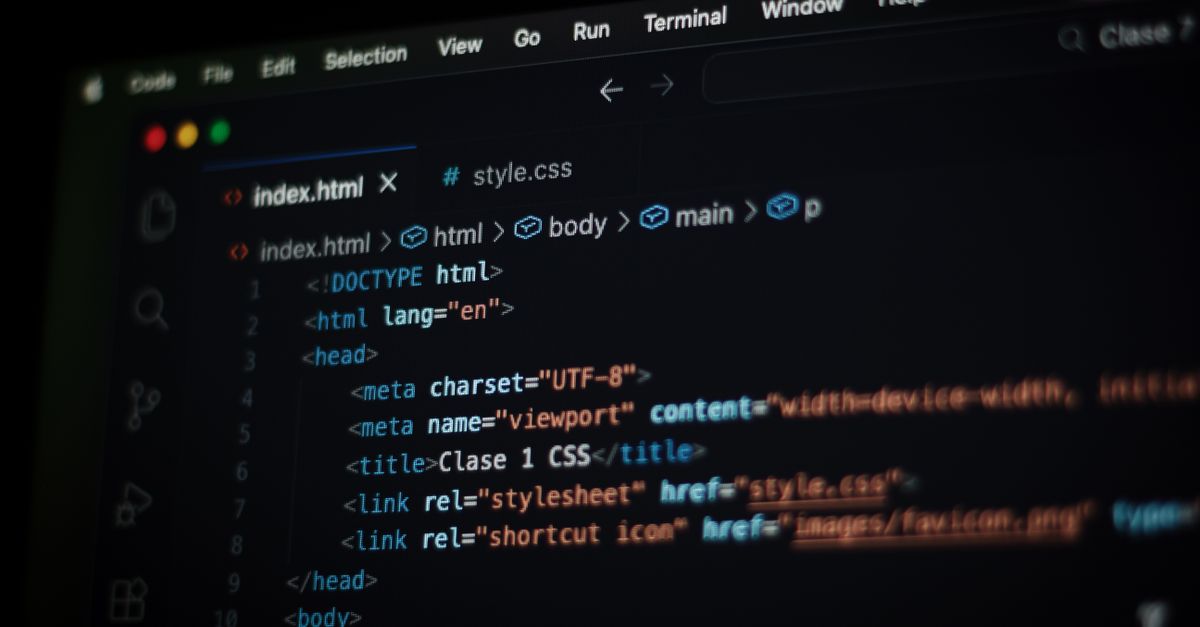
What the Android generator creates
The tool is intentionally narrower than a complete SEO generator. It produces one standards-aligned foundation block and keeps canonical links, robots directives, Open Graph properties, and Twitter Cards separate. Those specialized tags express separate page decisions, so combining them in one generic form can create contradictory or irrelevant markup.
| Block element | Verified setting | Purpose |
|---|---|---|
| Character encoding | UTF-8 declaration, emitted before the textual metadata | Identifies the document’s character encoding. |
| Viewport | width=device-width, initial-scale=1 | Provides a responsive baseline without restricting user zoom. |
| Title | Required; maximum 200 characters | Names the document for browser surfaces such as tabs and bookmarks. |
| Description | Required; maximum 500 characters | Provides a concise page summary for compatible consumers. |
| Author | Optional; maximum 120 characters | Records a meaningful, maintained author value when supplied. |
All text inputs are trimmed and escaped for their HTML context. Ampersands and angle brackets are encoded, quotes are encoded where they could affect attributes, and control characters are rejected. This protects the copied block’s syntax; it does not establish that the wording is accurate, unique, or suitable for a search result.
Generate a basic head block on Android
Complete the generation and deployment process in this order on your Android phone and website editor.
- Open the generator in an Android browser. Load the Lizely Meta Tag Generator and use its form for the HTML metadata. Processing stays in the browser rather than sending the entered text to Lizely.
- Enter one accurate document title. Use wording that reflects the page’s real subject and avoid generic boilerplate. The title is required and limited to 200 characters. That limit keeps the output bounded; it is not a promised result length or ranking target.
- Enter a concise page description. The description is required and limited to 500 characters. Write a human-readable summary that distinguishes this page from other pages, rather than a list of keywords or a promise the page cannot fulfill.
- Add an author only when the value is meaningful. The optional author field accepts up to 120 characters and is intended for a maintained author name. Omit it when the site has no reliable value. It is not a verified identity, copyright statement, rel=author replacement, or structured-data substitute.
- Generate and copy the escaped block. Use the generator’s generate and copy action to place one auditable head block on the clipboard. Check that the output includes the UTF-8 declaration, viewport metadata, title, description, and author only if an author was supplied.
- Paste the lines inside the document head. Open your site’s source or code editor and place the copied markup inside the HTML head. Put the encoding declaration early. If the editor displays the tags as visible text or escapes them again, switch to source or HTML mode before saving.
- Save, publish, and inspect manually. If the site uses a CMS, publish the change through its normal controls. Open the live page, inspect its source, confirm that there is only one title element and no duplicate description metadata, and check the page at mobile width.
Insert the block without breaking the document
Use a source or code interface whenever your editor provides one. The copied lines belong inside one HTML head, not in the visible body. The character-encoding declaration should appear early in the actual head, and the server response must not declare a conflicting encoding. For a broader placement reference, see how to put basic meta tags in your website head.
Before saving, decide which source is authoritative for the title and description. If the CMS, theme, plugin, or framework adds its own version, remove the conflicting duplicate rather than leaving both in the delivered page. Keep canonical, robots, Open Graph, and Twitter Card markup separate, including it only when those decisions are intentional and consistent with the page.
| Insertion scenario | What to check | Corrective action |
|---|---|---|
| Raw HTML source editor | The copied elements sit inside the head. | Move or paste them into the correct head location. |
| Visual or block-based editor | Angle brackets are escaped or the tags appear as text. | Use source mode and paste the markup once. |
| Theme, plugin, or framework | The final head contains another title or description. | Remove the duplicate or conflicting version. |
| CMS template or server | The response declares a character encoding other than UTF-8. | Correct the server or template configuration. |
Verify the delivered source and response
The generator cannot inspect HTTP headers, template layout, or the byte position of the snippet after a CMS inserts it. Its output is therefore a correct starting syntax, not proof that the final document is clean. Open the live page’s raw source on Android and confirm that the title and description appear once, the optional author is accurate, and the encoding declaration remains near the beginning of the head.
Also use an HTTP-header inspection method to check the server’s declared encoding. If it conflicts with the UTF-8 declaration, resolve the response configuration rather than assuming the copied block controls the header. The same source inspection should reveal whether a theme, plugin, framework, or deployment platform added duplicate metadata.
Understand what titles and descriptions promise
The title element represents the document title or name in the HTML standard. Browsers use it in tabs, bookmarks, and other interface surfaces, while search systems may use it as one input when creating a result title. The WHATWG HTML semantics reference explains the element’s document-level role, while Google’s title link guidance covers how a result title link may be generated. A generated title is not a promise that a search engine will display the same wording.
Description metadata provides a short summary for compatible consumers. Search engines may use it when it helps describe a result, but they can select other visible page text instead. Keep the description aligned with what visitors actually receive, avoid duplicating it across unrelated pages, and do not turn it into a keyword list or an unsupported sales promise.
The author field is optional and describes basic authorship metadata only. For articles, people, and organizations, use accurate visible bylines and appropriate structured data in addition to any basic author metadata.
Check the page on a mobile screen
The viewport value is fixed to width=device-width, initial-scale=1. This common responsive baseline lets the layout viewport follow the device width without disabling user zoom. The generator does not add maximum-scale or user-scalable restrictions because those settings can harm accessibility. Responsive behavior still depends on CSS, media queries, and usable component layouts, so check the delivered page at a mobile width after publication.
After the page has been recrawled, use relevant search-console inspection tools to review what systems can access. Correct metadata is not a guarantee of indexing, ranking, or a particular search snippet. The generator also does not measure keyword quality, pixel width, click-through rate, or search demand; those require separate content and performance analysis.
What the Android workflow cannot complete
The Android browser provides a convenient way to generate and copy foundational metadata, but it does not change the delivery model. The tool cannot fetch a URL, update a CMS, publish changes, or inspect a server response. You must insert the block, save the page, and verify the delivered source yourself.
Use the resulting block as one small, reviewable part of the document head. Keep specialized indexing and social decisions separate, align the wording with the real page, and verify the final source after every template or deployment change.
For a deeper look, see robots.txt Generator on iPhone: Mobile Publishing Workflow.