A free bulk QR code generator with no sign up lets you paste a list of up to 20 text values or URLs into your browser and receive separate, downloadable PNG images for each one, without creating an account, paying a fee, or sending any data to a remote server. The browser-based approach is what makes the "no sign up" promise possible: encoding and PNG rendering both happen in the current tab using a client-side JavaScript QR library, so nothing leaves your device. This matters for teams that handle internal links, short URLs, Wi-Fi strings, or inventory labels and want a repeatable, audit-friendly workflow that does not introduce account state, marketing tracking, or hidden upload steps. Every PNG is generated independently with its own preview, deterministic filename, and explicit download link, which means you can review each code visually and pull only the files you actually need rather than retrieving an opaque archive. The result is a tool you can bookmark, return to, and reuse without ever handing over an email address.
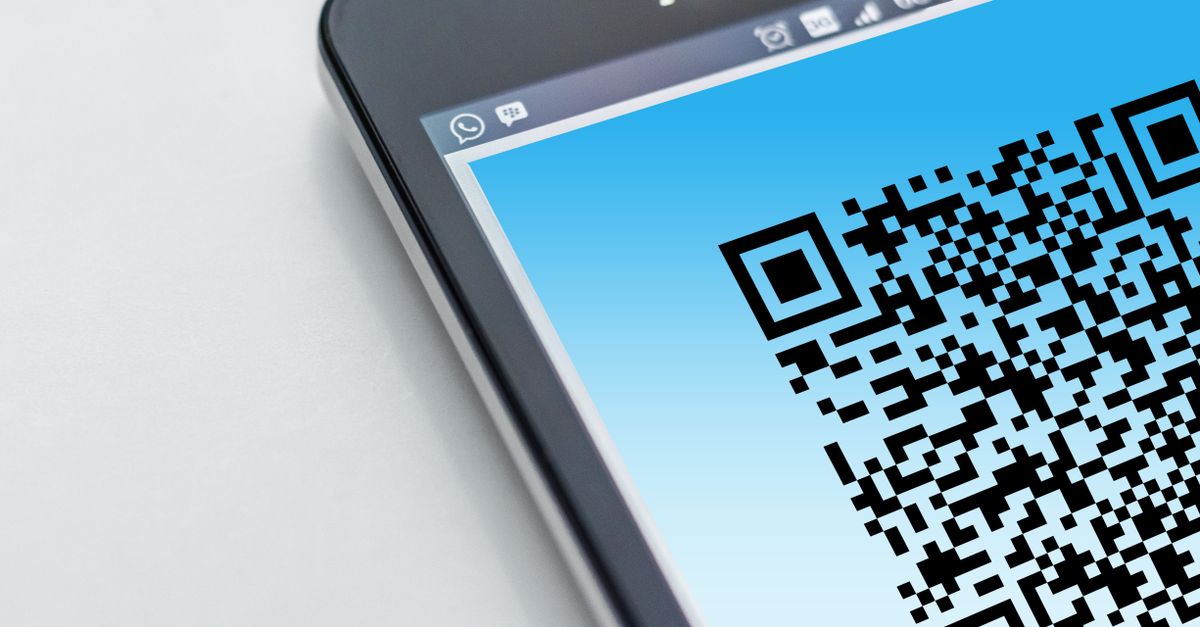
What "Free, No Sign Up" Means for Bulk QR Generation
The phrase "free bulk QR code generator no sign up" usually carries three separate promises, and a tool only deserves the label when all three hold at once. First, the generator must be free to use without a credit card, a trial expiry, or a feature gate that hides bulk behavior behind a paywall. Second, it must not require registration: no email, no password, no OAuth handshake, no "sign in with Google" dialog. Third, the inputs and outputs must stay in the user's browser, which is what makes the no-account model trustworthy in the first place.
The Lizely Bulk QR Code Generator satisfies all three by delegating QR encoding to the qrcode 1.5.4 package already used by the project's single-code QR tool. That library runs entirely client-side and returns PNG data URLs, so every symbol is drawn in the active tab rather than on a remote server. Payloads and rendered images never leave the page, there is no shortening service in the path, and there is no tracking pixel attached to the file. A generation job is also tagged with an asynchronous identifier, which prevents an older batch from overwriting newer settings if you change a value while encoding is still running.
Generate Up to 20 QR Codes Without Creating an Account
The full workflow fits three verified steps. There is no login screen, no quota dialog, and no upload widget — the page opens directly on the input area, ready to receive a list.
- Paste one text or URL per line, with no more than 20 unique lines. The parser trims surrounding whitespace, removes blank lines, and deduplicates exact repeated entries while keeping the first-seen order. Each line is also capped at 2,000 JavaScript characters, so any single value that exceeds QR capacity fails the whole batch with a clear error instead of returning a partial set.
- Choose a PNG size from 128, 256, or 512 pixels and an error-correction level from L, M, Q, or H, then select Generate QR codes. The page calls the existing qrcode 1.5.4 browser toDataURL API with margin 2 for each line, then renders the resulting PNG data URLs into previews that you can scan with a phone.
- Scan each preview with the target device and reader app, verify the decoded payload character by character, then download each verified PNG individually from its own link. Preserve the quiet zone around every image, avoid stretching or recoloring the symbol, and never crop into the finder patterns after download.
Pixel Size vs Capacity: Choosing 128, 256, or 512
The three size options all produce standards-compliant QR symbols; the difference is the rendered PNG canvas, not the data capacity of the code itself. Picking a larger canvas only matters when the code will be displayed, printed, or embedded at a larger physical size, where more pixels reduce visible jaggedness on edges and finder patterns. If a code is going on a business card or a small label, 128 pixels is usually enough; for posters, slide decks, or packaging, 256 or 512 looks cleaner.
| PNG canvas | Best suited for | Effect on data capacity |
|---|---|---|
| 128 px | On-screen previews, small labels, business cards | None — the encoded payload is identical |
| 256 px | Slide decks, printed flyers, mid-size packaging | None — the encoded payload is identical |
| 512 px | Posters, signage, high-density print, large displays | None — the encoded payload is identical |
Pixel dimensions do not increase the data capacity of the QR symbol, so changing the size will never rescue a payload that has run out of room. If a single line fails to encode at one size, it will fail at every size until the line itself is shortened.
Error Correction Levels L, M, Q, and H
Every QR symbol reserves a portion of its modules for restoring damaged or partially obscured codewords. The four levels trade restoration capability against the room available for your data. DENSO WAVE, which invented the QR Code, describes approximate restoration rates of 7%, 15%, 25%, and 30% for L, M, Q, and H respectively (see DENSO WAVE — QR Code error correction). The library exposes the same four levels through its browser API.
| Level | Approx. codeword restoration | Practical use |
|---|---|---|
| L | ~7% | Clean digital displays where the symbol will not be damaged |
| M | ~15% | Ordinary print, packaging, marketing material — the practical default |
| Q | ~25% | Outdoor or industrial environments with light wear |
| H | ~30% | Symbols expected to be partially obscured or damaged, at the cost of a denser code |
Higher error correction is not automatically better: it can force a denser symbol, which in turn makes the modules smaller at any given physical size and harder for some cameras to lock onto. For ordinary clean display conditions, level M is the sensible starting point. Reserve level H for codes that will live on equipment, crates, or outdoor signage.
Why There Is No Download ZIP Button
Many competing tools bundle their batch output into a single ZIP archive. This page deliberately does not. The project intentionally adds no new npm dependency for the batch tool, so the page exposes each generated PNG with its own explicit download link and a deterministic filename instead. A URL like https://example.com becomes 01-example-com.png, and lines without ASCII letters or numbers fall back to a stem of qr-code. Filenames are convenience labels only and never alter the encoded payload.
Two practical effects follow. First, browsers can require a click per file or surface a download-permission prompt, and the tool does not trigger 20 automatic downloads in one shot, which avoids surprising behavior on phones and keeps the selected outputs explicit. Second, removing an archive dependency keeps the page lean and avoids introducing a second encoder alongside the single-code QR tool that already exists in the project. For a fuller walk-through of how the input list turns into named PNGs, the guide on generating multiple QR codes from a plain text list covers the same input shape in more depth.
Verification Before Publishing: Scan Each PNG
A generated image is not proof that every scanner will read the intended content. Long UTF-8 text, emojis, the physical print size, contrast, camera focus, display glare, physical damage, and reader behavior all affect real-world success. Some QR readers may interpret URLs, contact text, or other payloads differently, and the underlying library notes that full ECI support is not implemented.
Always scan every final PNG with the target device and application before publishing, printing, labeling inventory, distributing event material, or replacing an existing code. Read the decoded payload character by character and confirm it matches the source line. Do not use an unchecked QR Code for payments, authentication secrets, safety instructions, or irreversible actions — those flows deserve a dedicated review process, not a single-batch convenience tool.
If a payload exceeds QR capacity, the batch shows an error instead of presenting a partial set as complete. Changing an input or option invalidates the previous batch, so a fresh scan is needed whenever the list, the size, or the error-correction level changes.
Related reading: Bulk URL Generator Tips and Common Mistakes to Avoid.