Basketball Scorekeeper scores a basketball game as a planned sequence of six controls: two team names, three point buttons (+1, +2, +3) per side, a separate team-foul tap, an explicit Next period transition, an Undo last event correction, and a PNG or CSV export. Planning the steps means writing each control in order so the sideline workflow never depends on guessing which button to press. The tool keeps every event undoable and keeps team fouls separate from the score, so a plan that respects the event vocabulary survives the entire game. The same six-step plan covers the inputs for a school practice, a community-league pickup, or a driveway match, and ends with a deliberate export only when you choose to keep a portable copy.
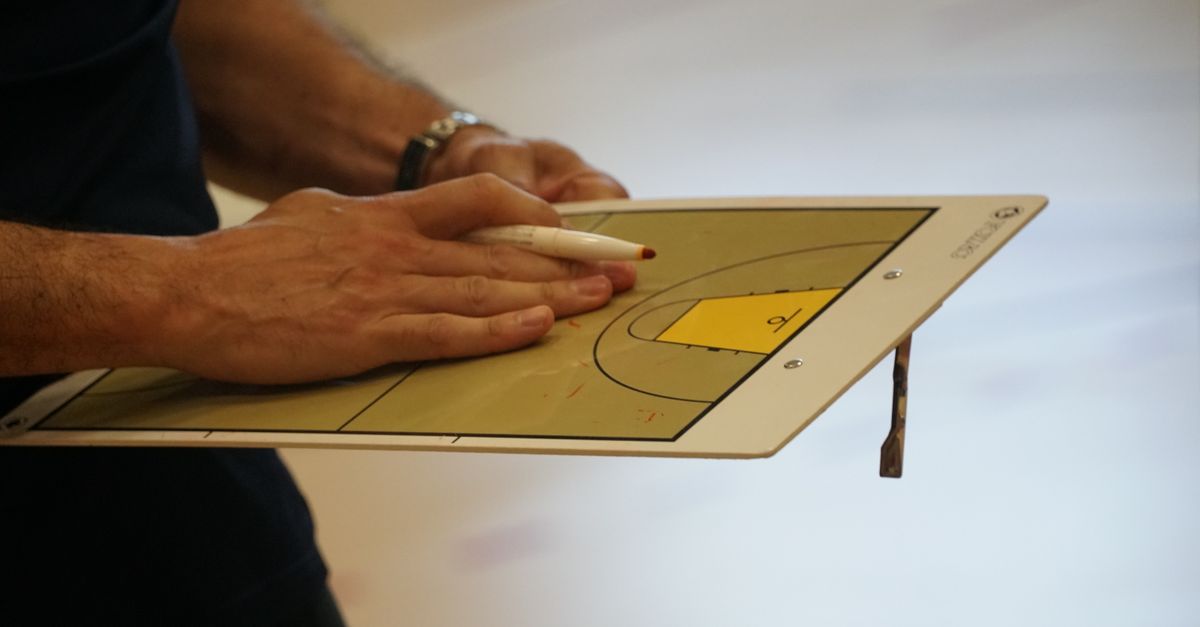
Why Plan the Steps Before Tip-Off
A basketball game generates a small set of decision points per possession: who scored, how many points it was worth, whether the foul on that possession is logged, and which period the score belongs to. Basketball Scorekeeper reduces each of those decisions to a single button, so the right plan is one that names every button in advance and decides when to advance the period. Planning the steps means turning the live sideline experience into a written sequence you can follow without thinking, which is the difference between a clean final total and a score you have to reconstruct after the fact.
The tool is intentionally narrow. It does not run a game clock, a shot clock, a possession tracker, a player roster, a player-foul ledger, or a rules engine that adjudicates penalties and substitutions. That narrow scope is the reason planning pays off. Every input maps to a single on-screen control, so a written plan covers the whole game with no surprise inputs. If you arrive at the sideline with a plan that names the team labels, the point buttons, the team-foul tap, the period transition, and the undo action, you can record any game without re-reading the controls.
The Events Basketball Scorekeeper Is Built to Record
The point buttons reflect the standard values in the FIBA Official Basketball Rules, which state that a free throw counts one point, a goal from the two-point area counts two, and a goal from the three-point area counts three. USA Basketball's youth guidelines provide an independent player-facing cross-check of those familiar values and the period-based flow of a game, so the tool can rely on three point values without inventing its own. That is why Basketball Scorekeeper exposes a +1, +2, and +3 button for each team rather than a single plus-one counter.
A team foul is recorded as its own event rather than folded into the score, so the foul tap does not change the score total. Team fouls are kept period-local: the displayed foul count for each side resets when you tap Next period, even though the score carries forward. After the fourth period the display continues as numbered overtime periods, and the tool does not decide when an overtime starts. You decide that, by tapping Next period when the rules of your format call for one.
| Planned event | On-screen action | What it changes |
|---|---|---|
| Home basket, 2 points | +2 under Home | Home total +2, daily Home points +2 |
| Away basket, 3 points | +3 under Away | Away total +3, daily Away points +3 |
| Free throw | +1 under scoring side | That team's total +1, no foul tap |
| Team foul on Home | Record team foul under Home | Home period foul +1, daily Home fouls +1; score unchanged |
| Team foul on Away | Record team foul under Away | Away period foul +1, daily Away fouls +1; score unchanged |
| End of period | Next period | Score preserved, period fouls reset, period number advances |
| Wrong tap | Undo last event | Full prior game and daily summary restored |
| End of game | Start new game | Active scoreboard cleared, saved daily history retained |
The screen keeps each team's total, the current period, and each side's current period-foul count in one readable layout, so the plan can be followed without scrolling or switching views. Every event also writes to a small private daily summary keyed by the browser's local calendar date, which is why the CSV export can later show home points, away points, home fouls, and away fouls as separate columns rather than as an undifferentiated total.
Build Your Step Plan in Five Lines
Before opening the tool, write a five-line plan on paper or in a note. The plan covers every input the tool accepts and lists the controls in the order you will use them. The five lines below are the maximum plan you need for any game the tool can score, and adding a sixth line covers export if you want a portable copy.
- Team labels: write Home and Away team names exactly as you will type them.
- Score vocabulary: list +1, +2, +3 for each side so the right button is already known for every basket type.
- Foul vocabulary: list the team-foul tap for Home and the team-foul tap for Away as separate items so a foul is never recorded as a score.
- Period rule: write the moment you will tap Next period (end of each quarter, halftime included, start of overtime).
- Correction rule: write the rule for a wrong tap — Undo last event restores the full prior game, not a generic subtraction.
The five-line plan is short enough to fit on a single index card and complete enough to cover the entire game. If you also expect to export, add a sixth line that names the file format you want at the end: a CSV row per local date with home points, away points, home fouls, and away fouls, or a 1080 by 1350 PNG that shows the total and recent days without team names or a web address. Once the plan is on paper, the on-screen controls stop being a question and become a checklist you can read at a glance.
Run the Game Using Your Planned Steps
Open the Basketball Scorekeeper, then follow the steps below in order. Each step maps to one of the controls from the plan and to a single on-screen button. Do not invent extra inputs, since the tool keeps the inputs narrow on purpose.
- Enter the home and away team names exactly as written in your plan.
- When Home scores, tap the +1, +2, or +3 button under Home that matches the actual scoring action — free throw, two-point-area goal, or three-point-area goal.
- When Away scores, tap the matching +1, +2, or +3 button under Away. Do not convert a +3 into a +1 + +1 by hand, because the event-type history is what the export later reports.
- If a team foul is called on Home, tap Record team foul under Home. If it is called on Away, tap Record team foul under Away. The score does not change.
- When the period ends, tap Next period. The score carries forward; the displayed period fouls reset; the period number advances. Repeat until the game is over, including the start of any overtime periods you choose to play.
- If a tap was wrong, tap Undo last event once. The full prior game and the daily summary row are restored together, so undoing a foul does not change the score and undoing a +3 restores the correct three-point total.
- When the game ends, tap Start new game to clear the active scoreboard. Saved daily history stays in this browser; the active display starts at zero for the next game.
A quick numeric example shows why the plan reads cleanly. Suppose Home plans a simple quarter of three two-pointers and Away plans one free throw plus two three-pointers. Home's planned total is 3 × 2 = 6 points; Away's planned total is 1 + 2 × 3 = 1 + 6 = 7 points. The tool will compute those totals on screen, but writing them down first shows where each event belongs in the step plan and makes the per-event history of the export match the score you can see.
For first-time setup decisions and where to begin with the tool, the Basketball Scorekeeper first-time setup guide walks through the same screen layout before any game starts.
Plan the End-of-Game and History Steps
The end-of-game plan covers two questions: whether to keep a portable copy, and whether to keep or clear the local record. The tool does not upload or sync, so the answer to both questions stays inside this browser.
For a portable copy, tap Export CSV to receive a compact file with one row per local date, with home points, away points, home fouls, and away fouls in separate columns. Tap Export PNG to receive a 1080 by 1350 visual record that shows the total and recent days and leaves out team names and a web address to reduce unnecessary context when the file is shared. Both downloads are produced inside the browser using native Blob and canvas APIs, so no account, upload, or server-side conversion is involved.
For the local record, the team names, the active game, and the daily history live under this browser's local storage key for the tool. A different device starts empty, and clearing site data removes the record. If you deliberately want a fresh start, tap Clear local history to remove every locally saved row while the active scoreboard continues normally. Start new game clears only the active scoreboard and current period fouls and keeps the saved daily history.
Planning these steps in advance means the end of the game is a single deliberate tap rather than a decision made under time pressure. If you want a written record of the same workflow for later reference, the Basketball Scorekeeper documentation guide covers how to capture each step as a personal run-of-show.
The boundary matters as part of the plan. The tool does not adjudicate a free-throw sequence, a substitution, a technical foul, or an officiating call. Competition rules vary across FIBA, NBA, WNBA, NCAA, youth, and pickup formats. The plan works wherever a standard one/two/three point two-team ledger, a visible period, and a period-foul reminder are the desired convenience, and the plan stops being appropriate the moment the game requires anything the tool deliberately leaves out.