A manual people counter is a button-driven tally that records entries and exits only when an operator clicks, while a sensor people counter uses cameras, infrared beams, or thermal arrays to log foot traffic automatically. The two approaches answer the same basic question, how many people came in and how many are still inside, but they get there through different amounts of hardware, cost, setup time, and trust in automation. A sensor counter can run hands-free once installed, but it depends on power, mounting position, ambient light, and a calibration that fits the doorway or zone being measured. A manual counter does not measure anyone on its own; it records only the entries and exits a person decides to log, which keeps the operating cost near zero but shifts the accuracy question to the operator. Picking between them is mostly a matter of scale, budget, and how much weight to put on privacy at the door.
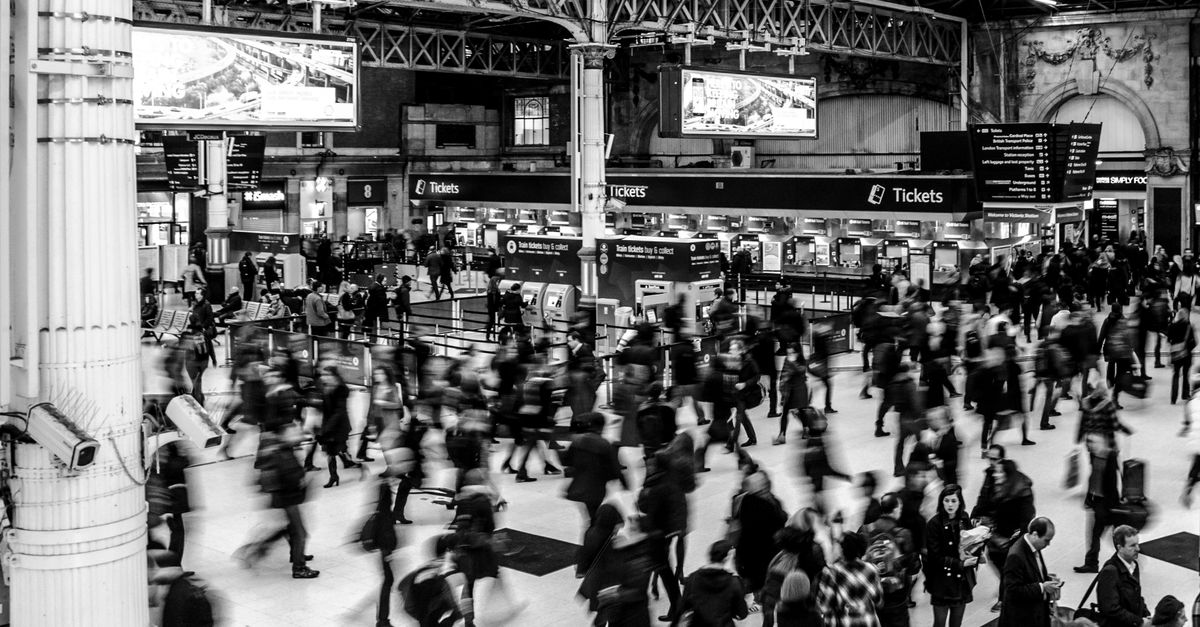
How a sensor people counter actually works
Sensor counters replace the operator with a piece of equipment. The main families in use today are:
- Overhead camera with computer vision. A small camera mounts above an entry and counts passing heads or torsos using an on-device model. Works well in steady lighting but is sensitive to glare, mounting height, and dense crowds where heads overlap.
- Infrared break-beam. A transmitter and receiver sit on opposite sides of a doorway; each broken beam counts as a single crossing. Inexpensive and battery-friendly, but cannot resolve direction on its own and double-counts when two people pass at the same instant.
- 3D time-of-flight or stereo depth sensors. Maps depth at the entry so the device can estimate height and shoulder width. More robust to lighting changes, but it needs power, network access, and a clear mounting height that varies by sensor.
- Thermal or array sensors. Detect body heat across a field of view. Useful in low light, but costlier, and accuracy drops when a doorway is partially blocked by glass or a curtain.
What these systems share is that none of them is a browser button. Each one ships as a device, a server or cloud license, a calibration step on site, and a support contract when behavior drifts. For a single door in a small store, a meeting room, or a community space, the install effort is rarely justified by what the device measures.
What a manual people counter can and cannot do
A manual counter is the simplest possible model: an operator at the door presses one button when someone enters and another when someone exits. There is no camera, no sensor, no badge reader, no model that might mis-identify a hat as a head. What you record is what you decided to record, and the resulting number reflects the operator's attention rather than a model's claim.
The strengths of the manual approach line up with small spaces:
- Records each person the operator chooses to log, without inventing a number from a camera frame that might miss a child, a hood, or a stroller.
- No power, mount, calibration, firmware update, or internet connection is needed beyond the device the operator is using.
- No image or biometric record is created, which avoids the privacy questions that door cameras often raise.
- Setup takes a moment and the operating cost is effectively zero beyond the operator's time.
The weakness is that the count is only as disciplined as the person pressing the buttons. A manual counter cannot tell you how many people walked past while the operator looked away, and it cannot recover from a missed log. It also requires someone to be posted at the door for it to produce a useful number, which is the same constraint as a low-tech clicker at a club night.
When the manual approach is the right fit
The cheapest path to a usable number is the right path when the cost of installing and running hardware is larger than the value of automating the count. That covers most small venues, community rooms, classes, retail back rooms, queue lines, and one-off events. A sensor counter makes sense when the operator cost dominates, when the door handles hundreds of crossings an hour, or when the count feeds payroll, fire compliance, or a building management system that demands continuous, hands-off data.
For the cases in between, a small front of house, a studio, a community hall, a workshop door, People Counter gives you the manual workflow with two improvements a paper clicker and a sensor cannot match at the same time: separate entry and exit totals that survive as dated history, and a user-set operational capacity reminder that flags when your own threshold is reached. Because the page runs entirely in the browser and stores state under this tool's own local key, opening it on a phone or tablet at the door is the entire setup.
Record entries and exits step by step
Open the People Counter page on the device you plan to use at the door. The tool runs in the browser, so no install or sign-up is needed.
- Set a capacity threshold (optional). Enter a whole number into the capacity field. The number is a user-set operational reminder, not a legal occupancy limit or fire-code calculation, so pick a value that matches how you already run the room.
- Press Record entry as each person comes in. The Entered total for today goes up by one, and the Current people count (Entered minus Exited) goes up by one.
- Press Record exit as each person leaves. The Exited total and the Current count update in the same way. The exit button is disabled when the current count is already at zero, so an accidental extra press cannot take the count negative.
- Watch for the capacity alert. When Current people reaches or passes the threshold you set, the page displays a clear alert. Treat it as a prompt for staff to slow entries rather than a safety certification.
- Check the daily history. When a new local calendar day begins, the visible count resets to zero while earlier days remain in the history list with their own Entered, Exited, and Net columns.
- Export if you need a file. PNG creates a 1080 by 1350 summary image; CSV writes a Date, Entered, Exited, Net row for each saved day. Both files are made in the browser with native canvas and Blob APIs and are never uploaded.
Comparing manual and sensor counters side by side
| Dimension | Manual people counter | Sensor people counter |
|---|---|---|
| Hardware required | Any device with a browser | Camera, beam, or depth unit plus mount |
| Setup time | Open a page | Mount, wire, calibrate, configure |
| Ongoing cost | Effectively zero beyond operator time | Power, network, license, support |
| Privacy posture | Records only the clicks made; no images | Captures images or depth frames that may be stored |
| Typical failure mode | Missed clicks when operator is distracted | Glare, occlusion, calibration drift |
| Directional data | Entry and exit kept separate by button | Some sensors require two units to separate |
| Negative-count safety | Zero-floor protection built into the counter | Depends on device firmware and signal noise |
| Best-fit venue | Small door, single operator, low to moderate traffic | High-traffic door, multiple entries, no on-site operator |
The table is a qualitative map. Exact accuracy figures come from the specific sensor model on site, and a manual count's accuracy is set by the operator, not the tool, so treat the rows as guidance rather than specifications.
Reading the daily totals and exporting
People Counter keeps two views at once: a live net count that updates as you click, and a Daily history list that grows one row per local calendar day. Each saved row holds three numbers, Entered, Exited, and Net, so a "what changed today" question can be answered either as arrivals versus departures (Entered compared to Exited) or as the resulting occupancy (the Net figure). The split is what makes a two-button counter more useful than a single-click tally once a day has more than one wave of arrivals.
When a count needs to leave the browser, the export options are deliberately small. PNG produces a 1080 by 1350 summary image with the Lizely mark, a total, and recent date rows, useful as a snapshot for a notice board or a weekly report cover. CSV writes a Date, Entered, Exited, Net people file with one row per saved day and opens cleanly in any spreadsheet. Neither export includes a URL, and neither requires a network round-trip, so the data stays where you made it. If browser storage is unavailable, the page still shows interactions for the current session but reports that it cannot retain them, which is the main operational constraint to plan around.
Where each approach falls short
Both systems have honest limits and they are not the same limits. A sensor counter can drift out of calibration, double-count people who walk shoulder-to-shoulder, or lose accuracy under unusual lighting, and correcting any of these usually needs a service call. A manual counter like People Counter cannot measure anyone on its own, will fall behind at a busy single door if the operator is also checking tickets, and stores its state in this browser only: clearing site data wipes the history, and a second browser begins with an independent empty record. The capacity alert is an internal operational reminder and never replaces trained staff, a legal occupancy calculation, a fire-code determination, or an access-control system.
Picking between them is mostly a question of scale and trust in automation. If the door is busy and the room demands continuous hands-off data, a tuned sensor earns its install. If the door is light enough for an operator to count, if privacy rules discourage imagery at the entrance, or if budget is the binding constraint, a manual counter that distinguishes entries from exits and treats capacity as a reminder is the more honest fit.
Related reading: Does a Tasbih Counter Need a Sign In to Save Counts?.
Related reading: Can I Change My Target Later in a Water Intake Counter?.