A clicks per second test is a short, timed challenge that counts how many times you can click a target area inside a set window — typically 1, 5, 10, 30, 60, or 100 seconds — and reports your score as clicks per second (CPS). The math is transparent: total clicks ÷ test duration in seconds. A run of 30 clicks inside a 5-second window produces exactly 6.00 CPS, regardless of how those clicks are spread across the timer. Because the CPS Test runs entirely in the browser, no install, account, or upload is required: the moment the page loads you can pick a duration and start clicking, with a live counter and remaining time keeping you honest from the first tap to the last. When time expires the target locks so late clicks cannot inflate the result, and the tool shows three things at once — your total clicks, your CPS, and a plain-language speed rating that places your run into a tier such as slow, average, fast, very fast, or pro.
What the Test Actually Counts
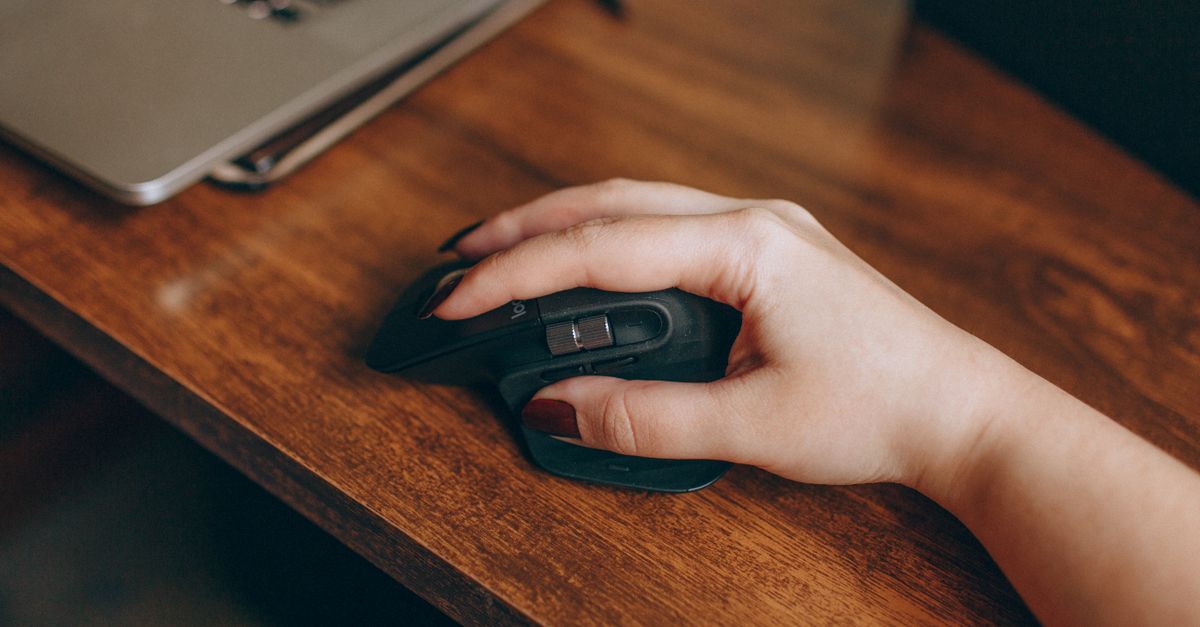
A clicks per second test does not measure accuracy, reaction time, or aim — it counts button presses. Every primary mouse click, every trackpad tap, and every tap on a touchscreen counts as one click the moment it lands on the target area, and the CPS Test treats them identically, so the score you see reflects raw physical clicking speed rather than skill at a specific game.
That simplicity is the point. The output is a single CPS number plus a tier label, and the calculation rule never changes between runs. Because the tool displays a running click total alongside the seconds remaining, you can also see your pacing during the run — whether you sprinted hard and faded, or held a steady rhythm from the start to the final click.
Why People Run a Clicks Per Second Test
Different readers come to a CPS test for different reasons, and the duration picker lets each group pick the test that matches the goal in front of them.
- Gamers testing PvP reflexes. Short 1- or 5-second runs feel closest to the burst clicking of Minecraft PvP, clicker games, and other reflex-heavy titles, so they measure the kind of speed that actually shows up in combat.
- Players trying out a new mouse or switch. A few 10- or 30-second tests reveal whether a freshly bought mouse, a freshly lubed switch, or a switch tester feels faster than the old setup, before committing to longer sessions or new hardware.
- Curious everyday users. A single 5-second test answers the question "how fast do I actually click?" without installing software or creating an account.
- Players tracking improvement over time. Pressing Try again produces a fresh score every run, so repeating the same duration over days turns the tool into a private benchmark that shows whether practice is paying off.
Because the CPS Test keeps every run local to your browser and uploads nothing, none of these use cases need a sign-up, a download, or any data sharing.
How to Run a Clicks Per Second Test
Follow these steps to get a clean score the first time you open the tool.
- Open the CPS Test in your browser. The default 5-second test is already selected and ready to go.
- Choose a duration if you want a different window — 1, 5, 10, 30, 60, or 100 seconds. Use 1 second for pure burst speed, 5 or 10 seconds for a balanced measurement, and 30 to 100 seconds to test stamina.
- Move your cursor onto the large target area and start clicking. Your very first click starts the countdown automatically, so no second is wasted before the timer starts.
- Keep clicking as fast as you can. The on-screen counter shows your running total and the seconds remaining at the same time.
- When the timer hits zero the target locks. Read your three results: total clicks, CPS score, and speed rating tier.
- Press Try again to run the same test once more and try to beat your previous score.
CPS Score by Duration
The duration you pick changes what your CPS actually measures. Use the table below to choose the right window for what you want to learn about your clicking.
| Duration | Best for | What it measures |
|---|---|---|
| 1 second | Pure burst speed | Explosive peak CPS with no endurance cost |
| 5 seconds | Balanced scoring (default) | Average CPS that smooths out tiny bursts |
| 10 seconds | Steady rhythm | How well you hold a fast pace without fading |
| 30 seconds | Stamina check | Mid-length endurance and consistency |
| 60 seconds | Longer sprints | How long a high CPS can be maintained |
| 100 seconds | Maximum endurance | How CPS settles across the longest run |
Shorter windows reward peak speed and tend to produce a higher CPS, while longer windows produce a slightly lower CPS because they average clicks across a whole run rather than a single sprint. A score of 11 CPS in a 1-second test often settles closer to 7 or 8 CPS over 10 seconds, and that drop is expected rather than a sign of regression.
Speed Rating Tiers Explained
After each run the CPS Test assigns a plain-language tier to your CPS so you instantly know where you stand without comparing against other people's scores.
| Tier | Typical CPS range | What it means |
|---|---|---|
| Slow | Under ~3 CPS | Casual clicking pace, room to improve |
| Average | Around 5 CPS | Typical everyday pace |
| Fast | 6–7 CPS | Above-average controlled rhythm |
| Very fast | Above 9 CPS | Consistently quick clicking |
| Pro | 12+ CPS | Elite-level sustained CPS |
Most casual users land in the fast or very fast band on a 5- or 10-second test. Hitting the pro tier consistently across a 10-second run — not only a 1-second burst — usually takes both practice and a smooth, repeatable technique.
How the CPS Score Is Calculated
The CPS Test uses one transparent formula for every duration, so the score never has hidden weighting or smoothing.
Formula: CPS = total clicks ÷ test duration in moments.
Worked example: 30 clicks landed inside a 5-second window. The calculation is 30 ÷ 5 = 6.00 CPS, which the tool reports as 30 clicks, 6.00 CPS, and the matching speed rating tier.
Because the value is an average across the whole window, a longer test almost always shows a slightly lower CPS than a 1-second sprint. Use the same duration across sessions if you want to compare one run with another fairly.
Tips to Push Your CPS Higher
A higher CPS usually comes from cleaner form rather than squeezing harder on the mouse.
- Rest your hand and arm comfortably. Tense muscles tire inside the first second and slow you down before the test is over, so a relaxed start beats a clenched one.
- Use small finger movements. Your index finger is faster than your whole wrist over short windows, and a smaller motion path lets you reset between clicks more quickly.
- Tap lightly. Many players find that relaxed, springy taps beat tense hammering because tense presses lock the finger briefly between clicks.
- Hold a steady tempo. A consistent pace usually scores higher than a sprint-and-burn-out rhythm because the average CPS across the window is what is recorded.
- Warm up, then stretch out. Run a 1-second burst to loosen up, then move to a 5- or 10-second test and try to hold that same pace. For a closer look at the 1-second format, the How to Ace the CPS Test 1 Second Challenge guide goes into more detail.
The same test works on touchscreens and trackpads too, although a dedicated mouse generally produces the highest sustained CPS because a hardware button resets faster than lifting a finger off glass. Repeating a few rounds on your chosen duration and watching the CPS number across runs is usually the fastest way to see whether the technique is actually helping.
For a deeper look, see Free Golf Score Tracker: Per-Hole Card With Handicap.