When you are deciding between the command line and an online tool, the Random Activity Generator wins for almost everyone who is bored because it filters by category, available time, and company before drawing one practical suggestion that fits your situation. Command-line entertainment — cowsay, telnet towel.blinkenlights.nl, sl, cmatrix, fortune, figlet, nethack, and similar classics — is fun for a few minutes and excellent for developers who already live in a terminal. It is not, however, the same thing as a tool that produces a real-world activity you can do with the time, mood, and people you actually have on hand. That is the gap the Random Activity Generator fills. The page narrows a built-in editorial pool of indoor, outdoor, creative, productive, relaxing, and social prompts by three filters before drawing one idea, so the result has already cleared the constraints you set. Command-line tools produce content inside the terminal; an online activity generator produces a task outside it.
The phrase "what to do when bored command line vs online" usually hides two related frustrations. One is boredom itself; the other is the wasted time spent scrolling a long list of generic suggestions, reloading pages, or trying to remember which quirky command produces ASCII art. Both approaches promise to break the loop, but they target very different problems, and only one of them produces an activity that respects the constraints you actually face right now.
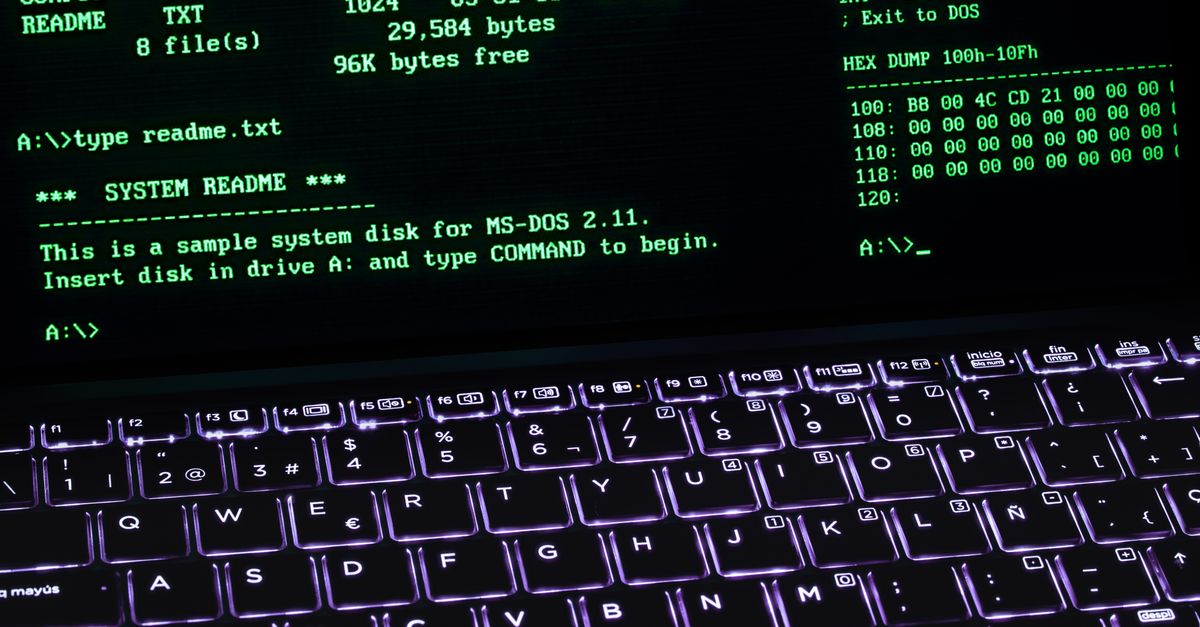
What the command-line approach actually solves
The command-line approach treats the terminal as a toy box. The classic commands run as small programs that print art, jokes, animations, or short stories. Cowsay and ponysay wrap a string in an ASCII animal. Fortune spits out a random aphorism. Sl draws a steam locomotive across the screen when you mistype ls. Cmatrix runs a Matrix-style rain effect. Telnet towel.blinkenlights.nl plays Star Wars in ASCII. Figlet and toilet turn text into banners. Nethack and rogue are full dungeon crawlers. Each one is a self-contained program, so you do not need an internet connection or even a graphical display.
This approach has clear strengths. It runs on servers, on SSH sessions, and on machines where a browser would be awkward. It is local, reproducible, and often package-installable with a single command. For a developer on a coffee break who already has a terminal open, it is genuinely the fastest way to kill five minutes without switching contexts.
What it does not do is suggest an activity. The terminal novelty produces content inside the terminal. It does not know that you have twelve minutes before a meeting, or that you are alone, or that you want to do something social. It produces a thing to read or watch, not a thing to do. Once the cowsay joke lands or the cmatrix rain stops being novel, the same screen that caused the boredom is still the screen you are staring at.
The case for an online activity generator
The online approach is built around a different question: given my actual situation, what should I do? The Random Activity Generator narrows a built-in editorial pool of activity prompts by three filters — category, available time, and company — then selects one suggestion from the eligible pool. The result is a single activity you can actually attempt, not a string of ASCII art. The page hands you the idea and steps out of the way, which matters if the reason you are bored is that you have been staring at a screen all day.
Filtering also changes the quality of the result. The built-in pool spans six categories: indoor, outdoor, creative, productive, relaxing, and social. Adding a time ceiling excludes anything the editor labeled longer than your limit. Adding a company setting includes solo and flexible activities when you are alone, or group and flexible activities when you are with people. The intersection of those three filters is the eligible pool the generator draws from, so every idea you see has already cleared the constraints you set.
The comparison is more pointed than it sounds. A command-line game keeps your eyes on a screen. An online activity generator hands you a suggestion and then frees the screen. Category labels are broad navigation aids, so an idea may naturally feel creative and relaxing even though it appears under only one heading; the draw still respects the filter you set rather than silently swapping categories. That honesty is what makes the result usable.
How to use the Random Activity Generator
- Open the Random Activity Generator in any modern browser.
- Choose one of the six categories — indoor, outdoor, creative, productive, relaxing, or social — or leave the category open to include every type of idea.
- Set the time available using the duration filter, and choose whether you are alone or with other people. Every active filter is combined, so a fifteen-minute solo creative result will not include anything the editor labeled for groups or longer than fifteen minutes.
- Click Suggest an activity to draw one idea from the eligible pool.
- Read the title and short description. If the idea does not fit, click again for another independent selection from the same eligible pool, or widen a filter to reshape the pool before drawing again.
- Use the Copy idea button to place the title, description, time label, and participation note on your clipboard. If clipboard permission is unavailable, the page displays an explicit message so you can select the visible result manually.
That workflow takes a few seconds. Filtering happens in the current tab, and the draw uses an unsigned 32-bit value from the browser Web Crypto interface. Rejection sampling discards the small incomplete end of the numeric range before mapping an accepted value to an activity index, which prevents the modulo shortcut that can make some positions slightly more likely than others. Every eligible idea has the same chance of being drawn on each press.
Command-line tricks that still earn their keep
There are honest cases for the terminal route. A developer who wants five minutes of low-effort novelty without leaving the keyboard still gets more value from cowsay or cmatrix than from opening a new browser tab. A server admin who already has SSH access and no browser handy can lean on figlet, toilet, or fortune for quick entertainment. Terminal games such as nethack, bsdgames, or bsdgames-adventure offer long sessions of play, which is a different scale of boredom than "I have twenty minutes before lunch."
The honest limit of the terminal approach is that the output is the activity. You sit and watch ASCII art, read a fortune, or play a text game. If your goal is to stop staring at a screen, the terminal cannot help, and an online generator that hands you an offline activity is the better choice. If your goal is a quick laugh inside the terminal you already have open, the terminal still wins on speed and on zero context-switching.
Choosing the right filter combination
Filters work as a chain, and the chain only matches when every filter has at least one eligible idea. Leaving every filter open produces the largest pool and the most variety. The most useful narrow combinations tend to follow one of three shapes:
| Filter combination | What it returns |
|---|---|
| Category + time only | Activities in one mood band that fit the time ceiling, ignoring solo or group context. |
| Category + company only | Activities in one mood band sized for solo or group sessions, ignoring the time ceiling. |
| Time + company only | Activities sized to the time you have and the people present, drawn from every category. |
Setting all three filters narrows the eligible pool the most, which usually improves relevance at the cost of variety. The time filter is a planning aid rather than a countdown or promise; each activity has a broad estimated duration chosen to make filtering useful, and selecting up to thirty minutes means the eligible pool includes suggestions labeled fifteen, twenty, or thirty minutes but excludes longer entries. If you choose a strict combination and receive a "no eligible activity" result, the right move is to widen exactly one filter — a longer time limit, a different category, or the open participation option — and draw again.
What to do when a strict combination finds no match
An empty result is not a failure of the tool. It is a signal that the three filters you chose cannot all be satisfied by the editorial pool at the same time. The generator surfaces that explicitly instead of silently returning an activity from outside the selected category, so you always know whether the result honored the filter. When that happens, the next draw usually works if you loosen the time ceiling, switch category, or choose the open participation option that includes both solo and group activities through the flexible subset.
There is no account, no uploaded list, and no server-side history. Filtering and the random draw both run in the browser tab you opened, which means you can use the tool on a shared computer or a borrowed device without leaving a trail. The activity prompts themselves are editorial suggestions rather than medical, safety, or professional guidance, so ordinary judgment about location, weather, materials, mobility, and circumstances still belongs to you.
For a quick decision rule: if you want to be entertained inside the terminal, use command-line toys such as cowsay, cmatrix, or fortune. If you want a real activity for the time and people you actually have, use the Random Activity Generator and let the three filters do the narrowing for you. Random selection does not rate activity quality or predict what you will enjoy; it simply gives every currently eligible entry an equal chance, which is the point of choosing a generator over scrolling a list.
Related reading: Compliment Generator Explained: How 24 Prompts Pick a Line.
Related reading: Can Labels Contain Commas When Using Line Graph Maker.