"What should I eat" is a low-stakes but recurring decision problem: you know how to cook or how to assemble a meal, but the choice itself is the friction. A filter-and-draw generator like the What Should I Eat Generator treats that friction as a small, transparent problem with a small, transparent answer. It holds a fixed editorial pool of 24 original food ideas, applies up to three optional filters (meal, mood, and rough time limit), reports how many ideas remain eligible, and draws one locally in your browser using Web Crypto. The draw is fair, the immediate-repeat rule prevents two clicks in a row from returning the same idea, and the rest of the decision, including ingredients, allergens, recipe, portions, and schedule, stays with you. The tool is deliberately narrow: it does not check dietary needs, calculate nutrition, rank restaurants, or inspect your pantry. It exists to break indecision with a single general direction, then step out of the way.
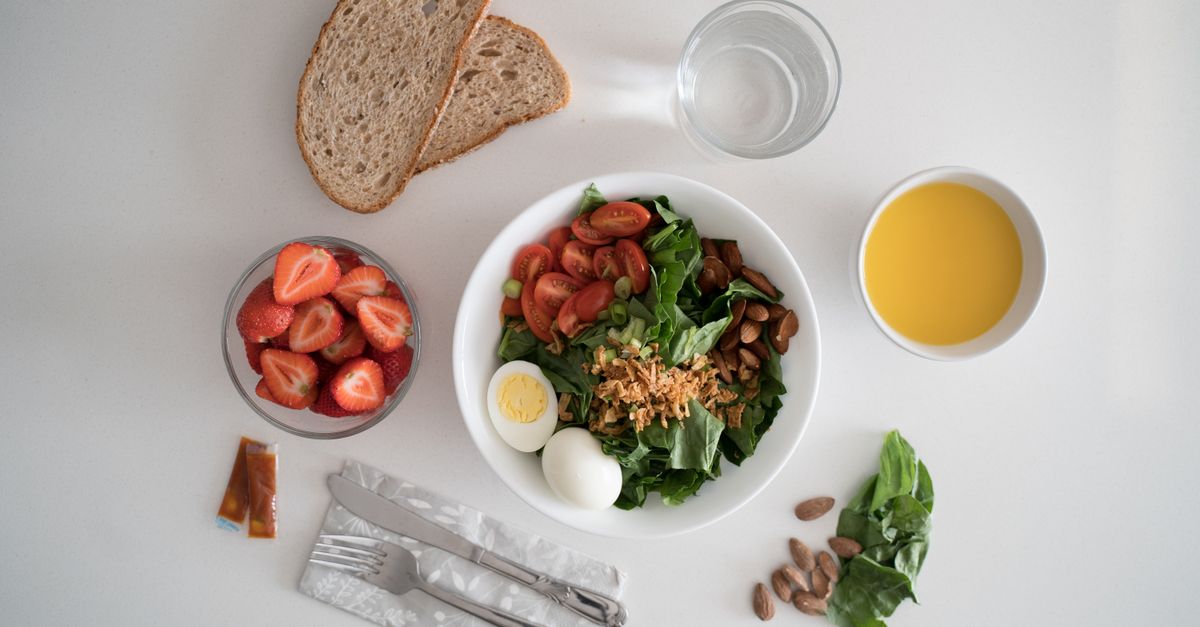
The "What Should I Eat" Problem in Plain Terms
When people search "what should I eat", they usually mean one of three things: they want a recipe, they want a direction, or they want someone else to make the call for them. The What Should I Eat Generator sits in the middle category. The difference matters. A recipe answer requires you to already know what dish you're making; a fully automated answer asks the tool to know your pantry, your budget, your culture, your schedule, and your dietary needs, which a small browser tool cannot honestly do. A direction answer is the realistic middle: the tool suggests a category of meal, such as a warm noodle bowl or a folded quesadilla, and you choose the actual recipe, ingredients, and portions using your own judgment.
This is why the tool ships with an inventory of 24 ideas rather than 24,000. The smaller the pool, the more honestly it can be labeled "general ideas", and the easier it is for the reader to treat each card as a starting prompt rather than a medical, nutritional, or restaurant recommendation. A bigger database would imply that the tool understands cuisine, nutrition, or local restaurants; it doesn't, and refusing to fake that is the design.
There is also a quiet cost to pretending. The moment a tool suggests a "best" dish for you, it is silently claiming to know something it cannot actually know, such as what is in your fridge, what culture you cook in, or whether anyone at the table has a serious allergy. Refusing that claim is the same move as refusing to label a dish "vegan" or "halal" from a title alone: the tool stays useful by staying narrow, and the user stays responsible for the parts of the decision only they can make.
How a 24-Idea Filter Pool Works
The full pool is structured as a 4×3×2 grid: four meals (breakfast, lunch, dinner, snack) crossed with three moods (fresh, cozy, hearty), with exactly two editorial ideas in each of the twelve combinations. Breakfast ranges from fruit and yogurt to a potato hash. Lunch includes salads, soups, noodles, bowls, and sandwiches. Dinner covers tacos, pasta, rice, stir-fry, and a baked potato. Snack ideas include fruit, crackers, popcorn, toast bites, a folded quesadilla, and pantry snack mix.
Because the inventory is small and labeled, every title, description, mood, and time estimate can be audited by the reader in seconds. That transparency is the point. When you apply filters, the browser checks every entry against the active constraints and reports the eligible-pool count before drawing. If the count is zero, no draw happens and no randomness is requested. That empty-result path is intentional, because it prevents the tool from silently picking "the closest match" or relaxing your filters behind your back.
The Three Filter Dimensions
| Filter | Options | Purpose |
|---|---|---|
| Meal | Breakfast, lunch, dinner, snack, or open | Narrows the editorial pool to a time-of-day slot |
| Mood | Fresh, cozy, hearty, or open | Hints at texture, temperature, and weight |
| Time | Up to 15, up to 30, up to 45 minutes, or open | Rough planning estimate, not a cooking timer |
Any filter can be left open. Leaving all three open exposes the full 24 ideas. Combining filters applies all of them at once, which is the normal use case: a cozy lunch you can assemble in under 30 minutes, or a hearty dinner with no time pressure, for example. Time labels are rough editorial estimates that assume common ingredients and basic kitchen equipment are already on hand. They exclude shopping, thawing, marinating, unfamiliar techniques, cleanup, and interruptions, and actual preparation can be shorter or longer than the label suggests.
Drawing a Local Suggestion
- Open the What Should I Eat Generator and choose a meal, a mood, and a rough time limit, or leave any filter open to widen the idea pool. The eligible-pool count updates as soon as you change a filter.
- Click to draw a food idea. The card shows a title, a short direction, the matching time label, and the eligible-pool count. The draw uses crypto.getRandomValues with rejection sampling so every eligible position is equally likely.
- If another eligible idea exists, the generator removes the current result from the next draw so two consecutive clicks don't return the same entry. The full eligible count is still shown because only the next-draw pool changes.
- Review the suggestion: does the meal and rough effort fit what you actually have time and ingredients for? If not, draw again or widen one filter.
- Copy the title or short direction with the Copy idea button if you want to drop it into a shopping note, a chat, or a recipe search box.
- Find a recipe you trust, verify every ingredient against allergies or dietary needs for the people eating, follow safe storage and cooking guidance, and adjust portions for the number of servings you need.
What the Random Draw Does and Doesn't Promise
What the draw does promise: every eligible position is equally likely after the active filters are applied; two consecutive clicks never return the same idea when another eligible idea exists; and the pool count is honest, meaning empty filter combinations produce empty results rather than a relaxed fallback.
What the draw does not promise: that the suggestion matches your taste, pantry, budget, schedule, culture, or dietary needs; that the named dish is vegan, vegetarian, gluten-free, halal, kosher, low-sodium, diabetic-friendly, pregnancy-safe, or allergy-safe, since a dish title is a label rather than a recipe and the same name can be made many ways; that the time label is a cooking timer or a food-safety time; or that your browsing history, location, delivery apps, or pantry contents have any influence on the result. Nothing is uploaded, and filters plus the current result live only in the open page. For medically prescribed diets, serious allergies, infant feeding, pregnancy concerns, swallowing problems, or other health-related needs, rely on qualified guidance and verified ingredient information rather than a random general prompt.
Reading a Result: What's in the Card
Each draw returns four pieces of information. The title is a short dish or format name such as "tomato soup", "yogurt bowl", "stir-fry", "quesadilla", or "pantry snack mix". The short direction is a one-line hint about texture, temperature, or assembly style. The time estimate is a planning label drawn from the same set that the filter uses. The eligible-pool count tells you how many ideas matched your filters at the moment of the draw, which is a useful honesty signal: a count of 1 means the filter combination is restrictive on purpose, and a count of 12 or more means you have lots of room to draw again.
Meal and mood labels describe when and how an idea might fit, but they are not rules. A breakfast wrap can be dinner. A snack mix can be part of lunch. Fresh, cozy, and hearty are practical interface categories, not nutritional or wellness claims. Fresh points toward crisp produce and brighter combinations, cozy toward warm familiar food, and hearty toward more substantial formats. Use them as filters, then make the real food decision yourself.
Why a Small Pool Is a Feature
A 24-item pool is small on purpose, and the smallness is what makes the rest of the contract honest. A database of thousands of dishes would imply editorial authority over cuisine, region, or nutrition that the tool does not have. A pool you can read end to end in a minute, on the other hand, behaves like a printed list in a drawer: useful, inspectable, and free of the false promise that the tool knows your week. The same design choice is what lets the filter labels stay short and the eligible-pool count stay meaningful. When the count is 3, that really is 3 out of 24, not 3 out of an unseen larger catalog the user has never been told about.
The small pool also makes the no-repeat rule feel fair. Excluding the current result from one draw is a noticeable nudge when there are only a handful of eligible entries, and almost invisible when there are many. With 24 total ideas, both behaviors are easy to reason about and easy to test, which is why the published contract can describe them in plain language instead of statistical caveats.
When to Skip the Draw and Pick a Recipe Instead
The draw is the right tool when the problem is indecision: you have time, ingredients, and a general willingness to cook, and you just need a starting direction. The draw is the wrong tool when the problem is medical, dietary, or logistical. If someone in the household has a diagnosed allergy, if you're following a clinician's meal plan, if the kitchen is closed and you need delivery, or if the question is really "what's open nearby" or "what's in my fridge", you should reach for a different resource such as a verified recipe site, a registered dietitian, a delivery app, or your own pantry inventory.
The same logic applies inside the tool. If a suggestion looks impractical, draw again or widen one filter: relax the time limit, drop the mood, or leave the meal open. The pool is small on purpose so that each draw still feels like a real option rather than a token gesture. If you want to see the full pool laid out before you draw, the What Should I Eat Cheat Sheet: 24 Ideas, 3 Filters, 1 Draw walks through all 24 titles, the three filters, and the single-draw step in one place. Returning to the What Should I Eat Generator itself, the boundary stays simple: the tool gives you a fair, local, repeatable random direction, and you make the actual food decision.
Related reading: A Random Avatar Generator Alternative That Stays Local.