Food roulette is a randomized way to pick what to eat by drawing one idea from a small, transparent pool of meal options rather than spinning through every recipe you have ever saved or every restaurant in your city. A practical food roulette keeps the pool small enough that you can actually see every option before you commit, narrows that pool by what you really need right now, and picks one idea with fair randomness so the same meal does not come up twice in a row. The idea is older than the name: most people have, at some point, named three or four options on their fingers and pointed at one. A modern food roulette just gives that finger-pointing a clearer pool and a fairer hand. The What Should I Eat Generator takes that approach literally. It holds 24 original editorial ideas, lets you narrow them by meal type, food mood, and a rough time limit, and draws one suggestion in your browser using Web Crypto randomness without uploading anything or saving a history. Filters and the current result live only in the open page, and clipboard access is requested only when you press the copy button.
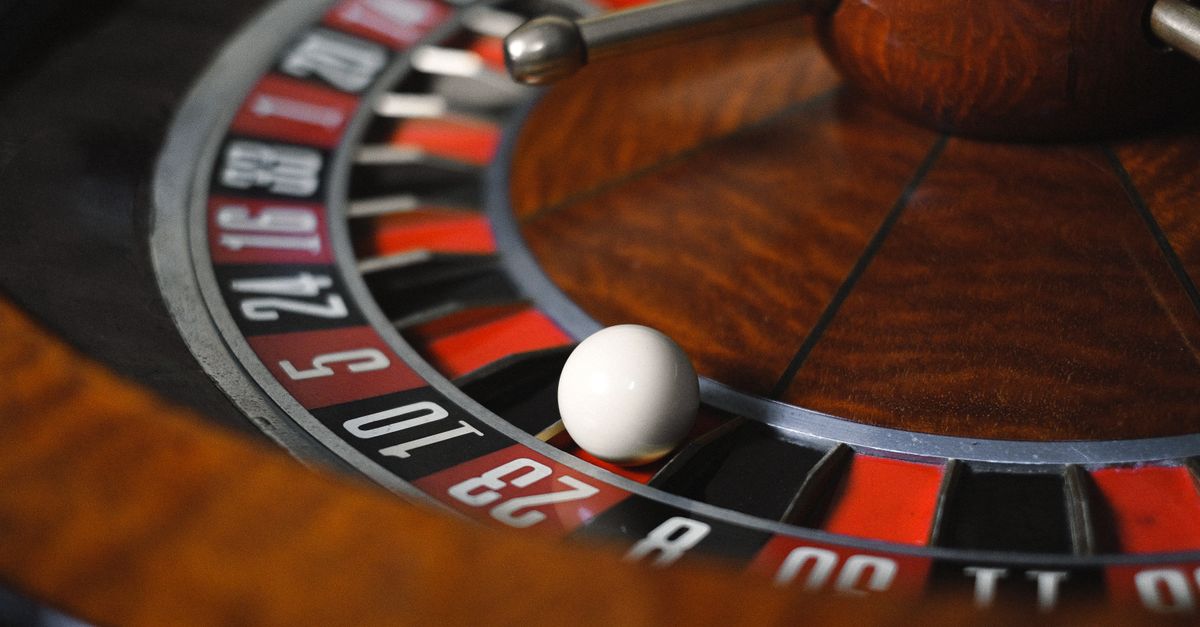
What Food Roulette Actually Means in Practice
The term "food roulette" gets used loosely. Some people mean an app that picks a restaurant near them; others mean a website that suggests a recipe from a open database; still others mean a dice-based home game where the family names options on a board and rolls. None of those are wrong, but they each answer different questions. A restaurant picker answers "where should I eat"; a recipe search answers "how do I cook X"; a board game answers "what should we have for fun".
The question most people actually have when they search for food roulette is simpler and earlier in the meal decision: I am hungry now and I genuinely do not know what to make. That is the gap the What Should I Eat Generator is built to fill. It does not pull a list of nearby restaurants, it does not crawl a recipe database, and it does not rank dishes by taste. It holds a fixed pool of 24 original editorial ideas so you can read every title before any draw happens, and then it picks one for you.
A small, visible pool changes how the tool feels. When a user can see that there are exactly two breakfast-and-fresh ideas, two breakfast-and-cozy ideas, and two breakfast-and-hearty ideas, the random step stops feeling like a black box and starts feeling like a fair hand from a deck you have already inspected. That transparency is the point. The 24 titles, descriptions, categories, moods, and planning times are original product copy, not a factual restaurant database or a cuisine authority, so the tool can name every option in plain English instead of relying on scraped place data.
How to Run a Food Roulette in Your Browser
A food roulette only helps if the steps are simple enough to follow when you are already hungry. The What Should I Eat Generator keeps the workflow to three actions, all on the same page:
- Open the What Should I Eat Generator and choose a meal, food mood, and rough time limit, or leave any filter open for a larger idea pool. The meal choices are breakfast, lunch, dinner, snack, or an open setting; the mood choices are fresh, cozy, hearty, or open; and the time choices are up to fifteen minutes, up to thirty minutes, up to forty-five minutes, or open.
- Pick a food idea and review its title, the short direction underneath it, the rough preparation-time label, and the eligible-pool count the page shows you. The pool count tells you how many ideas still match your active filters, so you always know the size of the hand you are drawing from.
- Verify the suggestion against your own situation before you act on it. Check the ingredients you have, the allergies or dietary needs of the people eating, safe storage and cooking guidance, and find a recipe you trust from a source you already use. The generator only supplies a direction; it does not supply an ingredient list, a cooking method, or a food-safety ruling.
If the result does not fit, draw again or widen one filter. The next draw is intentionally different from the current one as long as another eligible idea exists. This immediate-repeat avoidance is the part most people mean when they say "fair roulette". If the eligible pool ever drops to zero, the tool returns no result and does not request any random value, because there is nothing to draw from.
What the 24-Idea Pool Contains
The pool is deliberately small and fully transparent. It contains exactly 24 original titles organized as four meal values crossed with three mood values, with two ideas recorded for each combination. You are never drawing from an opaque list of thousands; you can read every category the tool could ever return by browsing the meal groups.
By meal, the inventory covers the formats most weeknight cooks actually reach for:
- Breakfast ranges from fruit and yogurt to a potato hash.
- Lunch includes salads, soups, noodles, bowls, and sandwiches.
- Dinner covers tacos, pasta, rice, stir-fry, and a baked potato.
- Snack ideas include fruit, crackers, popcorn, toast bites, a folded quesadilla, and a pantry snack mix.
Because each meal has three moods and each pair has exactly two ideas, the same dish style can appear in more than one mood slot. A noodle bowl might show up as cozy, for example, while a salad is more naturally fresh. The mood label is an interface category, not a verdict on whether the dish is healthy, light, or comforting. The table below shows what each mood label signals and the rough style it steers the pool toward. The tool does not claim any of these are nutritional categories; the words only help you narrow the editorial pool.
| Mood label | Style it signals | Example idea categories in the pool |
|---|---|---|
| Fresh | Crisp produce and brighter combinations | Light salads, fruit-forward breakfasts, simple snack plates |
| Cozy | Warm familiar food | Soups, warm bowls, toasts, soft formats |
| Hearty | More substantial formats | Pasta, tacos, rice dishes, baked potato, stir-fry |
Meal labels are practical in the same way. A breakfast wrap can be dinner, and a snack mix can be part of lunch; the labels describe when an idea is most likely to fit, not a rule. If a meal suggestion feels wrong for the moment, switch the meal filter rather than fighting the result.
How the Meal, Mood, and Time Filters Work
Every active filter narrows the same eligible pool. The browser applies your selected meal, mood, and maximum minutes as combined constraints; the count you see on the page is the number of records that still pass every active filter. Leaving any filter open does not expand the pool beyond the 24 ideas the tool ships with; it just removes one constraint so the draw has more room to work with.
Time labels are rough planning estimates, not cook times or food-safety times. They assume common ingredients and basic kitchen equipment are already on hand, and they do not include shopping, thawing, marinating, unfamiliar techniques, cleanup, or interruptions. Actual preparation can be shorter or longer than the label suggests. The table below shows exactly what each filter setting includes, based on how the tool itself groups its ideas.
| Filter setting | Ideas included in the eligible pool |
|---|---|
| Up to 15 minutes | Only items labeled 10 or 15 minutes |
| Up to 30 minutes | Adds items labeled 20 and 30 minutes on top of the 10- and 15-minute ideas |
| Up to 45 minutes | Includes the full 24-idea collection |
| Open / no time filter | Same as up to 45 minutes, with no maximum applied |
A time label is never a food-safety cooking time. A 10-minute idea may still need a longer oven step or a longer rest; the filter is built for rough planning, not for ruling a dish in or out on safety grounds.
Why the Random Draw Is Fair and Local
The word "random" is doing real work in a food roulette, and the What Should I Eat Generator treats it as a contract. Selection only happens after filtering. The browser requests an unsigned 32-bit value from crypto.getRandomValues, discards the incomplete modulo tail when necessary, and maps an accepted value to an eligible position. This rejection-sampling step prevents the shortcut where some positions can become slightly more likely if a naive modulo were used on a small pool.
The pool also has a no-repeat rule. When another eligible idea exists, the current result is removed from the next draw so two consecutive clicks do not return the same entry. Later draws can return the same idea again, and every other eligible choice stays random. The full eligible count remains visible because the no-repeat rule changes only the next draw pool, not the underlying inventory. Tests verify unique IDs and titles, exactly two ideas in every meal-and-mood pool, integer time bounds, combined filters, empty-filter behavior, unsigned random boundaries, rejection retry, bounded failure, and immediate-repeat avoidance.
None of this leaves your browser. The tool does not upload your filters, your result, your clipboard, your browsing history, your location, or any previous draws. Filters and the current result live only in the open page. Clipboard access is requested only when you press Copy idea. If you want a similar randomness mechanic in another context — a yes-or-no question, a coin flip, or a random number in a range — the same Web Crypto approach is used in the Yes or No Generator, the Coin Flip, and the Random Number Generator.
When Food Roulette Is and Isn't the Right Tool
A food roulette is the right tool when the problem is indecision, not missing information. If you want a broad idea, understand your own pantry and schedule, and will make the real food decision yourself, a small, transparent pool is genuinely useful. It works well for solo dinners, busy weeknights, lunch breaks, snack plate variety, and low-stakes "what should I make tonight" moments.
It is not the right tool when the answer has to be checked for you. The generator intentionally has no dietary checkbox. A title like tomato soup, yogurt bowl, stir-fry, or quesadilla does not establish which ingredients, allergens, preparation surfaces, or substitutions will be used. The same named dish can be suitable or unsuitable depending on its recipe. The tool does not label ideas vegan, vegetarian, gluten-free, halal, kosher, low-sodium, diabetic-friendly, pregnancy-safe, or allergy-safe. For medically prescribed diets, serious allergies, infant feeding, pregnancy concerns, swallowing problems, or any other health-related need, rely on qualified guidance and verified ingredient information rather than a random general prompt.
It is also not a recipe, a restaurant ranker, a delivery app, a nutrition calculator, or a price comparison. The tool does not inspect your pantry, your delivery apps, your health data, or your previous meals. It does not rank local businesses, provide a recipe, order food, calculate nutrition, or compare prices. Use the result as a conversation starter: first confirm the meal and rough effort fit, then choose a recipe you trust, verify ingredients and allergens, follow safe storage and cooking guidance, and adjust portions for the people involved. If a suggestion is impractical, draw again or widen one filter. The pool is small enough that you can quickly reach a workable idea without ever feeling stuck.
For a deeper look, see Generate a Random IPv4 Address for Safe Sample Data.
For a deeper look, see Make Math Worksheets More Engaging With Random Practice.